Skip to content
Live2Tech
  • iPhone
  • Windows
    • Windows 11
    • Windows 10
  • Office
    • Word
    • Excel
    • Powerpoint
    • Outlook
  • Google
    • Google Docs
    • Google Sheets
    • Google Slides
    • Gmail
    • Chrome
    • Google Drive
  • Mac & Apple
    • Mac
    • iPad
    • Apple Watch
  • All Tutorials

Kermit Matthews

Kermit Matthews runs Live2Tech from just outside Philadelphia. He is an IT specialist with over 20 years of experience, from a university help desk to small-business IT, IT management and his own consulting practice, and has written tech guides full time since 2020. Steps are checked against the current software on a real device or the maker's official documentation. More about Kermit.
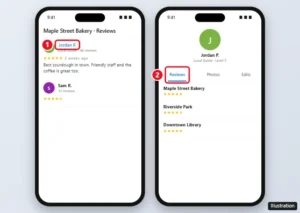
Google Maps app showing a review with the reviewer name highlighted and their profile with the Reviews tab listing all their reviews

How to Find Someone’s Google Reviews

November 13, 2026May 2, 2024 by Kermit Matthews

Find all of someone’s Google reviews by opening their Google Maps profile from any review, see your own reviews, and learn why some profiles are hidden. Continue Reading How to Find Someone’s Google Reviews

Categories Google Maps

How to Create an Order Form in Google Forms (With Totals and Payment)

November 10, 2026May 2, 2024 by Kermit Matthews

Learn to easily create an order form with our step-by-step guide using Google Forms. Streamline your business process today! Continue Reading How to Create an Order Form in Google Forms (With Totals and Payment)

Categories Google
Flight search date picker showing a month calendar with prices under each date, lower fares in green, and the Date grid and Price graph buttons highlighted

How to Search Flexible Dates on Google Flights

November 10, 2026May 2, 2024 by Kermit Matthews

Search flexible dates on Google Flights with the price calendar, Date grid, Price graph, Explore, and price tracking to find the cheapest days to fly. Continue Reading How to Search Flexible Dates on Google Flights
Categories Google
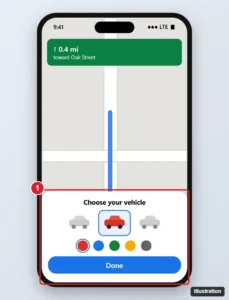
Phone maps app during navigation with the vehicle icon picker open, showing car icons to swipe through, color choices and the Done button highlighted

How to Customize Google Messages: Themes, Colors, Notifications and More

November 16, 2026May 2, 2024 by Kermit Matthews

Customize Google Messages with themes, wallpaper-matched bubble colors, chat backgrounds, notification sounds, swipe actions and RCS chat features. Continue Reading How to Customize Google Messages: Themes, Colors, Notifications and More
Categories Google
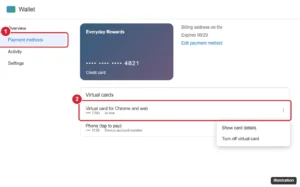
Wallet website Payment methods page with a card open, the virtual card list and the three dot menu option to show card details highlighted

Can You See a Full Card Number in Google Pay or Wallet?

November 14, 2026May 2, 2024 by Kermit Matthews

See what card numbers Google Pay and Google Wallet show, view a full virtual card number on the web, and where to find your physical card number. Continue Reading Can You See a Full Card Number in Google Pay or Wallet?

Categories Google
Phone map app showing driving route options with a toll price estimate on the fastest route and a toll-free alternative

How to See Toll Prices on Google Maps

November 10, 2026May 2, 2024 by Kermit Matthews

See estimated toll prices on Google Maps before you drive, add your toll pass for more accurate prices, and avoid tolls on Android and iPhone. Continue Reading How to See Toll Prices on Google Maps

Categories Google
Android Side button settings with the Press and hold options and Power off menu highlighted

How to Replace Bixby With Google Assistant (or Gemini) on Samsung Phones

November 16, 2026May 2, 2024 by Kermit Matthews

Replace Bixby with Google Assistant or Gemini on a Samsung phone: remap the side button, set the default digital assistant, and turn off Bixby wake-up. Continue Reading How to Replace Bixby With Google Assistant (or Gemini) on Samsung Phones
Categories Google
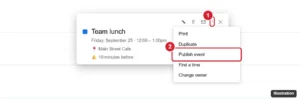
Google Calendar event details with the options menu open and Publish event highlighted

How to Make Google Calendar the Default Calendar on iPhone

November 14, 2026May 2, 2024 by Kermit Matthews

Make Google Calendar the default on iPhone: add your Google account, set it as the Default Calendar for new events, sync shared calendars, and fix sync issues. Continue Reading How to Make Google Calendar the Default Calendar on iPhone

Categories iPhone

How to Block Ads in Chrome on iPhone (Pop-Ups, Safari Blockers and DNS)

November 18, 2026May 2, 2024 by Kermit Matthews

Chrome for iPhone doesn’t support ad-blocking extensions. Turn on its pop-up blocker, then use a Safari content blocker or DNS filtering for more. Continue Reading How to Block Ads in Chrome on iPhone (Pop-Ups, Safari Blockers and DNS)
Categories Chrome
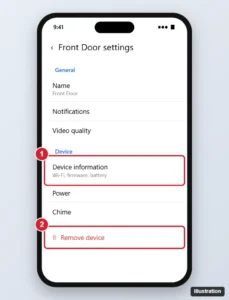
Smart home app doorbell device settings with the Device information section and Remove device highlighted

How to Reset a Google Nest Doorbell (Restart and Factory Reset)

November 13, 2026May 2, 2024 by Kermit Matthews

Reset a Google Nest Doorbell by removing it from the Google Home app and holding the reset button, then set it up again. Covers common models. Continue Reading How to Reset a Google Nest Doorbell (Restart and Factory Reset)
Categories Google
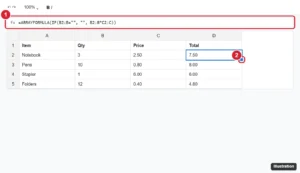
Online spreadsheet with an ARRAYFORMULA in the formula bar and results filling column D, with the fill handle highlighted

How to Apply a Formula to an Entire Column in Google Sheets Quickly

November 15, 2026May 2, 2024 by Kermit Matthews

Apply a formula to an entire column in Google Sheets with the fill handle, ARRAYFORMULA, Ctrl+Enter, or Ctrl+D, and fix #REF! and fill problems. Continue Reading How to Apply a Formula to an Entire Column in Google Sheets Quickly

Categories Google Sheets

How to Add Contacts to Google Voice on a Computer

November 11, 2026May 2, 2024 by Kermit Matthews

Add contacts to Google Voice on a computer through Google Contacts: create one, save a caller, import a CSV or vCard, and fix contacts that don’t sync. Continue Reading How to Add Contacts to Google Voice on a Computer

Categories Google Voice

How to Highlight in Google Sheets (Cells, Text, Rows and Duplicates)

November 10, 2026May 2, 2024 by Kermit Matthews

Learn how to make important data stand out in Google Sheets with our easy step-by-step guide on highlighting cells, rows, and columns. Continue Reading How to Highlight in Google Sheets (Cells, Text, Rows and Duplicates)
Categories Google Sheets
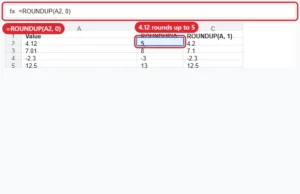
Spreadsheet using ROUNDUP to round values up to whole numbers and one decimal place

How to Round Up in Google Sheets

November 10, 2026May 2, 2024 by Kermit Matthews

Round up in Google Sheets with ROUNDUP(value, places), or CEILING for multiples. Examples for decimals, tens, negatives and quantities. Continue Reading How to Round Up in Google Sheets
Categories Google Sheets
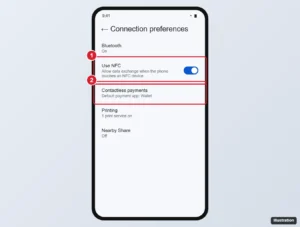
Android Connection preferences settings with Use NFC and Contactless payments highlighted

How to Turn Off Google Pay on Android (Google Wallet & NFC Guide)

November 14, 2026May 1, 2024 by Kermit Matthews

Turn off Google Pay tap-to-pay on Android by disabling NFC, changing the default payment app, removing cards from Google Wallet, or uninstalling it. Continue Reading How to Turn Off Google Pay on Android (Google Wallet & NFC Guide)
Categories Google
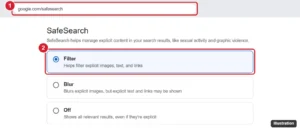
Google SafeSearch settings page with the Filter option selected and highlighted

How to Block Searches on Google (SafeSearch, Parental Controls, and More)

November 17, 2026May 1, 2024 by Kermit Matthews

Block explicit Google searches with SafeSearch, lock it with Family Link, enforce it on your network, and block specific sites or suggestions. Continue Reading How to Block Searches on Google (SafeSearch, Parental Controls, and More)

Categories Google
Phone photo app with three photos selected and the share sheet open, with the social app share icon highlighted

How to Add Google Photos to Facebook (Phone and Computer)

November 13, 2026May 1, 2024 by Kermit Matthews

Add Google Photos to Facebook by sharing from the phone app, downloading and uploading on a computer, or posting a Google Photos link. Continue Reading How to Add Google Photos to Facebook (Phone and Computer)
Categories Google
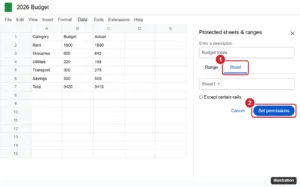
Google Sheets with the Protected sheets and ranges panel open and the Sheet tab and Set permissions button highlighted

How to Find Saved Places on Google Maps: A Step-by-Step Guide

November 14, 2026May 1, 2024 by Kermit Matthews

Find saved places on Google Maps in the You tab on your phone or the Saved menu on a computer, and learn to organize lists, share them, and fix missing saves. Continue Reading How to Find Saved Places on Google Maps: A Step-by-Step Guide

Categories Google
Google Calendar event details with the options menu open and Publish event highlighted

How to Share a Google Calendar Event Link

November 12, 2026May 1, 2024 by Kermit Matthews

Share a Google Calendar event link with Options > Publish event, or invite guests instead. Learn the difference and how to share from your phone. Continue Reading How to Share a Google Calendar Event Link
Categories Google Calendar
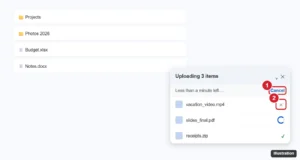
Cloud drive upload progress panel in the bottom-right corner with Cancel and the X next to an uploading file highlighted

How to Cancel a Google Drive Upload (Web, Phone, Desktop)

November 16, 2026May 1, 2024 by Kermit Matthews

Cancel a Google Drive upload from the upload panel on the web, in the Drive app, or in Drive for desktop, and delete any files that already uploaded. Continue Reading How to Cancel a Google Drive Upload (Web, Phone, Desktop)
Categories Google Drive
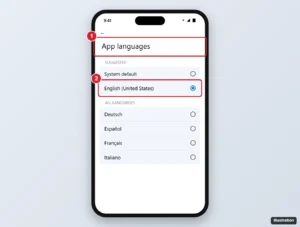
Phone App languages settings for a search app with the chosen language highlighted

How to Change the Language of Google Weather Notifications

November 14, 2026May 1, 2024 by Kermit Matthews

Change the language of Google weather notifications by changing the Google app’s language on Android or iPhone, plus fixes, units, and notification settings. Continue Reading How to Change the Language of Google Weather Notifications

Categories Google

How to Turn Off Google Photos Memories (Android, iPhone and Web)

November 13, 2026May 1, 2024 by Kermit Matthews

Turn off Google Photos Memories in Preferences > Memories, or hide people, dates and single memories and mute memory notifications on Android and iPhone. Continue Reading How to Turn Off Google Photos Memories (Android, iPhone and Web)
Categories Google Photos
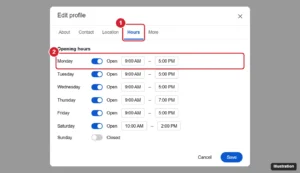
Google Business Profile editor on Google Search with the Hours tab and a day’s opening hours highlighted

How to Update Business Hours on Google

November 10, 2026May 1, 2024 by Kermit Matthews

Update your business hours on Google from Search or the Maps app, add holiday and special hours, and fix hours that won’t show up. Continue Reading How to Update Business Hours on Google
Categories Google
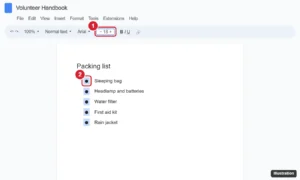
Online document editor with all bullet points selected in a list and the toolbar font size box set to 18 to enlarge only the bullets

How to Change Bullet Point Size in Google Docs

November 10, 2026May 1, 2024 by Kermit Matthews

Change bullet point size in Google Docs without changing your text: click a bullet to select them all, resize, and adjust color, style, and spacing. Continue Reading How to Change Bullet Point Size in Google Docs
Categories Google Docs
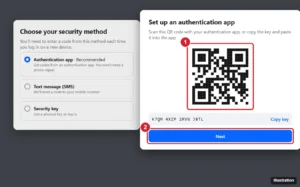
Account settings two-factor authentication dialog for an authentication app, showing a QR code to scan, a Copy key button and the Next button highlighted, beside a list of methods with Authentication app selected

How to Use Google Authenticator for Facebook

November 13, 2026May 1, 2024 by Kermit Matthews

Set up Google Authenticator for Facebook: Accounts Center > Password and security > Two-factor authentication > Authentication app, then scan. Continue Reading How to Use Google Authenticator for Facebook
Categories Google
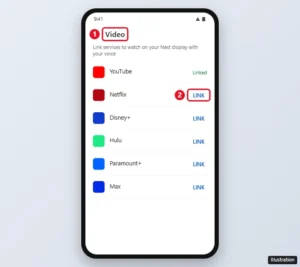
Google Home app Video settings listing streaming services with the Link button highlighted

Can You Add Apps to a Google Nest Hub?

November 12, 2026May 1, 2024 by Kermit Matthews

Google Nest Hub has no app store, but you can link Netflix, Disney+, Spotify, and more in the Google Home app, or cast from your phone. Here is how. Continue Reading Can You Add Apps to a Google Nest Hub?
Categories Google
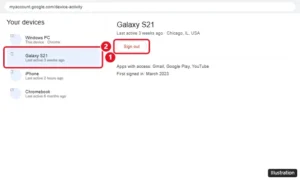
Google Account Your devices page showing a list of signed-in devices with one device open and the Sign out button highlighted

How to Remove a Device From Your Google Account

November 16, 2026May 1, 2024 by Kermit Matthews

Sign an old, lost or unknown device out of your Google Account from Security & sign-in, use Find Hub for a lost phone, and remove the account from a device. Continue Reading How to Remove a Device From Your Google Account
Categories Google
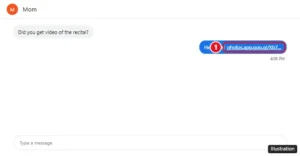
Google Voice conversation with a shared Google Photos video link sent instead of a video file

How to Send Videos on Google Voice (Use a Link Instead)

November 13, 2026May 1, 2024 by Kermit Matthews

Google Voice cannot send video files, only photos and GIFs. Here is how to share a video with a Google Photos, Drive, or YouTube link, plus tips if it fails. Continue Reading How to Send Videos on Google Voice (Use a Link Instead)

Categories Google Voice

How to Lock a Google Form

November 10, 2026April 30, 2024 by Kermit Matthews

Keep your Google Form secure with our easy step-by-step guide on how to lock it down and protect your data from unauthorized access. Continue Reading How to Lock a Google Form
Categories Google
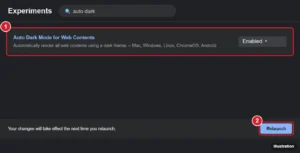
Browser experiments page with Auto Dark Mode for Web Contents set to Enabled and the Relaunch button highlighted

Can You Use Google Docs in Dark Mode on a Mac?

November 18, 2026April 30, 2024 by Kermit Matthews

Google Docs has no web dark mode, but on a Mac you can darken it with an extension like Dark Reader or Chrome’s Auto Dark Mode, plus the mobile app dark theme. Continue Reading Can You Use Google Docs in Dark Mode on a Mac?
Categories Google Docs, Mac
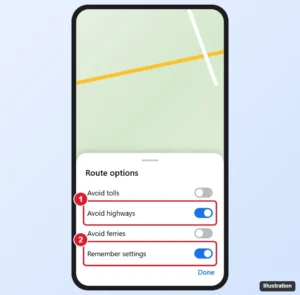
Google Maps app Route options sheet with the Avoid highways switch turned on and Remember settings highlighted

How to Avoid Highways on Google Maps

November 13, 2026April 30, 2024 by Kermit Matthews

Avoid highways on Google Maps: tap Directions, then More > Route options and turn on Avoid highways. Plus how to make it the default and fix routes. Continue Reading How to Avoid Highways on Google Maps
Categories Google
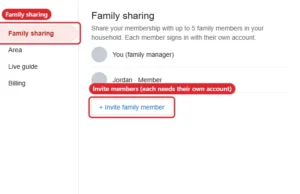
Streaming TV settings Family sharing page with an Invite family member button

Can You Use YouTube TV Without a Google Account?

November 16, 2026April 30, 2024 by Kermit Matthews

YouTube TV always requires a Google account, but it does not need Gmail. Create one with your own email or join a household via Family sharing. Continue Reading Can You Use YouTube TV Without a Google Account?

Categories Google
Tablet notes app settings with Auto-backup turned on, the cloud drive service selected, and PDF chosen as the backup format

How to Back Up Goodnotes to Google Drive (Auto-backup)

November 10, 2026April 30, 2024 by Kermit Matthews

Back up Goodnotes to Google Drive with Auto-backup, choose PDF or Goodnotes format, export single notebooks, and restore them from Drive. Continue Reading How to Back Up Goodnotes to Google Drive (Auto-backup)

Categories iPhone
Android cloud storage app with the new menu open and the Scan option highlighted for scanning a paper document

How to Scan on a Google Pixel (Documents, QR Codes and Text)

November 15, 2026April 30, 2024 by Kermit Matthews

Scan on a Google Pixel: turn documents into PDFs with Google Drive, read QR codes with the Camera or Quick Settings, and copy text with Google Lens. Continue Reading How to Scan on a Google Pixel (Documents, QR Codes and Text)
Categories Google
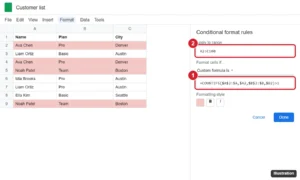
Spreadsheet with duplicate rows highlighted and the conditional format rules panel showing a COUNTIFS custom formula

How to Highlight Duplicates in Google Sheets (Multiple Columns)

November 10, 2026April 30, 2024 by Kermit Matthews

Highlight duplicates across multiple columns in Google Sheets with conditional formatting: formulas for repeated values, duplicate rows, and first copies. Continue Reading How to Highlight Duplicates in Google Sheets (Multiple Columns)
Categories Google Sheets
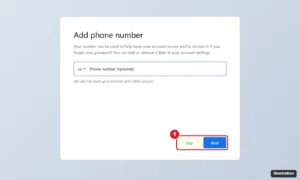
Account sign-up page asking to add a phone number for security with a Skip button available for an optional step

Can You Skip Google’s Phone Number Verification?

November 11, 2026April 30, 2024 by Kermit Matthews

When Google lets you skip phone verification, what to do when it requires a number, why to avoid temporary numbers, and how to remove your number later. Continue Reading Can You Skip Google’s Phone Number Verification?
Categories Google
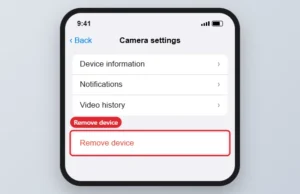
Smart home app camera settings with Remove device highlighted

How to Reset a Google Nest Camera

November 13, 2026April 29, 2024 by Kermit Matthews

Restart or factory reset a Google Nest Cam: remove it in the Google Home app, then hold the reset button until the light turns solid yellow. Continue Reading How to Reset a Google Nest Camera
Categories Google
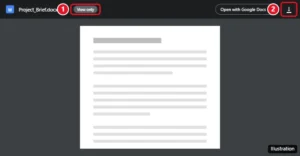
Google Drive file preview with the Download icon highlighted in the top-right corner

Download View-Only Google Drive Files or Ask for Access

November 12, 2026April 29, 2024 by Kermit Matthews

Most view-only Google Drive files can be downloaded normally. Here is how, what it means when download is disabled, and how owners change the setting. Continue Reading Download View-Only Google Drive Files or Ask for Access

Categories Google Drive

How to Import Slides in Google Slides (From Slides or PowerPoint)

November 16, 2026April 29, 2024 by Kermit Matthews

Learn how to easily import slides into Google Slides with this step-by-step guide. Perfect for presentations and collaborations. Continue Reading How to Import Slides in Google Slides (From Slides or PowerPoint)

Categories Google Slides

How to Change the New Tab Page in Edge to Google

November 18, 2026April 29, 2024 by Kermit Matthews

Edge can’t set new tabs to google.com, but you can make Google your search engine, startup page and Home button, or use an extension. Here’s how. Continue Reading How to Change the New Tab Page in Edge to Google

Categories Edge

How to Make Google Classroom Dark Mode (App and Computer)

November 14, 2026April 29, 2024 by Kermit Matthews

Say goodbye to eye strain with this guide on how to enable dark mode in Google Classroom. Follow our easy steps for a sleek, new look! Continue Reading How to Make Google Classroom Dark Mode (App and Computer)

Categories Google

How to Install a Google Nest Thermostat

November 16, 2026April 26, 2024 by Kermit Matthews

Install a Google Nest thermostat the way Google describes: check compatibility, pick the right app for your model, turn off power, wire the base and set it up. Continue Reading How to Install a Google Nest Thermostat
Categories Google
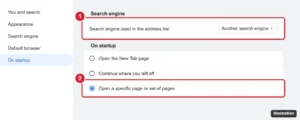
Browser settings On startup section with Open a specific page selected and the Search engine setting highlighted

How to Get Rid of the Google Logo in Your Browser

November 16, 2026April 26, 2024 by Kermit Matthews

Get rid of the Google logo by changing your browser’s search engine, start page, and new tab page in Chrome, Edge, Firefox, and Safari, plus Android tips. Continue Reading How to Get Rid of the Google Logo in Your Browser
Categories Google
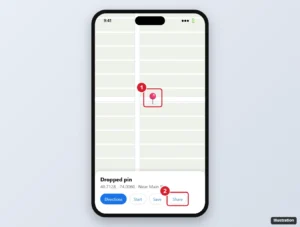
Maps app with a dropped pin and the place card Share button highlighted

How to Share a Pin on Google Maps

November 11, 2026April 26, 2024 by Kermit Matthews

Share a pin on Google Maps from Android, iPhone, or a computer: drop a pin, tap Share or copy the link, send coordinates, or share your live location. Continue Reading How to Share a Pin on Google Maps
Categories Google
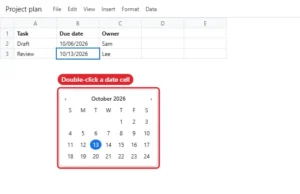
Spreadsheet with a date picker calendar open under a date cell

How to Insert a Calendar in Google Sheets

November 10, 2026April 26, 2024 by Kermit Matthews

Add a date picker to Google Sheets cells with Data validation, or insert a full calendar from the template gallery. Continue Reading How to Insert a Calendar in Google Sheets

Categories Google Sheets

How to Delete Gmail Emails in Bulk

November 18, 2026April 26, 2024 by Kermit Matthews

Mass delete Gmail emails: select all conversations that match a search, use operators like older_than and from, empty Trash, and set up filters. Continue Reading How to Delete Gmail Emails in Bulk
Categories Gmail
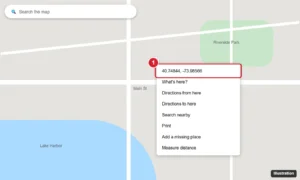
Online map with a right-click menu open on a location, showing its latitude and longitude coordinates at the top of the menu

How to Find and Enter Coordinates on Google Maps

November 12, 2026April 26, 2024 by Kermit Matthews

Find GPS coordinates on Google Maps on a computer, Android, or iPhone, copy and share them, and enter coordinates to find any location. Continue Reading How to Find and Enter Coordinates on Google Maps

Categories Google

How to Pin Multiple Locations on Google Maps

November 14, 2026April 26, 2024 by Kermit Matthews

Pin multiple locations on Google Maps by saving places to a list, adding labels, building a custom map in My Maps, or adding stops to directions. Continue Reading How to Pin Multiple Locations on Google Maps

Categories Google Maps
Online photo library in a browser with several photos selected and the More menu open showing Download

How to Get Google Photos From Your Phone to Your Computer

November 12, 2026April 26, 2024 by Kermit Matthews

Move Google Photos from your phone to a computer: turn on backup, download from photos.google.com, export with Google Takeout, or use USB or Quick Share. Continue Reading How to Get Google Photos From Your Phone to Your Computer
Categories Google
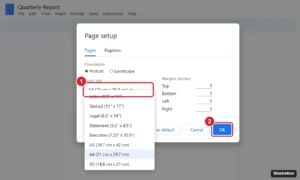
Online document editor Page setup dialog with the Paper size menu open and A4 highlighted, plus the OK button

How to Change Page Size in Google Docs (Letter, A4, Legal, and More)

November 18, 2026April 26, 2024 by Kermit Matthews

Change the page size in Google Docs to A4, Legal, Tabloid, or another paper size on a computer or phone, set a default size, and handle custom sizes. Continue Reading How to Change Page Size in Google Docs (Letter, A4, Legal, and More)

Categories Google Docs
Older posts
Newer posts
← Previous Page1 … Page21 Page22 Page23 … Page37 Next →

Join Our Free Newsletter

Featured guides and deals

You may opt out at any time.
Read our Privacy Policy

Live2Tech

Plain-English, step-by-step guides for the devices and apps you use every day.

Apple

  • iPhone
  • iPad
  • Mac
  • Apple Watch

Windows

  • Windows 11
  • Windows 10

Microsoft Office

  • Word
  • Excel
  • Powerpoint
  • Outlook

Google

  • Google Docs
  • Google Sheets
  • Google Slides
  • Gmail
  • Chrome
  • Google Drive
  • About Us
  • Contact
  • Disclaimer
  • Privacy Policy
© Live2Tech.com 2026
  • iPhone
  • Windows
    • Windows 11
    • Windows 10
  • Office
    • Word
    • Excel
    • Powerpoint
    • Outlook
  • Google
    • Google Docs
    • Google Sheets
    • Google Slides
    • Gmail
    • Chrome
    • Google Drive
  • Mac & Apple
    • Mac
    • iPad
    • Apple Watch
  • All Tutorials