Skip to content
Live2Tech
  • iPhone
  • Windows
    • Windows 11
    • Windows 10
  • Office
    • Word
    • Excel
    • Powerpoint
    • Outlook
  • Google
    • Google Docs
    • Google Sheets
    • Google Slides
    • Gmail
    • Chrome
    • Google Drive
  • Mac & Apple
    • Mac
    • iPad
    • Apple Watch
  • All Tutorials

Kermit Matthews

Kermit Matthews runs Live2Tech from just outside Philadelphia. He is an IT specialist with over 20 years of experience, from a university help desk to small-business IT, IT management and his own consulting practice, and has written tech guides full time since 2020. Steps are checked against the current software on a real device or the maker's official documentation. More about Kermit.
Google Calendar event editor with the Join with Google Meet row and the remove X button highlighted

How to Delete a Google Meet Link (or Let It Expire)

November 18, 2026April 25, 2024 by Kermit Matthews

Remove a Google Meet link from a Calendar event, stop Calendar from adding Meet links automatically, and see when unused Meet links expire. Continue Reading How to Delete a Google Meet Link (or Let It Expire)
Categories Google
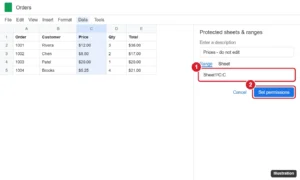
Spreadsheet with column C selected and the Protected sheets and ranges panel open with Range C:C and the Set permissions button highlighted

How to Lock a Column in Google Sheets (Freeze or Protect)

November 17, 2026April 25, 2024 by Kermit Matthews

Lock a column in Google Sheets by freezing it so it stays visible, or protecting it so others cannot edit it, plus how to unfreeze and remove protection. Continue Reading How to Lock a Column in Google Sheets (Freeze or Protect)

Categories Google Sheets
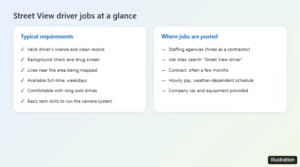
Checklist of typical Google Street View driver job requirements and where the jobs are posted

Can You Become a Google Street View Driver?

November 13, 2026April 25, 2024 by Kermit Matthews

Google Street View drivers are contractors hired through staffing agencies. Here is how to find openings, what the job requires, typical pay, and other options. Continue Reading Can You Become a Google Street View Driver?

Categories Google Maps
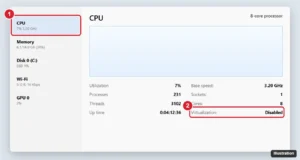
Windows Task Manager Performance tab with CPU selected and the Virtualization status highlighted

How to Turn On Virtualization for Google Play Games on PC

November 14, 2026April 25, 2024 by Kermit Matthews

Turn on hardware virtualization for Google Play Games on PC: check Task Manager, enable VT-x or SVM in the BIOS, and turn on Windows Hypervisor Platform. Continue Reading How to Turn On Virtualization for Google Play Games on PC

Categories Google

How to Add a Google Wifi Point (Google Home App)

November 10, 2026April 25, 2024 by Kermit Matthews

Looking to extend your WiFi network? Follow our step-by-step guide to easily add a Google WiFi point and enjoy seamless connectivity. Continue Reading How to Add a Google Wifi Point (Google Home App)

Categories Google
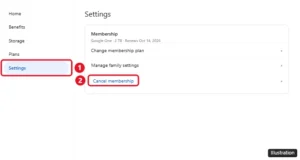
Google One settings page with Manage membership and the Cancel membership option highlighted

How to Cancel Google One (Web, Android, and iPhone)

November 13, 2026April 25, 2024 by Kermit Matthews

Cancel Google One at one.google.com > Settings > Cancel membership, in the Android app, or in iPhone Subscriptions. What happens to your storage afterward. Continue Reading How to Cancel Google One (Web, Android, and iPhone)

Categories Google
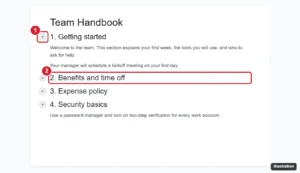
Pageless document with the collapse arrow next to a heading highlighted and a collapsed section below it

How to Make Collapsible Sections in Google Docs

November 14, 2026April 25, 2024 by Kermit Matthews

Make collapsible sections in Google Docs with headings: format section titles, switch to pageless, click the arrow to collapse, and try tabs or the outline. Continue Reading How to Make Collapsible Sections in Google Docs

Categories Google Docs
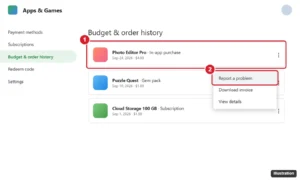
App store Budget and order history page with a recent purchase and the Report a problem option highlighted

How to Get a Refund from Google Pay (Play, Wallet, and UPI)

November 14, 2026April 25, 2024 by Kermit Matthews

Get money back from Google Pay: refund Google Play purchases, merchant and Wallet payments, failed GPay UPI transactions, wrong transfers, and fraud charges. Continue Reading How to Get a Refund from Google Pay (Play, Wallet, and UPI)

Categories Google
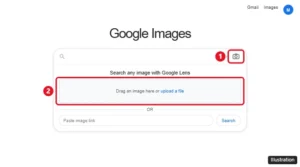
Google Images with the Search by image camera icon and the Google Lens upload box highlighted

How to Search Google With a Photo (Reverse Image Search)

November 15, 2026April 25, 2024 by Kermit Matthews

Do a photo search on Google with Google Lens on a computer, iPhone, or Android, find where an image came from, and get better reverse image search results. Continue Reading How to Search Google With a Photo (Reverse Image Search)

Categories Google
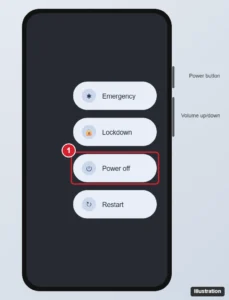
Android phone power menu with Emergency, Lockdown, Power off, and Restart options and the Power off button highlighted, with the side buttons labeled

How to Turn Off a Google Pixel 6 (Power Button Tricks)

November 10, 2026April 25, 2024 by Kermit Matthews

Turn off a Google Pixel 6 with Power + Volume Up or Quick Settings, force restart a frozen phone, and make the power button open the power menu again. Continue Reading How to Turn Off a Google Pixel 6 (Power Button Tricks)

Categories Google
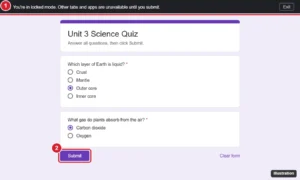
Online quiz open in locked mode on a school laptop with the locked mode banner and the Submit button highlighted

How to Get Out of Locked Mode on Google Forms (Students and Teachers)

November 10, 2026April 25, 2024 by Kermit Matthews

How locked mode works on Google Forms quizzes, the right way to exit by submitting, what happens if you leave early, and how teachers unlock students. Continue Reading How to Get Out of Locked Mode on Google Forms (Students and Teachers)

Categories Google

How to Reset a Google Nest Mini or Home Mini (Even With No Button)

November 10, 2026April 25, 2024 by Kermit Matthews

Factory reset a Google Nest Mini with the mic switch and center hold, or a Home Mini with its bottom button. Plus how to restart without erasing. Continue Reading How to Reset a Google Nest Mini or Home Mini (Even With No Button)

Categories Google
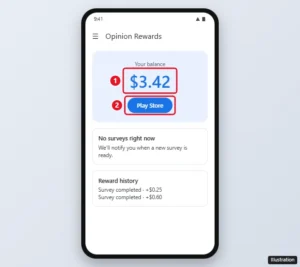
Google Opinion Rewards app on Android showing the reward balance and the Play Store button

How to Withdraw Money From Google Opinion Rewards

November 12, 2026April 24, 2024 by Kermit Matthews

iPhone users get Google Opinion Rewards through PayPal at $2, while Android users get Play credit that cannot be cashed out. Here is how each works. Continue Reading How to Withdraw Money From Google Opinion Rewards

Categories Google
Internet provider support page with the Contact us section showing chat and call options highlighted for canceling service

How to Cancel Google Fiber Service

November 13, 2026April 24, 2024 by Kermit Matthews

Cancel Google Fiber (GFiber) by contacting support, confirm your final bill, keep your phone number, and return equipment within 60 days to avoid fees. Continue Reading How to Cancel Google Fiber Service

Categories Google
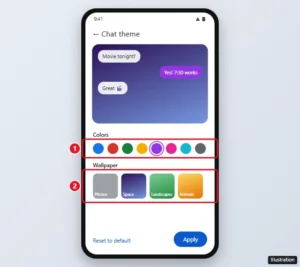
Google Messages Chat theme screen with a color palette and wallpaper options highlighted

How to Change the Chat Background in Google Messages

November 12, 2026April 24, 2024 by Kermit Matthews

Google Messages chat themes let you set a custom background and bubble colors per conversation. Here is how to use them, reset them, and turn on dark mode. Continue Reading How to Change the Chat Background in Google Messages

Categories Google

How to Upload a Voice Memo to Google Drive

November 14, 2026April 24, 2024 by Kermit Matthews

Upload voice memos to Google Drive from iPhone, Android or a computer: share to the Drive app, save to Files first, or upload at drive.google.com. Continue Reading How to Upload a Voice Memo to Google Drive

Categories Google Drive
Account data export page on the Select data to include step with Deselect all and individual data checkboxes highlighted

How to Use Google Takeout to Download Your Google Data

November 12, 2026April 24, 2024 by Kermit Matthews

Use Google Takeout to export your Google data: pick products and formats, choose delivery and file size, download the archive, and handle large exports. Continue Reading How to Use Google Takeout to Download Your Google Data

Categories Google

How to Find Keywords on Google (5 Free Google Tools)

November 10, 2026April 24, 2024 by Kermit Matthews

Struggling to find the right keywords for your content? Follow our step-by-step guide to master keyword research on Google. Continue Reading How to Find Keywords on Google (5 Free Google Tools)

Categories Blogging
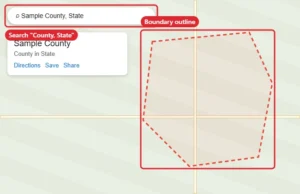
Map app showing a county searched by name with its boundary outlined by a dashed red line

How to Show County Lines on Google Maps

November 14, 2026April 24, 2024 by Kermit Matthews

Google Maps shows a county boundary when you search the county by name. See all county lines at once with Google Earth, an overlay tool, or My Maps. Continue Reading How to Show County Lines on Google Maps

Categories Google
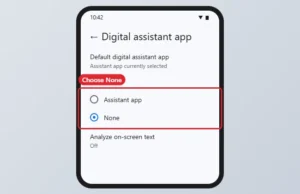
Android Default apps settings with Digital assistant app set to None highlighted

How to Turn Off Google Assistant (and Gemini) on Android

November 15, 2026April 24, 2024 by Kermit Matthews

Gemini replaced Google Assistant on Android. Turn off the assistant with Default apps, or turn off Hey Google only. Continue Reading How to Turn Off Google Assistant (and Gemini) on Android

Categories Google

How to Map a Route in Google Maps

November 13, 2026April 23, 2024 by Kermit Matthews

Planning a trip? Learn how to easily map out your route on Google Maps with our step-by-step guide. Get from point A to B with ease! Continue Reading How to Map a Route in Google Maps

Categories Google Maps
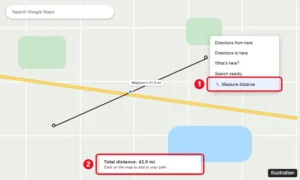
Google Maps on a computer with the right-click menu open and Measure distance highlighted, plus a measured line with total distance

How to Find the Halfway Point on Google Maps

November 11, 2026April 23, 2024 by Kermit Matthews

Google Maps has no midpoint button, but you can find one fast using directions, the Measure distance tool, or search along your route. Step-by-step guide. Continue Reading How to Find the Halfway Point on Google Maps

Categories Google Maps
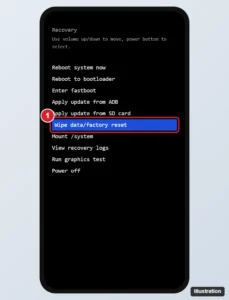
Phone recovery mode menu with Wipe data or factory reset highlighted, navigated with the volume buttons

How to Factory Reset a Google Pixel (Settings, Recovery Mode or Remote)

November 10, 2026April 23, 2024 by Kermit Matthews

Factory reset a Google Pixel from Settings, recovery mode or Find My Device. What to back up first and how Factory Reset Protection works after. Continue Reading How to Factory Reset a Google Pixel (Settings, Recovery Mode or Remote)

Categories Google
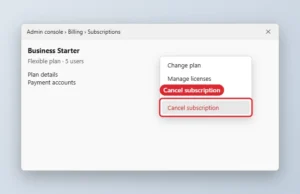
Admin console subscription page with the Cancel subscription option highlighted

How to Cancel Google Workspace

November 15, 2026April 23, 2024 by Kermit Matthews

Cancel Google Workspace from the Admin console under Billing, Subscriptions after exporting data. Your domain stays yours. Continue Reading How to Cancel Google Workspace

Categories Google
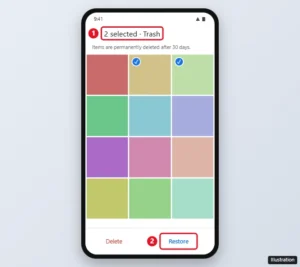
Google Photos Trash with two photos selected and the Restore button highlighted

Can You Recover Permanently Deleted Google Photos?

November 13, 2026April 23, 2024 by Kermit Matthews

Google cannot restore permanently deleted photos, but they often turn up in Trash, Archive, Locked Folder, another account, or your phone. Check here first. Continue Reading Can You Recover Permanently Deleted Google Photos?

Categories Google Photos
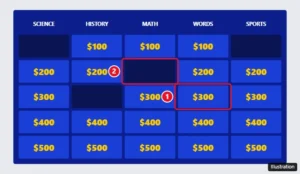
Google Slides Jeopardy board with played point values covered by dark rectangles and an unplayed value highlighted as a link

Google Slides Jeopardy: Make Played Numbers Disappear

November 12, 2026April 23, 2024 by Kermit Matthews

Google Slides cannot hide Jeopardy values automatically, but you can cover them in edit mode, delete them as you go, or use PowerPoint. Setup and tips inside. Continue Reading Google Slides Jeopardy: Make Played Numbers Disappear

Categories Google Slides
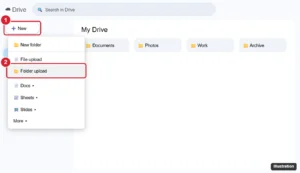
Cloud storage web app New menu open with Folder upload highlighted

How to Transfer Dropbox Files to Google Drive (3 Methods)

November 10, 2026April 23, 2024 by Kermit Matthews

Transfer Dropbox files to Google Drive by downloading and uploading, copying between the desktop apps, or using a cloud-to-cloud service. Continue Reading How to Transfer Dropbox Files to Google Drive (3 Methods)

Categories Google Drive
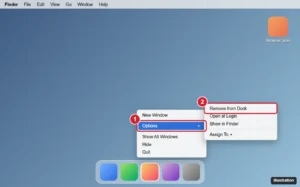
Mac Dock with a browser app icon right-clicked, the Options submenu open and Remove from Dock highlighted

How to Remove the Google Chrome Icon from the Desktop on Mac

November 10, 2026April 23, 2024 by Kermit Matthews

Remove a Google Chrome icon from your Mac desktop: delete the alias, eject the installer disk, or remove Chrome from the Dock without uninstalling it. Continue Reading How to Remove the Google Chrome Icon from the Desktop on Mac

Categories Mac
Web account chooser page with Remove an account highlighted and a signed-out account listed

How to Remove a Google Account From Safari

November 18, 2026April 23, 2024 by Kermit Matthews

Remove a Google account from Safari: sign out, remove it from the account chooser, clear Google website data, and delete saved passwords on iPhone and Mac. Continue Reading How to Remove a Google Account From Safari

Categories Google
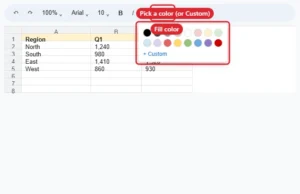
Spreadsheet toolbar fill color menu open with a light yellow color chosen for selected cells

How to Change Cell Color in Google Sheets

November 14, 2026April 23, 2024 by Kermit Matthews

Change cell background color in Google Sheets with Fill color or custom hex codes, and color cells automatically with conditional formatting. Continue Reading How to Change Cell Color in Google Sheets

Categories Google Sheets
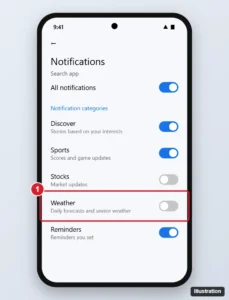
Android app notification settings listing notification categories with the Weather category toggle switched off and highlighted

How to Turn Off Google Weather Notifications

November 14, 2026April 23, 2024 by Kermit Matthews

Turn off Google weather notifications on Android and iPhone from the notification, Android settings, or the Google app, and keep severe weather alerts. Continue Reading How to Turn Off Google Weather Notifications

Categories Google
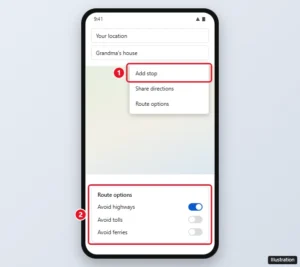
Google Maps directions screen with Add stop and Route options (avoid highways, tolls, ferries) highlighted

How to Stop Google Maps From Changing Your Route

November 13, 2026April 23, 2024 by Kermit Matthews

Google Maps has no setting to stop rerouting, but adding stops, route options, dismissing suggestions, and offline maps keep you on the route you want. Continue Reading How to Stop Google Maps From Changing Your Route

Categories Google Maps
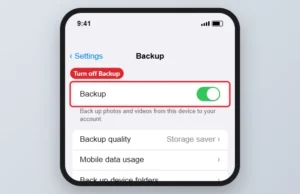
Photo app Backup settings with the Backup switch highlighted

How to Unsync Google Photos Without Losing Photos

November 16, 2026April 23, 2024 by Kermit Matthews

Stop Google Photos syncing by turning off Backup, and learn what happens to photos already in the cloud and to deletions. Continue Reading How to Unsync Google Photos Without Losing Photos

Categories Google Photos

How to Download All Google Photos at Once (Takeout, Batch and Albums)

November 12, 2026April 22, 2024 by Kermit Matthews

Learn how to easily download all your Google Photos in one go with our simple step-by-step guide. Never lose a memory again! Continue Reading How to Download All Google Photos at Once (Takeout, Batch and Albums)

Categories Google Photos
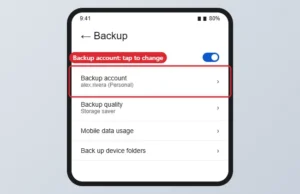
Photos app Backup settings with the Backup account option

How to Change Your Google Photos Backup Account

November 16, 2026April 22, 2024 by Kermit Matthews

Switch the Google Photos backup account in Photos settings > Backup, and learn what happens to photos already backed up. Continue Reading How to Change Your Google Photos Backup Account

Categories Google

How to Beat Google Snake: Tips for Higher Scores

November 12, 2026April 22, 2024 by Kermit Matthews

Open Google Snake, learn the controls and settings, and use edge-hugging and zig-zag coiling strategies to raise your score and fill the board. Continue Reading How to Beat Google Snake: Tips for Higher Scores

Categories Gaming

How to Search a Specific Website on Google

November 16, 2026April 22, 2024 by Kermit Matthews

Looking to narrow down your search to a specific site? Check out our step-by-step guide on using Google’s site search feature for precise results. Continue Reading How to Search a Specific Website on Google

Categories Google

How to Find Elevation on Google Maps

November 13, 2026April 22, 2024 by Kermit Matthews

Learn how to easily find elevation on Google Maps with our step-by-step guide. Never be caught off guard by steep inclines again! Continue Reading How to Find Elevation on Google Maps

Categories Google Maps
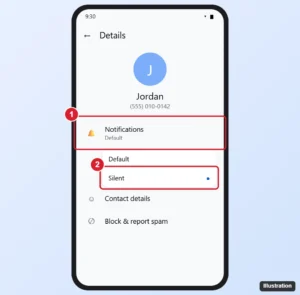
Google Messages conversation Details screen with the Notifications option highlighted

How to Mute a Conversation in Google Messages

November 12, 2026April 22, 2024 by Kermit Matthews

Mute a chat in Google Messages: press and hold it, tap More > Mute, or set it to Silent in Details. Plus how to unmute and mute group chats. Continue Reading How to Mute a Conversation in Google Messages

Categories Google
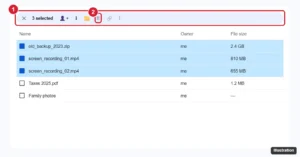
Cloud drive file list with several files selected and the Move to trash button highlighted in the selection toolbar

How to Delete Multiple Files in Google Drive

November 14, 2026April 22, 2024 by Kermit Matthews

Delete multiple files in Google Drive at once with Ctrl, Shift, or Select all, find large and old files to remove, empty the trash, and restore mistakes. Continue Reading How to Delete Multiple Files in Google Drive

Categories Google Drive
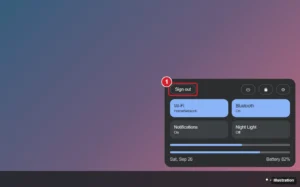
Laptop operating system quick settings panel opened from the clock, with the Sign out button highlighted

How to Sign Out of Your Google Account on a Chromebook

November 16, 2026April 22, 2024 by Kermit Matthews

Sign out of a Chromebook from Quick Settings or with Ctrl + Shift + Q, remove an extra Google account, or remove a user from the sign-in screen. Continue Reading How to Sign Out of Your Google Account on a Chromebook

Categories Google
iPhone showing a website checkout page with the Google Pay payment option highlighted

How to Use Google Pay on iPhone (What Works and What Doesn’t)

November 14, 2026April 22, 2024 by Kermit Matthews

Use Google Pay on iPhone to pay online at checkout. Learn why tap-to-pay in stores needs Apple Pay and what Google Pay offers in your country. Continue Reading How to Use Google Pay on iPhone (What Works and What Doesn’t)

Categories iPhone

How to Call Your Google Home or Nest Speaker From Your Phone

November 12, 2026April 22, 2024 by Kermit Matthews

Learn how to make calls to your Google Home from your phone with this easy step-by-step guide. Stay connected with your smart home, anytime, anywhere. Continue Reading How to Call Your Google Home or Nest Speaker From Your Phone

Categories Google
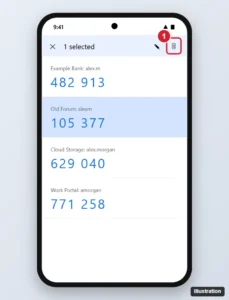
Phone authenticator app with one account code selected by long press and the delete (trash) icon in the top bar highlighted

How to Remove an Account From Google Authenticator

November 13, 2026April 22, 2024 by Kermit Matthews

Remove an account from Google Authenticator on Android or iPhone without getting locked out: turn off 2FA first, then delete the code, plus recovery tips. Continue Reading How to Remove an Account From Google Authenticator

Categories Google
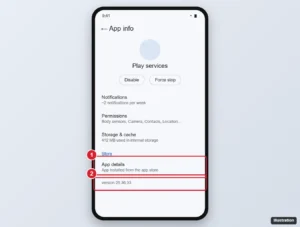
Android App info screen for the Play services app with the App details link and version number highlighted

How to Update Google Play Services

November 16, 2026April 22, 2024 by Kermit Matthews

Update Google Play services from Android Settings, keep the Play Store and apps updating, find the Google Play system update, and fix updates that fail. Continue Reading How to Update Google Play Services

Categories Google
Phone photo backup app with the account menu open over a photo grid and the Backup complete status row highlighted

How to See Backed-Up Photos in Google Photos

November 16, 2026April 22, 2024 by Kermit Matthews

See which photos are backed up to Google Photos on the web or in the app, check backup status, and fix photos that are not backing up. Continue Reading How to See Backed-Up Photos in Google Photos

Categories Google

How to Add a Vertical Line in Google Docs: 5 Easy Methods

November 11, 2026April 22, 2024 by Kermit Matthews

Learn how to easily add a vertical line to your Google Docs with this step-by-step guide. Perfect for organizing text and creating sections! Continue Reading How to Add a Vertical Line in Google Docs: 5 Easy Methods

Categories Google Docs

How to Clear Your Facebook Watch History

November 11, 2026April 19, 2024 by Kermit Matthews

Clear your Facebook watch history from the Activity log on iPhone, Android, or a computer, remove single videos, and fix a missing clear button. Continue Reading How to Clear Your Facebook Watch History

Categories Web

How to Verify an Apple Product Is Genuine

November 10, 2026April 19, 2024 by Kermit Matthews

Ensure your Apple products are genuine with our guide to verification. Protect yourself from counterfeit goods and get peace of mind. Continue Reading How to Verify an Apple Product Is Genuine

Categories Apple

How to Turn Off Double Tap on iPhone

November 18, 2026April 19, 2024 by Kermit Matthews

Turn off double tap on iPhone: disable Back Tap, VoiceOver, Zoom, Reachability or the AssistiveTouch double tap in Settings > Accessibility. Continue Reading How to Turn Off Double Tap on iPhone

Categories iPhone
Older posts
Newer posts
← Previous Page1 … Page22 Page23 Page24 … Page37 Next →

Join Our Free Newsletter

Featured guides and deals

You may opt out at any time.
Read our Privacy Policy

Live2Tech

Plain-English, step-by-step guides for the devices and apps you use every day.

Apple

  • iPhone
  • iPad
  • Mac
  • Apple Watch

Windows

  • Windows 11
  • Windows 10

Microsoft Office

  • Word
  • Excel
  • Powerpoint
  • Outlook

Google

  • Google Docs
  • Google Sheets
  • Google Slides
  • Gmail
  • Chrome
  • Google Drive
  • About Us
  • Contact
  • Disclaimer
  • Privacy Policy
© Live2Tech.com 2026
  • iPhone
  • Windows
    • Windows 11
    • Windows 10
  • Office
    • Word
    • Excel
    • Powerpoint
    • Outlook
  • Google
    • Google Docs
    • Google Sheets
    • Google Slides
    • Gmail
    • Chrome
    • Google Drive
  • Mac & Apple
    • Mac
    • iPad
    • Apple Watch
  • All Tutorials