Canceling Google Fiber is a conversation, not a button: gFiber (the company’s current name) asks you to contact a representative through one of the support routes it lists, and every piece of rented equipment has to go back afterward. Your final bill arrives on your normal billing date once that equipment is returned, and any unused prepaid days come back as a credit.
Check these things first
This applies to residential gFiber internet and phone service. Older help links and searches still say Google Fiber; gFiber’s own help center explains that Google Fiber is now gFiber, so the two names refer to the same service. If your building gets service through Webpass, use the separate Webpass support center instead, because its process is handled there.
A few situations change the order of what you should do, so sort them out before you reach out.
- You are only away for a while. gFiber’s cancellation page says you can contact customer support to discuss temporary suspension options. If you are traveling or leaving a seasonal home, ask about that before you close the account.
- You are moving. If gFiber serves your new address, transferring the service is usually the better fit than canceling. The moving section below covers how that works.
- You have gFiber phone service and want to keep the number. Port the number out before you cancel, because the order matters. The details are in the phone number section below.
- You need internet the day after. Schedule the new provider’s installation before your gFiber cancellation date, and save any gFiber phone voicemails you want to keep before the phone service ends.
If the real reason you want to leave is a slow or dropping connection, try a restart of the gear first. Restarting or resetting your Google Fiber equipment fixes many problems that look like a bad service.
Find your Support PIN
gFiber asks you to have your Support PIN ready when you request a cancellation. It is a 5-digit number that confirms you are the account holder, and having it on hand keeps the conversation short.
- In the gFiber app (Android or iPhone): open the Account tab, look in the Account settings section, and find Service PIN. The app calls it a Service PIN, while the help articles call it a Support PIN; it is the same number.
- On the web: sign in to your gFiber account on the web and look in the Account info section. gFiber’s Support PIN help article describes both places.
Contact gFiber and request the cancellation
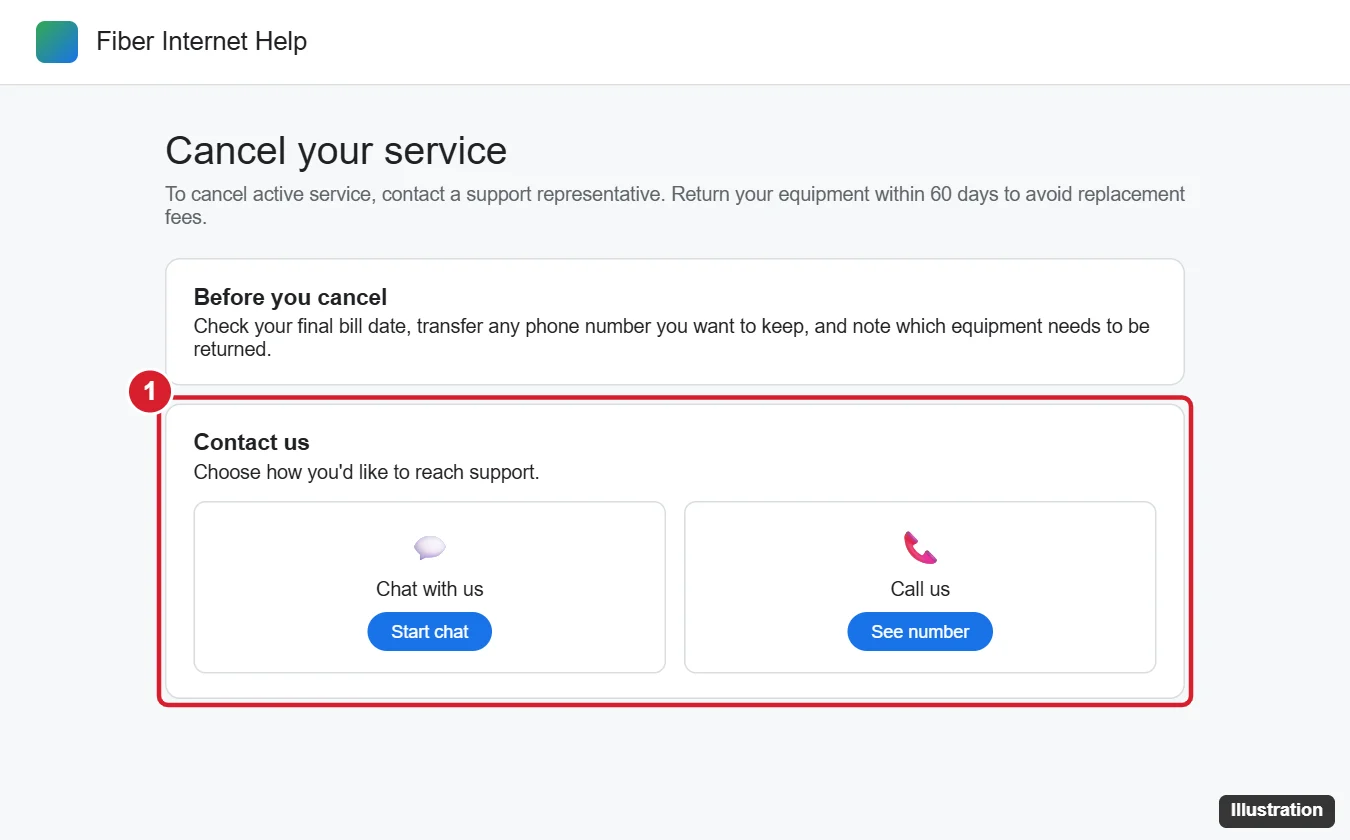
gFiber’s cancellation help page says to contact a representative directly. It does not describe a self-serve cancel option in the account, so plan on talking to someone.
- Open the gFiber Help Center. Its contact options are listed as Email Us, Chat with us, Call us and Schedule a call. The gFiber app also offers chat or call options.
- Pick the method you prefer. gFiber lists live chat as its recommended option and says support is available 24 hours a day, 7 days a week. Use the phone number shown in the Help Center itself rather than one from a search result, because numbers posted elsewhere are often out of date.
- Give your Support PIN and say that you want to cancel your service.
- Confirm the cancellation date with the representative. gFiber’s page does not state a required notice period, so agree on the exact date during the conversation and write it down.
- Watch for the confirmation email. gFiber sends one with your cancellation date and instructions for returning your equipment. Keep it, along with any chat transcript, until your final bill is settled.
If you had scheduled a number port into gFiber phone service and want to call that off too, gFiber says to contact support immediately.
Keep your phone number by porting it first
gFiber’s porting help article says to start the transfer with your new provider, and to wait until the number transfer is complete before canceling gFiber service. Your new carrier handles the request; gFiber’s side is simply to stay active until the move finishes.
A typical order looks like this: sign up with the new phone provider, ask it to port your gFiber number, wait for the confirmation that the port is done, then contact gFiber to cancel. gFiber’s article is explicit about that order, so contact gFiber to cancel only after the new provider confirms the port.
Return the equipment within 60 days
Cancellation is not finished until the hardware is back. gFiber’s equipment return article says to return all listed hardware within 60 days of canceling to avoid unreturned equipment fees, and it notes the devices must arrive at the warehouse within that window. The email you receive lists the exact devices, with serial numbers, that you need to send back. Go by that list rather than by what you think you have, because the hardware differs from one account to another.
gFiber offers three ways to return it:
| Option | What you bring | Packaging |
|---|---|---|
| FedEx Office location | The QR code from your email or from the online gFiber Returns Portal | Bring the devices unboxed; the return is free and packaging is provided |
| Authorized FedEx Drop Box | A prepaid label from the cancellation email or the online gFiber Label Portal | Pack each device in its own box and keep your tracking receipt |
| A gFiber Space | The devices themselves | Bring them unboxed and unlabeled, during business hours |
gFiber sends an automatic return confirmation email once your hardware is scanned. Hold on to your tracking number or receipt until you see it.
If a device is lost, damaged or not returned in working order within 60 days, gFiber’s fee schedule lists a replacement fee for each model. The amounts vary a lot by device: the schedule shows $200 for a GFiber Wi-Fi 6E Router, for example, plus applicable taxes, and it notes that the Fiber Jack stays on the wall and is charged only if it is lost or damaged. That schedule does not list a cancellation or early termination fee, though it adds that you may be subject to additional fees in certain circumstances, with notice in advance.
How the final bill and refund work
gFiber does not prorate partial months. Instead, your last statement arrives on your standard monthly billing date after all required equipment has been returned, and unused prepaid days are refunded.
gFiber’s own example works like this: if your billing date is the 20th, you cancel on January 25 and the equipment is returned on February 10, your final statement arrives on February 20. A slow return pushes the final bill later, so returning the gear quickly is the fastest way to close things out.
To get the refund credit for unused prepaid days, gFiber lists three conditions:
- Cancel through gFiber support.
- Return all equipment within 60 days.
- Pay any remaining balance.
The credit goes to your primary payment method within 19 days of the final statement. gFiber notes that ACH payments and some banks can take longer. Once that credit appears and your balance is zero, it is a sensible time to remove gFiber from any automatic payments you set up through your bank.
Moving? Transfer the service instead
If you are leaving because you are moving, gFiber has a separate process in its service transfer article. Start by checking whether gFiber serves the new address: in a private browser window, go to gfiber.com, enter the address and choose Check Availability. Then contact support up to 30 days before the move with your PIN, the new address and your move dates, and bring your balance to $0.
- Your service stays active through 12:01 AM on the day after your move-out date.
- Take the router, mesh extenders, Ethernet cords, power cables and gFiber Phone Box with you. Leave the Fiber Jack on the wall.
- If service is not available at the new address, contact support to schedule a cancellation for your move-out date, then follow the return steps above.
- Business accounts cannot be transferred; they are canceled and set up again.
Handing the service to someone else, such as the next person living in the home, is a different request. gFiber covers it in its account transfer article; the balance has to be $0, and unused days are not prorated or refunded in that case.
Google Fiber cancellation answers
Is there a cancel button in my gFiber account?
gFiber’s help pages do not describe one. They say to contact a representative by live chat, email or phone, so expect to cancel through one of those routes.
Do I have to return the Fiber Jack?
No. gFiber’s fee schedule says to leave the Fiber Jack in place even if you cancel, and its replacement fee applies only if the Fiber Jack is lost or damaged. Return the other devices on your itemized email, and ask the representative if you are unsure about any of them.
What if I am billed after I canceled?
Check the date first: the final statement normally arrives after your equipment is returned, so one more bill is expected. If a charge still looks wrong, contact support with your cancellation confirmation email and return receipt.
Can I come back later?
gFiber’s cancellation page does not cover rejoining. If you return to a gFiber area later, check availability on gfiber.com as a new customer would.
Closing out other services at the same time? See how to cancel a Google One subscription, cancel a Google Voice number, end an AppleCare+ plan or cancel subscriptions billed through your iPhone.
Business owners can also cancel Google Workspace from the Admin console once their data is exported.

Kermit Matthews runs Live2Tech from just outside Philadelphia. He is an IT specialist with over 20 years of experience, from a university help desk to small-business IT, IT management and his own consulting practice, and has written tech guides full time since 2020. Steps are checked against the current software on a real device or the maker’s official documentation. More about Kermit.