Skip to content
Live2Tech
  • iPhone
  • Windows
    • Windows 11
    • Windows 10
  • Office
    • Word
    • Excel
    • Powerpoint
    • Outlook
  • Google
    • Google Docs
    • Google Sheets
    • Google Slides
    • Gmail
    • Chrome
    • Google Drive
  • Mac & Apple
    • Mac
    • iPad
    • Apple Watch
  • All Tutorials

Kermit Matthews

Kermit Matthews runs Live2Tech from just outside Philadelphia. He is an IT specialist with over 20 years of experience, from a university help desk to small-business IT, IT management and his own consulting practice, and has written tech guides full time since 2020. Steps are checked against the current software on a real device or the maker's official documentation. More about Kermit.
Diagram of a smartphone showing microphone locations on the bottom edge, near the rear cameras, and at the top front earpiece

Where Is the Microphone on the iPhone 15? (All Mic Locations)

November 16, 2026April 19, 2024 by Kermit Matthews

Find the microphones on the iPhone 15: bottom edge, near the rear cameras, and at the top front. Learn how to test, clean, and improve mic sound. Continue Reading Where Is the Microphone on the iPhone 15? (All Mic Locations)
Categories iPhone

How to Sign Out of One Google Account

November 16, 2026April 19, 2024 by Kermit Matthews

Signing out of a Google account can be confusing. Follow our step-by-step guide to easily sign out of one account without affecting others. Continue Reading How to Sign Out of One Google Account

Categories Google
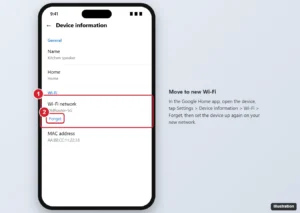
Google Home app device information screen with the Wi-Fi network and Forget option highlighted

How to Connect Google Home to a New Wi-Fi Network

November 15, 2026April 18, 2024 by Kermit Matthews

In the Google Home app, open the device, go to Settings > Device information > Wi-Fi > Forget, then set it up again on the new network. Plus a shortcut. Continue Reading How to Connect Google Home to a New Wi-Fi Network

Categories Google
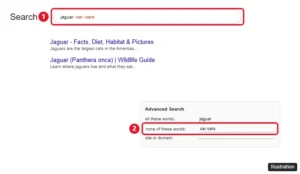
Google search box with the query jaguar -car -cars and Advanced Search none of these words field highlighted

How to Exclude Words From a Google Search

November 16, 2026April 18, 2024 by Kermit Matthews

Exclude words from Google results with a minus sign, leave out exact phrases, use the Advanced Search none of these words box and avoid the spacing mistakes. Continue Reading How to Exclude Words From a Google Search

Categories Google
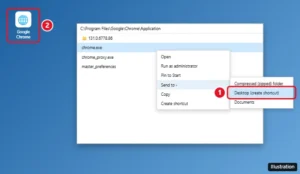
Windows desktop with a Google Chrome shortcut being created by dragging from the Start menu, and the Send to Desktop (create shortcut) option highlighted

How to Create a Google Chrome Shortcut on Your Desktop

November 14, 2026April 18, 2024 by Kermit Matthews

Create a Google Chrome desktop shortcut on Windows 10 or 11 by dragging it from Start or using Send to, and make shortcuts for websites or Chrome profiles. Continue Reading How to Create a Google Chrome Shortcut on Your Desktop

Categories Chrome
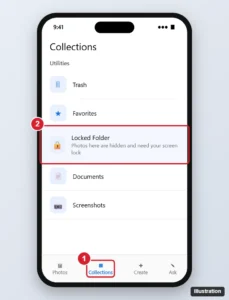
Photos app Collections tab with the Utilities section and Locked Folder highlighted

How to Access Locked Folder in Google Photos

November 16, 2026April 18, 2024 by Kermit Matthews

Open Locked Folder in Google Photos on Android, iPhone or a computer, move photos in, turn on Back up Locked Folder and avoid losing items on a new phone. Continue Reading How to Access Locked Folder in Google Photos

Categories Google
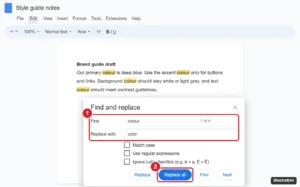
Online document editor with the Find and replace dialog open, Find set to colour and Replace with set to color, matches highlighted in the text and the Replace all button highlighted

How to Replace Words in Google Docs (Find and Replace Guide)

November 13, 2026April 18, 2024 by Kermit Matthews

Replace words in Google Docs with Find and replace (Ctrl + H): use Match case, replace whole words with regular expressions, and do it on mobile. Continue Reading How to Replace Words in Google Docs (Find and Replace Guide)

Categories Google Docs

How to Move Photos From Google Drive to Google Photos

November 16, 2026April 18, 2024 by Kermit Matthews

Learn how to easily transfer your photos from Google Drive to Google Photos with our step-by-step guide. Keep your memories safe and organized! Continue Reading How to Move Photos From Google Drive to Google Photos

Categories Google Drive

How to Duplicate a Folder in Google Drive (Copy an Entire Folder)

November 15, 2026April 18, 2024 by Kermit Matthews

Google Drive has no copy-folder button. Here’s how to copy a folder’s files, subfolders and shared drive content in the browser or with Drive for desktop. Continue Reading How to Duplicate a Folder in Google Drive (Copy an Entire Folder)

Categories Google Drive
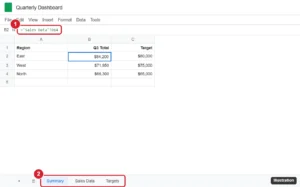
Spreadsheet with a formula referencing another sheet tab in the formula bar and the sheet tabs at the bottom highlighted

How to Pull Data From Another Tab or File in Google Sheets

November 12, 2026April 18, 2024 by Kermit Matthews

Pull data from another sheet in Google Sheets with cell references, XLOOKUP, FILTER, and QUERY, or from another file with IMPORTRANGE. Continue Reading How to Pull Data From Another Tab or File in Google Sheets

Categories Google Sheets
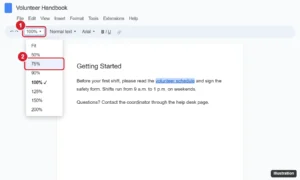
Online document editor with the toolbar zoom menu open showing Fit and percentages from 50 to 200 percent

How to Zoom In and Out in Google Docs (Computer and Mobile)

November 10, 2026April 17, 2024 by Kermit Matthews

Zoom out or in on Google Docs with the toolbar zoom box, browser shortcuts like Ctrl + minus, or pinch zoom on mobile, plus fixes for zoom problems. Continue Reading How to Zoom In and Out in Google Docs (Computer and Mobile)

Categories Google Docs

How to Remove the Google Search Bar From Your Home Screen

November 15, 2026April 17, 2024 by Kermit Matthews

Want a cleaner home screen? Learn how to easily remove the Google search bar with our simple step-by-step guide. Continue Reading How to Remove the Google Search Bar From Your Home Screen

Categories Google
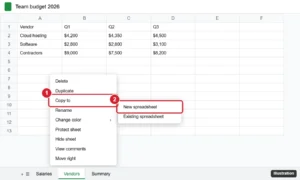
Google Sheets sheet tab right-click menu with Copy to and New spreadsheet highlighted

How to Share Only One Sheet in Google Sheets

November 10, 2026April 17, 2024 by Kermit Matthews

Google Sheets can’t share a single tab, but you can copy it to a new spreadsheet, share a live copy with IMPORTRANGE, or publish one sheet to the web. Continue Reading How to Share Only One Sheet in Google Sheets

Categories Google Sheets
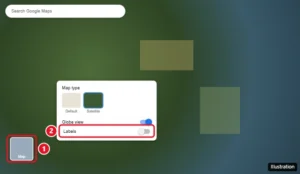
Google Maps in Satellite view with the Layers menu open and the Labels option turned off

Can You Turn Off Labels in Google Maps?

November 14, 2026April 17, 2024 by Kermit Matthews

Turn off labels in Google Maps on a computer in Satellite view, plus label-free options in Google Earth and My Maps, and what works on the mobile app. Continue Reading Can You Turn Off Labels in Google Maps?

Categories Google Maps

How to Close All Tabs on iPhone 15: A Step-by-Step Guide

November 17, 2026April 17, 2024 by Kermit Matthews

Closing all tabs on your iPhone 15 can declutter your browser and help your device run more smoothly. It’s a simple process that involves just… Continue Reading How to Close All Tabs on iPhone 15: A Step-by-Step Guide

Categories iPhone
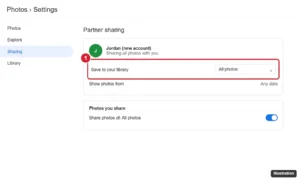
Web photo app Partner sharing settings showing a connected partner account with Save to your library set to All photos, highlighted

How to Transfer Google Photos From One Account to Another

November 12, 2026April 16, 2024 by Kermit Matthews

Transfer Google Photos between accounts with partner sharing, Google Takeout, or shared albums, keep original quality, and switch your backup account. Continue Reading How to Transfer Google Photos From One Account to Another

Categories Google
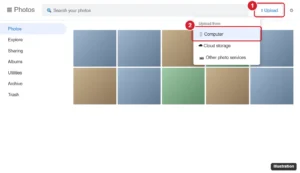
Photo library website with the Upload button menu open and the Computer option highlighted

How to Upload Photos to Google Photos

November 16, 2026April 16, 2024 by Kermit Matthews

Upload photos to Google Photos with phone backup on Android or iPhone, Import photos or Back up folders on a computer, and check quality, limits and storage. Continue Reading How to Upload Photos to Google Photos

Categories Google
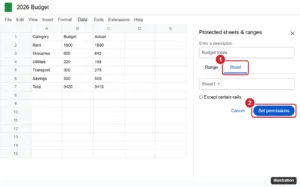
Google Sheets with the Protected sheets and ranges panel open and the Sheet tab and Set permissions button highlighted

How to Password Protect a Google Sheet (and What to Do Instead)

November 10, 2026April 16, 2024 by Kermit Matthews

Google Sheets has no password option. Learn how to make a sheet private, lock cells and tabs, or encrypt a copy with a password in Excel. Continue Reading How to Password Protect a Google Sheet (and What to Do Instead)

Categories Google Sheets

How to Play Google Minesweeper (Rules and Strategy)

November 11, 2026April 16, 2024 by Kermit Matthews

Play Minesweeper free in Google Search: how to open it, what the numbers mean, how to flag on computer or phone, difficulty levels and winning patterns. Continue Reading How to Play Google Minesweeper (Rules and Strategy)

Categories Gaming

How to Rotate Google Maps on Phone and Computer

November 13, 2026April 16, 2024 by Kermit Matthews

Learn how to easily rotate Google Maps for a better view. Our step-by-step guide will have you navigating like a pro in no time! Continue Reading How to Rotate Google Maps on Phone and Computer

Categories Google Maps
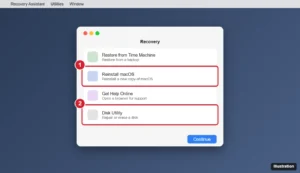
Mac Recovery utilities window with Reinstall and Disk Utility options highlighted

Command-R on Mac: A Step-by-Step Guide to Mastering This Shortcut

November 15, 2026April 15, 2024 by Kermit Matthews

Use Command-R on a Mac to start macOS Recovery on Intel Macs, the power button method on Apple silicon, what each Recovery tool does, and Command-R in apps. Continue Reading Command-R on Mac: A Step-by-Step Guide to Mastering This Shortcut

Categories Mac
Sound menu with Spatial Audio options highlighted

Spatial Audio Not Available on Mac: How to Fix It

November 16, 2026April 15, 2024 by Kermit Matthews

Spatial Audio not available on Mac? It needs Apple silicon, macOS 12.3 or later and supported AirPods or Beats. Find the menu bar control and Dolby Atmos. Continue Reading Spatial Audio Not Available on Mac: How to Fix It

Categories Mac
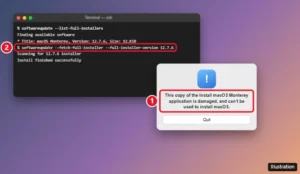
macOS alert saying the Install macOS Monterey application is damaged, with Terminal showing the softwareupdate command to download a fresh installer

macOS Monterey Installer Is Damaged? How to Fix It

November 15, 2026April 15, 2024 by Kermit Matthews

Fix the “Install macOS Monterey application is damaged” error: download a fresh installer, use the softwareupdate command, check the date, or rebuild your USB. Continue Reading macOS Monterey Installer Is Damaged? How to Fix It

Categories Mac

iPhone Microphone Not Working? How to Fix It

November 16, 2026April 15, 2024 by Kermit Matthews

iPhone microphone not working? Clear the openings, run Apple’s Voice Memos and Camera tests, check app permission, Bluetooth and Mic Mode, then get service. Continue Reading iPhone Microphone Not Working? How to Fix It

Categories iPhone
Phone account Manage Payments screen with an expired card marked for update and the Add Payment Method option highlighted

How to Turn Off “Verification Required” on the App Store

November 14, 2026April 15, 2024 by Kermit Matthews

Fix the App Store “Verification Required” message by updating your payment method, paying an unpaid balance, or removing your card to get free apps. Continue Reading How to Turn Off “Verification Required” on the App Store

Categories iPhone
iPhone Accessibility Display and Text Size settings with the Button Shapes switch turned on and highlighted

How to Turn On Button Shapes on iPhone

November 18, 2026April 15, 2024 by Kermit Matthews

Turn on Button Shapes on iPhone in Settings > Accessibility > Display & Text Size, see what it changes, and compare Show Borders, Bold Text and On/Off Labels. Continue Reading How to Turn On Button Shapes on iPhone

Categories iPhone
Phone Settings page for a chat app showing permissions with the Microphone switch turned on

How to Turn On the Microphone in WhatsApp (iPhone, Android, PC)

November 16, 2026April 13, 2024 by Kermit Matthews

Turn on the microphone for WhatsApp on iPhone, Android, WhatsApp Desktop, and WhatsApp Web, and fix a mic that still does not work in calls or voice notes. Continue Reading How to Turn On the Microphone in WhatsApp (iPhone, Android, PC)

Categories Web
CarPlay Settings on a car display with Wallpaper selected and the wallpaper choices highlighted

Can You Set a Custom CarPlay Wallpaper? How to Change It

November 15, 2026April 13, 2024 by Kermit Matthews

CarPlay does not support your own photos as wallpaper, but you can pick from Apple’s designs in CarPlay Settings. Here is how, plus other ways to customize it. Continue Reading Can You Set a Custom CarPlay Wallpaper? How to Change It

Categories iPhone
iPhone iCloud settings with Private Relay opened and the Private Relay switch highlighted

How to Fix Google’s “Unusual Traffic” Message on an iPhone

November 13, 2026April 13, 2024 by Kermit Matthews

Google’s unusual traffic message on iPhone is usually caused by Private Relay, a VPN, or a shared network. Here is what it means and 7 ways to stop it. Continue Reading How to Fix Google’s “Unusual Traffic” Message on an iPhone

Categories iPhone
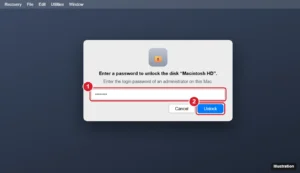
Mac recovery screen asking for a password to unlock the startup disk, with the password field and Unlock button highlighted

Enter a Password to Unlock the Disk Macintosh HD: What It Means and How to Fix It

November 15, 2026April 13, 2024 by Kermit Matthews

Seeing Enter a password to unlock the disk Macintosh HD? Learn which password to use, how to recover access if you forgot it, and why it appears. Continue Reading Enter a Password to Unlock the Disk Macintosh HD: What It Means and How to Fix It

Categories Mac
iPhone Screen Time settings with Share Across Devices and Turn Off App and Website Activity highlighted

Can You Delete Screen Time History? Here’s How to Clear It

November 17, 2026April 12, 2024 by Kermit Matthews

You cannot delete individual Screen Time entries, but you can clear all history by turning off App & Website Activity. Here is how on iPhone and iPad. Continue Reading Can You Delete Screen Time History? Here’s How to Clear It

Categories iPhone
Illustration of wet wireless earbuds drying on a lint-free cloth with speaker mesh facing down and the charging case lid open

AirPods Fell in Water? What to Do Next

November 16, 2026April 12, 2024 by Kermit Matthews

AirPods fell in water? Shake out water, air-dry the earbuds and case separately, skip rice and heat, wait before charging, and know your repair options. Continue Reading AirPods Fell in Water? What to Do Next

Categories iPhone
Phone social media app profile switcher listing two signed-in accounts with Add another profile or account highlighted

How to Manage Multiple Facebook Accounts on One iPhone

November 13, 2026April 12, 2024 by Kermit Matthews

Add and switch between Facebook accounts on iPhone, use profiles and Pages instead of extra accounts, remove saved accounts, and keep each one secure. Continue Reading How to Manage Multiple Facebook Accounts on One iPhone

Categories iPhone
Phone photo markup editor with a square shape stretched to the photo edges to create a thick white border, and border width options

How to Add a Border to Photos on iPhone 14 (4 Free Ways)

November 10, 2026April 12, 2024 by Kermit Matthews

Add a border to photos on iPhone 14 with the Markup square trick, Pages or Keynote, a shortcut, or an editor app. Step-by-step, with free options. Continue Reading How to Add a Border to Photos on iPhone 14 (4 Free Ways)
Categories iPhone
Windows 11 Settings Printers and scanners page with Add device highlighted and a Canon LBP2900 printer found

How to Install the Canon LBP2900B Driver on Windows 11

November 18, 2026April 12, 2024 by Kermit Matthews

Canon has no Windows 11 driver for the LBP2900B, but the 64-bit CAPT R1.50 driver works. Here is how to install it, add it manually, and fix common errors. Continue Reading How to Install the Canon LBP2900B Driver on Windows 11

Categories Windows 11
Phone Date and Time settings with Set Automatically turned on, a common fix for store connection errors

How to Report a Problem to Apple Support

November 14, 2026April 12, 2024 by Kermit Matthews

Report a problem to Apple: get device help online, in the Support app, or by phone, request refunds at reportaproblem.apple.com, and send feedback. Continue Reading How to Report a Problem to Apple Support

Categories iPhone

Where Is the Camera on iPad? How to Find It (and Fix a Missing Icon)

November 16, 2026April 12, 2024 by Kermit Matthews

Struggling to find the camera icon on your iPad? Follow our simple step-by-step guide to quickly locate and access your device’s camera. Continue Reading Where Is the Camera on iPad? How to Find It (and Fix a Missing Icon)

Categories iPad
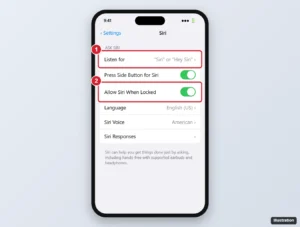
iPhone Settings Siri page with the Listen for option set to Siri or Hey Siri and Allow Siri When Locked turned on

How to Fix Hey Siri Not Working on AirPods

November 18, 2026April 11, 2024 by Kermit Matthews

Hey Siri not working on AirPods? Check model support, turn on Listen for Hey Siri, retrain your voice, update firmware, clean the mics, and reset your AirPods. Continue Reading How to Fix Hey Siri Not Working on AirPods

Categories iPhone
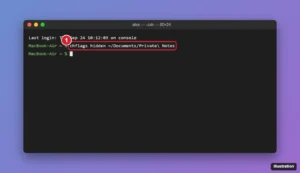
Mac Terminal window showing the chflags hidden command followed by a folder path

How to Hide a Folder on a Mac

November 17, 2026April 11, 2024 by Kermit Matthews

Hide a folder on a Mac with Apple’s tools: keep it out of Spotlight, lock it in an encrypted disk image with RAW Image, or give each person their own account. Continue Reading How to Hide a Folder on a Mac

Categories Mac
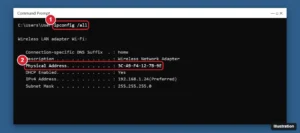
Command Prompt showing ipconfig /all output with the Physical Address line highlighted for the Wi-Fi adapter

macOS Sonoma vs. Ventura: Which Is Better (and Should You Use Either in 2026)?

November 17, 2026April 11, 2024 by Kermit Matthews

macOS Sonoma vs. Ventura compared: features, supported Macs, performance, and security updates, plus which macOS you should run on your Mac in 2026. Continue Reading macOS Sonoma vs. Ventura: Which Is Better (and Should You Use Either in 2026)?

Categories Mac
Mac Finder Go to Folder box with the iPhone Software Updates path entered and an IPSW file shown in the folder

Where Are IPSW Files Stored on Mac and Windows?

November 14, 2026April 10, 2024 by Kermit Matthews

Find downloaded iPhone and iPad IPSW files on a Mac in ~/Library/iTunes and on Windows in AppData, plus how to use or delete them safely. Continue Reading Where Are IPSW Files Stored on Mac and Windows?

Categories iPhone
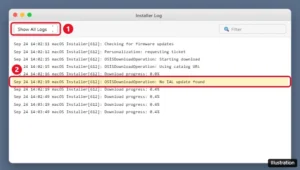
macOS Installer Log window with the OSISDownloadOperation No IAL update found line highlighted

“No IAL Update Found” on Mac: What It Means and How to Fix a Stuck macOS Install

November 18, 2026April 10, 2024 by Kermit Matthews

“No IAL update found” is a macOS installer log line. Here’s what it means and 7 fixes for a stuck Mac install, from date and time to a USB installer. Continue Reading “No IAL Update Found” on Mac: What It Means and How to Fix a Stuck macOS Install

Categories Mac
iPhone Headphone Safety settings with the Reduce Loud Audio switch highlighted

How to Make Your iPhone Louder (Speakers, Calls and Music)

November 10, 2026April 10, 2024 by Kermit Matthews

Fix low volume on iPhone 14: check media vs. ringer volume, turn off Reduce Loud Audio, use the Late Night EQ, clean speakers, and fix quiet calls. Continue Reading How to Make Your iPhone Louder (Speakers, Calls and Music)

Categories iPhone

The Best Apps for the iPhone Dynamic Island

November 10, 2026April 10, 2024 by Kermit Matthews

Unlock the full potential of your iPhone’s Dynamic Island with these must-have apps for 2023. Enhance your user experience like never before! Continue Reading The Best Apps for the iPhone Dynamic Island

Categories iPhone
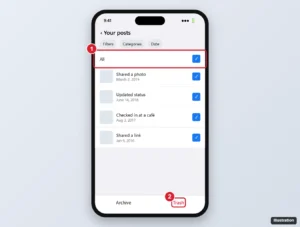
Social media app Manage activity screen with several posts selected and the Trash button highlighted

Deleting Your Activity Log From Facebook: A Step-by-Step Guide

November 11, 2026April 9, 2024 by Kermit Matthews

Delete your Facebook activity log in bulk: trash posts, remove comments and reactions, clear searches, empty Trash, and limit old posts you want to keep. Continue Reading Deleting Your Activity Log From Facebook: A Step-by-Step Guide

Categories Web
Find My app AirPods card showing Sound Pending and the Notify When Found switch highlighted

How to Fix AirPods Sound Pending in Find My

November 17, 2026April 9, 2024 by Kermit Matthews

Sound Pending means Find My cannot reach your AirPods yet. The sound plays when they reconnect. How to get in range, use Precision Finding, and Lost Mode. Continue Reading How to Fix AirPods Sound Pending in Find My

Categories iPhone
iPhone Software Update screen with Automatic Updates and the Update Now button highlighted

How to Update Safari on iPhone and iPad (iOS Guide)

November 17, 2026April 9, 2024 by Kermit Matthews

Safari updates with iOS, not the App Store. Learn how to update Safari on iPhone and iPad, turn on automatic updates, and fix updates that fail. Continue Reading How to Update Safari on iPhone and iPad (iOS Guide)

Categories iPhone
iPhone Settings Camera page with Macro Control and Lens Correction switches highlighted

How to Fix iPhone Camera Focus Problems

November 18, 2026April 9, 2024 by Kermit Matthews

iPhone 14 camera not focusing? Clean the lens, tap to focus, respect focus distance, use Macro Control on Pro models, update iOS, and spot hardware problems. Continue Reading How to Fix iPhone Camera Focus Problems

Categories iPhone
iPhone Wi-Fi scanner results showing networks with RSSI signal values and the Scan button highlighted

How to Check Wi-Fi Signal Strength on iPhone

November 18, 2026April 8, 2024 by Kermit Matthews

See where iPhone shows its Wi-Fi signal, what the icon does and does not tell you, why there is no dBm reading, and Apple’s fixes when the signal stays weak. Continue Reading How to Check Wi-Fi Signal Strength on iPhone

Categories iPhone
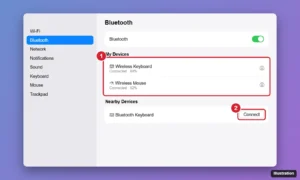
macOS System Settings Bluetooth page showing a wireless keyboard and mouse connected and a nearby device with a Connect button

How to Choose the Best Wireless Keyboard and Mouse for Your Mac

November 16, 2026April 8, 2024 by Kermit Matthews

Choose the best wireless keyboard and mouse for your Mac: Apple Magic accessories vs. Logitech MX, what to look for, and how to connect them. Continue Reading How to Choose the Best Wireless Keyboard and Mouse for Your Mac

Categories Mac
Older posts
Newer posts
← Previous Page1 … Page23 Page24 Page25 … Page37 Next →

Join Our Free Newsletter

Featured guides and deals

You may opt out at any time.
Read our Privacy Policy

Live2Tech

Plain-English, step-by-step guides for the devices and apps you use every day.

Apple

  • iPhone
  • iPad
  • Mac
  • Apple Watch

Windows

  • Windows 11
  • Windows 10

Microsoft Office

  • Word
  • Excel
  • Powerpoint
  • Outlook

Google

  • Google Docs
  • Google Sheets
  • Google Slides
  • Gmail
  • Chrome
  • Google Drive
  • About Us
  • Contact
  • Disclaimer
  • Privacy Policy
© Live2Tech.com 2026
  • iPhone
  • Windows
    • Windows 11
    • Windows 10
  • Office
    • Word
    • Excel
    • Powerpoint
    • Outlook
  • Google
    • Google Docs
    • Google Sheets
    • Google Slides
    • Gmail
    • Chrome
    • Google Drive
  • Mac & Apple
    • Mac
    • iPad
    • Apple Watch
  • All Tutorials