Skip to content
Live2Tech
  • iPhone
  • Windows
    • Windows 11
    • Windows 10
  • Office
    • Word
    • Excel
    • Powerpoint
    • Outlook
  • Google
    • Google Docs
    • Google Sheets
    • Google Slides
    • Gmail
    • Chrome
    • Google Drive
  • Mac & Apple
    • Mac
    • iPad
    • Apple Watch
  • All Tutorials

Kermit Matthews

Kermit Matthews runs Live2Tech from just outside Philadelphia. He is an IT specialist with over 20 years of experience, from a university help desk to small-business IT, IT management and his own consulting practice, and has written tech guides full time since 2020. Steps are checked against the current software on a real device or the maker's official documentation. More about Kermit.
Phone browser showing a Cannot Open Page error because the address is invalid, with the malformed address in the address bar highlighted

Safari Cannot Open the Page Because the Address Is Invalid: 7 Fixes

November 10, 2026April 8, 2024 by Kermit Matthews

Fix “Safari cannot open the page because the address is invalid” on iPhone, iPad, or Mac: check the URL, clear website data, and review blockers and settings. Continue Reading Safari Cannot Open the Page Because the Address Is Invalid: 7 Fixes

Categories iPhone
Phone wallet app card screen showing the card balance, available credit and a Pay button, with the balance highlighted

How to Check Your Apple Card Balance

November 10, 2026April 8, 2024 by Kermit Matthews

Check your Apple Card balance in the iPhone Wallet app or at card.apple.com, understand balance vs statement balance, and see transactions and payments. Continue Reading How to Check Your Apple Card Balance

Categories iPhone

Torras vs. Casekoo iPhone Cases: How They Compare

November 12, 2026April 8, 2024 by Kermit Matthews

Torras and Casekoo go head-to-head in the battle of iPhone cases. Which brand offers better protection and style? Find out in our comparison. Continue Reading Torras vs. Casekoo iPhone Cases: How They Compare

Categories iPhone
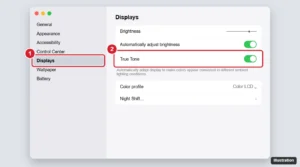
Mac System Settings Displays pane with the True Tone switch highlighted

How to Turn True Tone On or Off on a Mac

November 14, 2026April 8, 2024 by Kermit Matthews

Learn what True Tone does on a Mac, which Macs support it, how to turn it on or off in Displays or Control Center, and how it differs from Night Shift. Continue Reading How to Turn True Tone On or Off on a Mac

Categories Mac

How to Deactivate Facebook on an iPhone (iPhone 14 and Later)

November 11, 2026April 7, 2024 by Kermit Matthews

Learn how to deactivate your Facebook account on iPhone 14 with our easy step-by-step guide. Gain control over your digital life today! Continue Reading How to Deactivate Facebook on an iPhone (iPhone 14 and Later)

Categories iPhone

How to Make Your Phone Appear Busy When Someone Calls

November 10, 2026April 7, 2024 by Kermit Matthews

Want to avoid unwanted calls? Learn how to make your phone seem busy with our step-by-step guide – no more awkward conversations! Continue Reading How to Make Your Phone Appear Busy When Someone Calls

Categories Tutorials
Phone earbuds settings screen with the Name field being edited to a fun custom name

Funny Name Ideas for Your AirPods (and How to Rename Them)

November 12, 2026April 6, 2024 by Kermit Matthews

Original funny AirPods name ideas, from puns to practical labels, plus how to rename AirPods on iPhone and tips for choosing a safe name. Continue Reading Funny Name Ideas for Your AirPods (and How to Rename Them)

Categories Apple
iPhone Cellular settings for the Primary line with SIM Applications highlighted

“Primary: Your SIM Played a Tone” on iPhone Explained

November 18, 2026April 6, 2024 by Kermit Matthews

“Primary: Your SIM played a tone” means a carrier SIM app made a sound. Here is why it happens and how to turn it off in SIM Applications on iPhone. Continue Reading “Primary: Your SIM Played a Tone” on iPhone Explained

Categories iPhone
AirTag rename screen in Find My with a custom name and the emoji picker highlighted

Funny AirTag Names (and How to Rename Your AirTag)

November 17, 2026April 6, 2024 by Kermit Matthews

Funny AirTag names for keys, wallets, luggage, cars, bikes, and pets, plus how to rename an AirTag and change its emoji in Find My on iPhone or Mac. Continue Reading Funny AirTag Names (and How to Rename Your AirTag)

Categories iPhone
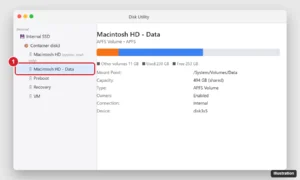
Mac disk utility sidebar showing the system volume and its Data volume in the same container, with the Data volume selected and its used space shown

Macintosh HD vs. Macintosh HD – Data: What Is the Difference?

November 15, 2026April 5, 2024 by Kermit Matthews

Macintosh HD is the read-only macOS system volume; Macintosh HD – Data holds your files. Learn how they share storage and when to erase them. Continue Reading Macintosh HD vs. Macintosh HD – Data: What Is the Difference?

Categories Mac
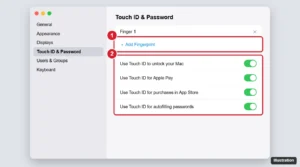
Mac System Settings Touch ID and Password pane with Add Fingerprint and the unlock options highlighted

How to Fix Magic Keyboard Touch ID Not Working

November 14, 2026April 5, 2024 by Kermit Matthews

Magic Keyboard Touch ID not working? Check pairing, fingerprints, macOS updates, and Touch ID settings, then reset the keyboard with these step-by-step fixes. Continue Reading How to Fix Magic Keyboard Touch ID Not Working

Categories Mac
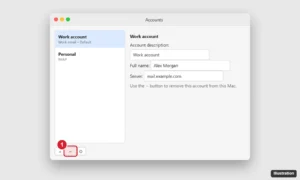
Mac email app Accounts settings listing an account with the minus button highlighted to remove it and sign out

How to Sign Out of Outlook on a Mac

November 13, 2026April 5, 2024 by Kermit Matthews

Sign out of Outlook on a Mac by removing the account in Outlook > Settings > Accounts, or sign out of Microsoft 365 for all Office apps. Continue Reading How to Sign Out of Outlook on a Mac

Categories Mac, Outlook
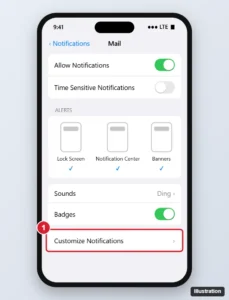
Phone mail app notification settings with Allow Notifications on, Lock Screen, Notification Center and Banners alerts selected, and Customize Notifications highlighted

iPhone Mail Notifications Not Working? Here’s How to Fix It

November 18, 2026April 5, 2024 by Kermit Matthews

Fix iPhone Mail notifications that are not working: turn on alerts per account, enable Push or Fetch, and check Focus, Scheduled Summary and Low Power Mode. Continue Reading iPhone Mail Notifications Not Working? Here’s How to Fix It

Categories iPhone
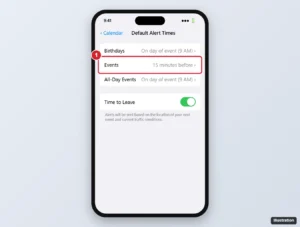
iPhone Calendar Default Alert Times settings with Events set to 15 minutes before highlighted

iPhone Calendar Alerts Not Working? How to Fix Them

November 14, 2026April 5, 2024 by Kermit Matthews

Fix iPhone Calendar alerts that aren’t working: turn on notifications, check event and default alert times, Focus, alert sounds, and calendar sync. Continue Reading iPhone Calendar Alerts Not Working? How to Fix Them

Categories iPhone
Phone Date and Time settings with Set Automatically turned on, a common fix for store connection errors

Cannot Connect to App Store? 9 Fixes for iPhone, iPad, and Mac

November 17, 2026April 4, 2024 by Kermit Matthews

Fix Cannot Connect to App Store on iPhone, iPad, or Mac: check Apple status, your connection, VPN, date and time, your account, and network settings. Continue Reading Cannot Connect to App Store? 9 Fixes for iPhone, iPad, and Mac

Categories iPhone

How to Uninstall TurboTax on a Mac (and Keep Your Tax Files)

November 16, 2026April 4, 2024 by Kermit Matthews

Uninstall TurboTax on a Mac: quit it, drag TurboTax 20XX from Applications to the Trash, and optionally clear its Library files. Your returns stay put. Continue Reading How to Uninstall TurboTax on a Mac (and Keep Your Tax Files)

Categories Mac

iPhone 13 Adjust Brightness Shortcut

November 10, 2026April 4, 2024 by Kermit Matthews

Learn how to quickly adjust your iPhone 13’s brightness with this simple shortcut guide – no more squinting or straining your eyes! Continue Reading iPhone 13 Adjust Brightness Shortcut

Categories iPhone

How to Add AirDrop to Favorites in Finder on Mac

November 18, 2026April 4, 2024 by Kermit Matthews

Learn how to add Airdrop to your favorites for quick access on your Mac with our step-by-step guide. Simplify file sharing in seconds! Continue Reading How to Add AirDrop to Favorites in Finder on Mac

Categories Mac
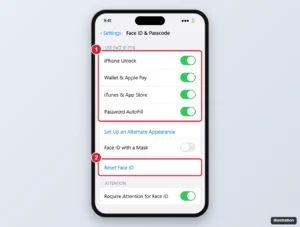
iPhone Face ID and Passcode settings with the Use Face ID For switches and Reset Face ID highlighted

Face ID Not Working on iPhone? How to Fix It

November 16, 2026April 4, 2024 by Kermit Matthews

Face ID not working after iOS 16.5 or a later update? Check settings, clean the TrueDepth camera, update iOS, reset Face ID, and spot hardware problems. Continue Reading Face ID Not Working on iPhone? How to Fix It

Categories iPhone
iPhone subscription details for an AppleCare+ plan with the Cancel Subscription button highlighted

How to Cancel an AppleCare+ Subscription

November 14, 2026April 4, 2024 by Kermit Matthews

Cancel AppleCare+ in Settings > your name > Subscriptions. For upfront plans, contact Apple for a refund. What happens to coverage after you cancel. Continue Reading How to Cancel an AppleCare+ Subscription

Categories iPhone

How to Stop Zoom From Opening on Startup on a Mac

November 16, 2026April 3, 2024 by Kermit Matthews

Stop Zoom opening when your Mac starts: remove it from Login Items and Extensions, turn off Open at Login in the Dock, and stop windows reopening. Continue Reading How to Stop Zoom From Opening on Startup on a Mac

Categories Mac
Windows emoji and symbols panel on the Math Symbols tab with the less than or equal to symbol highlighted

How to Type Less Than or Equal To (≤) and Greater Than or Equal To (≥)

November 10, 2026April 3, 2024 by Kermit Matthews

Type ≤ in Word with 2264 then Alt + X, on a Mac with Option + comma, or with the Windows symbol panel. Includes ≥ and formula tips. Continue Reading How to Type Less Than or Equal To (≤) and Greater Than or Equal To (≥)

Categories Word

Verizon Mobile Protect vs AppleCare: How They Compare

November 17, 2026April 3, 2024 by Kermit Matthews

Choosing the right device protection matters. We compare Verizon Mobile Protect and AppleCare to help you decide the best option for your needs. Continue Reading Verizon Mobile Protect vs AppleCare: How They Compare

Categories Apple
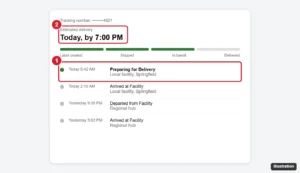
Generic package tracking timeline with the Preparing for Delivery status and estimated delivery date highlighted

What Does UPS Preparing for Delivery Mean?

November 17, 2026April 3, 2024 by Kermit Matthews

UPS’s tracking guide does not list Preparing for Delivery. See the statuses UPS does define, where to read your scans and how to change a delivery safely. Continue Reading What Does UPS Preparing for Delivery Mean?

Categories Tutorials
iPhone Phone app Voicemail tab showing the Set Up Now button highlighted

How to Set Up Visual Voicemail with Consumer Cellular on iPhone

November 10, 2026April 1, 2024 by Kermit Matthews

Set up Visual Voicemail with Consumer Cellular on iPhone 14 or another iPhone, create a greeting and password, and fix Visual Voicemail that will not load. Continue Reading How to Set Up Visual Voicemail with Consumer Cellular on iPhone

Categories iPhone
Diagram comparing a two-layer phone case with an inner sleeve and outer shell to a one-piece slim case

OtterBox Commuter vs. Symmetry for iPhone 14: Which Case Should You Buy?

November 12, 2026April 1, 2024 by Kermit Matthews

Compare OtterBox Commuter and Symmetry cases for iPhone 14: two-layer protection and grip versus a slimmer one-piece design, plus MagSafe and buying tips. Continue Reading OtterBox Commuter vs. Symmetry for iPhone 14: Which Case Should You Buy?

Categories iPhone
Phone car display settings Customize screen with a navigation app moved to the hidden list so it no longer appears on the car screen

How to Stop Waze From Opening Automatically on iPhone

November 10, 2026April 1, 2024 by Kermit Matthews

Stop Waze from opening automatically on iPhone and CarPlay by ending drives, removing it from CarPlay, turning off suggestions and checking automations. Continue Reading How to Stop Waze From Opening Automatically on iPhone

Categories iPhone
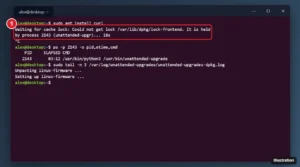
Linux terminal showing apt waiting for cache lock held by the unattended-upgr process, followed by a ps command that identifies the process, with the lock message highlighted

How to Fix “Waiting for Cache Lock” on Ubuntu

November 13, 2026April 1, 2024 by Kermit Matthews

Fix the Ubuntu “Waiting for cache lock” apt error: wait, find the process holding the dpkg lock, stop it safely, then run dpkg –configure -a. Continue Reading How to Fix “Waiting for Cache Lock” on Ubuntu

Categories Programming

Slack Notification Sound Not Working? How to Fix It

November 16, 2026April 1, 2024 by Kermit Matthews

Slack notification sound not working? Check Slack’s Sound & appearance settings, pause and muted channels, then Windows, Mac, browser and phone settings. Continue Reading Slack Notification Sound Not Working? How to Fix It

Categories Web
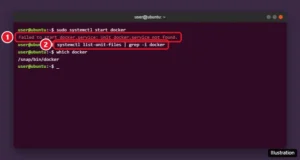
Linux terminal showing the Failed to start docker.service Unit docker.service not found error and a command to check for Docker unit files

Fix “Failed to Start docker.service: Unit Not Found”

November 13, 2026April 1, 2024 by Kermit Matthews

Fix “Failed to start docker.service: Unit docker.service not found” on Linux by installing Docker Engine, handling Snap installs, and enabling systemd in WSL. Continue Reading Fix “Failed to Start docker.service: Unit Not Found”

Categories Programming
Nginx Proxy Manager Edit Proxy Host window with the Custom locations tab and Add location fields highlighted

How to Set Up Custom Locations in Nginx Proxy Manager

November 13, 2026April 1, 2024 by Kermit Matthews

Add custom locations in Nginx Proxy Manager to route URL paths to different services, and learn how trailing slashes decide whether the path is passed on. Continue Reading How to Set Up Custom Locations in Nginx Proxy Manager

Categories Networking
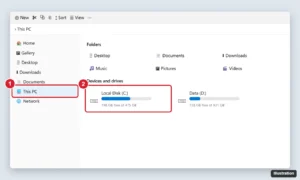
Windows 11 File Explorer with This PC selected and the Local Disk (C:) drive highlighted

How to Access the C Drive on Windows 11

November 17, 2026April 1, 2024 by Kermit Matthews

Open the C drive on Windows 11 from File Explorer > This PC > Local Disk (C:), or type C:\ in the Run box. Plus what’s inside and fixes if it’s missing. Continue Reading How to Access the C Drive on Windows 11

Categories Windows 11
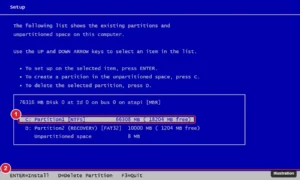
Legacy text-mode setup screen listing hard disk partitions with the existing C: partition selected for deletion before a clean install

How to Reset Windows XP to Factory Settings

November 10, 2026March 31, 2024 by Kermit Matthews

Reset a Windows XP computer to factory settings with the manufacturer recovery partition, recovery discs, or a clean install from a Windows XP CD. Continue Reading How to Reset Windows XP to Factory Settings

Categories Windows 7

How to Download and Save WeChat Videos

November 10, 2026March 29, 2024 by Kermit Matthews

Save WeChat videos you recorded or received in chats to your iPhone, Android, or computer using Save Video, Favorites, and File Transfer. Continue Reading How to Download and Save WeChat Videos

Categories Web

How to Draw on a Photo on iPhone 13 (and Other iPhones)

November 12, 2026March 29, 2024 by Kermit Matthews

To draw on a photo on an iPhone 13 or any recent iPhone, open the photo in the Photos app, tap Edit, then tap the… Continue Reading How to Draw on a Photo on iPhone 13 (and Other iPhones)

Categories iPhone
Phone showing your own posted story with the More menu open listing Delete, Save, Highlight, Share as post and Story settings, with Story settings highlighted

How to Edit Instagram Stories (Before and After Posting)

November 10, 2026March 29, 2024 by Kermit Matthews

Edit Instagram Stories with text, stickers, music and filters before posting, see what you can still change after posting, and fix mistakes fast. Continue Reading How to Edit Instagram Stories (Before and After Posting)

Categories Web
Excel with a month and sales data range selected, the Insert Line or Area Chart button highlighted, and the resulting line graph

How to Make a Line Graph in Excel

November 18, 2026March 13, 2024 by Kermit Matthews

Make a line graph in Excel with Insert Line or Area Chart, add more lines and a secondary axis, fix date axes and gaps, and add a trendline as Microsoft shows. Continue Reading How to Make a Line Graph in Excel

Categories Excel

How to Turn On Developer Mode on iPhone 13

November 17, 2026March 13, 2024 by Kermit Matthews

Unlock the full potential of your iPhone 13 with our step-by-step guide on how to enter Developer Mode and access advanced features. Continue Reading How to Turn On Developer Mode on iPhone 13

Categories iPhone
Excel Format Cells dialog on the Font tab with the Strikethrough effect checked

How to Strikethrough in Excel (Shortcut, Partial Text and Auto Strikethrough)

November 15, 2026March 2, 2024 by Kermit Matthews

Select the cell and press Ctrl + 5, or use Ctrl + 1 > Font > Strikethrough. How to cross out part of a cell, add a button, and auto-strike done tasks. Continue Reading How to Strikethrough in Excel (Shortcut, Partial Text and Auto Strikethrough)

Categories Excel Tags excel 2013, Formatting
Phone web browser with the page menu open and the Request Desktop Website option highlighted

How to Use Desktop View on iPhone (Safari and Chrome)

November 10, 2026February 16, 2024 by Kermit Matthews

Request the desktop version of websites on iPhone in Safari for one visit, one site, or all sites, plus how to do it in Chrome, Firefox and Edge. Continue Reading How to Use Desktop View on iPhone (Safari and Chrome)

Categories iPhone
Insert Page Number menu with Bottom of Page open and the Page X of Y Bold Numbers option highlighted

How to Add “Page 1 of 2” Page Numbers in Word

November 18, 2026February 10, 2024 by Kermit Matthews

Add “Page 1 of 2” numbering in Word with the Page X of Y gallery or PAGE and NUMPAGES fields, skip the cover page, and fix totals that do not update. Continue Reading How to Add “Page 1 of 2” Page Numbers in Word

Categories Word Tags word 2013
Computer device management window showing a connected phone with the Restore button highlighted and a note to hold Option or Shift while clicking to choose a firmware file

How to Go Back to a Previous Version of iOS on iPhone

November 10, 2026January 24, 2024 by Kermit Matthews

Downgrade to a previous iOS version on iPhone while Apple still signs it, using a Mac or PC and an IPSW file, leave the beta, and restore your data. Continue Reading How to Go Back to a Previous Version of iOS on iPhone

Categories iPhone
iPhone Change Country or Region screen for the App Store with Japan selected

How to Get Japanese Apps on iPhone or iPad

November 10, 2026January 24, 2024 by Kermit Matthews

Get Japanese apps on iPhone by switching to the Japan App Store: change your account region or use a second Apple Account. Plus payment options. Continue Reading How to Get Japanese Apps on iPhone or iPad

Categories iPad, iPhone

How to Format and Highlight Text in iPhone Notes

November 10, 2026January 24, 2024 by Kermit Matthews

To format text in the iPhone Notes app, select the text and tap the Aa button above the keyboard. From there you can make text… Continue Reading How to Format and Highlight Text in iPhone Notes

Categories iPhone

How to Turn Off Keyboard Sounds and Haptics on iPhone

November 18, 2026January 23, 2024 by Kermit Matthews

Turn off the iPhone keyboard click and the tap you feel in Settings > Sounds & Haptics > Keyboard Feedback, plus what Silent mode does and the iPad setting. Continue Reading How to Turn Off Keyboard Sounds and Haptics on iPhone

Categories iPhone
Word processor Layout tab with the Columns menu open and Three highlighted for a trifold brochure

How to Make a Brochure in Microsoft Word (Templates and Trifold)

November 17, 2026January 20, 2024 by Kermit Matthews

Make a brochure in Microsoft Word with a template or build a trifold from scratch using landscape and three columns, then print it double-sided. Continue Reading How to Make a Brochure in Microsoft Word (Templates and Trifold)

Categories Word
Word Choose a SmartArt Graphic dialog with the Process category and Basic Timeline layout highlighted

How to Make a Timeline in Microsoft Word

November 10, 2026January 20, 2024 by Kermit Matthews

Make a timeline in Microsoft Word with SmartArt’s Basic Timeline, a ready-made template, or shapes. Includes tips for adding events and styling. Continue Reading How to Make a Timeline in Microsoft Word

Categories Word
Phone video call screen in a messaging app with the effects and activities tray open and the Games option highlighted

How to Play Games on Messenger (Android, iPhone, and PC)

November 13, 2026January 18, 2024 by Kermit Matthews

Find and play games on Messenger during video calls, play Instant Games in the Facebook app, try hidden emoji games, and fix games that do not appear. Continue Reading How to Play Games on Messenger (Android, iPhone, and PC)

Categories iPhone
Phone in-call screen with the Mute button highlighted and a label saying touch and hold to put the call on hold

How to Put a Call on Hold on iPhone

November 10, 2026January 18, 2024 by Kermit Matthews

Touch and hold Mute to put an iPhone call on hold, juggle two calls with Hold & Accept and Swap, and let Hold Assist wait for you in iOS 26. Continue Reading How to Put a Call on Hold on iPhone

Categories iPhone
Microsoft Word Review tab with Track Changes turned on, All Markup selected, and redlined insertions and deletions in the document

How to Redline a Document in Microsoft Word

November 15, 2026January 16, 2024 by Kermit Matthews

Redline a document in Word with Track Changes, use All Markup, set your author name, lock tracking, and accept or reject edits, or redline with Compare. Continue Reading How to Redline a Document in Microsoft Word

Categories Word
Older posts
Newer posts
← Previous Page1 … Page24 Page25 Page26 … Page37 Next →

Join Our Free Newsletter

Featured guides and deals

You may opt out at any time.
Read our Privacy Policy

Live2Tech

Plain-English, step-by-step guides for the devices and apps you use every day.

Apple

  • iPhone
  • iPad
  • Mac
  • Apple Watch

Windows

  • Windows 11
  • Windows 10

Microsoft Office

  • Word
  • Excel
  • Powerpoint
  • Outlook

Google

  • Google Docs
  • Google Sheets
  • Google Slides
  • Gmail
  • Chrome
  • Google Drive
  • About Us
  • Contact
  • Disclaimer
  • Privacy Policy
© Live2Tech.com 2026
  • iPhone
  • Windows
    • Windows 11
    • Windows 10
  • Office
    • Word
    • Excel
    • Powerpoint
    • Outlook
  • Google
    • Google Docs
    • Google Sheets
    • Google Slides
    • Gmail
    • Chrome
    • Google Drive
  • Mac & Apple
    • Mac
    • iPad
    • Apple Watch
  • All Tutorials