Skip to content
Live2Tech
  • iPhone
  • Windows
    • Windows 11
    • Windows 10
  • Office
    • Word
    • Excel
    • Powerpoint
    • Outlook
  • Google
    • Google Docs
    • Google Sheets
    • Google Slides
    • Gmail
    • Chrome
    • Google Drive
  • Mac & Apple
    • Mac
    • iPad
    • Apple Watch
  • All Tutorials

Kermit Matthews

Kermit Matthews runs Live2Tech from just outside Philadelphia. He is an IT specialist with over 20 years of experience, from a university help desk to small-business IT, IT management and his own consulting practice, and has written tech guides full time since 2020. Steps are checked against the current software on a real device or the maker's official documentation. More about Kermit.
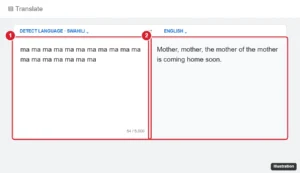
Online translator with a repeated nonsense word in the source box and an unexpected sentence in the translation box

How to Break Google Translate for Fun (Harmless Tricks)

November 18, 2026May 9, 2024 by Kermit Matthews

How people break Google Translate with repeated words, translation telephone, and random letters, why the glitches happen, and how to get accurate translations. Continue Reading How to Break Google Translate for Fun (Harmless Tricks)
Categories Google

Can You Reset a Motorola Phone Without a Google Account?

November 16, 2026May 9, 2024 by Kermit Matthews

Locked out of your Motorola phone and don’t have a Google account? Follow our step-by-step guide to reset your device without any hassle. Continue Reading Can You Reset a Motorola Phone Without a Google Account?

Categories Google
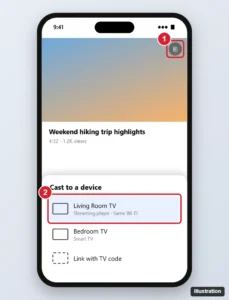
Android phone video app with the cast menu open and a TV streaming device selected

How to Screen Mirror a Google Pixel to Roku (What Works)

November 10, 2026May 9, 2024 by Kermit Matthews

Mirror or cast a Google Pixel to Roku by casting from apps, sharing media with the Roku app, or a mirroring app, and see why Screen Cast cannot find it. Continue Reading How to Screen Mirror a Google Pixel to Roku (What Works)

Categories Roku

How to Access a Shared Google Drive on Computer and Phone

November 15, 2026May 9, 2024 by Kermit Matthews

Learn how to access a shared Google Drive with our step-by-step guide. Follow these simple instructions to collaborate with ease. Continue Reading How to Access a Shared Google Drive on Computer and Phone

Categories Google Drive
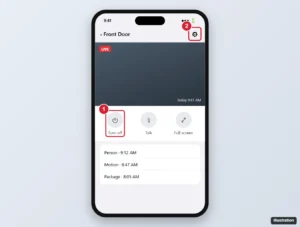
Smart home app camera live view with the camera on off button and the camera settings gear highlighted

How to Turn Off a Google Nest Camera

November 13, 2026May 9, 2024 by Kermit Matthews

Turn off a Google Nest camera in the Google Home or Nest app, set a schedule or Home & Away routine, and see what turning it off does for recording and alerts. Continue Reading How to Turn Off a Google Nest Camera

Categories Google
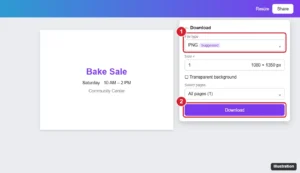
Online design tool Download panel with PNG selected as the file type and the Download button highlighted

How to Transfer Canva Designs to Google Docs

November 18, 2026May 9, 2024 by Kermit Matthews

Move a Canva design into Google Docs as a PNG or JPG image, save it through Google Drive, add multi-page designs, or get editable text from a PDF or Canva Doc. Continue Reading How to Transfer Canva Designs to Google Docs

Categories Google Docs

How to Get Rid of Yahoo Search in Google Chrome

November 18, 2026May 9, 2024 by Kermit Matthews

Learn how to easily remove Yahoo from your Google Chrome browser with our step-by-step guide. Say goodbye to unwanted search engines! Continue Reading How to Get Rid of Yahoo Search in Google Chrome

Categories Chrome
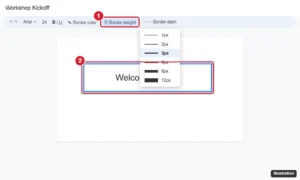
Online presentation editor with a text box selected and the border weight menu open on the toolbar, next to border color and border dash options

How to Put a Border Around Text in Google Slides

November 16, 2026May 8, 2024 by Kermit Matthews

Put a border around text in Google Slides with Border color on a text box, use a shape for rounded corners, frame a whole slide, and stop text spilling out. Continue Reading How to Put a Border Around Text in Google Slides

Categories Google Slides
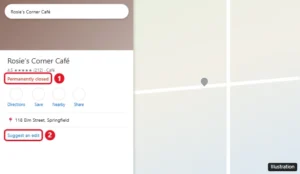
Google Maps place panel showing a business with a red Permanently closed label and the Suggest an edit link

How to Find Permanently Closed Places on Google Maps

November 12, 2026May 8, 2024 by Kermit Matthews

Google Maps hides closed businesses, but you can still find them by name, in your saved places and Timeline, or with older Street View imagery. Continue Reading How to Find Permanently Closed Places on Google Maps

Categories Google Maps

Can You Download the Google Play Store on iPhone?

November 16, 2026May 8, 2024 by Kermit Matthews

You can’t install Google Play on an iPhone. Here’s why, how to get Gmail, Maps, YouTube and other Google apps from the App Store, and Android-only options. Continue Reading Can You Download the Google Play Store on iPhone?

Categories iPhone
Photos app account menu with Use without an account and Manage accounts options

How to Sign Out of Google Photos (Phone and Computer)

November 16, 2026May 8, 2024 by Kermit Matthews

Sign out of Google Photos on Android, iPhone or a computer, use it without an account, or sign out remotely from a lost device. Continue Reading How to Sign Out of Google Photos (Phone and Computer)

Categories Google
Google Play Store Payments and subscriptions screen showing Google Play balance under Payment methods

Can You Transfer Google Play Balance to Google Pay?

November 14, 2026May 8, 2024 by Kermit Matthews

Google Play balance cannot be moved to Google Pay, a bank, or PayPal. Here is how to check it, what you can spend it on, and how to avoid gift card scams. Continue Reading Can You Transfer Google Play Balance to Google Pay?

Categories Google

How to Add a Shortcut in Google Drive

November 14, 2026May 8, 2024 by Kermit Matthews

Learn how to add shortcuts in Google Drive for quick access to your most used files. Follow our step-by-step guide for easy organization. Continue Reading How to Add a Shortcut in Google Drive

Categories Google Drive
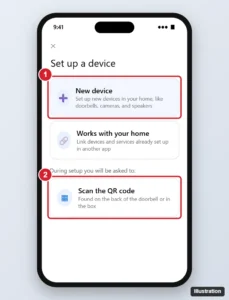
Smart home app Set up a device screen with the New device option highlighted

How to Add a Nest Doorbell to Google Home (Step-by-Step)

November 10, 2026May 8, 2024 by Kermit Matthews

Add a Nest Doorbell to the Google Home app: set up a new device with the QR code, connect Wi-Fi, move older doorbells from the Nest app, and fix issues. Continue Reading How to Add a Nest Doorbell to Google Home (Step-by-Step)

Categories Google
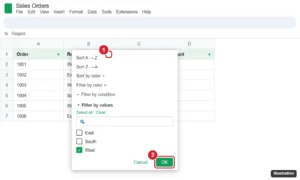
Spreadsheet with a filter on the header row and the Region column filter menu open showing Filter by values with West checked

How to Filter Columns in Google Sheets (Filters, Views, and FILTER)

November 10, 2026May 8, 2024 by Kermit Matthews

Filter columns in Google Sheets by value, condition, or color, use filter views so others are not affected, add slicers, and use the FILTER function. Continue Reading How to Filter Columns in Google Sheets (Filters, Views, and FILTER)

Categories Google Sheets
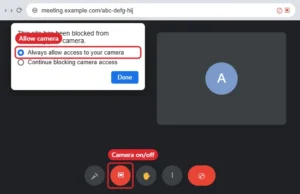
Browser video meeting with the address bar camera permission popup set to Allow and the camera button in the meeting toolbar

How to Turn On Your Camera in Google Meet

November 12, 2026May 8, 2024 by Kermit Matthews

Turn on your camera in Google Meet with the camera button or Ctrl + E, and fix a blocked camera in the browser, Windows, macOS, iPhone, or Android. Continue Reading How to Turn On Your Camera in Google Meet

Categories Google
Google Maps Street View on a computer with the See more dates option and the timeline of past imagery highlighted

How to See Old Google Street View Images

November 16, 2026May 8, 2024 by Kermit Matthews

See old Google Street View images: open Street View and click See more dates to pick a past year. Works on computers and in the Google Maps app. Continue Reading How to See Old Google Street View Images

Categories Google
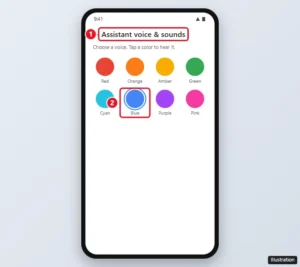
Google Assistant voice settings with voice options shown as colors and one voice selected

Can You Make Google Assistant Sound Like JARVIS?

November 18, 2026May 7, 2024 by Kermit Matthews

Google Assistant has no JARVIS voice or wake word, but you can pick a new Assistant voice, change your nickname, and use Routines. Here is how. Continue Reading Can You Make Google Assistant Sound Like JARVIS?

Categories Google
Google Calendar settings with Import and export selected, the file picker, and the Import button highlighted

How to Import an ICS File into Google Calendar

November 10, 2026May 7, 2024 by Kermit Matthews

In Google Calendar on a computer, go to Settings > Import & export, select your .ics file, pick a calendar, and click Import. Plus mobile options and fixes. Continue Reading How to Import an ICS File into Google Calendar

Categories Google Calendar
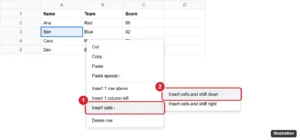
Spreadsheet right-click menu with Insert cells open and Insert cells and shift down highlighted

How to Move Cells in Google Sheets Without Overwriting Data

November 18, 2026May 7, 2024 by Kermit Matthews

Move cells in Google Sheets without overwriting data by inserting cells and shifting down or right, then cutting and pasting, or by dragging whole rows. Continue Reading How to Move Cells in Google Sheets Without Overwriting Data

Categories Google Sheets
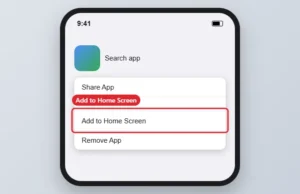
App menu with Add to Home Screen highlighted

How to Add the Google App to Your Home Screen

November 18, 2026May 7, 2024 by Kermit Matthews

Add the Google app to your iPhone or Android home screen from the App Library or app drawer, or add the Google search widget on Android. Continue Reading How to Add the Google App to Your Home Screen

Categories Google
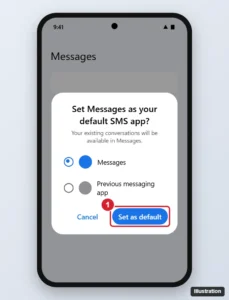
Android phone showing the Set as default SMS app dialog with the new messaging app selected and the Set as default button highlighted

How to Transfer Samsung Messages to Google Messages

November 16, 2026May 7, 2024 by Kermit Matthews

Samsung Messages ended in the US in July 2026. Switch to Google Messages and your texts transfer automatically. Here is how, plus RCS and backup tips. Continue Reading How to Transfer Samsung Messages to Google Messages

Categories Google
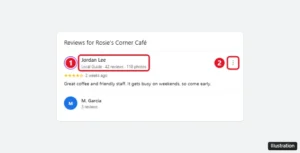
Google Maps review showing the reviewer name and profile details, with the reviewer name highlighted

How to Find Out Who Left a Google Review

November 13, 2026May 7, 2024 by Kermit Matthews

See who left a Google review by checking the reviewer’s name and public profile. Google never shares emails or phone numbers. How to report fake reviews too. Continue Reading How to Find Out Who Left a Google Review

Categories Google Maps

How to Split a Google Doc in Half (Columns, Tables or Two Files)

November 10, 2026May 7, 2024 by Kermit Matthews

Split a Google Doc page in half with Format, Columns or a 1 x 2 table, or split one doc into two files or tabs. Steps and fixes. Continue Reading How to Split a Google Doc in Half (Columns, Tables or Two Files)

Categories Google Docs
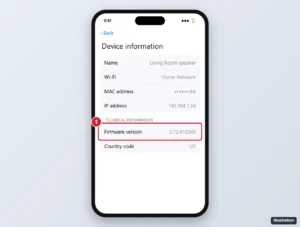
Smart home app Device information screen showing the speaker firmware version

How to Update Google Nest Devices (and Check the Version)

November 16, 2026May 7, 2024 by Kermit Matthews

Google Nest devices update automatically. Check the firmware version in the Google Home app, prompt an update with a restart, and fix a Nest that won’t update. Continue Reading How to Update Google Nest Devices (and Check the Version)

Categories Google
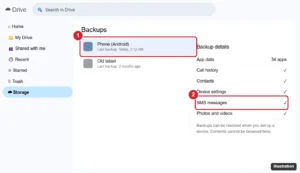
Cloud storage Backups page with a phone backup selected and the SMS messages entry highlighted

How to Check Your SMS Backup on an Android Phone

November 16, 2026May 7, 2024 by Kermit Matthews

Google Drive has no Backups tab. See where Android shows whether your texts are backed up, how to read current texts on a computer, and how to restore them. Continue Reading How to Check Your SMS Backup on an Android Phone

Categories Google Drive

How to Turn Off Trending Searches in Google Chrome

November 15, 2026May 7, 2024 by Kermit Matthews

Want a clutter-free search experience? Follow our guide to disable trending searches on Google Chrome and browse in peace. Continue Reading How to Turn Off Trending Searches in Google Chrome

Categories Chrome
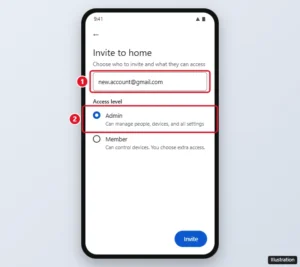
Google Home app invite screen with a new account email and the Admin access level highlighted

How to Transfer Google Home to Another Account

November 12, 2026May 7, 2024 by Kermit Matthews

Move a Google Home to another Google Account by inviting it as an Admin, accepting, and leaving with the old account. Plus what you need to set up again. Continue Reading How to Transfer Google Home to Another Account

Categories Google
Terminal window connecting to a small IoT device with the ssh command over a private VPN address, highlighted, and the device prompt shown after login

How to Remotely Access IoT Devices From Windows 11

November 10, 2026May 6, 2024 by Kermit Matthews

Remotely access IoT devices from Windows 11 safely: use a private VPN, then connect with built-in SSH, Remote Desktop or VNC. Plus security tips. Continue Reading How to Remotely Access IoT Devices From Windows 11

Categories Windows 11
Terminal running Python showing an exact large integer result and a fixed-size array integer that wraps around with an overflow warning

Handling Large Integers in Python: When Overflow Really Happens

November 10, 2026May 6, 2024 by Kermit Matthews

Python ints never overflow, but floats, NumPy int64 and the 4,300-digit string limit can. How to spot each case and prevent overflow errors. Continue Reading Handling Large Integers in Python: When Overflow Really Happens

Categories Programming
Visual Studio with several lines of code selected and Edit, Advanced, Comment Selection highlighted with its Ctrl+K, Ctrl+C shortcut

How to Comment Multiple Lines in Visual Studio

November 13, 2026May 6, 2024 by Kermit Matthews

Select the lines and press Ctrl+K, Ctrl+C to comment or Ctrl+K, Ctrl+U to uncomment. VS Code uses Ctrl+/. Plus block comments and custom shortcuts. Continue Reading How to Comment Multiple Lines in Visual Studio

Categories Programming
Streaming account settings with Sign out of all devices highlighted

Does HBO Max Notify You of New Logins? How to Check Your Account

November 10, 2026May 6, 2024 by Kermit Matthews

HBO Max may not alert you to every new sign-in. Review Manage Devices, sign out of all devices, and change your password if anything looks wrong. Continue Reading Does HBO Max Notify You of New Logins? How to Check Your Account

Categories Streaming

SQL SELECT DISTINCT on Multiple Columns (With Examples)

November 17, 2026May 6, 2024 by Kermit Matthews

Learn the best practices for selecting distinct multiple columns in SQL to optimize your queries and improve database performance. Continue Reading SQL SELECT DISTINCT on Multiple Columns (With Examples)

Categories Programming
Windows 11 Display settings with Display orientation set to Landscape, resolution set to Recommended, and Scale highlighted

How to Return Your Screen to Normal in Windows 11

November 18, 2026May 3, 2024 by Kermit Matthews

Fix a Windows 11 screen that is sideways, zoomed in, stretched, black and white, or stuck in full screen, with shortcuts and display settings. Continue Reading How to Return Your Screen to Normal in Windows 11

Categories Windows 11
Proxy manager New Access List dialog on the Access tab with an allow rule for a local subnet and a deny all rule highlighted

Access Control in Nginx Proxy Manager: How to Set Up an Access List

November 12, 2026May 3, 2024 by Kermit Matthews

Set up an access list in Nginx Proxy Manager: add allow and deny IP rules, basic auth users, Satisfy Any, apply it to a proxy host, and fix 403 errors. Continue Reading Access Control in Nginx Proxy Manager: How to Set Up an Access List

Categories Networking
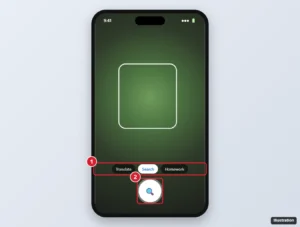
Phone visual search camera view pointed at a plant with the search mode chips and shutter button highlighted

How to Use Google Lens

November 15, 2026May 3, 2024 by Kermit Matthews

Use Google Lens on Android, iPhone, and computers to identify objects, translate text, copy text, get homework help, and shop, plus tips for better results. Continue Reading How to Use Google Lens

Categories Google
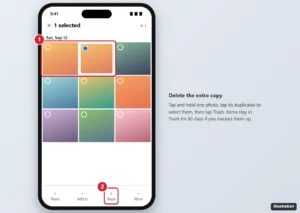
Google Photos app with one of two duplicate photos selected and the Trash button highlighted

How to Delete Duplicate Photos in Google Photos

November 12, 2026May 3, 2024 by Kermit Matthews

Google Photos has no one-tap duplicate remover. Here is how to find and delete duplicates on phone or computer, why they happen, and how to prevent them. Continue Reading How to Delete Duplicate Photos in Google Photos

Categories Google

How to Indent in Google Docs on a Computer, Android, iPhone and iPad

November 18, 2026May 3, 2024 by Kermit Matthews

Indent paragraphs and lists in the Google Docs app on Android, iPhone and iPad, plus workarounds for first-line and hanging indents on mobile. Continue Reading How to Indent in Google Docs on a Computer, Android, iPhone and iPad

Categories Google Docs
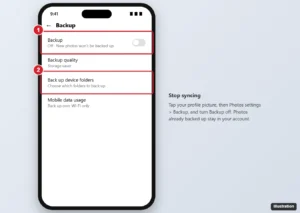
Google Photos app Backup settings with the Backup switch turned off and Back up device folders highlighted

How to Stop Google Photos From Syncing

November 16, 2026May 3, 2024 by Kermit Matthews

In Google Photos, tap your profile > Photos settings > Backup and turn Backup off. How to skip folders, pause backup, and stop syncing from a computer. Continue Reading How to Stop Google Photos From Syncing

Categories Google
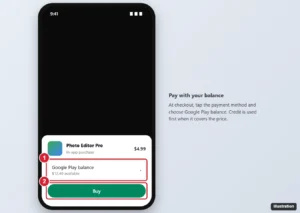
Google Play purchase sheet on an Android phone with Google Play balance selected as the payment method and the Buy button highlighted

How to Use Your Google Play Balance

November 16, 2026May 3, 2024 by Kermit Matthews

At checkout in Google Play, choose Google Play balance as the payment method. How to check your balance, pay for subscriptions, and what it can’t buy. Continue Reading How to Use Your Google Play Balance

Categories Google

How to Insert Shapes in Google Docs

November 11, 2026May 3, 2024 by Kermit Matthews

Insert shapes, arrows and callouts in Google Docs with Insert > Drawing > New, wrap text around them, edit them later, and see what works on mobile. Continue Reading How to Insert Shapes in Google Docs

Categories Google Docs
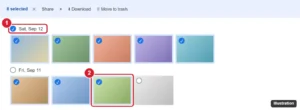
Google Photos on the web with the checkmark next to a date highlighted to select every photo from that day

How to Select All Photos in Google Photos

November 12, 2026May 3, 2024 by Kermit Matthews

Select many photos at once in Google Photos with Shift-click, date checkmarks, or long-press and drag in the app, plus how to download or delete all. Continue Reading How to Select All Photos in Google Photos

Categories Google
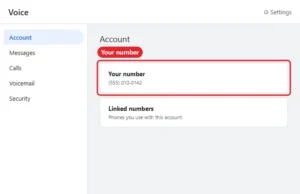
Calling app web Settings page with the Account section and phone number highlighted

How to Find Your Google Voice Number (Web, Android, iPhone)

November 16, 2026May 3, 2024 by Kermit Matthews

Find your Google Voice number on the web, Android or iPhone, tell it apart from linked numbers, and reclaim a number that was removed or deleted. Continue Reading How to Find Your Google Voice Number (Web, Android, iPhone)

Categories Google Voice

How to Change the Year on Google Earth

November 14, 2026May 3, 2024 by Kermit Matthews

Want to time travel on Google Earth? Learn how to easily change the year and explore past satellite imagery with our step-by-step guide. Continue Reading How to Change the Year on Google Earth

Categories Google

How to Hide Photos in Google Photos

November 13, 2026May 3, 2024 by Kermit Matthews

Keep your private pics safe and hidden in Google Photos with our step-by-step guide. It’s easy to do and gives you peace of mind! Continue Reading How to Hide Photos in Google Photos

Categories Google Photos

How to Turn a PowerPoint into Google Slides

November 17, 2026May 3, 2024 by Kermit Matthews

Converting a PowerPoint to Google Slides is easy! Follow our step-by-step guide to make the switch and enhance your presentation game. Continue Reading How to Turn a PowerPoint into Google Slides

Categories Google Slides

How to Share a Google Photos Album

November 10, 2026May 2, 2024 by Kermit Matthews

Learn how to easily share your memories with friends & family by following our step-by-step guide on sharing Google Photo albums. Continue Reading How to Share a Google Photos Album

Categories Google Photos
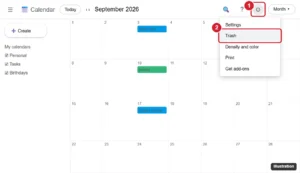
Calendar web app with the settings gear menu open and Trash highlighted

How to See and Restore Deleted Events on Google Calendar

November 12, 2026May 2, 2024 by Kermit Matthews

See deleted events on Google Calendar in the Trash, restore them within 30 days, and learn what to do when an event is missing or you are on mobile. Continue Reading How to See and Restore Deleted Events on Google Calendar

Categories Google

How to Put Canva Slides into Google Slides (and Google Slides into Canva)

November 17, 2026May 2, 2024 by Kermit Matthews

Move Canva slides into Google Slides: download as PPTX, open or import it in Slides, or insert images. Plus what breaks in conversion and how to fix it. Continue Reading How to Put Canva Slides into Google Slides (and Google Slides into Canva)

Categories Google Slides
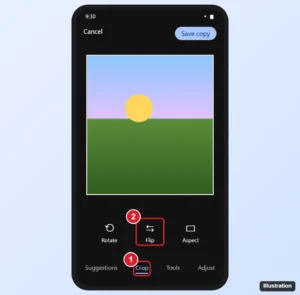
Google Photos editor on Android with the Crop tool open and the Flip button highlighted

How to Flip a Photo in Google Photos

November 10, 2026May 2, 2024 by Kermit Matthews

Flip a photo in Google Photos on Android: Edit > Crop > Flip. Plus workarounds for iPhone and computers, how to rotate, and fixing mirrored selfies. Continue Reading How to Flip a Photo in Google Photos

Categories Google
Older posts
Newer posts
← Previous Page1 … Page20 Page21 Page22 … Page37 Next →

Join Our Free Newsletter

Featured guides and deals

You may opt out at any time.
Read our Privacy Policy

Live2Tech

Plain-English, step-by-step guides for the devices and apps you use every day.

Apple

  • iPhone
  • iPad
  • Mac
  • Apple Watch

Windows

  • Windows 11
  • Windows 10

Microsoft Office

  • Word
  • Excel
  • Powerpoint
  • Outlook

Google

  • Google Docs
  • Google Sheets
  • Google Slides
  • Gmail
  • Chrome
  • Google Drive
  • About Us
  • Contact
  • Disclaimer
  • Privacy Policy
© Live2Tech.com 2026
  • iPhone
  • Windows
    • Windows 11
    • Windows 10
  • Office
    • Word
    • Excel
    • Powerpoint
    • Outlook
  • Google
    • Google Docs
    • Google Sheets
    • Google Slides
    • Gmail
    • Chrome
    • Google Drive
  • Mac & Apple
    • Mac
    • iPad
    • Apple Watch
  • All Tutorials