Skip to content
Live2Tech
  • iPhone
  • Windows
    • Windows 11
    • Windows 10
  • Office
    • Word
    • Excel
    • Powerpoint
    • Outlook
  • Google
    • Google Docs
    • Google Sheets
    • Google Slides
    • Gmail
    • Chrome
    • Google Drive
  • Mac & Apple
    • Mac
    • iPad
    • Apple Watch
  • All Tutorials

Kermit Matthews

Kermit Matthews runs Live2Tech from just outside Philadelphia. He is an IT specialist with over 20 years of experience, from a university help desk to small-business IT, IT management and his own consulting practice, and has written tech guides full time since 2020. Steps are checked against the current software on a real device or the maker's official documentation. More about Kermit.

How to Connect Bluetooth to Google Home

November 12, 2026May 17, 2024 by Kermit Matthews

Pair your phone with a Google Home or Nest speaker, or send its music to a Bluetooth speaker, using the current Google Home app steps. Continue Reading How to Connect Bluetooth to Google Home

Categories Google
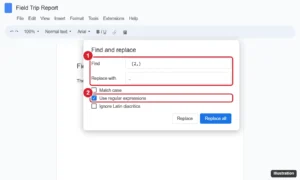
Online document editor Find and replace dialog with a regular expression for two or more spaces, a single space in Replace with, and Use regular expressions checked

How to Change or Fix Spacing Between Words in Google Docs

November 10, 2026May 17, 2024 by Kermit Matthews

Fix uneven spacing between words in Google Docs: stop justified gaps, remove extra spaces with Find and replace, clear odd characters, and change fonts. Continue Reading How to Change or Fix Spacing Between Words in Google Docs
Categories Google Docs
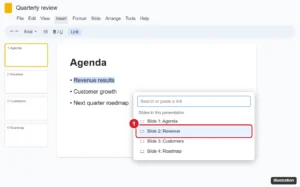
Online presentation editor with text selected and the Insert link box open, the Slides in this presentation list showing slide titles with one highlighted

How to Link to a Specific Slide in Google Slides

November 12, 2026May 17, 2024 by Kermit Matthews

Link to a specific slide in Google Slides: add clickable links between slides with Ctrl + K, or share a URL that opens the deck at one slide. Continue Reading How to Link to a Specific Slide in Google Slides

Categories Google Slides

How to Get Google Forms Responses by Email (3 Ways)

November 10, 2026May 17, 2024 by Kermit Matthews

Learn how to set up email notifications for Google Forms submissions with our easy, step-by-step guide. Stay updated and never miss a response again! Continue Reading How to Get Google Forms Responses by Email (3 Ways)
Categories Google
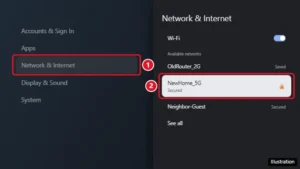
Google TV Network and Internet settings with the Wi-Fi network list and a new network highlighted

How to Connect Chromecast to Wi-Fi or Change Its Network

November 14, 2026May 17, 2024 by Kermit Matthews

Chromecast with Google TV can change Wi-Fi with the remote, no Google Home needed. Older Chromecasts need the app or a reset. Steps for every model. Continue Reading How to Connect Chromecast to Wi-Fi or Change Its Network

Categories Google
Photo backup settings with the backup quality options Original quality and Storage saver, Storage saver selected, and the Recover storage button highlighted

How to Use Google Play Coupons, Promo Codes and Gift Cards

November 14, 2026May 16, 2024 by Kermit Matthews

Redeem Google Play promo codes and gift cards in the Play Store or at play.google.com/redeem, use Play Points coupons, and fix codes that won’t work. Continue Reading How to Use Google Play Coupons, Promo Codes and Gift Cards
Categories Google
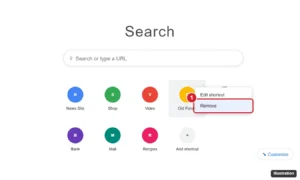
Browser new tab page with shortcut tiles below the search box, one tile three-dot menu open with Edit shortcut and Remove, Remove highlighted

How to Remove a Shortcut on Google (Chrome New Tab)

November 15, 2026May 16, 2024 by Kermit Matthews

Remove shortcuts from the Google new tab page in Chrome on a computer, Android, or iPhone, choose your own shortcuts, or hide them completely. Continue Reading How to Remove a Shortcut on Google (Chrome New Tab)
Categories Google
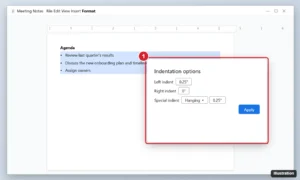
Online document with a bulleted list selected and the Indentation options dialog showing left indent and a hanging special indent

How to Align Bullet Points in Google Docs

November 10, 2026May 16, 2024 by Kermit Matthews

Align bullet points in Google Docs with Tab and Shift+Tab, ruler markers, or Indentation options with a hanging indent, and fix pasted lists. Continue Reading How to Align Bullet Points in Google Docs

Categories Google Docs

How to Cast Google Slides to a TV (5 Ways)

November 14, 2026May 16, 2024 by Kermit Matthews

Learn how to cast Google Slides to your TV effortlessly with our step-by-step guide. Perfect for presentations, family photo slideshows, and more! Continue Reading How to Cast Google Slides to a TV (5 Ways)

Categories Google Slides

How to Shorten a Link in Google Docs

November 17, 2026May 16, 2024 by Kermit Matthews

Hide long URLs in Google Docs behind short link text with Ctrl+K, use smart chips for Google files, and know when a URL shortener makes sense. Continue Reading How to Shorten a Link in Google Docs
Categories Google Docs
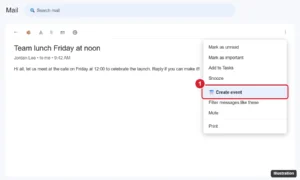
Webmail with an open message and the More options menu showing Create event highlighted to add the email to the calendar

How to Add an Email to Google Calendar

October 7, 2026May 15, 2024 by Kermit Matthews

Add an email to Google Calendar with Gmail’s More > Create event, turn on automatic events from Gmail, and add emails from phones or Outlook. Continue Reading How to Add an Email to Google Calendar
Categories Google
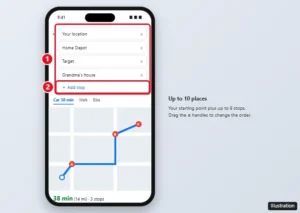
Google Maps app directions with three stops listed, drag handles, and the Add stop option highlighted

How to Plan Multiple Stops on Google Maps

November 13, 2026May 15, 2024 by Kermit Matthews

Add multiple stops in Google Maps on iPhone, Android, or a computer, reorder them, and plan routes with more than 10 stops. Includes limits and tips. Continue Reading How to Plan Multiple Stops on Google Maps
Categories Google Maps
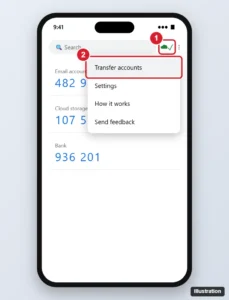
Authenticator app with the cloud sync status icon and the Transfer accounts menu option highlighted

How to Recover Google Authenticator Codes (New or Lost Phone)

November 13, 2026May 15, 2024 by Kermit Matthews

Recover Google Authenticator codes on a new or lost phone with cloud sync, account transfer, backup codes, or account recovery, and avoid future lockouts. Continue Reading How to Recover Google Authenticator Codes (New or Lost Phone)

Categories Google
Online form builder Settings tab with the Responses section expanded and the Allow response editing toggle highlighted

How to Edit a Google Form After Submitting (Responses and Questions)

November 10, 2026May 15, 2024 by Kermit Matthews

Let respondents edit Google Form answers after submitting with Allow response editing, and change a form safely after responses have come in. Continue Reading How to Edit a Google Form After Submitting (Responses and Questions)
Categories Google
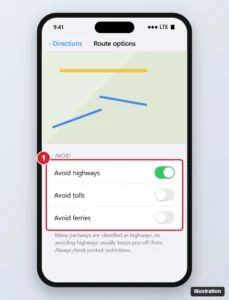
Phone maps app route options with Avoid highways and Avoid tolls switches, and a route drawn on local roads

How to Avoid Parkways on Google Maps (5 Workarounds)

November 10, 2026May 15, 2024 by Kermit Matthews

Google Maps has no avoid parkways setting. Use Avoid highways, alternate routes, added stops or a dragged route instead, plus tips for trucks and RVs. Continue Reading How to Avoid Parkways on Google Maps (5 Workarounds)
Categories Google
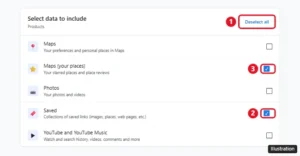
Google Takeout with Deselect all, Saved, and Maps (your places) highlighted

How to Transfer Google Maps Saved Places to Another Account

November 14, 2026May 15, 2024 by Kermit Matthews

Google Maps has no transfer button, but you can share lists, re-save places, or use Takeout and My Maps to move saved places to a new Google Account. Continue Reading How to Transfer Google Maps Saved Places to Another Account

Categories Google Maps

How to Make a Google Photos Album

November 16, 2026May 15, 2024 by Kermit Matthews

Make a Google Photos album on the web, Android, or iPhone: select photos, create a new album, then add, remove, rename, or turn it into a shared album. Continue Reading How to Make a Google Photos Album
Categories Google Photos
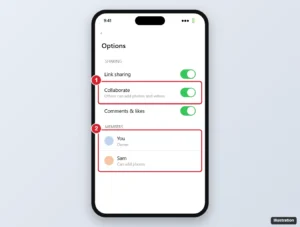
Photos app shared album options with the Collaborate switch highlighted and a list of album members

Can You Transfer Ownership of a Google Photos Album? (Workarounds That Work)

November 15, 2026May 14, 2024 by Kermit Matthews

Google Photos doesn’t transfer album ownership, but you can share with Collaborate, let others save copies, use Partner sharing, or move photos with Takeout. Continue Reading Can You Transfer Ownership of a Google Photos Album? (Workarounds That Work)

Categories Google

How to Change the Default Phone App on a Xiaomi Phone

November 16, 2026May 14, 2024 by Kermit Matthews

Pick the default phone app on a Xiaomi phone in Settings, what to do when only Phone by Google is listed, how to switch back, and how call recording works. Continue Reading How to Change the Default Phone App on a Xiaomi Phone
Categories Google
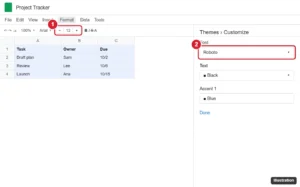
Spreadsheet with all cells selected, the toolbar font size box highlighted, and the Themes customize panel font option highlighted

How to Reduce the File Size of a Google Doc

November 12, 2026May 14, 2024 by Kermit Matthews

Reduce a Google Doc’s file size by compressing and replacing images, removing extras, and shrinking PDF or Word exports. Also covers page size. Continue Reading How to Reduce the File Size of a Google Doc
Categories Google Docs
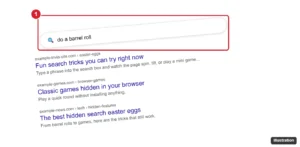
Search results page tilting after searching do a barrel roll, with the search box highlighted

How to Get a Joke From Google (Plus Fun Search Easter Eggs)

November 12, 2026May 14, 2024 by Kermit Matthews

Ask Google to tell you a joke, then try fun search Easter eggs like “do a barrel roll” and “askew,” plus hidden games you can play right from Google Search. Continue Reading How to Get a Joke From Google (Plus Fun Search Easter Eggs)
Categories Google
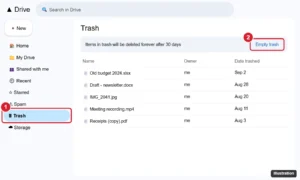
Google Drive Trash page with the Trash item in the left menu and the Empty trash button highlighted

How to Empty the Trash in Google Drive, Gmail, and Photos

November 14, 2026May 14, 2024 by Kermit Matthews

Empty Google Drive trash at drive.google.com > Trash > Empty trash, or in the app. Plus Gmail and Google Photos trash, auto-delete times, and storage tips. Continue Reading How to Empty the Trash in Google Drive, Gmail, and Photos

Categories Google
Online calendar with the Family calendar options menu open in the My calendars list, showing Display this only, Hide from list and Settings and sharing, with Hide from list highlighted

How to Remove the Family Calendar From Google Calendar

November 10, 2026May 14, 2024 by Kermit Matthews

Hide the Family calendar in Google Calendar with Hide from list, or remove people by changing your Google family group. What each option affects. Continue Reading How to Remove the Family Calendar From Google Calendar
Categories Google
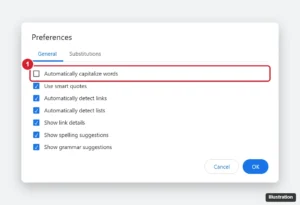
Online document editor Preferences dialog on the General tab with Automatically capitalize words unchecked and highlighted

How to Stop Google Docs from Auto-Capitalizing (Computer and Phone)

November 12, 2026May 14, 2024 by Kermit Matthews

Stop Google Docs auto-capitalizing: Tools > Preferences > uncheck Automatically capitalize words. Plus phone keyboard fixes and quick undo tips. Continue Reading How to Stop Google Docs from Auto-Capitalizing (Computer and Phone)
Categories Google Docs
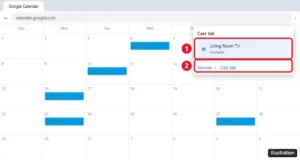
Google Chrome Cast dialog open over Google Calendar with a living room TV and the Cast tab source option highlighted

How to Show Google Calendar on a TV

November 14, 2026May 14, 2024 by Kermit Matthews

Show Google Calendar on a TV by casting it from Chrome, opening it in your TV’s browser, connecting a laptop with HDMI, or using a Nest Hub. Step by step. Continue Reading How to Show Google Calendar on a TV
Categories Google
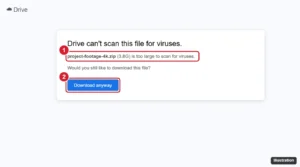
Cloud storage download warning for a large file that cannot be scanned for viruses, with the file name and Download anyway button highlighted

How to Download Large Files From Google Drive (Without Errors)

November 15, 2026May 14, 2024 by Kermit Matthews

Download large files from Google Drive in your browser, with Drive for desktop, or with Google Takeout, and fix split ZIPs and download quota errors. Continue Reading How to Download Large Files From Google Drive (Without Errors)
Categories Google Drive
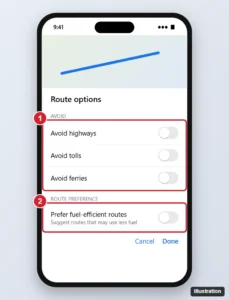
Maps app route options screen with avoid options and Prefer fuel-efficient routes toggle highlighted

How to Set Google Maps to the Fastest Route (Android, iPhone, Desktop)

November 13, 2026May 14, 2024 by Kermit Matthews

Set Google Maps to the fastest route by turning off fuel-efficient routing and avoid options, then comparing travel times on Android, iPhone, or desktop. Continue Reading How to Set Google Maps to the Fastest Route (Android, iPhone, Desktop)

Categories Google

How to Copy a Table from Google Docs: A Step-by-Step Guide

November 18, 2026May 14, 2024 by Kermit Matthews

Learn how to easily copy tables from Google Docs with our step-by-step guide. Perfect for when you need to duplicate data quickly! Continue Reading How to Copy a Table from Google Docs: A Step-by-Step Guide

Categories Google Docs

How to Flag on Google Minesweeper Without a Mouse (Touchpad, Touchscreen, Keyboard)

November 12, 2026May 13, 2024 by Kermit Matthews

Flag mines in Google Minesweeper without a mouse: two-finger tap on a touchpad, long press or the flag toggle on touchscreens, or Windows Mouse Keys. Continue Reading How to Flag on Google Minesweeper Without a Mouse (Touchpad, Touchscreen, Keyboard)
Categories Gaming
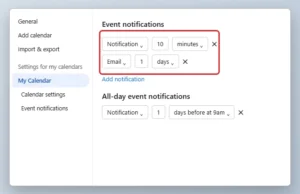
Online calendar settings page with the default Event notifications set to Notification 10 minutes highlighted

How to Change the Default Notification Time in Google Calendar

November 11, 2026May 13, 2024 by Kermit Matthews

Change default event and all-day notifications in Google Calendar on a computer or phone, and fix reminders that don’t pop up. Continue Reading How to Change the Default Notification Time in Google Calendar
Categories Google Calendar
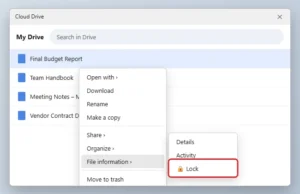
Cloud drive file list with the right-click menu open to File information and the Lock option highlighted

How to Lock a Google Doc So Others Can’t Edit It

November 18, 2026May 13, 2024 by Kermit Matthews

Google Docs can’t lock one page, but you can share a doc as view-only, lock the file in Drive on Workspace, or split out sections to protect them. Continue Reading How to Lock a Google Doc So Others Can’t Edit It

Categories Google Docs

How to Get Emojis on Google Slides

November 17, 2026May 13, 2024 by Kermit Matthews

Google Slides has no emoji menu, so use your computer’s emoji picker, Insert > Symbols > Special characters for symbols, or your phone keyboard’s emoji key. Continue Reading How to Get Emojis on Google Slides
Categories Google Slides
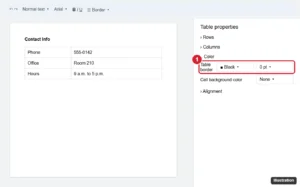
Online document with a table and the Table properties panel open, the Color section table border width set to 0 pt highlighted

How to Remove a Border in Google Docs (Tables, Paragraphs, Images)

November 10, 2026May 13, 2024 by Kermit Matthews

Remove borders in Google Docs from tables with Table properties, from paragraphs with Borders and shading, and from images, plus fake page borders. Continue Reading How to Remove a Border in Google Docs (Tables, Paragraphs, Images)
Categories Google Docs
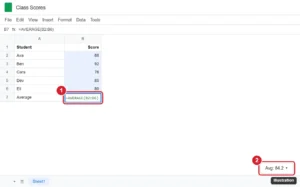
Spreadsheet with an AVERAGE formula entered below a column of scores and the bottom-right summary showing the average of the selected cells highlighted

How to Average Cells in Google Sheets (AVERAGE, AVERAGEIF, and More)

November 10, 2026May 13, 2024 by Kermit Matthews

Average cells in Google Sheets with AVERAGE, see a quick average without a formula, use AVERAGEIF and AVERAGEIFS, skip zeros, and fix #DIV/0!. Continue Reading How to Average Cells in Google Sheets (AVERAGE, AVERAGEIF, and More)
Categories Google Sheets
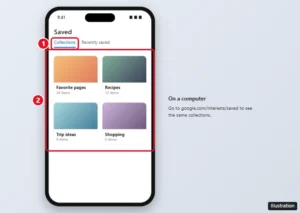
Google app Saved page showing collections of saved pages, images, and places with the Saved items highlighted

How to Find Saved Pages on Google

November 16, 2026May 13, 2024 by Kermit Matthews

Find pages you saved on Google in the Google app or at google.com/interests/saved, plus where Chrome bookmarks, Reading list, and offline pages go. Continue Reading How to Find Saved Pages on Google

Categories Google
Online spreadsheet with rows 3 to 6 selected by their row numbers and the right-click menu showing Hide rows 3 - 6 highlighted

How to Hide (and Unhide) Rows in Google Sheets on PC or Mac

November 10, 2026May 13, 2024 by Kermit Matthews

Hide multiple rows in Google Sheets with right-click > Hide rows or Ctrl + Alt + 9, unhide them with the row arrows, and group or filter rows instead. Continue Reading How to Hide (and Unhide) Rows in Google Sheets on PC or Mac

Categories Google Sheets
Email campaign builder with a survey heading, a screenshot of the form and a Take the survey button whose link points to an online form

How to Add a Google Form to Mailchimp (Link, Pre-Fill or Embed)

November 10, 2026May 13, 2024 by Kermit Matthews

Google Forms cannot be embedded in Mailchimp emails. Link it with a button or image, pre-fill emails with merge tags, or embed it on a landing page. Continue Reading How to Add a Google Form to Mailchimp (Link, Pre-Fill or Embed)

Categories Google

Google Docs Keeps Crashing or Freezing? How to Fix It

November 12, 2026May 13, 2024 by Kermit Matthews

Discover the secrets of crashing a Google Doc with our step-by-step guide. Learn how to overload the system and bring any document to a halt. Continue Reading Google Docs Keeps Crashing or Freezing? How to Fix It

Categories Google Docs

Can You Transfer Google Drive Ownership Outside Your Org?

November 15, 2026May 13, 2024 by Kermit Matthews

Work accounts can’t transfer Drive ownership outside the organization. Use copies, download and re-upload, shared drives, or Takeout instead. Continue Reading Can You Transfer Google Drive Ownership Outside Your Org?

Categories Google Drive
Windows 11 Settings Accounts Other users page with the Add other user Add account button highlighted, used to give each person a separate password-protected browser profile

How to Lock a Google Chrome Profile (What Works Now)

November 16, 2026May 13, 2024 by Kermit Matthews

Chrome no longer has a built-in profile lock. Here is how to keep your Chrome profile private with separate Windows accounts, Guest mode and other options. Continue Reading How to Lock a Google Chrome Profile (What Works Now)
Categories Google
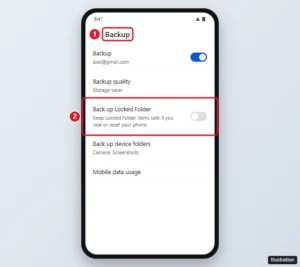
Google Photos Backup settings with the Back up Locked Folder switch highlighted

Can Deleted Google Photos Locked Folder Items Be Recovered?

November 13, 2026May 13, 2024 by Kermit Matthews

Restore Locked Folder photos from Trash within 30 days, or from your account if Back up Locked Folder was on. Here is when they can and cannot be recovered. Continue Reading Can Deleted Google Photos Locked Folder Items Be Recovered?

Categories Google Photos
Group chat app settings screen on a phone with the End group option highlighted at the bottom, above Leave group

How to Delete or Leave a GroupMe Group (iPhone, Android and Web)

November 10, 2026May 10, 2024 by Kermit Matthews

Delete a GroupMe group by ending it as the owner on iPhone, Android, or the web, or leave, mute, or hide a group you do not own. Includes common fixes. Continue Reading How to Delete or Leave a GroupMe Group (iPhone, Android and Web)
Categories Web
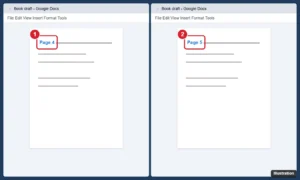
Two browser windows snapped side by side, each showing a different page of the same Google Doc

How to View Two Pages Side by Side in Google Docs

November 17, 2026May 10, 2024 by Kermit Matthews

Google Docs has no two-page view. See pages side by side by snapping two windows, viewing a PDF in two-page mode, or using print preview. Continue Reading How to View Two Pages Side by Side in Google Docs

Categories Google Docs

How to Find a TV’s IP Address Without a Remote

November 11, 2026May 10, 2024 by Kermit Matthews

Find your smart TV’s IP address without a remote using your router’s device list, your TV maker’s phone app, a USB keyboard or a network scanner. Continue Reading How to Find a TV’s IP Address Without a Remote

Categories Networking
Terminal window showing an ssh command to an IoT device and the remote device prompt after connecting

How to Set Up a Secure Remote SSH Connection to an IoT Device

November 10, 2026May 10, 2024 by Kermit Matthews

Enable SSH on the device, connect with ssh user@ip, switch to SSH keys, and use a VPN instead of port forwarding for secure remote access. Full guide. Continue Reading How to Set Up a Secure Remote SSH Connection to an IoT Device

Categories Networking
Terminal window connecting to an IoT device with ssh, showing the host key fingerprint prompt and the device shell prompt

How to Connect to an IoT Device Over SSH

November 14, 2026May 10, 2024 by Kermit Matthews

Connect to IoT devices with SSH: turn on SSH, find the device IP, run the ssh command, set up SSH keys, and keep your smart devices secure. Continue Reading How to Connect to an IoT Device Over SSH

Categories Networking
Phone wallet app showing a payment card with the Hold to reader prompt highlighted

How to Use Google Pay and Google Wallet

November 14, 2026May 9, 2024 by Kermit Matthews

Pay with your phone using Google Wallet in stores and the Google Pay button online. Set up a card, NFC and a screen lock. Continue Reading How to Use Google Pay and Google Wallet
Categories Google
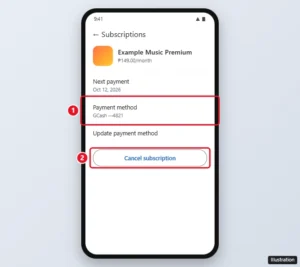
Google Play subscription details paid with GCash, with the Cancel subscription button highlighted

How to Stop GCash Payments to Google (Cancel and Unlink)

November 13, 2026May 9, 2024 by Kermit Matthews

Stop GCash charges from Google by canceling Google Play subscriptions, removing GCash from your payment methods, and unlinking it in GCash. Plus refunds. Continue Reading How to Stop GCash Payments to Google (Cancel and Unlink)
Categories Google
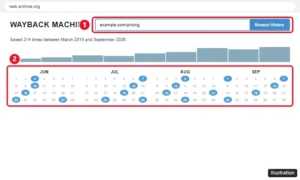
Internet Archive Wayback Machine with a web address entered and the calendar of saved snapshots highlighted, an alternative to Google cached pages

Google Cached Pages Are Gone: What to Use Instead

November 16, 2026May 9, 2024 by Kermit Matthews

Google retired cached links and the cache: operator in 2024. Here is what Google says, how to find old copies in the Wayback Machine and how owners check pages. Continue Reading Google Cached Pages Are Gone: What to Use Instead
Categories Google
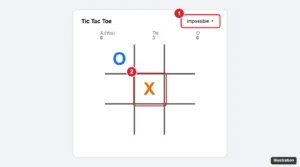
Tic tac toe game with the Impossible difficulty setting and a center-first opening move highlighted

How to Beat Google Tic Tac Toe on Impossible (What Actually Works)

November 11, 2026May 9, 2024 by Kermit Matthews

Google tic tac toe on Impossible plays perfectly, so you cannot win, but you can always force a tie. Learn the strategy, plus how to win on Easy and Medium. Continue Reading How to Beat Google Tic Tac Toe on Impossible (What Actually Works)

Categories Google
Older posts
Newer posts
← Previous Page1 … Page19 Page20 Page21 … Page37 Next →

Join Our Free Newsletter

Featured guides and deals

You may opt out at any time.
Read our Privacy Policy

Live2Tech

Plain-English, step-by-step guides for the devices and apps you use every day.

Apple

  • iPhone
  • iPad
  • Mac
  • Apple Watch

Windows

  • Windows 11
  • Windows 10

Microsoft Office

  • Word
  • Excel
  • Powerpoint
  • Outlook

Google

  • Google Docs
  • Google Sheets
  • Google Slides
  • Gmail
  • Chrome
  • Google Drive
  • About Us
  • Contact
  • Disclaimer
  • Privacy Policy
© Live2Tech.com 2026
  • iPhone
  • Windows
    • Windows 11
    • Windows 10
  • Office
    • Word
    • Excel
    • Powerpoint
    • Outlook
  • Google
    • Google Docs
    • Google Sheets
    • Google Slides
    • Gmail
    • Chrome
    • Google Drive
  • Mac & Apple
    • Mac
    • iPad
    • Apple Watch
  • All Tutorials