Weather alerts from Google arrive in the language of the Google app or your phone, not a language picked inside the alert. On Android, that setting lives in the Google app under Settings > Other Settings > App language, which Google says covers the app’s menus and notifications. On an iPhone, the Google app follows the iPhone’s language.
Google’s help pages don’t describe a separate language option for weather notifications, so the steps below change the app or phone language instead.
Which language setting controls what
Google has several language settings, and only some of them reach the notifications. This table sums up what each one changes, based on Google’s own help pages.
| Setting | Where | What it changes |
|---|---|---|
| App language (Google app, Android) | Google app > profile icon > Settings > Other Settings | The Google app’s menus and notifications, including weather updates |
| App Languages (Android settings) | Settings > System > Languages > App Languages | The language of one app that supports it |
| Phone language (Android) | Settings > System > Languages & input > Languages | Every app that follows the system language |
| Search language | Google app > Settings > Language & region | Search results only |
| Google Account language | myaccount.google.com | Google services on the web |
| iPhone language | Settings > General > Language & Region | The whole iPhone, which the Google app follows |
Change the Google app’s language on Android
This is the most direct route, because Google describes App language as changing the app’s setting menus and notifications. Google’s Google app settings page says it is available on Android 13 and above.
- Open the Google app.
- At the top right, tap your profile icon.
- Tap Settings > Other Settings > App language.
- Select the language you want.
The steps match Google’s page on changing your display language on Google. The next weather notification should use the language you picked.
Set the language from Android Settings
Android can also assign a language to a single app from the system Settings app. Google’s change app language on your Android phone page gives these steps and notes that some of them only work on Android 14 and up:
- Open the Settings app.
- Tap System > Languages > App Languages.
- Select Google.
- Choose a language.
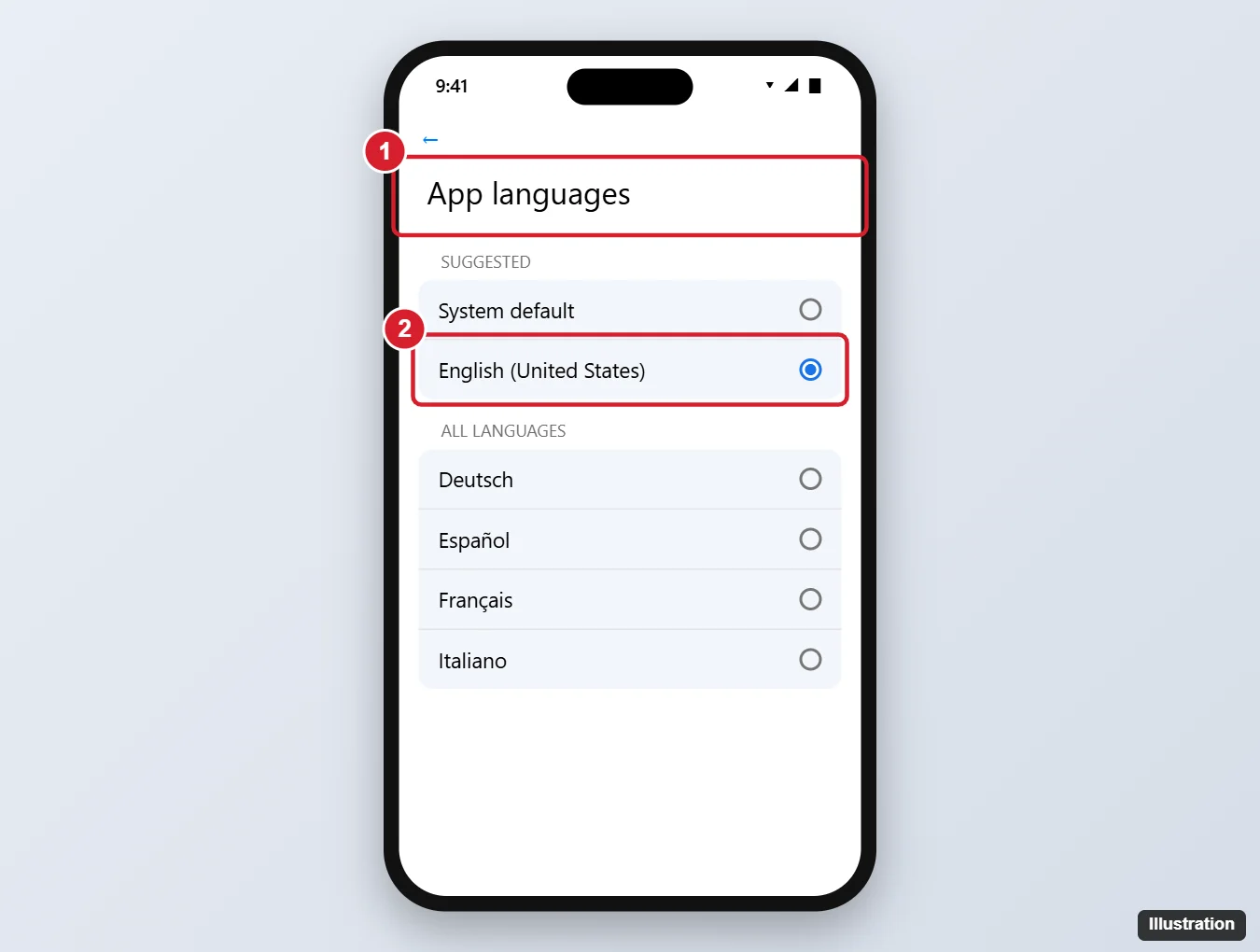
The illustration is from an older version of this page; current screens may look different, and phone makers often rename these menus. Only apps that support language selection appear in the list. If the language doesn’t change, Google suggests restarting the app, checking your connection, or adding the language as a secondary language in your phone’s language list.
Change the whole phone’s language
If you want everything on the phone, not just Google, in another language, change the system language. Google’s Google Account language help says mobile apps use your device’s language settings. On Android, the same Google app language page mentioned above gives the path:
- Open Settings and tap System > Languages & input > Languages.
- Add the language you want and make it your preferred (first) language. Button names differ by phone.
Apps that follow the system language switch to the new one; an app with its own App language set keeps that language. If you can’t find the path, search Settings for “language”.
On an iPhone
Google’s help says the Google app on iPhone uses the iPhone’s language. To change it, Apple’s article on changing the language on your iPhone gives this route: open Settings, tap General, select Language & Region, then tap Add Language and choose one. If your iPhone shows a separate Language option on the Google app’s own page in Settings, you can use that to change only the Google app, but neither Google nor Apple documents that path for weather alerts.
If the alert is still in the wrong language
If weather notifications arrive in a language you never chose, Google has published no specific cause or fix, so treat the following as checks, not guarantees:
- Check the Google app’s App language first; it can be set apart from the phone language.
- Review your Google Account languages. Google’s Account Help explains that Google can add languages you use under “Added for you” and that you can turn off Automatically add languages. Removing a language you don’t use is a reasonable check, though Google doesn’t tie it to weather alerts.
- Leave Search language alone for this. In the Google app, Settings > Language & region > Search language picks the language of your search results, not your notifications.
- Update the Google app from Google Play or the App Store.
If you’d rather not get the alerts at all, turning off Google weather notifications covers it. In short, Google’s notification settings page says to open the Google app, tap your profile picture, go to Settings > Notifications, and tap Turn off next to the category.
Celsius or Fahrenheit
The temperature unit is separate from the language. Google’s Discover settings page says to open the Google app, tap the Weather card in Discover, tap More at the top right, and choose Fahrenheit or Celsius. On Android 14 and up, the Android page linked above also lists a Temperature option under System > Languages > Regional preferences. On iPhone, see changing the temperature unit on iPhone.
Weather alert language questions
Is there a language setting inside the weather notification?
Not one Google documents. The notification uses the Google app’s language, so change App language or the phone language instead.
Does this change Google Assistant?
Google’s pages on the Google app’s language don’t cover Assistant. If you would rather switch Assistant off entirely, see turning off Google Assistant on Android.
Will this change Google Sheets in my browser?
No. Google services on the web use your Google Account language, which is set separately, as explained in changing the language in Google Sheets.
With the language set, keeping the Google app close at hand is easy; adding the Google app to your home screen shows how.

Kermit Matthews runs Live2Tech from just outside Philadelphia. He is an IT specialist with over 20 years of experience, from a university help desk to small-business IT, IT management and his own consulting practice, and has written tech guides full time since 2020. Steps are checked against the current software on a real device or the maker’s official documentation. More about Kermit.