Skip to content
Live2Tech
  • iPhone
  • Windows
    • Windows 11
    • Windows 10
  • Office
    • Word
    • Excel
    • Powerpoint
    • Outlook
  • Google
    • Google Docs
    • Google Sheets
    • Google Slides
    • Gmail
    • Chrome
    • Google Drive
  • Mac & Apple
    • Mac
    • iPad
    • Apple Watch
  • All Tutorials

Google

How-to guides and tutorials to help you perform specific tasks and use applications and devices made by Google.

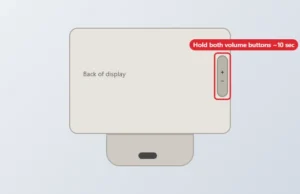
Back of a smart display with both volume buttons highlighted for a factory reset

How to Factory Reset a Google Nest Speaker or Display

November 15, 2026April 29, 2024 by Kermit Matthews

Factory reset a Google Nest Mini, Nest Audio, Nest Hub or Hub Max with the right button combination for each model, then set it up again. Continue Reading How to Factory Reset a Google Nest Speaker or Display
Categories Google

How to Make Google Classroom Dark Mode (App and Computer)

November 14, 2026April 29, 2024 by Kermit Matthews

Say goodbye to eye strain with this guide on how to enable dark mode in Google Classroom. Follow our easy steps for a sleek, new look! Continue Reading How to Make Google Classroom Dark Mode (App and Computer)

Categories Google

How to Install a Google Nest Thermostat

November 16, 2026April 26, 2024 by Kermit Matthews

Install a Google Nest thermostat the way Google describes: check compatibility, pick the right app for your model, turn off power, wire the base and set it up. Continue Reading How to Install a Google Nest Thermostat

Categories Google
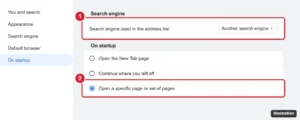
Browser settings On startup section with Open a specific page selected and the Search engine setting highlighted

How to Get Rid of the Google Logo in Your Browser

November 16, 2026April 26, 2024 by Kermit Matthews

Get rid of the Google logo by changing your browser’s search engine, start page, and new tab page in Chrome, Edge, Firefox, and Safari, plus Android tips. Continue Reading How to Get Rid of the Google Logo in Your Browser

Categories Google
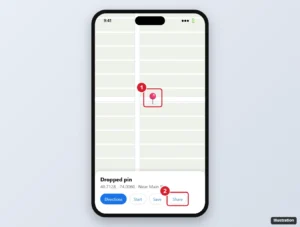
Maps app with a dropped pin and the place card Share button highlighted

How to Share a Pin on Google Maps

November 11, 2026April 26, 2024 by Kermit Matthews

Share a pin on Google Maps from Android, iPhone, or a computer: drop a pin, tap Share or copy the link, send coordinates, or share your live location. Continue Reading How to Share a Pin on Google Maps

Categories Google
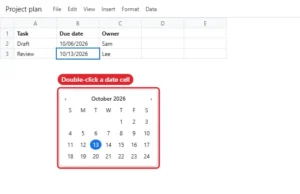
Spreadsheet with a date picker calendar open under a date cell

How to Insert a Calendar in Google Sheets

November 10, 2026April 26, 2024 by Kermit Matthews

Add a date picker to Google Sheets cells with Data validation, or insert a full calendar from the template gallery. Continue Reading How to Insert a Calendar in Google Sheets

Categories Google Sheets

How to Delete Gmail Emails in Bulk

November 18, 2026April 26, 2024 by Kermit Matthews

Mass delete Gmail emails: select all conversations that match a search, use operators like older_than and from, empty Trash, and set up filters. Continue Reading How to Delete Gmail Emails in Bulk

Categories Gmail
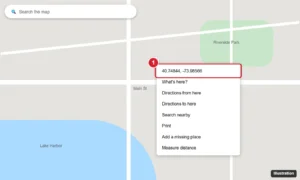
Online map with a right-click menu open on a location, showing its latitude and longitude coordinates at the top of the menu

How to Find and Enter Coordinates on Google Maps

November 12, 2026April 26, 2024 by Kermit Matthews

Find GPS coordinates on Google Maps on a computer, Android, or iPhone, copy and share them, and enter coordinates to find any location. Continue Reading How to Find and Enter Coordinates on Google Maps

Categories Google

How to Pin Multiple Locations on Google Maps

November 14, 2026April 26, 2024 by Kermit Matthews

Pin multiple locations on Google Maps by saving places to a list, adding labels, building a custom map in My Maps, or adding stops to directions. Continue Reading How to Pin Multiple Locations on Google Maps

Categories Google Maps
Online photo library in a browser with several photos selected and the More menu open showing Download

How to Get Google Photos From Your Phone to Your Computer

November 12, 2026April 26, 2024 by Kermit Matthews

Move Google Photos from your phone to a computer: turn on backup, download from photos.google.com, export with Google Takeout, or use USB or Quick Share. Continue Reading How to Get Google Photos From Your Phone to Your Computer

Categories Google
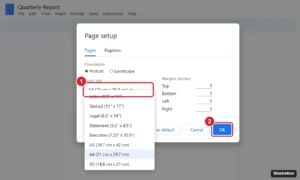
Online document editor Page setup dialog with the Paper size menu open and A4 highlighted, plus the OK button

How to Change Page Size in Google Docs (Letter, A4, Legal, and More)

November 18, 2026April 26, 2024 by Kermit Matthews

Change the page size in Google Docs to A4, Legal, Tabloid, or another paper size on a computer or phone, set a default size, and handle custom sizes. Continue Reading How to Change Page Size in Google Docs (Letter, A4, Legal, and More)

Categories Google Docs

How to Save a GIF From Google (Computer, iPhone, Android)

November 10, 2026April 25, 2024 by Kermit Matthews

Struggling to save a GIF from Google? Follow our easy step-by-step guide to download and save your favorite animated images in no time! Continue Reading How to Save a GIF From Google (Computer, iPhone, Android)

Categories Google
Google Calendar event editor with the Join with Google Meet row and the remove X button highlighted

How to Delete a Google Meet Link (or Let It Expire)

November 18, 2026April 25, 2024 by Kermit Matthews

Remove a Google Meet link from a Calendar event, stop Calendar from adding Meet links automatically, and see when unused Meet links expire. Continue Reading How to Delete a Google Meet Link (or Let It Expire)

Categories Google

How to Make Bullet Points Smaller in Google Docs

November 10, 2026April 25, 2024 by Kermit Matthews

Struggling with large bullet points in Google Docs? Our guide shows you how to easily resize them for a cleaner, more professional look. Continue Reading How to Make Bullet Points Smaller in Google Docs

Categories Google Docs
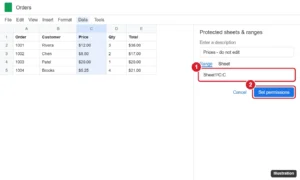
Spreadsheet with column C selected and the Protected sheets and ranges panel open with Range C:C and the Set permissions button highlighted

How to Lock a Column in Google Sheets (Freeze or Protect)

November 17, 2026April 25, 2024 by Kermit Matthews

Lock a column in Google Sheets by freezing it so it stays visible, or protecting it so others cannot edit it, plus how to unfreeze and remove protection. Continue Reading How to Lock a Column in Google Sheets (Freeze or Protect)

Categories Google Sheets
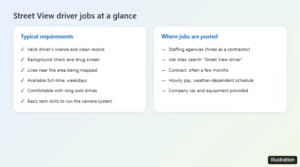
Checklist of typical Google Street View driver job requirements and where the jobs are posted

Can You Become a Google Street View Driver?

November 13, 2026April 25, 2024 by Kermit Matthews

Google Street View drivers are contractors hired through staffing agencies. Here is how to find openings, what the job requires, typical pay, and other options. Continue Reading Can You Become a Google Street View Driver?

Categories Google Maps
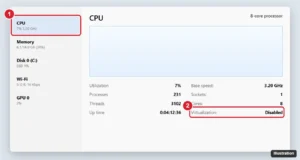
Windows Task Manager Performance tab with CPU selected and the Virtualization status highlighted

How to Turn On Virtualization for Google Play Games on PC

November 14, 2026April 25, 2024 by Kermit Matthews

Turn on hardware virtualization for Google Play Games on PC: check Task Manager, enable VT-x or SVM in the BIOS, and turn on Windows Hypervisor Platform. Continue Reading How to Turn On Virtualization for Google Play Games on PC

Categories Google

How to Add a Google Wifi Point (Google Home App)

November 10, 2026April 25, 2024 by Kermit Matthews

Looking to extend your WiFi network? Follow our step-by-step guide to easily add a Google WiFi point and enjoy seamless connectivity. Continue Reading How to Add a Google Wifi Point (Google Home App)

Categories Google
Android phone Recents overview with an app card and Screenshot and Select buttons at the bottom

How to Take a Screenshot on Google Pixel 7 Pro (5 Ways)

November 10, 2026April 25, 2024 by Kermit Matthews

Take a screenshot on Pixel 7 Pro with Power + Volume down, the Recents button, Quick Tap, voice or the accessibility menu. Plus scrolling screenshots. Continue Reading How to Take a Screenshot on Google Pixel 7 Pro (5 Ways)

Categories Google
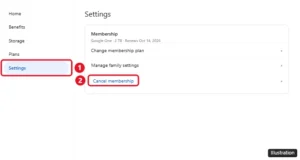
Google One settings page with Manage membership and the Cancel membership option highlighted

How to Cancel Google One (Web, Android, and iPhone)

November 13, 2026April 25, 2024 by Kermit Matthews

Cancel Google One at one.google.com > Settings > Cancel membership, in the Android app, or in iPhone Subscriptions. What happens to your storage afterward. Continue Reading How to Cancel Google One (Web, Android, and iPhone)

Categories Google
Pageless document with the collapse arrow next to a heading highlighted and a collapsed section below it

How to Make Collapsible Sections in Google Docs

November 14, 2026April 25, 2024 by Kermit Matthews

Make collapsible sections in Google Docs with headings: format section titles, switch to pageless, click the arrow to collapse, and try tabs or the outline. Continue Reading How to Make Collapsible Sections in Google Docs

Categories Google Docs
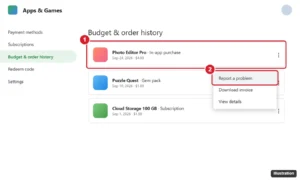
App store Budget and order history page with a recent purchase and the Report a problem option highlighted

How to Get a Refund from Google Pay (Play, Wallet, and UPI)

November 14, 2026April 25, 2024 by Kermit Matthews

Get money back from Google Pay: refund Google Play purchases, merchant and Wallet payments, failed GPay UPI transactions, wrong transfers, and fraud charges. Continue Reading How to Get a Refund from Google Pay (Play, Wallet, and UPI)

Categories Google
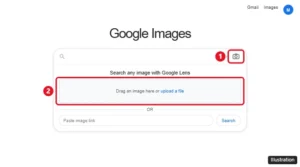
Google Images with the Search by image camera icon and the Google Lens upload box highlighted

How to Search Google With a Photo (Reverse Image Search)

November 15, 2026April 25, 2024 by Kermit Matthews

Do a photo search on Google with Google Lens on a computer, iPhone, or Android, find where an image came from, and get better reverse image search results. Continue Reading How to Search Google With a Photo (Reverse Image Search)

Categories Google
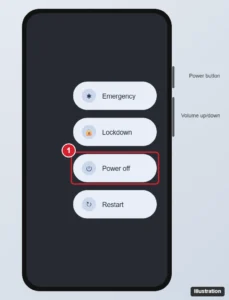
Android phone power menu with Emergency, Lockdown, Power off, and Restart options and the Power off button highlighted, with the side buttons labeled

How to Turn Off a Google Pixel 6 (Power Button Tricks)

November 10, 2026April 25, 2024 by Kermit Matthews

Turn off a Google Pixel 6 with Power + Volume Up or Quick Settings, force restart a frozen phone, and make the power button open the power menu again. Continue Reading How to Turn Off a Google Pixel 6 (Power Button Tricks)

Categories Google
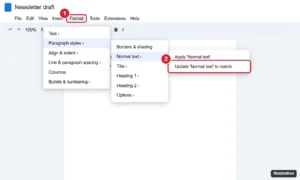
Google Docs Format menu with Paragraph styles, Normal text, and Update Normal text to match highlighted

How to Reset Google Fiber: A Step-by-Step Guide

November 11, 2026April 25, 2024 by Kermit Matthews

Reset Google Fiber (GFiber) equipment: restart the router and Fiber Jack from the app or by unplugging, factory reset the router, and know when to call support. Continue Reading How to Reset Google Fiber: A Step-by-Step Guide

Categories Google
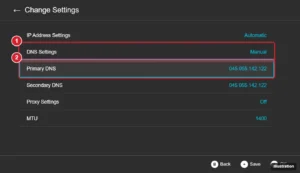
Game console network settings screen with DNS Settings set to Manual and the Primary DNS field highlighted

How to Get Google on Nintendo Switch (Hidden Browser Guide)

November 10, 2026April 25, 2024 by Kermit Matthews

Open Google on a Nintendo Switch using the hidden browser and a custom DNS, understand the privacy risks and limits, and switch your DNS back afterward. Continue Reading How to Get Google on Nintendo Switch (Hidden Browser Guide)

Categories Google
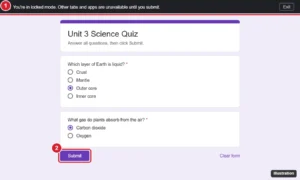
Online quiz open in locked mode on a school laptop with the locked mode banner and the Submit button highlighted

How to Get Out of Locked Mode on Google Forms (Students and Teachers)

November 10, 2026April 25, 2024 by Kermit Matthews

How locked mode works on Google Forms quizzes, the right way to exit by submitting, what happens if you leave early, and how teachers unlock students. Continue Reading How to Get Out of Locked Mode on Google Forms (Students and Teachers)

Categories Google

How to Delete an Address From Google Maps (Home, Work and History)

November 12, 2026April 25, 2024 by Kermit Matthews

Struggling to remove an address from Google Maps? Follow our simple step-by-step guide to easily delete any location from the map. Continue Reading How to Delete an Address From Google Maps (Home, Work and History)

Categories Google Maps
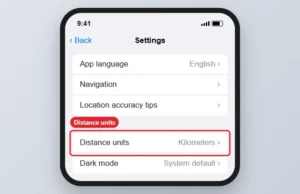
Maps app Settings screen with the Distance units option highlighted

How to Change Miles to Kilometers in Google Maps

November 10, 2026April 25, 2024 by Kermit Matthews

Switch Google Maps between miles and kilometers in the app under Settings, Distance units, or in Directions, Options on a computer. Continue Reading How to Change Miles to Kilometers in Google Maps

Categories Google
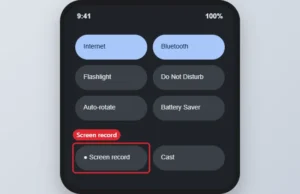
Android Quick Settings with the Screen record tile highlighted

How to Screen Record on a Google Pixel

November 18, 2026April 25, 2024 by Kermit Matthews

Screen record on a Google Pixel from Quick Settings, choose one app or the whole screen, add audio or touches, and find the video. Continue Reading How to Screen Record on a Google Pixel

Categories Google

How to Reset a Google Nest Mini or Home Mini (Even With No Button)

November 10, 2026April 25, 2024 by Kermit Matthews

Factory reset a Google Nest Mini with the mic switch and center hold, or a Home Mini with its bottom button. Plus how to restart without erasing. Continue Reading How to Reset a Google Nest Mini or Home Mini (Even With No Button)

Categories Google

How to Adjust Column Width in Google Sheets (5 Ways)

November 18, 2026April 24, 2024 by Kermit Matthews

Learn how to easily adjust column width in Google Sheets with our step-by-step guide. Say goodbye to cluttered data and hello to organized spreadsheets! Continue Reading How to Adjust Column Width in Google Sheets (5 Ways)

Categories Google Sheets
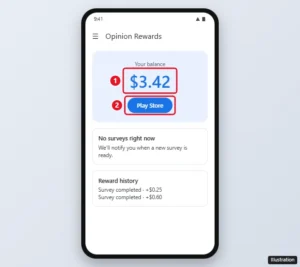
Google Opinion Rewards app on Android showing the reward balance and the Play Store button

How to Withdraw Money From Google Opinion Rewards

November 12, 2026April 24, 2024 by Kermit Matthews

iPhone users get Google Opinion Rewards through PayPal at $2, while Android users get Play credit that cannot be cashed out. Here is how each works. Continue Reading How to Withdraw Money From Google Opinion Rewards

Categories Google
Internet provider support page with the Contact us section showing chat and call options highlighted for canceling service

How to Cancel Google Fiber Service

November 13, 2026April 24, 2024 by Kermit Matthews

Cancel Google Fiber (GFiber) by contacting support, confirm your final bill, keep your phone number, and return equipment within 60 days to avoid fees. Continue Reading How to Cancel Google Fiber Service

Categories Google

How to Transfer Google Photos to Amazon Photos

November 10, 2026April 24, 2024 by Kermit Matthews

Learn how to easily transfer your Google Photos to Amazon Photos with our step-by-step guide. Keep your memories safe and organized! Continue Reading How to Transfer Google Photos to Amazon Photos

Categories Google Photos

How to Center in Google Docs: Text, Images, Tables, and Pages

November 10, 2026April 24, 2024 by Kermit Matthews

Struggling to center your content in Google Docs? Our step-by-step guide will show you how to align text, images, and tables with ease. Continue Reading How to Center in Google Docs: Text, Images, Tables, and Pages

Categories Google Docs
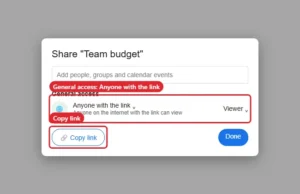
Share dialog with General access set to Anyone with the link as Viewer

How to Tell if an Article on Google Scholar Is Peer-Reviewed

November 10, 2026April 24, 2024 by Kermit Matthews

Google Scholar has no peer-review filter. Check the journal named in the result, its peer review policy, the article type and library filters. Continue Reading How to Tell if an Article on Google Scholar Is Peer-Reviewed

Categories Google

How to Remove a Horizontal Line in Google Docs (Every Type)

November 10, 2026April 24, 2024 by Kermit Matthews

Struggling with unwanted horizontal lines in your Google Docs? Our step-by-step guide will show you how to easily remove them in no time! Continue Reading How to Remove a Horizontal Line in Google Docs (Every Type)

Categories Google Docs

How to Lock a Folder in Google Drive (Permissions, File Lock and Passwords)

November 12, 2026April 24, 2024 by Kermit Matthews

Secure your Google Drive files with this step-by-step guide on how to lock a folder. Protect your sensitive data with ease! Continue Reading How to Lock a Folder in Google Drive (Permissions, File Lock and Passwords)

Categories Google Drive
Online map with a measured distance line drawn along a highway from an exit, showing the total distance in miles at the bottom

How to Find Mile Markers on Google Maps (Workarounds That Work)

November 13, 2026April 24, 2024 by Kermit Matthews

Google Maps doesn’t show mile markers, but you can find them with exit numbers, Measure distance, Street View and official DOT milepost maps. Continue Reading How to Find Mile Markers on Google Maps (Workarounds That Work)

Categories Google

How to Use VLOOKUP in Google Sheets (With Examples and Error Fixes)

November 12, 2026April 24, 2024 by Kermit Matthews

Master VLOOKUP in Google Sheets with this step-by-step guide. Easily look up and retrieve data to save time and improve your spreadsheets. Continue Reading How to Use VLOOKUP in Google Sheets (With Examples and Error Fixes)

Categories Google Sheets
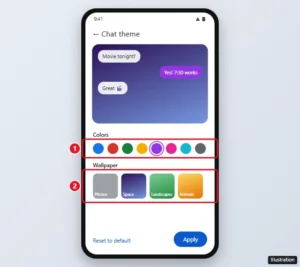
Google Messages Chat theme screen with a color palette and wallpaper options highlighted

How to Change the Chat Background in Google Messages

November 12, 2026April 24, 2024 by Kermit Matthews

Google Messages chat themes let you set a custom background and bubble colors per conversation. Here is how to use them, reset them, and turn on dark mode. Continue Reading How to Change the Chat Background in Google Messages

Categories Google
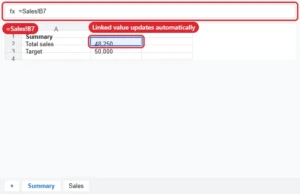
Spreadsheet formula bar showing a formula that links to a cell on another sheet

How to Link Cells in Google Sheets

November 12, 2026April 24, 2024 by Kermit Matthews

Link cells in Google Sheets with = references, link other tabs with SheetName!A1, other files with IMPORTRANGE, or add clickable cell links. Continue Reading How to Link Cells in Google Sheets

Categories Google Sheets

How to Upload a Voice Memo to Google Drive

November 14, 2026April 24, 2024 by Kermit Matthews

Upload voice memos to Google Drive from iPhone, Android or a computer: share to the Drive app, save to Files first, or upload at drive.google.com. Continue Reading How to Upload a Voice Memo to Google Drive

Categories Google Drive
Account data export page on the Select data to include step with Deselect all and individual data checkboxes highlighted

How to Use Google Takeout to Download Your Google Data

November 12, 2026April 24, 2024 by Kermit Matthews

Use Google Takeout to export your Google data: pick products and formats, choose delivery and file size, download the archive, and handle large exports. Continue Reading How to Use Google Takeout to Download Your Google Data

Categories Google
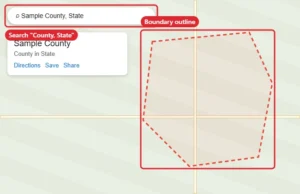
Map app showing a county searched by name with its boundary outlined by a dashed red line

How to Show County Lines on Google Maps

November 14, 2026April 24, 2024 by Kermit Matthews

Google Maps shows a county boundary when you search the county by name. See all county lines at once with Google Earth, an overlay tool, or My Maps. Continue Reading How to Show County Lines on Google Maps

Categories Google
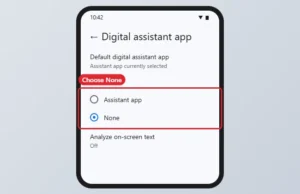
Android Default apps settings with Digital assistant app set to None highlighted

How to Turn Off Google Assistant (and Gemini) on Android

November 15, 2026April 24, 2024 by Kermit Matthews

Gemini replaced Google Assistant on Android. Turn off the assistant with Default apps, or turn off Hey Google only. Continue Reading How to Turn Off Google Assistant (and Gemini) on Android

Categories Google

How to Map a Route in Google Maps

November 13, 2026April 23, 2024 by Kermit Matthews

Planning a trip? Learn how to easily map out your route on Google Maps with our step-by-step guide. Get from point A to B with ease! Continue Reading How to Map a Route in Google Maps

Categories Google Maps
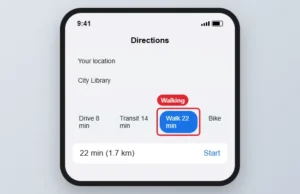
Maps app directions screen with the walking travel mode highlighted

How to Change Google Maps to Walking Directions

November 13, 2026April 23, 2024 by Kermit Matthews

Switch Google Maps to walking directions by tapping the walking icon after Directions, on the phone app or a computer, plus fixes if it is missing. Continue Reading How to Change Google Maps to Walking Directions

Categories Google
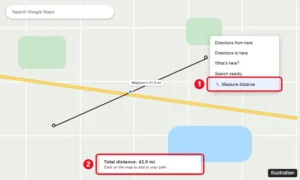
Google Maps on a computer with the right-click menu open and Measure distance highlighted, plus a measured line with total distance

How to Find the Halfway Point on Google Maps

November 11, 2026April 23, 2024 by Kermit Matthews

Google Maps has no midpoint button, but you can find one fast using directions, the Measure distance tool, or search along your route. Step-by-step guide. Continue Reading How to Find the Halfway Point on Google Maps

Categories Google Maps
Older posts
Newer posts
← Previous Page1 … Page5 Page6 Page7 … Page11 Next →

Join Our Free Newsletter

Featured guides and deals

You may opt out at any time.
Read our Privacy Policy

Live2Tech

Plain-English, step-by-step guides for the devices and apps you use every day.

Apple

  • iPhone
  • iPad
  • Mac
  • Apple Watch

Windows

  • Windows 11
  • Windows 10

Microsoft Office

  • Word
  • Excel
  • Powerpoint
  • Outlook

Google

  • Google Docs
  • Google Sheets
  • Google Slides
  • Gmail
  • Chrome
  • Google Drive
  • About Us
  • Contact
  • Disclaimer
  • Privacy Policy
© Live2Tech.com 2026
  • iPhone
  • Windows
    • Windows 11
    • Windows 10
  • Office
    • Word
    • Excel
    • Powerpoint
    • Outlook
  • Google
    • Google Docs
    • Google Sheets
    • Google Slides
    • Gmail
    • Chrome
    • Google Drive
  • Mac & Apple
    • Mac
    • iPad
    • Apple Watch
  • All Tutorials