Skip to content
Live2Tech
  • iPhone
  • Windows
    • Windows 11
    • Windows 10
  • Office
    • Word
    • Excel
    • Powerpoint
    • Outlook
  • Google
    • Google Docs
    • Google Sheets
    • Google Slides
    • Gmail
    • Chrome
    • Google Drive
  • Mac & Apple
    • Mac
    • iPad
    • Apple Watch
  • All Tutorials

Word

How-to guides and tutorials to help you perform specific tasks and use the Microsoft Word word-processing application.

iPhone document editing app with the Edit pencil button and the formatting toolbar above the keyboard highlighted

How to Edit a Word Document on an iPhone 13

November 10, 2026June 17, 2022 by Kermit Matthews

Edit a Word document on an iPhone 13 with the free Word app: open files from email or Files, use the edit toolbar, track changes, save, and share, or use Pages. Continue Reading How to Edit a Word Document on an iPhone 13

Categories Word
Word Review tab with Word Count clicked and the Word Count dialog showing character counts with and without spaces

How to Get a Character Count in Microsoft Word

November 10, 2026May 18, 2022 by Kermit Matthews

Click Review > Word Count or press Ctrl + Shift + G to see characters with and without spaces. How to count a selection and steps for Mac and mobile. Continue Reading How to Get a Character Count in Microsoft Word

Categories Word
Microsoft Word Shape Format tab with the Shape Outline menu open and No Outline highlighted for a selected text box

How to Remove the Border From a Text Box in Word

November 13, 2026April 27, 2022 by Kermit Matthews

Remove the border from a text box in Word with Shape Outline > No Outline, remove fills, make borderless text boxes the default, and fix borders that remain. Continue Reading How to Remove the Border From a Text Box in Word

Categories Word
Word Borders and Shading dialog on the Shading tab with a light fill color chosen and Apply to set to Paragraph highlighted

How to Remove Paragraph Shading in Word

November 14, 2026February 14, 2022 by Kermit Matthews

Remove paragraph shading in Word with the Shading button or Borders and Shading, and clear highlighting, pasted backgrounds and field shading. Continue Reading How to Remove Paragraph Shading in Word

Categories Word Tags word 2013
Word Layout tab with the Size menu open showing Letter, Legal, and A4 paper sizes, with A4 highlighted

How to Change Paper Size in Word

November 18, 2026December 7, 2021 by Kermit Matthews

Change the paper size in Word from the Layout tab, enter a custom width and height, use a different size for some pages, and fix printouts that do not match. Continue Reading How to Change Paper Size in Word

Categories Word
how to turn off drag and drop in word 2013

How to Disable the Drag and Drop Word 2013 Feature

November 15, 2026November 8, 2021 by Kermit Matthews

Have you ever been proofreading a document that you wrote and discovered that an entire phrase, sentence, or paragraph seemed to be completely misplaced? While… Continue Reading How to Disable the Drag and Drop Word 2013 Feature

Categories Word Tags word 2013
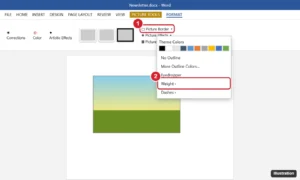
Word 2013 Picture Tools Format tab with the Picture Border menu open showing colors, Weight, and Dashes

How to Add a Border to a Picture in Word

November 7, 2026October 27, 2021 by Kermit Matthews

Add a border to a picture in Word 2013: select it, then Format > Picture Border to pick a color, weight, and dashes. Plus picture styles and fixes. Continue Reading How to Add a Border to a Picture in Word

Categories Word Tags word 2013
Word Options Display page with the formatting marks checkboxes highlighted under Always show these formatting marks on the screen

How to Hide Formatting Marks in Word

November 18, 2026October 26, 2021 by Kermit Matthews

Hide formatting marks in Word 2013 and later with Show/Hide ¶ or Ctrl + Shift + 8, and turn off marks that stay visible in Word Options. Continue Reading How to Hide Formatting Marks in Word

Categories Word Tags Featured Word Guides, Formatting, word 2013
Spanish keyboard layout with the N with tilde key, the accent dead key, and the inverted exclamation key highlighted

How to Turn Off the Spell Checker in Word 2013

November 10, 2026October 13, 2021 by Kermit Matthews

Turn off spell check in Word 2013: File > Options > Proofing, uncheck Check spelling as you type. Plus per-document and selected-text options. Continue Reading How to Turn Off the Spell Checker in Word 2013

Categories Word Tags word 2013
Word Font dialog with the Small caps effect checked and a preview showing small capital letters

How to Type in Small Caps in Word 2013

November 10, 2026October 8, 2021 by Kermit Matthews

Select the text and press Ctrl + Shift + K, or open the Font dialog with Ctrl + D and check Small caps. How small caps differs from All caps, plus tips. Continue Reading How to Type in Small Caps in Word 2013

Categories Word Tags word 2013
Word Paragraph dialog on the Line and Page Breaks tab with the Widow/Orphan control checkbox highlighted

How to Turn Off Widow/Orphan Control in Word

November 18, 2026October 7, 2021 by Kermit Matthews

Turn off Widow/Orphan control in Word for one document or every new one, see why pages end early, and check the other pagination settings that leave gaps. Continue Reading How to Turn Off Widow/Orphan Control in Word

Categories Word Tags Breaks, word 2010
Word processor Design tab with the Watermark button open, showing Confidential and Do Not Copy watermark thumbnails and the Custom Watermark and Remove Watermark options highlighted

How to Add a Watermark in Microsoft Word 2016

November 18, 2026June 8, 2021 by Kermit Matthews

Add a watermark in Word 2016: Design > Watermark, then pick one or choose Custom Watermark for text or a logo. Plus removing and one-page tips. Continue Reading How to Add a Watermark in Microsoft Word 2016

Categories Word Tags Background, Featured Word Guides
Word Shape Format tab with the Text Direction menu open and Rotate all text 90 degrees highlighted

How to Rotate Text in Word (Sideways or Any Angle)

November 13, 2026April 21, 2021 by Kermit Matthews

Put text in a text box, then use Shape Format > Text Direction to rotate 90 or 270 degrees, or drag the rotation handle. Steps for tables and WordArt too. Continue Reading How to Rotate Text in Word (Sideways or Any Angle)

Categories Word Tags Orientation
Word Home tab with the Strikethrough button highlighted and struck-through text selected in the document

How to Remove Strikethrough in Word (All Versions)

November 10, 2026March 24, 2021 by Kermit Matthews

Remove strikethrough in Microsoft Word with the Home tab button or Font dialog, clear it from a whole document, and remove Track Changes deletion lines. Continue Reading How to Remove Strikethrough in Word (All Versions)

Categories Word Tags word 2013
Word Picture Format tab with the Rotate menu open and Flip Horizontal highlighted

How to Mirror an Image in Word

November 12, 2026March 19, 2021 by Kermit Matthews

Click the picture, go to Picture Format > Rotate, and choose Flip Horizontal. How to mirror text and shapes, use Word for the web, and fix a grayed-out button. Continue Reading How to Mirror an Image in Word

Categories Word
Word Symbol dialog with the Greek and Coptic subset selected and the pi symbol highlighted, showing character code 03C0

How to Add a Pi Symbol (Ï€) in Microsoft Word

November 10, 2026March 4, 2021 by Kermit Matthews

Add π in Word: type 03C0 then Alt + X, type \pi in an equation, or use Insert > Symbol. On a Mac, press Option + P. Plus capital Π and shortcuts. Continue Reading How to Add a Pi Symbol (π) in Microsoft Word

Categories Word
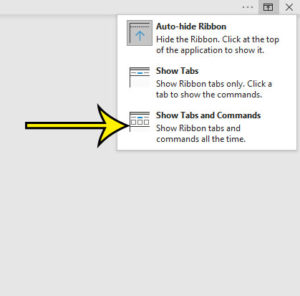
how to show the full ribbon in Microsoft Word 2016

Where Did the Ribbon Go in Word? How to Show It Again

November 14, 2026November 27, 2019 by Kermit Matthews

In most cases the Word ribbon isn’t gone, it’s just collapsed. In Word for Microsoft 365 on Windows, press Ctrl+F1 to show it again, or… Continue Reading Where Did the Ribbon Go in Word? How to Show It Again

Categories Word
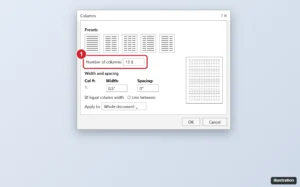
Word processor Columns dialog with Number of columns set to 13 and highlighted, a width and spacing table, and a preview of narrow columns

What Is the Maximum Number of Columns in Word 365?

November 17, 2026January 30, 2019 by Kermit Matthews

Word allows up to 45 columns, but each must be at least 0.5 inch wide, so a letter page fits about 13 in portrait. How to fit more. Continue Reading What Is the Maximum Number of Columns in Word 365?

Categories Word
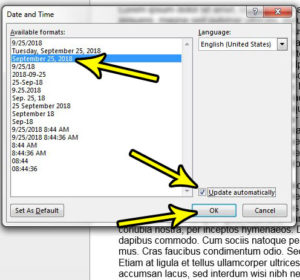
auto update the date in microsoft word

How to Insert a Date That Updates Automatically in Word

November 8, 2026September 25, 2018 by Kermit Matthews

A form letter, invoice or memo template is only useful if the date at the top is right, and that line is easy to forget.… Continue Reading How to Insert a Date That Updates Automatically in Word

Categories Word Tags word 2013
Word for the web Insert tab with Page Numbers open and the bottom center position highlighted

How to Number Pages in Word for the Web

November 18, 2026July 26, 2018 by Kermit Matthews

Add page numbers in Word for the web from Insert > Page Numbers, show Page X of Y, skip the first page, and see which options need the desktop app. Continue Reading How to Number Pages in Word for the Web

Categories Word Tags Page Numbers, Word Online
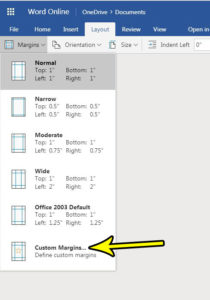
how to change margins in word online

How to Change Margins in Word Online

November 10, 2026July 24, 2018 by Kermit Matthews

When you create a new document in Word Online, the size of the margins will use the “Normal” option by default. This means that the… Continue Reading How to Change Margins in Word Online

Categories Word
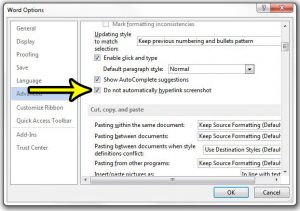
how to stop hyperlinking screenshots in word 2013

How to Stop Word from Hyperlinking Screenshots

November 8, 2026October 10, 2017 by Kermit Matthews

You inserted a screenshot of a web page into a Word document, clicked the picture to select it, and a browser opened the site instead.… Continue Reading How to Stop Word from Hyperlinking Screenshots

Categories Word Tags word 2013
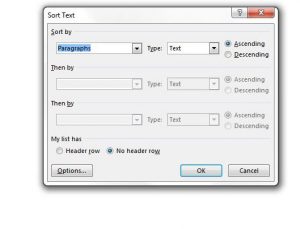
how to sort a list in word 2013

How to Sort a List Alphabetically in Word

November 18, 2026July 26, 2017 by Kermit Matthews

You have typed a guest list, glossary or reading list into Word in no particular order. Word can put them in A to Z order… Continue Reading How to Sort a List Alphabetically in Word

Categories Word Tags word 2013
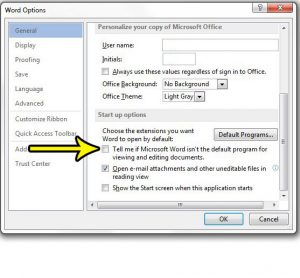
how to turn off the word 2013 default program nag

How to Turn Off the Default Program Prompt in Word

November 18, 2026July 18, 2017 by Kermit Matthews

If Word greets you with a message saying it isn’t your default program for viewing and editing documents every time it opens, you have two… Continue Reading How to Turn Off the Default Program Prompt in Word

Categories Word Tags word 2013
Word processor Home tab with the Text Effects menu open to Outline, showing outline colors and weight options, and outlined text on the page

How to Outline Text in Word

November 12, 2026July 12, 2017 by Kermit Matthews

Outline text in Word with Home > Text Effects > Outline, set color and weight, make hollow letters with Format Text Effects, and remove outlines. Continue Reading How to Outline Text in Word

Categories Word Tags word 2013
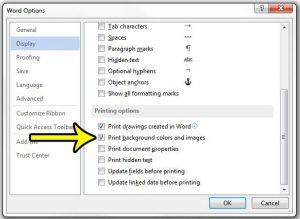
how to print background colors and pictures in word 2013

How to Print Background Colors and Images in Word

November 17, 2026July 5, 2017 by Kermit Matthews

Your page color or background picture looks right on screen, but the printout comes out white. In desktop Word for Windows, the fix is one… Continue Reading How to Print Background Colors and Images in Word

Categories Word Tags word 2013
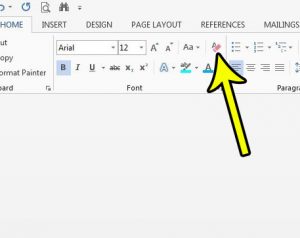
how to clear formatting in word 2013

How to Clear Formatting From Selected Text in Word

November 18, 2026June 14, 2017 by Kermit Matthews

A paragraph copied from an email or a web page lands in your report with a different font, odd colors and extra spacing, while everything… Continue Reading How to Clear Formatting From Selected Text in Word

Categories Word Tags word 2013
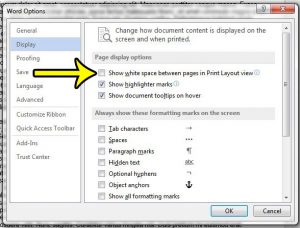
how to hide white space in print layout view in word

How to Hide White Space Between Pages in Word

November 18, 2026June 7, 2017 by Kermit Matthews

The fastest way to close the gap between pages in Word is to stay in Print Layout view, point to the top or bottom edge… Continue Reading How to Hide White Space Between Pages in Word

Categories Word Tags word 2013
Windows File Explorer with several documents selected and the right-click menu open, the Print option highlighted

How to Print Multiple Word Documents at Once

November 17, 2026May 23, 2017 by Kermit Matthews

Print multiple Word documents at once from File Explorer (up to 15 at a time), combine them into one print job, and fix a missing Print option. Continue Reading How to Print Multiple Word Documents at Once

Categories Word
Word processor print settings with the Pages per sheet option set to 2 Pages Per Sheet and a two-up print preview

How to Print Two Pages on One Sheet in Word

November 17, 2026May 2, 2017 by Kermit Matthews

Print two pages on one sheet in Word from the Print screen, use Page Setup for half-size pages, add double-sided printing, and keep shrunk pages readable. Continue Reading How to Print Two Pages on One Sheet in Word

Categories Word Tags word 2013
Word processor View tab with the Gridlines checkbox highlighted and a page showing gridlines

How to Show or Remove Gridlines in Word (Page and Table Gridlines)

November 17, 2026April 18, 2017 by Kermit Matthews

Remove gridlines in Word 2013 and later: hide page gridlines on the View tab, turn off table gridlines, and remove table borders that print. Continue Reading How to Show or Remove Gridlines in Word (Page and Table Gridlines)

Categories Word Tags word 2013
Word processor Layout tab with the Hyphenation menu open and None highlighted

How to Turn Hyphenation On or Off in Word

November 17, 2026February 23, 2017 by Kermit Matthews

Turn off hyphenation in Word 2013 and later with Layout > Hyphenation > None, turn it back on, stop it for one paragraph, and remove leftover hyphens. Continue Reading How to Turn Hyphenation On or Off in Word

Categories Word Tags word 2013
Symbol dialog with a check mark character selected in a symbol font

How to Insert a Check Mark in Word

November 10, 2026January 4, 2017 by Kermit Matthews

Insert a check mark in Word with Insert > Symbol (Wingdings 252), by typing 2713 then Alt + X, or add a clickable check box from the Developer tab. Continue Reading How to Insert a Check Mark in Word

Categories Word Tags word 2013
Font dialog with the Set As Default button highlighted

How to Change the Font for an Entire Document in Word

November 18, 2026December 12, 2016 by Kermit Matthews

Change the font of a whole Word document with Ctrl+A, theme fonts or the Normal style, check headers and text boxes, and set a default only if you want one. Continue Reading How to Change the Font for an Entire Document in Word

Categories Word
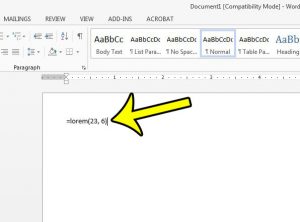
how to add filler or placeholder text in word 2013

How to Add Filler Text in Word

November 8, 2026November 2, 2016 by Kermit Matthews

When you are building a template, a brochure layout or a page mock-up, you often need the page to look full before the real words… Continue Reading How to Add Filler Text in Word

Categories Word Tags word 2013
Word processor View tab with the Ruler checkbox selected and the horizontal and vertical rulers showing

How to Show the Ruler in Word (Horizontal and Vertical)

November 18, 2026October 27, 2015 by Kermit Matthews

Show the ruler in Word from View > Ruler, turn on the vertical ruler in Word Options, and fix a missing ruler in Word 2013 through Microsoft 365. Continue Reading How to Show the Ruler in Word (Horizontal and Vertical)

Categories Word Tags word 2013
Newer posts
← Previous Page1 … Page6 Page7

Join Our Free Newsletter

Featured guides and deals

You may opt out at any time.
Read our Privacy Policy

Live2Tech

Plain-English, step-by-step guides for the devices and apps you use every day.

Apple

  • iPhone
  • iPad
  • Mac
  • Apple Watch

Windows

  • Windows 11
  • Windows 10

Microsoft Office

  • Word
  • Excel
  • Powerpoint
  • Outlook

Google

  • Google Docs
  • Google Sheets
  • Google Slides
  • Gmail
  • Chrome
  • Google Drive
  • About Us
  • Contact
  • Disclaimer
  • Privacy Policy
© Live2Tech.com 2026
  • iPhone
  • Windows
    • Windows 11
    • Windows 10
  • Office
    • Word
    • Excel
    • Powerpoint
    • Outlook
  • Google
    • Google Docs
    • Google Sheets
    • Google Slides
    • Gmail
    • Chrome
    • Google Drive
  • Mac & Apple
    • Mac
    • iPad
    • Apple Watch
  • All Tutorials