Skip to content
Live2Tech
  • iPhone
  • Windows
    • Windows 11
    • Windows 10
  • Office
    • Word
    • Excel
    • Powerpoint
    • Outlook
  • Google
    • Google Docs
    • Google Sheets
    • Google Slides
    • Gmail
    • Chrome
    • Google Drive
  • Mac & Apple
    • Mac
    • iPad
    • Apple Watch
  • All Tutorials

Word

How-to guides and tutorials to help you perform specific tasks and use the Microsoft Word word-processing application.

Page Setup dialog with all margins set to 0

How to Print Without Margins in Word

November 17, 2026July 2, 2024 by Kermit Matthews

Print without margins in Word by setting margins to 0, ignoring the warning, and turning on borderless printing if your printer supports it. Continue Reading How to Print Without Margins in Word

Categories Word
Word backstage Info page with the Protect Document menu open and Encrypt with Password highlighted, plus the Encrypt Document password box

How to Encrypt a Word Document with a Password (Windows and Mac)

November 12, 2026July 2, 2024 by Kermit Matthews

Encrypt a Word document with a password on Windows or Mac, remove or change the password, and learn how encryption differs from Restrict Editing and read-only. Continue Reading How to Encrypt a Word Document with a Password (Windows and Mac)

Categories Word
Word Insert tab Shapes gallery with the Line Arrow shape highlighted

How to Add an Arrow in Word (Shapes, Symbols, and Shortcuts)

November 13, 2026July 2, 2024 by Kermit Matthews

Add an arrow in Word with Insert > Shapes, AutoCorrect shortcuts like –> for →, or arrow symbols, then change its color, size, and style. Continue Reading How to Add an Arrow in Word (Shapes, Symbols, and Shortcuts)

Categories Word

How to Make a Quotation in Word

November 10, 2026July 2, 2024 by Kermit Matthews

Learn how to create professional quotations in Word with our step-by-step guide for beginners. Master essential tools and tips to enhance your documents effortlessly! Continue Reading How to Make a Quotation in Word

Categories Word

How to Create a Table of Contents in Word

November 15, 2026July 2, 2024 by Kermit Matthews

Learn how to create a Table of Contents in Word with our step-by-step guide. Follow these simple instructions for a professional and organized document. Continue Reading How to Create a Table of Contents in Word

Categories Word
Word for Mac style Page Setup options with Landscape orientation selected and Apply to set to This point forward

How to Make One Page Landscape in Word on a Mac

November 17, 2026July 1, 2024 by Kermit Matthews

Make one page landscape in Word for Mac with Format > Document > Apply to Selected text, or section breaks, and fix headers and page numbers after. Continue Reading How to Make One Page Landscape in Word on a Mac

Categories Word
Microsoft Word Draw tab with the Ruler button highlighted and the drawing ruler rotated to 45 degrees on the page

How to Rotate the Ruler in Word

November 13, 2026July 1, 2024 by Kermit Matthews

Rotate the ruler in Word with Draw > Ruler and your scroll wheel or two fingers. Plus how to show the vertical ruler and draw exact angled lines. Continue Reading How to Rotate the Ruler in Word

Categories Word
Word Home tab with the Text Highlight Color menu open showing color swatches and No Color, with highlighted text in the document

How to Highlight Text in Word (and Remove or Find Highlights)

November 15, 2026July 1, 2024 by Kermit Matthews

Highlight text in Microsoft Word with the highlighter button or Ctrl+Alt+H, use pen mode, change colors, find all highlights, and remove stubborn shading. Continue Reading How to Highlight Text in Word (and Remove or Find Highlights)

Categories Word
Symbol dialog showing mathematical operators with the angle symbol selected and character code 2220 from Unicode (hex)

How to Insert the Angle Symbol (∠) in Word

November 13, 2026July 1, 2024 by Kermit Matthews

Insert the angle symbol in Word by typing 2220 then Alt + X, using Insert > Symbol, the Equation editor, or an AutoCorrect shortcut. Continue Reading How to Insert the Angle Symbol (∠) in Word

Categories Word
Word File Info page with the Compatibility Mode section and Convert button highlighted

How to Get Out of Compatibility Mode in Word (and Keep the Original)

November 10, 2026July 1, 2024 by Kermit Matthews

Get out of Compatibility Mode in Word with File > Info > Convert or Save As .docx, learn what changes after converting, and stop new files opening in it. Continue Reading How to Get Out of Compatibility Mode in Word (and Keep the Original)

Categories Word
Word Font dialog on the Advanced tab with the character Spacing Expanded setting highlighted

How to Change Spacing Between Letters in Word (Character Spacing)

November 10, 2026July 1, 2024 by Kermit Matthews

Change the spacing between letters in Word with the Font dialog Advanced tab: expand or condense character spacing, use kerning, and apply it to styles. Continue Reading How to Change Spacing Between Letters in Word (Character Spacing)

Categories Word
Word processor Shape Format tab with the Align menu open showing Align Center and Align Middle options and Align to Page, highlighted

How to Copy a Table in Word (Whole, Part or to Other Apps)

November 10, 2026July 1, 2024 by Kermit Matthews

Copy a table in Word using the move handle and Ctrl+C, duplicate it with Ctrl+drag, copy rows or columns, and paste into Excel, PowerPoint or Outlook. Continue Reading How to Copy a Table in Word (Whole, Part or to Other Apps)

Categories Word
Styles pane right-click menu on Heading 1 with Select All instances

How to Select All Headings at Once in Word

November 14, 2026July 1, 2024 by Kermit Matthews

Select every heading in Word at once: right-click a heading style and choose Select All Instances, or modify the style for lasting changes. Continue Reading How to Select All Headings at Once in Word

Categories Word
Word Adjust List Indents dialog with Text indent and Follow number with set to Space highlighted, next to a bulleted list

How to Decrease Space Between Bullet and Text in Word

November 16, 2026July 1, 2024 by Kermit Matthews

Reduce the gap between bullets and text in Microsoft Word with Adjust List Indents, a space instead of a tab, the ruler, or exact paragraph indent settings. Continue Reading How to Decrease Space Between Bullet and Text in Word

Categories Word

How to Lock Text in Word

November 10, 2026July 1, 2024 by Kermit Matthews

Learn how to lock text in Word with our step-by-step guide, ensuring your content stays protected and uneditable by others. Follow these simple steps! Continue Reading How to Lock Text in Word

Categories Word
Word Layout tab with the Line Numbers menu open and the Continuous option highlighted, with numbered lines in the document

How to Show Line Numbers in Word (Add, Customize, and Remove)

November 7, 2026July 1, 2024 by Kermit Matthews

Add line numbers in Microsoft Word, restart them each page or section, count by 5s, skip paragraphs, change their style, and remove them on Windows or Mac. Continue Reading How to Show Line Numbers in Word (Add, Customize, and Remove)

Categories Word
Word processor Design tab with the Page Color menu open and No Color selected

How to Change the Word Background to White (and Turn Off Dark Mode)

November 14, 2026July 1, 2024 by Kermit Matthews

Make the Word page white again: Design > Page Color > No Color, or View > Switch Modes if dark mode is on. Change the Office Theme to keep it white. Continue Reading How to Change the Word Background to White (and Turn Off Dark Mode)
Categories Word
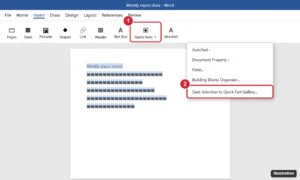
Word Insert tab with the Quick Parts menu open and Save Selection to Quick Part Gallery highlighted

How to Duplicate a Page in Word Without Copy and Paste

November 13, 2026July 1, 2024 by Kermit Matthews

Word has no duplicate page button, but you can reuse a page with Quick Parts, insert it from another file, or select it instantly with the \page trick. Continue Reading How to Duplicate a Page in Word Without Copy and Paste

Categories Word
Content Control Properties dialog for a drop-down list with Add, Modify and Remove buttons

How to Edit a Drop-Down List in Word

November 10, 2026July 1, 2024 by Kermit Matthews

Edit a Word drop-down list: show the Developer tab, select the control, click Properties and Add, Modify, Remove or reorder entries. Continue Reading How to Edit a Drop-Down List in Word

Categories Word

How to Capitalize All Letters in Word (Shortcut and Menus)

November 12, 2026June 28, 2024 by Kermit Matthews

Learn how to easily capitalize all letters in Microsoft Word with our step-by-step guide. Master this essential skill in just a few simple steps. Continue Reading How to Capitalize All Letters in Word (Shortcut and Menus)

Categories Word

How to Add Accent Marks in Word

November 17, 2026June 28, 2024 by Kermit Matthews

Learn how to easily add accent marks in Word with our step-by-step guide. Perfect for all users—enhance your documents with properly accented text today! Continue Reading How to Add Accent Marks in Word

Categories Word
Find and Replace dialog with Use wildcards checked, a pattern that matches account numbers in Find what, and a block-character replacement in Replace with

How to Redact Text in Word (the Safe Way)

November 10, 2026June 28, 2024 by Kermit Matthews

Redact text in Word safely by replacing it with Find and Replace, removing hidden data with Inspect Document and saving as PDF. Black highlighting isn’t enough. Continue Reading How to Redact Text in Word (the Safe Way)

Categories Word

How to Save a Copy of a Word Document (Windows, Mac, Web, Mobile)

November 11, 2026June 27, 2024 by Kermit Matthews

Save a copy of a Word document with F12 or File, Save a Copy. Covers AutoSave and OneDrive files, Mac, Word for the web, mobile, and File Explorer. Continue Reading How to Save a Copy of a Word Document (Windows, Mac, Web, Mobile)

Categories Word
Word processor Home tab with messy formatted text selected and the Clear All Formatting button highlighted in the Font group

How to Remove All Formatting in Word (Button, Shortcuts, Paste)

November 10, 2026June 27, 2024 by Kermit Matthews

Remove all formatting in Word with Clear All Formatting, Ctrl+Space, and Ctrl+Q, paste as plain text, and clear highlighting, links, and borders. Continue Reading How to Remove All Formatting in Word (Button, Shortcuts, Paste)

Categories Word
Word Options Display page with the Object anchors checkbox highlighted

How to Remove the Anchor in Word

November 10, 2026June 27, 2024 by Kermit Matthews

Hide anchors in Word from File > Options > Display, or remove them by setting objects to In Line with Text. Plus how to move and lock anchors. Continue Reading How to Remove the Anchor in Word

Categories Word
Microsoft Word Compare Documents dialog with Original document and Revised document selected and the OK button highlighted

How to Compare Two Documents in Word

November 17, 2026June 27, 2024 by Kermit Matthews

Compare two versions of a Word file with Review > Compare, keep your originals safe, merge reviewer copies with Combine, and fix odd results. Continue Reading How to Compare Two Documents in Word

Categories Word
Document with a content control selected and the right-click menu showing Remove Content Control

How to Remove a Content Control in Word

November 14, 2026June 27, 2024 by Kermit Matthews

Remove a content control in Word and keep the text: right-click > Remove Content Control. Unlock it in Properties or stop protection if needed. Continue Reading How to Remove a Content Control in Word

Categories Word
Home tab with the Format Painter button highlighted

How to Copy Formatting in Word With Format Painter

November 10, 2026June 27, 2024 by Kermit Matthews

Copy formatting in Word with Format Painter: select formatted text, click the paintbrush, and drag over the target. Double-click to reuse it. Continue Reading How to Copy Formatting in Word With Format Painter

Categories Word
Word processor Home tab with shaded gray text selected and the Shading menu open, the No Color option highlighted

How to Remove Gray Background in Word (Every Cause)

November 12, 2026June 26, 2024 by Kermit Matthews

Remove a gray background in Word from shading, pasted formatting, highlighting, field shading, form fields, page color, or dark mode. Continue Reading How to Remove Gray Background in Word (Every Cause)

Categories Word
Word processor Developer tab with the content controls group highlighted

How to Add Fillable Fields in Word

November 10, 2026June 26, 2024 by Kermit Matthews

Add fillable fields in Word with Developer tab content controls, then restrict editing to filling in forms so only the fields can change. Continue Reading How to Add Fillable Fields in Word

Categories Word
Word Page Setup dialog on the Layout tab with Vertical alignment set to Center

How to Vertically Align Text in Word

November 15, 2026June 26, 2024 by Kermit Matthews

Open Layout > Page Setup, go to the Layout tab, and set Vertical alignment to Center. How to center one page and align text in tables and text boxes. Continue Reading How to Vertically Align Text in Word

Categories Word
Excel with a REPT formula in the formula bar that repeats a word 100 times in cell A1

How to Copy and Paste a Word 100 Times

November 13, 2026June 26, 2024 by Kermit Matthews

Repeat a word 100 times instantly with =REPT(“word “,100) in Excel or Google Sheets, the Word doubling trick, or one PowerShell command. Step by step. Continue Reading How to Copy and Paste a Word 100 Times

Categories Word

Set Exact 1-Inch Margins in Word for MLA, APA and Chicago

November 12, 2026June 26, 2024 by Kermit Matthews

Learn to add 1-inch margins in Word effortlessly with our step-by-step guide, ensuring your documents always meet formatting requirements. Continue Reading Set Exact 1-Inch Margins in Word for MLA, APA and Chicago

Categories Word

How to Change the Author in Word

November 12, 2026June 26, 2024 by Kermit Matthews

Learn how to easily change the author name in Microsoft Word with our simple, step-by-step guide designed especially for beginners. Continue Reading How to Change the Author in Word

Categories Word
Word style document with a table header row selected and the Repeat Header Rows button on the Table Layout tab highlighted

How to Repeat Table Header Rows in Word

November 12, 2026June 26, 2024 by Kermit Matthews

Repeat a table header row on every page in Microsoft Word with Repeat Header Rows or Table Properties, and fix headers that will not repeat. Continue Reading How to Repeat Table Header Rows in Word

Categories Word
Document app title bar with the file name menu open and the File Name box highlighted

How to Rename a Word Document (Windows, Mac, Web and Mobile)

November 10, 2026June 26, 2024 by Kermit Matthews

Rename a Word document from the title bar, File Explorer, Finder, OneDrive or your phone, and learn why Save As makes a copy instead. Continue Reading How to Rename a Word Document (Windows, Mac, Web and Mobile)

Categories Word
Word processor Review tab with the markup display menu open and No Markup highlighted, beside a markup area with comments

How to Remove the Markup Area in Word (Hide or Delete It)

November 15, 2026June 26, 2024 by Kermit Matthews

Remove the markup area in Word by switching to No Markup, showing changes inline, turning off Print Markup, or accepting changes and deleting comments. Continue Reading How to Remove the Markup Area in Word (Hide or Delete It)

Categories Word
Word processor References tab with Mark Entry and Insert Index highlighted

How to Create an Index in Word

November 10, 2026June 26, 2024 by Kermit Matthews

Create an index in Word by marking entries with Mark Entry, then choosing References, Insert Index, and updating it after edits. Continue Reading How to Create an Index in Word

Categories Word
Word processor Find and Replace dialog with the Special menu open and Manual Line Break highlighted, and ^l entered in Find what

How to Remove Line Breaks in Word (Keep Your Paragraphs)

November 17, 2026June 26, 2024 by Kermit Matthews

Remove line breaks in Word with Find and Replace codes like ^l and ^p, keep real paragraphs with a placeholder, and clear page and section breaks. Continue Reading How to Remove Line Breaks in Word (Keep Your Paragraphs)

Categories Word

How to Print 30 Different Labels on One Sheet in Word

November 17, 2026June 26, 2024 by Kermit Matthews

Learn how to efficiently print 30 different labels on one sheet in Word with this easy step-by-step guide. Perfect for organizing and streamlining your labeling process! Continue Reading How to Print 30 Different Labels on One Sheet in Word

Categories Word
Word Borders and Shading dialog with the Box setting and Apply to dropdown highlighted

How to Add Borders in Word (Text, Paragraphs, Tables and Pages)

November 14, 2026June 26, 2024 by Kermit Matthews

Put a border around text in Word with the Borders button or Borders and Shading, customize style and color, add shading, and remove borders. Continue Reading How to Add Borders in Word (Text, Paragraphs, Tables and Pages)

Categories Word

How to Insert Bullet Points in Word (4 Easy Ways)

November 16, 2026June 26, 2024 by Kermit Matthews

Learn how to insert a bullet in Word with our beginner-friendly step-by-step guide. Easily organize your text for better readability and structure. Continue Reading How to Insert Bullet Points in Word (4 Easy Ways)

Categories Word
Word processor with a small picture placed on top of a larger one, Wrap Text set to In Front of Text and Bring Forward highlighted

How to Overlay Images in Word

November 13, 2026June 26, 2024 by Kermit Matthews

Overlay images in Word by setting Wrap Text to In Front of Text, layering with Bring Forward and Send Backward, adding transparency and grouping pictures. Continue Reading How to Overlay Images in Word

Categories Word
Word processor print settings with the sides menu open showing Print One Sided, Print on Both Sides flip on long edge or short edge, and Manually Print on Both Sides

How to Print Back to Back (Double-Sided) in Word

November 17, 2026June 26, 2024 by Kermit Matthews

Print back to back in Word with Print on Both Sides, or manually print odd and even pages if your printer lacks duplex. Fix upside-down backs. Continue Reading How to Print Back to Back (Double-Sided) in Word

Categories Word
Windows emoji and symbols panel on the Math Symbols tab with the less than or equal to symbol highlighted

How to Type Less Than or Equal To (≤) and Greater Than or Equal To (≥)

November 10, 2026April 3, 2024 by Kermit Matthews

Type ≤ in Word with 2264 then Alt + X, on a Mac with Option + comma, or with the Windows symbol panel. Includes ≥ and formula tips. Continue Reading How to Type Less Than or Equal To (≤) and Greater Than or Equal To (≥)

Categories Word
Insert Page Number menu with Bottom of Page open and the Page X of Y Bold Numbers option highlighted

How to Add “Page 1 of 2” Page Numbers in Word

November 14, 2026February 10, 2024 by Kermit Matthews

Add “Page 1 of 2” numbering in Word with the Page X of Y gallery or PAGE and NUMPAGES fields, skip the cover page, and fix totals that do not update. Continue Reading How to Add “Page 1 of 2” Page Numbers in Word

Categories Word Tags word 2013
Word processor Layout tab with the Columns menu open and Three highlighted for a trifold brochure

How to Make a Brochure in Microsoft Word (Templates and Trifold)

November 12, 2026January 20, 2024 by Kermit Matthews

Make a brochure in Microsoft Word with a template or build a trifold from scratch using landscape and three columns, then print it double-sided. Continue Reading How to Make a Brochure in Microsoft Word (Templates and Trifold)

Categories Word
Word Choose a SmartArt Graphic dialog with the Process category and Basic Timeline layout highlighted

How to Make a Timeline in Microsoft Word

November 10, 2026January 20, 2024 by Kermit Matthews

Make a timeline in Microsoft Word with SmartArt’s Basic Timeline, a ready-made template, or shapes. Includes tips for adding events and styling. Continue Reading How to Make a Timeline in Microsoft Word

Categories Word
Microsoft Word Review tab with Track Changes turned on, All Markup selected, and redlined insertions and deletions in the document

How to Redline a Document in Microsoft Word

November 15, 2026January 16, 2024 by Kermit Matthews

Redline a document in Word with Track Changes, use All Markup, set your author name, lock tracking, and accept or reject edits, or redline with Compare. Continue Reading How to Redline a Document in Microsoft Word

Categories Word
File Explorer showing the Office Templates folder path and the Normal.dotm template file highlighted

How to Reset Microsoft Word to Default Settings (Windows and Mac)

November 15, 2026January 16, 2024 by Kermit Matthews

Reset Microsoft Word to default settings by resetting the ribbon, renaming Normal.dotm, repairing Office, or clearing Word registry settings. Continue Reading How to Reset Microsoft Word to Default Settings (Windows and Mac)

Categories Word
Older posts
Newer posts
← Previous Page1 … Page5 Page6 Page7 Page8 Next →

Join Our Free Newsletter

Featured guides and deals

You may opt out at any time.
Read our Privacy Policy

Live2Tech

Plain-English, step-by-step guides for the devices and apps you use every day.

Apple

  • iPhone
  • iPad
  • Mac
  • Apple Watch

Windows

  • Windows 11
  • Windows 10

Microsoft Office

  • Word
  • Excel
  • Powerpoint
  • Outlook

Google

  • Google Docs
  • Google Sheets
  • Google Slides
  • Gmail
  • Chrome
  • Google Drive
  • About Us
  • Contact
  • Disclaimer
  • Privacy Policy
© Live2Tech.com 2026
  • iPhone
  • Windows
    • Windows 11
    • Windows 10
  • Office
    • Word
    • Excel
    • Powerpoint
    • Outlook
  • Google
    • Google Docs
    • Google Sheets
    • Google Slides
    • Gmail
    • Chrome
    • Google Drive
  • Mac & Apple
    • Mac
    • iPad
    • Apple Watch
  • All Tutorials