Skip to content
Live2Tech
  • iPhone
  • Windows
    • Windows 11
    • Windows 10
  • Office
    • Word
    • Excel
    • Powerpoint
    • Outlook
  • Google
    • Google Docs
    • Google Sheets
    • Google Slides
    • Gmail
    • Chrome
    • Google Drive
  • Mac & Apple
    • Mac
    • iPad
    • Apple Watch
  • All Tutorials

Microsoft

How-to guides and tutorials to help you perform specific tasks and use products and applications made by Microsoft.

PowerShell window showing a Test-NetConnection port test and the TcpTestSucceeded True result highlighted

How to Check If a Port Is Open on Windows (4 Methods)

November 18, 2026August 5, 2025 by Kermit Matthews

Check if a port is open on Windows with Test-NetConnection, netstat, Resource Monitor, or telnet, read the results, and fix closed ports. Continue Reading How to Check If a Port Is Open on Windows (4 Methods)

Categories Windows 11
Windows 7 Advanced Boot Options screen with Safe Mode selected and the F8 key hint highlighted

How to Start Windows 7 in Safe Mode (F8 and msconfig)

November 10, 2026August 5, 2025 by Kermit Matthews

Start Windows 7 in Safe Mode by pressing F8 at startup or using msconfig, learn what each Safe Mode option does, and how to return to normal startup. Continue Reading How to Start Windows 7 in Safe Mode (F8 and msconfig)

Categories Windows 7
Windows File Explorer search box with content:invoice typed and matching files listed

How to Search for a Word on Windows (Pages, Files, and Apps)

November 15, 2026August 1, 2025 by Kermit Matthews

Search for a word on Windows with Ctrl + F in apps and browsers, find words inside files with File Explorer’s content: search, or use findstr. Continue Reading How to Search for a Word on Windows (Pages, Files, and Apps)

Categories Windows 10, Windows 11
Blue Windows recovery screen titled Choose an option with Continue, Use a device, Troubleshoot and Turn off your PC, Troubleshoot highlighted

How to Factory Reset an HP Desktop With Windows 10

November 10, 2026August 1, 2025 by Kermit Matthews

Factory reset an HP desktop on Windows 10 from Settings, with F11 at startup, or with the HP Cloud Recovery Tool, and back up and wipe it safely. Continue Reading How to Factory Reset an HP Desktop With Windows 10

Categories Windows 10
Windows 11 Device Manager graphics adapter properties with the Driver tab open and Roll Back Driver highlighted

How to Roll Back an NVIDIA Driver in Windows 11

November 18, 2026July 31, 2025 by Kermit Matthews

Roll back NVIDIA drivers on Windows 11 with Device Manager’s Roll Back Driver, or clean-install an older version from NVIDIA, and stop automatic updates. Continue Reading How to Roll Back an NVIDIA Driver in Windows 11

Categories Windows 11
Illustration of a PC power supply side label with the model name and total rated wattage highlighted

How to Find Your Power Supply Wattage on a Windows 10 PC

November 13, 2026July 31, 2025 by Kermit Matthews

Windows 10 can’t show PSU wattage. Find it on the power supply label, your PC’s specs, or the model number, and learn how much wattage your PC needs. Continue Reading How to Find Your Power Supply Wattage on a Windows 10 PC

Categories Windows 10
Browser-based music studio with instrument tracks and a record button

Can You Get GarageBand on Windows? Best Legit Alternatives

November 10, 2026July 30, 2025 by Kermit Matthews

GarageBand has no Windows version. Use free alternatives like BandLab, LMMS or Waveform Free, or GarageBand on an Apple device you own. Continue Reading Can You Get GarageBand on Windows? Best Legit Alternatives

Categories Windows 10, Windows 11
Windows Features dialog with Virtual Machine Platform and Windows Hypervisor Platform checked for running Android emulators

Run Android Apps on Windows 10: Options That Still Work

November 14, 2026July 29, 2025 by Kermit Matthews

Run Android apps and games on Windows 10 with Google Play Games on PC, Phone Link, or an emulator like BlueStacks, plus requirements and setup steps. Continue Reading Run Android Apps on Windows 10: Options That Still Work

Categories Windows 10
Compatibility check window saying the PC does not meet system requirements, with the TPM 2.0 line highlighted

Can You Upgrade From Windows 7 to Windows 11?

November 16, 2026July 23, 2025 by Kermit Matthews

Windows 7 cannot upgrade in place to Windows 11. Check the requirements, back up, and clean install, or replace the PC. Windows 7 keys no longer activate. Continue Reading Can You Upgrade From Windows 7 to Windows 11?

Categories Windows 11
Windows 11 Setup media tool with USB flash drive selected and the Next button highlighted

How to Create a Windows 11 Installation USB Drive

November 18, 2026July 23, 2025 by Kermit Matthews

Create a bootable Windows 11 USB drive with Microsoft’s Media Creation Tool or an ISO and Rufus, then boot from it and fix common USB installer errors. Continue Reading How to Create a Windows 11 Installation USB Drive

Categories Windows 11
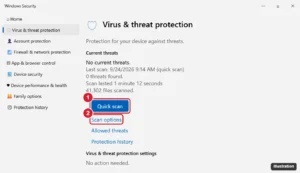
Windows Security Virus and threat protection page with the Quick scan button and Scan options link highlighted

How to Run a Virus Scan on Windows 10

November 16, 2026July 21, 2025 by Kermit Matthews

Run a virus scan on Windows 10 with Windows Security: quick, full, custom, and offline scans, scanning a file or USB drive, and what to do if threats are found. Continue Reading How to Run a Virus Scan on Windows 10

Categories Windows 10, Windows 11
Desktop right-click menu with New and Shortcut highlighted

How to Make Shortcuts on Windows 11 (Apps, Files, Websites)

November 14, 2026July 18, 2025 by Kermit Matthews

Make desktop shortcuts on Windows 11 with New, Shortcut, by dragging apps from Start, or with Send to, Desktop for files and folders. Continue Reading How to Make Shortcuts on Windows 11 (Apps, Files, Websites)

Categories Windows 11
Windows Recycle Bin window with a deleted file selected and the Restore option highlighted in the right-click menu

How to Recover Deleted Files in Windows 10 (7 Methods)

November 11, 2026July 17, 2025 by Kermit Matthews

Recover deleted files in Windows 10 from the Recycle Bin, OneDrive, File History, or Previous Versions, or with the free Windows File Recovery tool. Continue Reading How to Recover Deleted Files in Windows 10 (7 Methods)

Categories Windows 10
Disk Management showing a second drive with an old Windows partition, the right-click menu open and Delete Volume highlighted

How to Remove Windows From a Hard Drive (Old or Second Drive)

November 18, 2026July 17, 2025 by Kermit Matthews

Remove Windows from an old or second hard drive with Disk Management or DiskPart, delete a dual-boot entry, and securely erase a drive before selling. Continue Reading How to Remove Windows From a Hard Drive (Old or Second Drive)

Categories Windows 10, Windows 11
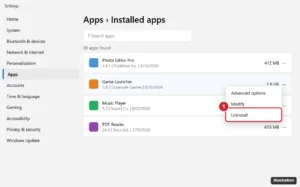
Windows 11 Settings Apps Installed apps list with the three-dot menu open on an app and the Uninstall option highlighted

How to Delete Apps on Windows 10 and 11 (4 Ways)

November 18, 2026July 15, 2025 by Kermit Matthews

Delete apps on Windows 10 and 11 from Settings, the Start menu, Control Panel, or winget, remove built-in apps, and fix apps that will not uninstall. Continue Reading How to Delete Apps on Windows 10 and 11 (4 Ways)

Categories Windows 10, Windows 11
Windows 10 Settings Display page with the Change brightness for the built-in display slider highlighted

How to Adjust Screen Brightness in Windows 10

November 18, 2026July 14, 2025 by Kermit Matthews

Adjust brightness in Windows 10 in Display settings, Action Center, with keyboard keys, or Mobility Center, and fix a missing brightness slider. Continue Reading How to Adjust Screen Brightness in Windows 10

Categories Windows 10
Windows Settings Fonts page showing a selected font family with its full name and a preview used before changing the system font

How to Change the Windows System Font (and Safer Alternatives)

November 10, 2026July 11, 2025 by Kermit Matthews

Windows has no setting to change the system font. Use text size and ClearType, change app fonts, or replace Segoe UI with a backed-up registry edit. Continue Reading How to Change the Windows System Font (and Safer Alternatives)

Categories Windows 10
Windows Setup screen asking where to install Windows, listing drive partitions with Delete, Format and New options

How to Reinstall Windows From a USB Drive (Windows 11 and 10)

November 17, 2026July 11, 2025 by Kermit Matthews

Reinstall Windows 11 or 10 from USB: create installation media with the Media Creation Tool, boot from USB, do a clean install, and restore drivers and files. Continue Reading How to Reinstall Windows From a USB Drive (Windows 11 and 10)

Categories Windows 10, Windows 11
Windows 10 Settings Backup page with Backup selected and the Add a drive button highlighted

How to Back Up Your Files on Windows 10

November 18, 2026July 11, 2025 by Kermit Matthews

Back up files on Windows 10 with File History, OneDrive folder backup or a manual copy, check that the backup works, and restore older file versions. Continue Reading How to Back Up Your Files on Windows 10

Categories Windows 10
Windows Disk Management showing the current system disk and a new unallocated SSD highlighted

How to Transfer Windows to a New SSD (Clone or Clean Install)

November 18, 2026July 10, 2025 by Kermit Matthews

Transfer Windows 10 or 11 to a new SSD by cloning your drive or doing a clean install, then set the SSD as the boot drive and extend the partition. Continue Reading How to Transfer Windows to a New SSD (Clone or Clean Install)

Categories Windows 11
Windows Scan app with the File type menu set to PDF and the Scan button highlighted

How to Convert a Scanned Document to PDF on Windows 10 (Free)

November 10, 2026July 10, 2025 by Kermit Matthews

Convert scanned documents to PDF on Windows 10 for free: scan straight to PDF with Windows Scan, combine images with Microsoft Print to PDF, and add OCR. Continue Reading How to Convert a Scanned Document to PDF on Windows 10 (Free)

Categories Windows 10, Windows 11
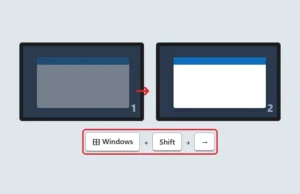
Two monitors with an app window moving from the left screen to the right screen and the keyboard shortcut Windows Shift Right Arrow shown

How to Make a Program Open on a Specific Monitor in Windows

November 17, 2026July 10, 2025 by Kermit Matthews

Make apps open on the monitor you want in Windows 10 and 11 by moving and closing them there, changing the main display, or using a window manager. Continue Reading How to Make a Program Open on a Specific Monitor in Windows

Categories Windows 10
Windows 10 Wireless Network Properties Security tab with the Show characters box checked to reveal the Wi-Fi password

How to Find the Wi-Fi Password on Windows 10

November 13, 2026July 9, 2025 by Kermit Matthews

Open Network and Sharing Center, click your Wi-Fi, then Wireless Properties > Security > Show characters. Or use netsh wlan show profile key=clear. Continue Reading How to Find the Wi-Fi Password on Windows 10

Categories Windows 10
Windows Quick Assist window with the Get help section and the security code entry box highlighted

How to Screen Share on Windows (Meetings, Quick Assist, and TV)

November 18, 2026July 8, 2025 by Kermit Matthews

Screen share on Windows in Teams, Zoom, or Google Meet, get remote help with Quick Assist, or cast your screen to a TV with Windows+K. Continue Reading How to Screen Share on Windows (Meetings, Quick Assist, and TV)

Categories Windows 11
Windows Setup screen with a Command Prompt window opened by Shift plus F10, with the keys and prompt highlighted

How to Open Command Prompt in Windows Setup (Shift + F10)

November 10, 2026July 7, 2025 by Kermit Matthews

Open Command Prompt during Windows 10 or 11 Setup with Shift + F10 or Repair your computer, plus useful commands like diskpart and how to use them safely. Continue Reading How to Open Command Prompt in Windows Setup (Shift + F10)

Categories Windows 11
Windows 10 File Explorer View tab with the Hidden items checkbox highlighted

How to See Hidden Files and Folders in Windows

November 17, 2026July 7, 2025 by Kermit Matthews

Show hidden files and folders in Windows 11 from the View menu or in Windows 10 from Folder Options, find AppData, and reveal hidden folders on a USB drive. Continue Reading How to See Hidden Files and Folders in Windows

Categories Windows 10
Windows File Explorer with an EPS file right-clicked and the Open with menu showing Inkscape, GIMP, and LibreOffice Draw

How to Open an EPS File on Windows

November 10, 2026July 7, 2025 by Kermit Matthews

Install a free app like Inkscape (with Ghostscript), GIMP, or LibreOffice Draw, then use Open with. How to convert EPS to PDF, PNG, or SVG, plus fixes. Continue Reading How to Open an EPS File on Windows

Categories Windows 10, Windows 11
Windows 11 game overlay with the Performance widget open and its pin button highlighted

Remove an FPS Counter Overlay From Games on Windows 11

November 14, 2026July 7, 2025 by Kermit Matthews

Remove an FPS counter from the Windows 11 screen by unpinning the Game Bar Performance widget or turning off NVIDIA, AMD, Steam, or game overlays. Continue Reading Remove an FPS Counter Overlay From Games on Windows 11

Categories Windows 11
Windows Desktop Icon Settings dialog with the Recycle Bin checkbox highlighted and unchecked

How to Hide the Recycle Bin in Windows 11

November 11, 2026July 7, 2025 by Kermit Matthews

Hide the Recycle Bin in Windows 11 from Themes > Desktop icon settings, then open it from File Explorer or pin it to Start or Quick access. Continue Reading How to Hide the Recycle Bin in Windows 11

Categories Windows 11
Windows Activation settings page showing activation status with the Change product key option highlighted

How to Buy Windows 10 (and What to Buy Instead)

November 10, 2026July 7, 2025 by Kermit Matthews

Microsoft no longer sells Windows 10. Here is what to buy instead, how to activate a Windows 11 key, how to avoid fake key sellers, and options for old PCs. Continue Reading How to Buy Windows 10 (and What to Buy Instead)

Categories Windows 10
Windows 7 AutoPlay window for a connected phone with Import pictures and videos using Windows highlighted

How to Transfer Photos From iPhone to a Windows 7 PC

November 10, 2026July 4, 2025 by Kermit Matthews

Transfer photos from an iPhone to a Windows 7 PC with the built-in import tool or DCIM folder, and fix HEIC, missing photos, and connection errors. Continue Reading How to Transfer Photos From iPhone to a Windows 7 PC

Categories iPhone, Windows 7
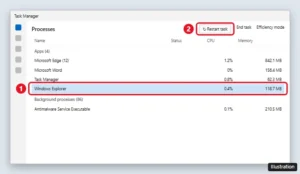
Windows 11 Task Manager Processes page with Windows Explorer selected and the Restart task button highlighted

How to Restart File Explorer in Windows 11

November 13, 2026July 4, 2025 by Kermit Matthews

Restart File Explorer in Windows 11 from Task Manager, with a command, or a one-click shortcut, and bring back a missing taskbar when Explorer crashes. Continue Reading How to Restart File Explorer in Windows 11

Categories Windows 11
Keyboard illustration with the Fn key and the Windows logo key highlighted, and a Win Lock indicator light above the keys

How to Unlock the Windows Key (7 Fixes That Work)

November 10, 2026July 2, 2025 by Kermit Matthews

Windows key not working? Unlock it with Fn + Windows or the Win Lock key, turn off keyboard Game Mode, and check registry settings that disable it. Continue Reading How to Unlock the Windows Key (7 Fixes That Work)

Categories Windows 10, Windows 11
Windows 10 Accounts settings with Family and other users and Add someone else to this PC highlighted

How to Create a Local Account on Windows 10 (4 Methods)

November 18, 2026July 2, 2025 by Kermit Matthews

Create a local account on Windows 10 without a Microsoft account using Settings, Command Prompt, or netplwiz, and make it an administrator. Continue Reading How to Create a Local Account on Windows 10 (4 Methods)

Categories Windows 10
Windows Security Virus and threat protection settings with the Real-time protection switch turned off and Tamper Protection below

How to Temporarily Turn Off Windows Defender in Windows 10

November 18, 2026July 2, 2025 by Kermit Matthews

Turn off Windows Defender in Windows 10 temporarily, add exclusions instead, or let another antivirus take over. Plus how to turn protection back on. Continue Reading How to Temporarily Turn Off Windows Defender in Windows 10

Categories Windows 10
Video editor with a clip on the timeline, the Crop button in the floating toolbar highlighted, and crop handles on the preview

How to Crop a Video on Windows 11 and 10 (Free)

November 14, 2026July 1, 2025 by Kermit Matthews

Crop a video on Windows 11 or 10 for free with Clipchamp, change the aspect ratio for social media, or use Shotcut or FFmpeg for exact pixel crops. Continue Reading How to Crop a Video on Windows 11 and 10 (Free)

Categories Windows 10, Windows 11
Windows 11 right-click Open with menu on an MP4 video file showing Media Player and other apps

How to Play MP4 on Windows 11 (and Fix Files That Won’t Play)

November 18, 2026June 30, 2025 by Kermit Matthews

Play MP4 files on Windows 11 with the built-in Media Player, set a default video app, and fix HEVC files that play sound but no picture. Continue Reading How to Play MP4 on Windows 11 (and Fix Files That Won’t Play)

Categories Windows 11
Windows Control Panel Change your name page with a new account name typed in the box and the Change Name button highlighted

How to Change the Admin Name on Windows 10 (Local and Microsoft Accounts)

November 10, 2026June 30, 2025 by Kermit Matthews

Change the account or admin name on Windows 10 for local accounts, Microsoft accounts, and the built-in Administrator, and what the change affects. Continue Reading How to Change the Admin Name on Windows 10 (Local and Microsoft Accounts)

Categories Windows 10

How to Use Windows Defender: A Beginner’s Guide

November 18, 2026June 27, 2025 by Kermit Matthews

Every Windows 10 and Windows 11 PC comes with free antivirus protection built in. Microsoft now calls it Microsoft Defender Antivirus, though most people still… Continue Reading How to Use Windows Defender: A Beginner’s Guide

Categories Windows 11
Windows 10 File Explorer with files selected, the right-click menu open on Send to, and Compressed (zipped) folder highlighted

How to Zip a Folder in Windows 10 (3 Ways)

November 10, 2026June 23, 2025 by Kermit Matthews

Zip a folder in Windows 10 with Send to > Compressed folder, the Share tab or PowerShell, unzip files, and use 7-Zip for passwords and better compression. Continue Reading How to Zip a Folder in Windows 10 (3 Ways)

Categories Windows 10
Device Manager with Network adapters expanded, a wireless adapter right-clicked and Update driver highlighted in the menu

How to Update Network Drivers in Windows 11

November 17, 2026June 17, 2025 by Kermit Matthews

Update network drivers in Windows 11 with Device Manager, Windows Update optional updates, or the manufacturer site, update offline, and roll back bad drivers. Continue Reading How to Update Network Drivers in Windows 11

Categories Windows 11
Windows 11 Accounts Your info page with the Sign in with a local account instead link highlighted

How to Create a Local Account on Windows 11 During Setup

November 18, 2026June 17, 2025 by Kermit Matthews

Pro: choose work or school setup, then Domain join instead. Home: finish with a Microsoft account, then switch in Settings > Accounts > Your info. Continue Reading How to Create a Local Account on Windows 11 During Setup

Categories Windows 11
Windows 7 Backup and Restore Control Panel with Set up backup and Create a system image highlighted

How to Back Up Windows 7 (Files and System Image)

November 16, 2026June 17, 2025 by Kermit Matthews

Back up a Windows 7 PC with Backup and Restore, create a system image and repair disc, copy files manually, and restore them on a new computer. Continue Reading How to Back Up Windows 7 (Files and System Image)

Categories Windows 7
Windows 10 Virtual Memory dialog with Automatically manage paging file size unchecked and Custom size fields highlighted

How to Create a Virtual Machine in Windows 11 (Hyper-V and Home Options)

November 13, 2026June 16, 2025 by Kermit Matthews

Create a virtual machine in Windows 11 with Hyper-V: enable it, use Quick Create or the wizard, set up TPM for Windows 11 guests, or use VirtualBox on Home. Continue Reading How to Create a Virtual Machine in Windows 11 (Hyper-V and Home Options)

Categories Windows 11
Windows clipboard history panel opened with Windows plus V showing recent copied text and an image, with pin and delete options

How to View the Clipboard on Windows (Clipboard History)

November 11, 2026June 13, 2025 by Kermit Matthews

View clipboard history on Windows 11 and 10 with Windows + V, turn it on, paste earlier items, pin favorites, sync across devices and clear it. Continue Reading How to View the Clipboard on Windows (Clipboard History)

Categories Windows 10, Windows 11
Windows 10 System Restore window listing restore points with one selected and the Scan for affected programs button highlighted

How to Restore Windows 10 to an Earlier Date With System Restore

November 10, 2026June 13, 2025 by Kermit Matthews

Restore Windows 10 to an earlier date with System Restore, even when Windows won’t start, undo a restore, and turn on restore points if none exist. Continue Reading How to Restore Windows 10 to an Earlier Date With System Restore

Categories Windows 10
Windows 11 Personalization Fonts settings with the drag and drop area to install fonts and a list of available fonts

How to Add Fonts in Windows 10 (4 Easy Ways)

November 10, 2026June 10, 2025 by Kermit Matthews

Add fonts in Windows 10 by right-clicking a .ttf or .otf file, dragging it into Settings, or using the Microsoft Store. Fix fonts that do not appear. Continue Reading How to Add Fonts in Windows 10 (4 Easy Ways)

Categories Windows 10
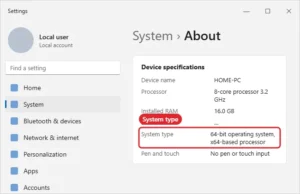
Settings About page showing System type 64-bit operating system, x64-based processor

How to Tell if You Have 64-Bit Windows

November 18, 2026June 9, 2025 by Kermit Matthews

Check System type in Settings > System > About to see if Windows is 64-bit or 32-bit, plus msinfo32 and what the results mean. Continue Reading How to Tell if You Have 64-Bit Windows

Categories Windows 10, Windows 11
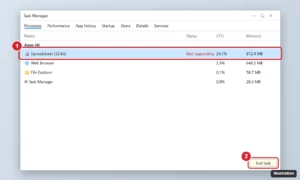
Task Manager Processes tab with a spreadsheet app marked Not responding and the End task button highlighted

How to Force Quit Excel on Windows (and Recover Your Work)

November 15, 2026June 6, 2025 by Kermit Matthews

Force quit a frozen Excel on Windows with Task Manager, Alt+F4 or taskkill, recover unsaved work with AutoRecover, and stop Excel from freezing again. Continue Reading How to Force Quit Excel on Windows (and Recover Your Work)

Categories Excel
Classic Control Panel Programs and Features window listing installed programs with one selected and the Uninstall button in the toolbar highlighted

How to Uninstall Programs on Windows 7

November 10, 2026June 6, 2025 by Kermit Matthews

Uninstall programs on Windows 7: Control Panel > Programs > Uninstall a program, select it, and click Uninstall. Plus fixes for stubborn programs. Continue Reading How to Uninstall Programs on Windows 7

Categories Windows 7
Older posts
Newer posts
← Previous Page1 … Page4 Page5 Page6 … Page30 Next →

Join Our Free Newsletter

Featured guides and deals

You may opt out at any time.
Read our Privacy Policy

Live2Tech

Plain-English, step-by-step guides for the devices and apps you use every day.

Apple

  • iPhone
  • iPad
  • Mac
  • Apple Watch

Windows

  • Windows 11
  • Windows 10

Microsoft Office

  • Word
  • Excel
  • Powerpoint
  • Outlook

Google

  • Google Docs
  • Google Sheets
  • Google Slides
  • Gmail
  • Chrome
  • Google Drive
  • About Us
  • Contact
  • Disclaimer
  • Privacy Policy
© Live2Tech.com 2026
  • iPhone
  • Windows
    • Windows 11
    • Windows 10
  • Office
    • Word
    • Excel
    • Powerpoint
    • Outlook
  • Google
    • Google Docs
    • Google Sheets
    • Google Slides
    • Gmail
    • Chrome
    • Google Drive
  • Mac & Apple
    • Mac
    • iPad
    • Apple Watch
  • All Tutorials