Skip to content
Live2Tech
  • iPhone
  • Windows
    • Windows 11
    • Windows 10
  • Office
    • Word
    • Excel
    • Powerpoint
    • Outlook
  • Google
    • Google Docs
    • Google Sheets
    • Google Slides
    • Gmail
    • Chrome
    • Google Drive
  • Mac & Apple
    • Mac
    • iPad
    • Apple Watch
  • All Tutorials

Microsoft

How-to guides and tutorials to help you perform specific tasks and use products and applications made by Microsoft.

How to Force Quit Adobe on Windows: A Step-by-Step Guide

November 12, 2026April 13, 2026 by Kermit Matthews

Sometimes Adobe programs can get stuck on Windows, and you need to force them to close. To do this quickly, use the Task Manager. Open… Continue Reading How to Force Quit Adobe on Windows: A Step-by-Step Guide

Categories Windows 11

How to Speed Up Laptop Windows 7: Essential Tips and Tricks

November 10, 2026April 13, 2026 by Kermit Matthews

To speed up a laptop running Windows 7, uninstall programs you no longer use from Control Panel, disable non-essential startup programs in Task Manager (Ctrl… Continue Reading How to Speed Up Laptop Windows 7: Essential Tips and Tricks

Categories Windows 7

How to Shut Down Windows With the Keyboard

November 14, 2026April 8, 2026 by Kermit Matthews

On the desktop with no windows open, press Alt + F4, and Windows prompts you to shut down; press Enter with Shut down selected. If… Continue Reading How to Shut Down Windows With the Keyboard

Categories Windows 11
Video meeting app Background and effects settings with Blur highlighted

How to Blur Your Background in Zoom on Windows 10

November 10, 2026April 7, 2026 by Kermit Matthews

Blur your background in the Zoom desktop app on Windows 10 from Background and effects or during a meeting. Continue Reading How to Blur Your Background in Zoom on Windows 10

Categories Windows 10

How to Install and Use Pip on Windows

November 10, 2026April 6, 2026 by Kermit Matthews

Pip is Python’s package installer, and on Windows you rarely need to install it separately: current Python versions from python.org and the Microsoft Store include… Continue Reading How to Install and Use Pip on Windows

Categories Windows 11
Terminal window installing pygame with pip and showing a successful install

How to Install Pygame on Windows 10

November 10, 2026April 3, 2026 by Kermit Matthews

Install pygame on Windows 10 or 11 with py -m pip install pygame, test it with the aliens example, and fix common errors. Continue Reading How to Install Pygame on Windows 10

Categories Windows 10

Windows 11: How to Update Drivers for Optimal Performance

November 10, 2026March 30, 2026 by Kermit Matthews

Updating drivers in Windows 11 is essential for keeping your computer running smoothly. Here’s a quick guide: First, open the Settings app and navigate to… Continue Reading Windows 11: How to Update Drivers for Optimal Performance

Categories Windows 11

How to Screenshot Without Windows Key: Easy Methods Explained

November 10, 2026March 26, 2026 by Kermit Matthews

Taking screenshots on a Windows computer usually involves the Windows key. But what if your Windows key is broken or missing? Don’t worry; you can… Continue Reading How to Screenshot Without Windows Key: Easy Methods Explained

Categories Windows 11
Notepad editing the hosts file with lines that block a website highlighted

How to Block Websites on Windows 10 and Windows 11

November 17, 2026March 26, 2026 by Kermit Matthews

Block websites on Windows 10 or 11 with the hosts file for every browser, or with Microsoft Family Safety for a child account. Continue Reading How to Block Websites on Windows 10 and Windows 11

Categories Windows 10, Windows 11
Task View desktops strip with the New desktop button highlighted

How to Make a New Desktop in Windows

November 10, 2026March 16, 2026 by Kermit Matthews

Create a new virtual desktop in Windows with Windows+Ctrl+D or Task View, New desktop, and switch with Windows+Ctrl+Arrow keys. Continue Reading How to Make a New Desktop in Windows

Categories Windows 11

How to Reinstall Windows 11 Without Losing Apps and Files: A Guide

November 13, 2026March 11, 2026 by Kermit Matthews

Reinstalling Windows 11 without losing your apps and files might sound like a daunting task, but it’s actually quite straightforward. You’ll be using a feature… Continue Reading How to Reinstall Windows 11 Without Losing Apps and Files: A Guide

Categories Windows 11
File Explorer This PC view with an external USB drive highlighted

How to Transfer Files From an External Hard Drive to a PC

November 18, 2026March 10, 2026 by Kermit Matthews

Copy or move files from an external hard drive to a Windows 11 PC with File Explorer or robocopy, then eject safely. Continue Reading How to Transfer Files From an External Hard Drive to a PC

Categories Windows 11

How to Update Windows Photo Viewer: A Step-by-Step Guide

November 12, 2026March 9, 2026 by Kermit Matthews

Updating Windows Photo Viewer can be a bit tricky since Microsoft has shifted towards the Photos app in newer releases. However, for those who still… Continue Reading How to Update Windows Photo Viewer: A Step-by-Step Guide

Categories Windows 11
Command Prompt showing ipconfig output with the IPv4 Address line highlighted

How to Check Your IP Address on Windows 10

November 15, 2026March 4, 2026 by Kermit Matthews

Find your IP address on Windows 10 in Settings or with ipconfig, and learn the difference between your private and public IP. Continue Reading How to Check Your IP Address on Windows 10

Categories Windows 10

How to Increase VRAM in Windows 11: Boost Your Graphics Performance

November 10, 2026March 2, 2026 by Kermit Matthews

If you’re looking to boost your VRAM in Windows 11 to enhance your computer’s graphics performance, you’re in the right place. VRAM, or Video RAM,… Continue Reading How to Increase VRAM in Windows 11: Boost Your Graphics Performance

Categories Windows 11
USB imaging tool with the Image option set to a portable Windows install highlighted

How to Install Windows on an External Hard Drive

November 10, 2026March 2, 2026 by Kermit Matthews

Windows To Go was removed, but you can still run Windows from an external SSD with an imaging tool. Steps and limits. Continue Reading How to Install Windows on an External Hard Drive

Categories Windows 11

How to Wipe an SSD on Windows 10 (Securely)

November 10, 2026February 27, 2026 by Kermit Matthews

The most reliable way to wipe an SSD on Windows 10 is the drive maker’s Secure Erase or Sanitize tool, either in its Windows app… Continue Reading How to Wipe an SSD on Windows 10 (Securely)

Categories Windows 10

How to Root Windows Phones: A Step-by-Step Guide for Enthusiasts
November 10, 2026February 25, 2026 by Kermit Matthews

Rooting a Windows Phone can unlock its full potential, allowing you to customize and optimize your device. While the process can be a bit technical,… Continue Reading How to Root Windows Phones: A Step-by-Step Guide for Enthusiasts

Categories Microsoft

How to Turn On Bluetooth in Windows 11 and 10

November 18, 2026February 24, 2026 by Kermit Matthews

Your headphones, mouse or speaker won’t connect, and the most likely reason is that Bluetooth on the PC is switched off or missing. In Windows… Continue Reading How to Turn On Bluetooth in Windows 11 and 10

Categories Windows 11
Video editor timeline with a clip selected and its trim handle highlighted

How to Trim a Video in Windows 10

November 14, 2026February 24, 2026 by Kermit Matthews

Trim a video on Windows 10 for free with Clipchamp by dragging the clip edges, or bring back the old Photos trim tool with Photos Legacy. Continue Reading How to Trim a Video in Windows 10

Categories Windows 10

How to Disable Windows Search

November 10, 2026February 20, 2026 by Kermit Matthews

To stop Windows Search from indexing, press Windows + R, type services.msc, double-click Windows Search, set Startup type to Disabled, click Stop, and click OK.… Continue Reading How to Disable Windows Search

Categories Windows 11
Taskbar behaviors settings with the Taskbar position drop-down set to Top highlighted

How to Move the Windows Taskbar to the Top, Side or Bottom

November 18, 2026February 19, 2026 by Kermit Matthews

Move the taskbar to the top, left, right or bottom. Windows 11 added a Taskbar position setting in the September 2026 update; Windows 10 always had one. Continue Reading How to Move the Windows Taskbar to the Top, Side or Bottom

Categories Windows 11

How to Check Your GPU (Graphics Card) on Windows 11

November 14, 2026February 16, 2026 by Kermit Matthews

To see which graphics card (GPU) your Windows 11 PC has, press Ctrl+Shift+Esc to open Task Manager, select Performance, and click GPU 0 (and GPU… Continue Reading How to Check Your GPU (Graphics Card) on Windows 11

Categories Windows 11
Windows 11 taskbar app menu with End task and Close window highlighted

How to Close Programs on Windows

November 10, 2026February 2, 2026 by Kermit Matthews

Close programs on Windows with the X button, Alt+F4 or the taskbar, and force-close frozen apps with Task Manager. Continue Reading How to Close Programs on Windows

Categories Windows 11
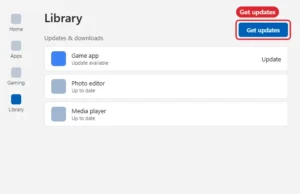
App store Library page with the Get updates button highlighted

How to Update Roblox on Windows

November 17, 2026January 30, 2026 by Kermit Matthews

Roblox updates when you launch it. Update the Microsoft Store version from Library, and fix update loops by reinstalling. Continue Reading How to Update Roblox on Windows

Categories Gaming, Windows 11
Windows 11 Settings Bluetooth and devices Mouse page with the scrolling options highlighted

How to Scroll With an Apple Mouse on Windows 11

November 18, 2026January 14, 2026 by Kermit Matthews

Why an Apple mouse may not scroll in Windows 11, how Boot Camp support software helps on Intel Macs, what works on a regular PC, and Windows scroll settings. Continue Reading How to Scroll With an Apple Mouse on Windows 11

Categories Windows 11
Windows Task View with desktop thumbnails and the New desktop button highlighted

How to Use Multiple Desktops on Windows 10

November 14, 2026January 8, 2026 by Kermit Matthews

Create, switch and close virtual desktops on Windows 10 with Task View and shortcuts like Windows key + Ctrl + D. Continue Reading How to Use Multiple Desktops on Windows 10

Categories Windows 10

How to Allow Minecraft Through Firewall on Windows 10

November 18, 2026December 11, 2025 by Kermit Matthews

If Minecraft multiplayer or a local server is being blocked on Windows 10, allow the legitimate Minecraft or Java application through Microsoft Defender Firewall instead… Continue Reading How to Allow Minecraft Through Firewall on Windows 10

Categories Windows 10

How to Force Close a Browser Tab on Windows

November 17, 2026December 5, 2025 by Kermit Matthews

To close a frozen browser tab on Windows, press Shift + Esc in Chrome or Edge to open the browser’s own task manager, select the… Continue Reading How to Force Close a Browser Tab on Windows

Categories Windows 11
Terminal window running a Python script with the py command

How to Run a Python Script in Windows

November 10, 2026December 5, 2025 by Kermit Matthews

Run a Python script on Windows with py script.py in Terminal, by double-clicking, or from IDLE, with fixes for common errors. Continue Reading How to Run a Python Script in Windows

Categories Windows 11

How to Install Windows 10 on VMware Workstation (Step-by-Step)

November 14, 2026December 3, 2025 by Kermit Matthews

To install Windows 10 on VMware, download a Windows 10 ISO from Microsoft, open VMware Workstation Pro, and create a new virtual machine with File… Continue Reading How to Install Windows 10 on VMware Workstation (Step-by-Step)

Categories Windows 10

How to Add an App to the Desktop in Windows 11

November 18, 2026November 21, 2025 by Kermit Matthews

An app you open every day shouldn’t be three clicks deep in Start. Dragging it out of Start > All onto the desktop makes a… Continue Reading How to Add an App to the Desktop in Windows 11

Categories Windows 11

How to Connect Windows 11 to Wi-Fi

November 13, 2026November 11, 2025 by Kermit Matthews

To connect a Windows 11 PC to Wi-Fi, click the Network, Sound or Battery icon at the right end of the taskbar to open Quick… Continue Reading How to Connect Windows 11 to Wi-Fi

Categories Windows 11
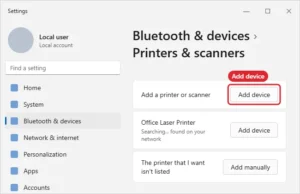
Windows 11 Printers and scanners settings with the Add device button highlighted

Add a USB, Wi-Fi or Bluetooth Printer to Windows 11

November 18, 2026November 11, 2025 by Kermit Matthews

Add a printer in Windows 11 from Printers and scanners, or add it manually by IP address when Windows cannot find it. Continue Reading Add a USB, Wi-Fi or Bluetooth Printer to Windows 11

Categories Windows 11
Windows taskbar input language flyout with two keyboard languages listed

How to Switch Between Keyboard Languages in Windows 10

November 13, 2026November 10, 2025 by Kermit Matthews

Switch keyboard languages in Windows 10 with Windows key + Space or the taskbar, and add or remove keyboard layouts. Continue Reading How to Switch Between Keyboard Languages in Windows 10

Categories Windows 10

How to Eject a Hard Drive on Windows

November 16, 2026November 5, 2025 by Kermit Matthews

Unplugging an external hard drive while Windows is still writing to it can corrupt files or, in rare cases, damage the drive’s file system. Ejecting… Continue Reading How to Eject a Hard Drive on Windows

Categories Windows 11

How to Start Windows Explorer (File Explorer) in Windows 11 and 10

November 17, 2026October 8, 2025 by Kermit Matthews

Press Windows key + E to open File Explorer. If your taskbar and desktop are gone, press Ctrl + Shift + Esc to open Task… Continue Reading How to Start Windows Explorer (File Explorer) in Windows 11 and 10

Categories Windows 11
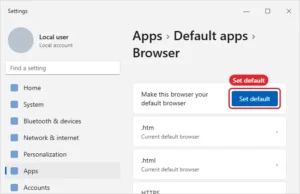
Windows 11 Default apps page for a web browser with the Set default button highlighted

Set Google Chrome as the Default Browser on Windows 11

November 18, 2026September 18, 2025 by Kermit Matthews

Make Chrome your default browser in Windows 11 with Set default, or keep Edge and make Google your search engine. Continue Reading Set Google Chrome as the Default Browser on Windows 11

Categories Chrome, Windows 11
Laptop Recovery Manager window with the System Recovery option to restore factory condition highlighted

How to Factory Reset an HP Laptop With Windows 7: A Step-by-Step Guide

November 10, 2026September 2, 2025 by Kermit Matthews

Factory reset an HP laptop running Windows 7 with HP Recovery Manager and F11, what to do if the recovery partition is gone, and why Windows 7 needs caution. Continue Reading How to Factory Reset an HP Laptop With Windows 7: A Step-by-Step Guide

Categories Windows 7
Windows 11 Mouse settings with the Mouse pointer speed slider highlighted

How to Check Mouse DPI on Windows 11

November 18, 2026September 2, 2025 by Kermit Matthews

Windows 11 does not show mouse DPI. Find it from the maker, its software or a quick test, and how it differs from pointer speed. Continue Reading How to Check Mouse DPI on Windows 11

Categories Windows 11
Windows 10 Reset this PC dialog with the Keep my files and Remove everything options, Remove everything highlighted

How to Format a Windows 10 Laptop (Reset or Clean Install)

November 10, 2026August 29, 2025 by Kermit Matthews

Format a Windows 10 laptop with Reset this PC > Remove everything or a clean USB install, back up first and securely erase before selling. Continue Reading How to Format a Windows 10 Laptop (Reset or Clean Install)

Categories Windows 10
Windows 10 Settings Update and Security Recovery page with the Recovery tab and the Reset this PC Get started button highlighted

How to Do a Factory Reset on Windows 10 (Keep Files or Wipe)

November 17, 2026August 26, 2025 by Kermit Matthews

Factory reset Windows 10 with Reset this PC: choose Keep my files or Remove everything, use Clean data before selling, and reset from recovery if needed. Continue Reading How to Do a Factory Reset on Windows 10 (Keep Files or Wipe)

Categories Windows 10
Disk Defragmenter window listing drives with last run and percent fragmented, and the Analyze disk and Defragment disk buttons highlighted

How to Defrag Windows 7 (and When Not To)

November 10, 2026August 25, 2025 by Kermit Matthews

Defrag Windows 7 with Disk Defragmenter or the defrag command, set the schedule, and learn why SSDs should not be defragmented. Continue Reading How to Defrag Windows 7 (and When Not To)

Categories Windows 7
Terminal running curl.exe commands to fetch headers and download a file

How to Run curl in Windows

November 10, 2026August 20, 2025 by Kermit Matthews

Run curl in Windows 10 and 11 without installing anything: open Terminal and use curl.exe with a URL, plus -o, -L and -I options. Continue Reading How to Run curl in Windows

Categories Windows 11
Video creator studio content list with the options menu open on one of your own uploaded videos and Download highlighted

How to Get Audio From YouTube on Windows (Legitimate Ways)

November 12, 2026August 20, 2025 by Kermit Matthews

Get audio from YouTube legally on Windows: download your own videos in YouTube Studio, use the free Audio Library, or listen offline with YouTube Premium. Continue Reading How to Get Audio From YouTube on Windows (Legitimate Ways)

Categories Windows 10, Windows 11
Disk cloning utility with a source hard drive and a larger target SSD selected, and options to resize partitions and verify the clone

How to Clone a Hard Drive in Windows 10

November 11, 2026August 20, 2025 by Kermit Matthews

Clone a hard drive in Windows 10 with SSD maker software or Clonezilla, swap drives, fix boot problems, and extend partitions after cloning. Continue Reading How to Clone a Hard Drive in Windows 10

Categories Windows 10
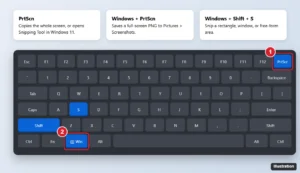
Laptop keyboard illustration highlighting the Print Screen key and the Windows plus Shift plus S shortcut

How to Take a Screenshot on a Dell Laptop or PC (Windows 10 and 11)

November 10, 2026August 19, 2025 by Kermit Matthews

Take a screenshot on a Dell laptop or desktop with PrtScn, Windows+PrtScn, or Windows+Shift+S, find the Print Screen key, and locate saved files. Continue Reading How to Take a Screenshot on a Dell Laptop or PC (Windows 10 and 11)

Categories Windows 10, Windows 11
Word title bar Quick Access Toolbar with the Undo and Redo buttons, Redo highlighted

How to Redo on Windows (Keyboard Shortcuts)

November 10, 2026August 15, 2025 by Kermit Matthews

Redo on Windows with Ctrl + Y, or Ctrl + Shift + Z in some apps. See redo shortcuts for Office, browsers, and File Explorer, plus Repeat. Continue Reading How to Redo on Windows (Keyboard Shortcuts)

Categories Windows 10, Windows 11
Windows 11 style Settings System Activation page with the Switch out of S mode section expanded and the Go to the Store link highlighted

How to Turn Off S Mode in Windows 11 (Free and Permanent)

November 17, 2026August 15, 2025 by Kermit Matthews

Turn off S mode in Windows 11 from Settings > System > Activation and the Microsoft Store, what changes after switching, and how to fix a stuck switch. Continue Reading How to Turn Off S Mode in Windows 11 (Free and Permanent)

Categories Windows 11
Start button right-click menu with Terminal and Terminal (Admin) options

How to Open Terminal on Windows

November 17, 2026August 13, 2025 by Kermit Matthews

Open Windows Terminal with Windows + X, Start search, wt in Run, or Open in Terminal from a folder, and pick PowerShell or Command Prompt. Continue Reading How to Open Terminal on Windows

Categories Windows 11
Older posts
Newer posts
← Previous Page1 … Page3 Page4 Page5 … Page30 Next →

Join Our Free Newsletter

Featured guides and deals

You may opt out at any time.
Read our Privacy Policy

Live2Tech

Plain-English, step-by-step guides for the devices and apps you use every day.

Apple

  • iPhone
  • iPad
  • Mac
  • Apple Watch

Windows

  • Windows 11
  • Windows 10

Microsoft Office

  • Word
  • Excel
  • Powerpoint
  • Outlook

Google

  • Google Docs
  • Google Sheets
  • Google Slides
  • Gmail
  • Chrome
  • Google Drive
  • About Us
  • Contact
  • Disclaimer
  • Privacy Policy
© Live2Tech.com 2026
  • iPhone
  • Windows
    • Windows 11
    • Windows 10
  • Office
    • Word
    • Excel
    • Powerpoint
    • Outlook
  • Google
    • Google Docs
    • Google Sheets
    • Google Slides
    • Gmail
    • Chrome
    • Google Drive
  • Mac & Apple
    • Mac
    • iPad
    • Apple Watch
  • All Tutorials