Skip to content
Live2Tech
  • iPhone
  • Windows
    • Windows 11
    • Windows 10
  • Office
    • Word
    • Excel
    • Powerpoint
    • Outlook
  • Google
    • Google Docs
    • Google Sheets
    • Google Slides
    • Gmail
    • Chrome
    • Google Drive
  • Mac & Apple
    • Mac
    • iPad
    • Apple Watch
  • All Tutorials

Kermit Matthews

Kermit Matthews runs Live2Tech from just outside Philadelphia. He is an IT specialist with over 20 years of experience, from a university help desk to small-business IT, IT management and his own consulting practice, and has written tech guides full time since 2020. Steps are checked against the current software on a real device or the maker's official documentation. More about Kermit.
Dell one-time boot menu opened with F12 showing the UEFI USB drive option and SupportAssist OS Recovery highlighted

How to Install Windows on a Dell Laptop (Windows 11 or 10)

November 13, 2026August 21, 2024 by Kermit Matthews

Install Windows on a Dell laptop from a USB drive using the F12 boot menu, or reinstall with SupportAssist OS Recovery. Plus drivers and activation tips. Continue Reading How to Install Windows on a Dell Laptop (Windows 11 or 10)

Categories Windows 10, Windows 11
Computer monitor with its on-screen menu open on Brightness and Contrast, the Brightness slider at 75 percent highlighted, and the physical buttons on the lower edge

How to Adjust Brightness on a Dell Monitor in Windows 10

November 12, 2026August 21, 2024 by Kermit Matthews

Adjust a Dell monitor’s brightness on Windows 10: use the monitor’s Brightness/Contrast menu, Dell Display Manager, or a free DDC/CI app. Continue Reading How to Adjust Brightness on a Dell Monitor in Windows 10

Categories Windows 10
Windows 10 Settings Apps and features list with a media library app selected and its Uninstall button highlighted

How to Uninstall iTunes on Windows 10 (Complete Removal)

November 10, 2026August 21, 2024 by Kermit Matthews

Uninstall iTunes on Windows 10 from Apps & features, remove Apple support components in the right order, and keep your music library safe. Continue Reading How to Uninstall iTunes on Windows 10 (Complete Removal)

Categories Windows 10
Recovery settings page with the Advanced startup Restart now button

How to Open Advanced Startup Options in Windows 10

November 14, 2026August 21, 2024 by Kermit Matthews

Open Windows 10 Advanced options with Shift + Restart or Settings > Recovery, and use Startup Repair, Safe Mode and other tools. Continue Reading How to Open Advanced Startup Options in Windows 10

Categories Windows 10
Windows Internet Options Advanced tab with the Use TLS 1.2 checkbox checked and highlighted

How to Enable TLS 1.2 on Windows 10

November 10, 2026August 21, 2024 by Kermit Matthews

TLS 1.2 is on by default in Windows 10. If an app needs it, check Internet Options > Advanced, the Schannel registry keys, and .NET Framework settings. Continue Reading How to Enable TLS 1.2 on Windows 10

Categories Windows 10
Windows 10 Settings app Advanced options page for the calculator app with the Repair and Reset buttons highlighted

How to Reinstall Calculator on Windows 10 (4 Ways)

November 10, 2026August 21, 2024 by Kermit Matthews

Reinstall Calculator on Windows 10 from the Microsoft Store, repair or reset it in Settings, or restore it with winget or PowerShell when the Store fails. Continue Reading How to Reinstall Calculator on Windows 10 (4 Ways)

Categories Windows 10

How to Install SQL Server on Windows 10: A Complete Guide

November 17, 2026August 21, 2024 by Kermit Matthews

Learn to install SQL Server on Windows 10 with our comprehensive guide. From prerequisites to configuration, we cover all essential steps for a smooth setup. Continue Reading How to Install SQL Server on Windows 10: A Complete Guide

Categories Windows 10
Lenovo Novo Button Menu with Normal Startup, BIOS Setup, Boot Menu, and System Recovery options and BIOS Setup highlighted

How to Enter the BIOS on a Lenovo Laptop (Windows 10)

November 10, 2026August 21, 2024 by Kermit Matthews

Enter the BIOS on a Lenovo laptop with F2 or Fn + F2, F1 on ThinkPads, the Novo button, or Windows 10 Advanced startup, plus common settings to change. Continue Reading How to Enter the BIOS on a Lenovo Laptop (Windows 10)

Categories Windows 10

How to Stop Games Minimizing on Dual Monitors in Windows 10

November 17, 2026August 21, 2024 by Kermit Matthews

Struggling with games minimizing on dual monitors in Windows 10? Discover effective tips to keep your gaming experience seamless and uninterrupted. Continue Reading How to Stop Games Minimizing on Dual Monitors in Windows 10

Categories Windows 10
File Explorer Pictures folder in Details view sorted by size, with two photos of identical size and date highlighted as likely duplicates

How to Find Duplicate Photos on Windows 10

November 11, 2026August 21, 2024 by Kermit Matthews

Find duplicate photos on Windows 10 by sorting in File Explorer, listing exact copies with a PowerShell hash command, or using a free duplicate finder. Continue Reading How to Find Duplicate Photos on Windows 10

Categories Windows 10
Windows 10 Display settings with monitor 2 selected and the Make this my main display checkbox highlighted

How to Change the Primary Monitor in Windows 10

November 18, 2026August 21, 2024 by Kermit Matthews

Set the primary monitor in Windows 10 from Display settings, identify each screen, fix a main-display checkbox you can’t use, and use Windows + P well. Continue Reading How to Change the Primary Monitor in Windows 10

Categories Windows 10
Desktop music manager app on Windows with songs selected in the library being dragged onto a connected music player listed under Devices

How to Put Music on an iPod Shuffle Without iTunes (Windows 10)

November 12, 2026August 21, 2024 by Kermit Matthews

Put music on an iPod shuffle without iTunes on Windows 10 using MediaMonkey or foobar2000, why drag-and-drop fails, and when iTunes is still needed. Continue Reading How to Put Music on an iPod Shuffle Without iTunes (Windows 10)

Categories Windows 10
Keyboard Manager Remap keys window with Caps Lock mapped to Ctrl and the OK button highlighted

How to Remap a Key on a Windows 10 Keyboard

November 17, 2026August 21, 2024 by Kermit Matthews

Remap keyboard keys in Windows 10 with PowerToys Keyboard Manager, your keyboard software, or a registry tool like SharpKeys. Includes undo steps and fixes. Continue Reading How to Remap a Key on a Windows 10 Keyboard

Categories Windows 10

How to Install Windows 10 Without a Product Key

November 13, 2026August 21, 2024 by Kermit Matthews

Learn how to install Windows 10 without a product key. Follow our step-by-step guide to get your system up and running smoothly and legally. Continue Reading How to Install Windows 10 Without a Product Key

Categories Windows 10
Command Prompt window where a scheduled shutdown is cancelled with the shutdown /a command highlighted, and a notification saying the scheduled shutdown has been cancelled

How to Cancel a Shutdown in Windows 10

November 10, 2026August 21, 2024 by Kermit Matthews

Cancel a pending shutdown in Windows 10: press Windows + R, type shutdown /a and press Enter. Plus a cancel shortcut and update restart fixes. Continue Reading How to Cancel a Shutdown in Windows 10

Categories Windows 10
Windows 10 Display settings with the Display resolution drop-down open and a lower resolution selected with the keyboard focus outline

How to Change Screen Resolution in Windows 10 Using the Keyboard

November 14, 2026August 20, 2024 by Kermit Matthews

Change screen resolution in Windows 10 using only the keyboard, fix a black or out-of-range screen, and zoom shortcuts that avoid blurry resolutions. Continue Reading How to Change Screen Resolution in Windows 10 Using the Keyboard

Categories Windows 10
Windows 10 Programs and Features with Sentinel Agent selected and a passphrase prompt for uninstalling

How to Remove the SentinelOne Agent (IT Approval Needed)

November 18, 2026August 20, 2024 by Kermit Matthews

Remove the SentinelOne Sentinel Agent on Windows 10 from the management console or with the uninstall passphrase, plus what to do if it won’t uninstall. Continue Reading How to Remove the SentinelOne Agent (IT Approval Needed)

Categories Windows 10
Settings Time and Language page with Korean added under Preferred languages and highlighted, and the language indicator in the taskbar showing the Korean input mode

How to Add a Korean Keyboard on Windows 10 and 11

November 14, 2026August 20, 2024 by Kermit Matthews

Add a Korean keyboard in Windows: Settings > Time & Language > Language > Add a language > Korean. Switch with Windows + Space and Right Alt. Continue Reading How to Add a Korean Keyboard on Windows 10 and 11

Categories Windows 10, Windows 11
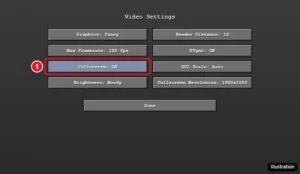
Minecraft Java Edition style Video Settings menu with the Fullscreen option set to ON highlighted

How to Make Minecraft Full Screen on Windows

November 17, 2026August 20, 2024 by Kermit Matthews

Make Minecraft full screen on Windows: F11 in Java Edition per Mojang, the Video settings in Bedrock, and the Windows display fix for black edges or blur. Continue Reading How to Make Minecraft Full Screen on Windows

Categories Gaming, Windows 10
60 percent keyboard layout with the Windows, Shift, and S keys highlighted for the screenshot shortcut

How to Screenshot on a 60% Keyboard in Windows 10 and 11 (No PrtSc Key)

November 17, 2026August 20, 2024 by Kermit Matthews

No Print Screen key? Screenshot on a 60% keyboard in Windows 10 or 11 with Windows+Shift+S, the Fn layer, Snipping Tool, or a PowerToys remap. Continue Reading How to Screenshot on a 60% Keyboard in Windows 10 and 11 (No PrtSc Key)

Categories Windows 10, Windows 11
Registry Editor open to HKEY_CURRENT_USER Control Panel Desktop with the WallPaper value showing the current background image path

How to Find Your Current Wallpaper File in Windows 10

November 11, 2026August 20, 2024 by Kermit Matthews

Find your current desktop background image in Windows 10 using the Registry, the TranscodedWallpaper file, or the Spotlight folder, even for slideshows. Continue Reading How to Find Your Current Wallpaper File in Windows 10

Categories Windows 10
Media player Convert dialog with the Audio MP3 profile and destination file highlighted

How to Convert MP4 to MP3 on Windows 10 (Free Methods)

November 10, 2026August 20, 2024 by Kermit Matthews

Convert MP4 to MP3 on Windows 10 for free with VLC, Audacity, or FFmpeg, choose the right bitrate, and avoid risky online converters. Continue Reading How to Convert MP4 to MP3 on Windows 10 (Free Methods)

Categories Windows 10
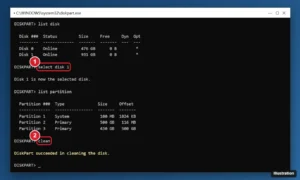
DiskPart window listing disks, selecting disk 1, and running the clean command to remove all partitions

How to Remove All Partitions from a Hard Drive in Windows 10 and 11

November 10, 2026August 20, 2024 by Kermit Matthews

Remove every partition from a hard drive or SSD in Windows 10 or 11 with DiskPart clean or Disk Management, including EFI and recovery partitions. Continue Reading How to Remove All Partitions from a Hard Drive in Windows 10 and 11

Categories Windows 10, Windows 11
Desktop with a yellow sticky note kept on top of a browser window, outlined with an always-on-top border and highlighted, and a keyboard hint for Windows plus Ctrl plus T

How to Make Sticky Notes Stay on Screen in Windows 10

November 10, 2026August 20, 2024 by Kermit Matthews

Keep Sticky Notes on top in Windows 10: use PowerToys Always On Top (Windows + Ctrl + T) or the new Sticky Notes pin and dock options. Continue Reading How to Make Sticky Notes Stay on Screen in Windows 10

Categories Windows 10
YouTube video page in a web browser with the Download button below the video highlighted, available with YouTube Premium

How to Download Music From YouTube on a PC (Legal Ways)

November 12, 2026August 20, 2024 by Kermit Matthews

Download music from YouTube on a Windows 10 PC the legal way with YouTube Premium, get free MP3s from the YouTube Audio Library, or buy songs to keep. Continue Reading How to Download Music From YouTube on a PC (Legal Ways)

Categories Windows 10
Audio editor waveform with a selected region and the Trim button highlighted

How to Trim Audio Files on Windows 10 (Free Methods)

November 12, 2026August 20, 2024 by Kermit Matthews

Trim audio files on Windows 10 for free with Audacity or the built-in Voice Recorder, remove unwanted parts, add fades, and export as MP3 or WAV. Continue Reading How to Trim Audio Files on Windows 10 (Free Methods)

Categories Windows 10
Windows 10 Connect pane opened with Windows + K, showing a streaming player listed as a wireless display

How to Cast Windows 10 to a Roku

November 11, 2026August 20, 2024 by Kermit Matthews

Cast your Windows 10 screen to a Roku with Windows + K after turning on screen mirroring on the Roku. Plus how to extend your screen and fix issues. Continue Reading How to Cast Windows 10 to a Roku

Categories Windows 10

How to Remove McAfee WebAdvisor from Windows 10

November 17, 2026August 20, 2024 by Kermit Matthews

Learn how to easily remove McAfee WebAdvisor from your Windows 10 PC with our step-by-step guide. Enhance your system’s performance by following these simple instructions. Continue Reading How to Remove McAfee WebAdvisor from Windows 10

Categories Windows 10
Settings Update and Security For developers page with the Developer Mode switch turned on and highlighted, and a note about installing apps from any source

How to Enable Developer Mode in Windows 10

November 10, 2026August 20, 2024 by Kermit Matthews

Turn on Developer Mode in Windows 10: Settings > Update & Security > For developers > Developer Mode. What it does, safety and how to turn it off. Continue Reading How to Enable Developer Mode in Windows 10

Categories Windows 10
Windows 10 Internet Protocol Version 4 Properties dialog with a static IP address and an empty Default gateway field highlighted

How to Disable Internet Without Disabling LAN in Windows 10

November 10, 2026August 20, 2024 by Kermit Matthews

Disable internet access without losing your LAN in Windows 10: remove the default gateway, block non-local addresses in Windows Firewall, or delete the route. Continue Reading How to Disable Internet Without Disabling LAN in Windows 10

Categories Windows 10
Laptop UEFI setup utility Configuration tab with the Hotkey Mode option highlighted and set to Disabled

How to Disable the Fn Key on a Lenovo Laptop (Windows 10)

November 17, 2026August 20, 2024 by Kermit Matthews

Use F1-F12 without holding Fn on a Lenovo laptop: toggle Fn Lock with Fn + Esc, or change Hotkey Mode in the BIOS or the Vantage app. Continue Reading How to Disable the Fn Key on a Lenovo Laptop (Windows 10)

Categories Windows 10
A PDF reader with the Fill and Sign toolbar open and the Sign button menu showing Add signature highlighted

How to Sign a PDF Document on Windows 10

November 10, 2026August 19, 2024 by Kermit Matthews

Sign a PDF on Windows 10 for free with Acrobat Reader’s Fill & Sign or Microsoft Edge’s Draw tool. Plus Word, signature images, and digital signatures. Continue Reading How to Sign a PDF Document on Windows 10

Categories Windows 10

How to End All Tasks in Task Manager on Windows 10

November 10, 2026August 19, 2024 by Kermit Matthews

Learn how to efficiently end all tasks in Task Manager on Windows 10. Our step-by-step guide ensures you can quickly close unresponsive apps and free up system resources. Continue Reading How to End All Tasks in Task Manager on Windows 10

Categories Windows 10
SQL Server Management Studio Object Explorer with Databases right-clicked and the Attach option highlighted

How to Open an MDF File in Windows

November 18, 2026August 19, 2024 by Kermit Matthews

An MDF file is a SQL Server database or a disc image. Learn how to tell them apart, attach a database in SSMS or with T-SQL, and what Windows can mount. Continue Reading How to Open an MDF File in Windows

Categories Windows 10
Windows 10 Wi-Fi network properties with Protocol shown as Wi-Fi 6 (802.11ax) highlighted

How to Get Wi-Fi 6 Working on Windows 10

November 18, 2026August 19, 2024 by Kermit Matthews

Enable Wi-Fi 6 on Windows 10: check that your adapter supports 802.11ax, confirm the protocol in Settings, update drivers, and set the wireless mode. Continue Reading How to Get Wi-Fi 6 Working on Windows 10

Categories Windows 10
Generic torrent client Add New Torrent dialog with the save location field and the OK button highlighted

How to Open Torrent Files on Windows 10 (Safely)

November 10, 2026August 19, 2024 by Kermit Matthews

Open .torrent files and magnet links on Windows 10 with a trusted BitTorrent client, choose a save folder, manage downloads, and stay safe. Continue Reading How to Open Torrent Files on Windows 10 (Safely)

Categories Windows 10
Tablet app store page for a video meeting app with the Get button highlighted, and a Join a Meeting screen

How to Extract Multiple ZIP Files at Once in Windows 10 and 11

November 17, 2026August 19, 2024 by Kermit Matthews

Extract multiple ZIP files at once in Windows 10 and 11 with 7-Zip, a one-line PowerShell command, or tar, and handle split archives. Continue Reading How to Extract Multiple ZIP Files at Once in Windows 10 and 11

Categories Windows 10, Windows 11
Event Viewer showing the System log filtered to a BugCheck event 1001 with the stop code details highlighted

How to Check Blue Screen (BSOD) Logs in Windows 10 and 11

November 17, 2026August 19, 2024 by Kermit Matthews

Find blue screen logs in Windows 10 or 11 with Event Viewer, Reliability Monitor, and minidump files, read stop codes, and track down the driver behind a crash. Continue Reading How to Check Blue Screen (BSOD) Logs in Windows 10 and 11

Categories Windows 10, Windows 11
PC one-time boot menu with the UEFI IPv4 network boot option highlighted for PXE booting

How to PXE Boot a Windows 10 PC

November 10, 2026August 19, 2024 by Kermit Matthews

PXE boot a Windows 10 PC: enable network boot in the BIOS, choose UEFI IPv4 in the boot menu, set up a PXE server, and fix common PXE-E errors. Continue Reading How to PXE Boot a Windows 10 PC

Categories Networking, Windows 10
Windows Advanced options screen with UEFI Firmware Settings highlighted, next to the Dell F2 and F12 keys

How to Enter BIOS on a Dell Computer in Windows 10

November 13, 2026August 19, 2024 by Kermit Matthews

Restart your Dell and tap F2 at the logo, or tap F12 and choose BIOS Setup. Or use Windows Advanced startup > UEFI Firmware Settings. Fixes if it fails. Continue Reading How to Enter BIOS on a Dell Computer in Windows 10

Categories Windows 10
Administrator command prompt showing the mbr2gpt validate command succeeding and the convert command completing the MBR to GPT conversion

How to Change Legacy BIOS to UEFI Without Reinstalling Windows 10

November 10, 2026August 19, 2024 by Kermit Matthews

Switch from Legacy BIOS to UEFI without reinstalling Windows 10 by converting the disk with MBR2GPT, then changing the firmware boot mode to UEFI. Continue Reading How to Change Legacy BIOS to UEFI Without Reinstalling Windows 10

Categories Windows 10
Team site document library toolbar with the Sync and Add shortcut buttons highlighted

How to Add SharePoint to File Explorer in Windows 10

November 17, 2026August 19, 2024 by Kermit Matthews

Add SharePoint to File Explorer in Windows 10 by syncing a library with OneDrive or adding a shortcut to My files, plus how to fix sync problems. Continue Reading How to Add SharePoint to File Explorer in Windows 10

Categories Windows 10

How to Check Your Monitor’s Refresh Rate (Hz) in Windows 10

November 14, 2026August 19, 2024 by Kermit Matthews

Learn how to check your monitor’s refresh rate in Windows 10 with our easy, step-by-step guide. Ensure optimal performance and smooth visuals effortlessly! Continue Reading How to Check Your Monitor’s Refresh Rate (Hz) in Windows 10

Categories Windows 10
Windows 10 Settings Battery usage by app page with the time period dropdown and per-app usage highlighted

How to See Screen Time on Windows 10

November 18, 2026August 19, 2024 by Kermit Matthews

Windows 10 has no Screen Time app, but you can see app usage in Battery settings, track kids with Microsoft Family Safety, or check Event Viewer. Continue Reading How to See Screen Time on Windows 10

Categories Windows 10
Windows Security Security processor troubleshooting page with the reason menu and Clear TPM button highlighted

How to Clear the TPM in Windows 10

November 13, 2026August 19, 2024 by Kermit Matthews

Open Windows Security > Device security > Security processor details > troubleshooting and click Clear TPM. What to back up first, including BitLocker keys. Continue Reading How to Clear the TPM in Windows 10

Categories Windows 10
Note-taking app with the Templates pane open showing template categories and the Save current page as a template link highlighted

How to Create a Template in OneNote (and OneNote for Windows 10)

November 10, 2026August 19, 2024 by Kermit Matthews

Create a page template in the OneNote desktop app with Insert > Page Templates, set a default, and use workarounds for OneNote for Windows 10. Continue Reading How to Create a Template in OneNote (and OneNote for Windows 10)

Categories OneNote
Add an optional feature window with RSAT: Server Manager checked and the Install button highlighted

How to Open Server Manager in Windows 10

November 10, 2026August 19, 2024 by Kermit Matthews

Open Server Manager in Windows 10 by installing RSAT: Server Manager from Optional features, then add remote servers to manage from your PC. Continue Reading How to Open Server Manager in Windows 10

Categories Windows 10
Development environment Options dialog on the Debugging Just-In-Time page with Managed, Native and Script code types checked

How to Enable JIT Debugging in Windows 10 and 11

November 13, 2026August 19, 2024 by Kermit Matthews

Enable Just-In-Time debugging in Visual Studio, turn it on for Windows Forms apps, check the AeDebug registry keys, use WinDbg, or turn JIT debugging off. Continue Reading How to Enable JIT Debugging in Windows 10 and 11

Categories Windows 10
Windows 10 Sound settings Input section with the input device menu and the Test your microphone level bar highlighted

How to Test Your Microphone on Windows 10

November 12, 2026August 19, 2024 by Kermit Matthews

Go to Settings > System > Sound, choose your input device, and speak while watching the Test your microphone bar. Listen-back, recording, and fixes. Continue Reading How to Test Your Microphone on Windows 10

Categories Windows 10
Windows 10 Additional troubleshooters page with Search and Indexing and the Run the troubleshooter button highlighted

How to Fix the Search Bar in Windows 10 (9 Fixes That Work)

November 10, 2026August 16, 2024 by Kermit Matthews

Fix a Windows 10 search bar that will not type, shows blank results, or is missing: restart Search, run the troubleshooter, and rebuild the index. Continue Reading How to Fix the Search Bar in Windows 10 (9 Fixes That Work)

Categories Windows 10
Older posts
Newer posts
← Previous Page1 … Page12 Page13 Page14 … Page56 Next →

Join Our Free Newsletter

Featured guides and deals

You may opt out at any time.
Read our Privacy Policy

Live2Tech

Plain-English, step-by-step guides for the devices and apps you use every day.

Apple

  • iPhone
  • iPad
  • Mac
  • Apple Watch

Windows

  • Windows 11
  • Windows 10

Microsoft Office

  • Word
  • Excel
  • Powerpoint
  • Outlook

Google

  • Google Docs
  • Google Sheets
  • Google Slides
  • Gmail
  • Chrome
  • Google Drive
  • About Us
  • Contact
  • Disclaimer
  • Privacy Policy
© Live2Tech.com 2026
  • iPhone
  • Windows
    • Windows 11
    • Windows 10
  • Office
    • Word
    • Excel
    • Powerpoint
    • Outlook
  • Google
    • Google Docs
    • Google Sheets
    • Google Slides
    • Gmail
    • Chrome
    • Google Drive
  • Mac & Apple
    • Mac
    • iPad
    • Apple Watch
  • All Tutorials