Skip to content
Live2Tech
  • iPhone
  • Windows
    • Windows 11
    • Windows 10
  • Office
    • Word
    • Excel
    • Powerpoint
    • Outlook
  • Google
    • Google Docs
    • Google Sheets
    • Google Slides
    • Gmail
    • Chrome
    • Google Drive
  • Mac & Apple
    • Mac
    • iPad
    • Apple Watch
  • All Tutorials

Kermit Matthews

Kermit Matthews runs Live2Tech from just outside Philadelphia. He is an IT specialist with over 20 years of experience, from a university help desk to small-business IT, IT management and his own consulting practice, and has written tech guides full time since 2020. Steps are checked against the current software on a real device or the maker's official documentation. More about Kermit.
Windows 10 Display settings with two monitors arranged, the Identify button, and Make this my main display checkbox highlighted

How to Change Display Numbers in Windows 10 (What Actually Works)

November 18, 2026August 16, 2024 by Kermit Matthews

Windows 10 cannot rename display numbers, but you can rearrange monitors, set the main display, or swap cables to change which screen is 1. Continue Reading How to Change Display Numbers in Windows 10 (What Actually Works)

Categories Windows 10
Task Manager Processes list with Windows Explorer selected and the Restart button highlighted

How to Restart Windows Explorer in Windows 10 and 11

November 13, 2026August 16, 2024 by Kermit Matthews

Restart Windows Explorer from Task Manager to fix a frozen taskbar or desktop, start it again if it closed, or use a command, in Windows 10 and 11. Continue Reading How to Restart Windows Explorer in Windows 10 and 11

Categories Windows 10, Windows 11
Windows 10 desktop with the Show desktop sliver at the far right of the taskbar highlighted and a keyboard shortcut tip

How to Minimize All Windows in Windows 10 (Shortcuts and More)

November 10, 2026August 16, 2024 by Kermit Matthews

Minimize all windows in Windows 10 with Windows+D or Windows+M, the Show desktop button or the taskbar menu, and restore them or keep just one open. Continue Reading How to Minimize All Windows in Windows 10 (Shortcuts and More)

Categories Windows 10
Windows 10 Settings Bluetooth and other devices page with a paired wireless touch mouse listed as Connected and highlighted

How to Scroll With a Magic Mouse on Windows 10

November 10, 2026August 16, 2024 by Kermit Matthews

Scroll with an Apple Magic Mouse on Windows 10: pair it over Bluetooth, install the Boot Camp mouse driver or a third-party driver, and fix connection issues. Continue Reading How to Scroll With a Magic Mouse on Windows 10

Categories Windows 10
Windows Run dialog with the OneDrive reset command typed in and the OK button highlighted

How to Clear OneDrive Cache in Windows 10 and 11 (Reset Guide)

November 12, 2026August 16, 2024 by Kermit Matthews

Clear the OneDrive cache on Windows 10 or 11 with the reset command, fix stuck syncing, and free up space without losing files. Commands for every install type. Continue Reading How to Clear OneDrive Cache in Windows 10 and 11 (Reset Guide)

Categories Windows 10, Windows 11
Windows Setup Where do you want to install screen showing the error that Windows cannot be installed because the selected disk is of the GPT partition style

How to Install Windows 10 on a GPT Partition (Fix the GPT Error)

November 10, 2026August 16, 2024 by Kermit Matthews

Install Windows 10 on a GPT disk by booting the installer in UEFI mode, fix the “selected disk is of the GPT partition style” error, or convert to GPT. Continue Reading How to Install Windows 10 on a GPT Partition (Fix the GPT Error)

Categories Windows 10, Windows 11
Windows 10 File Explorer This PC view with a portable SSD drive listed under Devices and drives and highlighted

How to Use a Samsung T7 SSD on Windows 10: A Step-by-Step Guide

November 10, 2026August 16, 2024 by Kermit Matthews

Use a Samsung T7 SSD on Windows 10: connect it, open it in File Explorer, choose exFAT or NTFS, set up security in Magician, back up files, and fix detection. Continue Reading How to Use a Samsung T7 SSD on Windows 10: A Step-by-Step Guide

Categories Windows 10
File Explorer Options General tab with Open File Explorer to set to This PC and the Privacy checkboxes for recent files and frequent folders cleared

How to Disable Quick Access in Windows 10

November 10, 2026August 16, 2024 by Kermit Matthews

Disable Quick Access in Windows 10: open File Explorer to This PC, hide recent files and folders, clear history, or remove it fully with a registry value. Continue Reading How to Disable Quick Access in Windows 10

Categories Windows 10
Windows recovery Advanced options screen with System Image Recovery highlighted alongside Startup Repair and System Restore

How to Reimage a Computer With Windows 10 (4 Methods)

November 10, 2026August 16, 2024 by Kermit Matthews

Reimage a Windows 10 computer with Reset this PC, a clean USB install, a system image restore, or manufacturer recovery, and choose the right method. Continue Reading How to Reimage a Computer With Windows 10 (4 Methods)

Categories Windows 10
Windows microphone properties Levels tab with the Microphone level slider and Microphone Boost set to 0 dB

How to Hear Yourself on Your Mic in Windows 10

November 11, 2026August 16, 2024 by Kermit Matthews

Hear your own microphone in Windows 10 with Listen to this device in the Sound control panel, and avoid echo and feedback. Continue Reading How to Hear Yourself on Your Mic in Windows 10

Categories Windows 10
Windows 10 Graphics settings with an app Options button and the High performance graphics preference highlighted

How to Change the Default Graphics Card in Windows 10

November 10, 2026August 16, 2024 by Kermit Matthews

Change the default graphics card in Windows 10 with Graphics settings, NVIDIA Control Panel, or AMD Software so apps use your dedicated GPU. Continue Reading How to Change the Default Graphics Card in Windows 10

Categories Windows 10
File Explorer open to the app data folder with the Cache, Code Cache, and GPUCache folders selected and Delete highlighted

How to Clear Discord Cache on Windows 10 and 11 (Plus Mobile and Mac)

November 10, 2026August 16, 2024 by Kermit Matthews

Clear the Discord cache on Windows 10 or 11 to free space and fix loading problems without logging out, plus steps for the browser, Android, iPhone, and Mac. Continue Reading How to Clear Discord Cache on Windows 10 and 11 (Plus Mobile and Mac)

Categories Windows 10, Windows 11
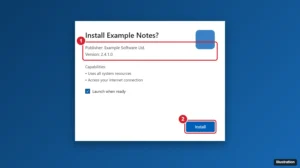
Windows App Installer window for an MSIX package showing the publisher and the Install button highlighted

How to Install an MSIX File on Windows 10 and 11

November 18, 2026August 16, 2024 by Kermit Matthews

Double-click the .msix file and click Install in App Installer, or use Add-AppxPackage in PowerShell. How to fix certificate and dependency errors. Continue Reading How to Install an MSIX File on Windows 10 and 11

Categories Windows 10
Windows shortcut Properties dialog on the Shortcut tab with the Shortcut key field set to Ctrl plus Alt plus N and the OK button highlighted

How to Change Keyboard Shortcuts in Windows 10

November 17, 2026August 16, 2024 by Kermit Matthews

Change keyboard shortcuts in Windows 10: create app shortcut keys, remap keys with PowerToys, change language hot keys, and turn off annoying shortcuts. Continue Reading How to Change Keyboard Shortcuts in Windows 10

Categories Windows 10
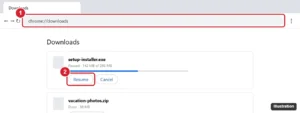
Chrome Downloads page with a paused download and the Resume button highlighted

How to Open a CRDOWNLOAD File in Windows 10

November 14, 2026August 16, 2024 by Kermit Matthews

A CRDOWNLOAD file is an unfinished Chrome download. Resume or retry it from chrome://downloads to get the real file, or delete it safely. Continue Reading How to Open a CRDOWNLOAD File in Windows 10

Categories Chrome, Windows 10
Windows PowerShell showing wsl --list --verbose output and the wsl --unregister Ubuntu command highlighted

How to Uninstall Ubuntu on Windows 10

November 14, 2026August 16, 2024 by Kermit Matthews

Uninstall Ubuntu on Windows 10: unregister and remove the WSL app, turn off WSL, or safely delete a dual-boot Ubuntu partition and boot straight to Windows. Continue Reading How to Uninstall Ubuntu on Windows 10

Categories Windows 10

How to Fix Roblox Crashing on Windows 10

November 10, 2026August 15, 2024 by Kermit Matthews

Learn how to fix Roblox crashing on Windows 10 with our step-by-step guide. From updating drivers to adjusting settings, we cover all the essential solutions. Continue Reading How to Fix Roblox Crashing on Windows 10

Categories Windows 10
File Explorer Downloads folder listing recently downloaded files sorted by date

How to Find Downloads on Windows 10

November 17, 2026August 15, 2024 by Kermit Matthews

Find downloaded files on Windows 10 in File Explorer, the browser downloads list or shell:downloads, and change where downloads are saved. Continue Reading How to Find Downloads on Windows 10

Categories Windows 10
Administrator Command Prompt running powercfg /hibernate off and powercfg /a confirming hibernation is not available

How to Disable Hibernate in Windows 10 (and Free Up Space)

November 18, 2026August 15, 2024 by Kermit Matthews

Disable hibernation in Windows 10 with powercfg /hibernate off to delete hiberfil.sys and free space, or hide the option or shrink the file instead. Continue Reading How to Disable Hibernate in Windows 10 (and Free Up Space)

Categories Windows 10, Windows 11
LaTeX editor on Windows showing a document source on the left, a compiled PDF preview on the right, and the Build and View button highlighted

How to Install LaTeX on Windows 10 (MiKTeX, TeX Live, and Editors)

November 14, 2026August 15, 2024 by Kermit Matthews

Install LaTeX on Windows 10 with MiKTeX or TeX Live, add the TeXstudio or VS Code editor, compile a test document, and fix common errors. Continue Reading How to Install LaTeX on Windows 10 (MiKTeX, TeX Live, and Editors)

Categories Windows 10
Windows Optimize Drives window with a hard disk drive selected and the Optimize button highlighted

How to Defragment a Disk in Windows 10

November 11, 2026August 15, 2024 by Kermit Matthews

Open Defragment and Optimize Drives, select the drive, and click Optimize. Why SSDs get TRIM instead, how to set the schedule, and command line options. Continue Reading How to Defragment a Disk in Windows 10

Categories Windows 10
Windows 10 Settings Ease of Access Narrator page with the Use Narrator toggle and the shortcut key checkbox highlighted

How to Turn Off Text-to-Speech in Windows 10

November 10, 2026August 15, 2024 by Kermit Matthews

Turn off text-to-speech in Windows 10: press Windows + Ctrl + Enter to stop Narrator, then disable its shortcut in Settings. Plus Edge and Word Read aloud. Continue Reading How to Turn Off Text-to-Speech in Windows 10

Categories Windows 10
Command Prompt running diskpart commands to prepare a USB drive for a bootable installer

How to Make a Bootable Windows 10 USB Using CMD (diskpart)

November 14, 2026August 15, 2024 by Kermit Matthews

Create a bootable Windows 10 USB with diskpart in Command Prompt, copy the ISO files, and split install.wim when it is larger than 4 GB. Continue Reading How to Make a Bootable Windows 10 USB Using CMD (diskpart)

Categories Windows 10
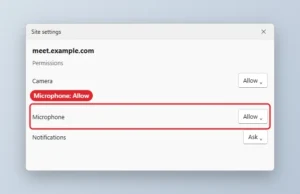
Browser site settings with the Microphone permission set to Allow

How to Allow Microphone Access in Chrome on Windows 10 and 11

November 18, 2026August 15, 2024 by Kermit Matthews

Allow microphone access in Chrome: set the site permission to Allow, pick the right mic, and turn on microphone access in Windows privacy settings. Continue Reading How to Allow Microphone Access in Chrome on Windows 10 and 11

Categories Chrome
Windows 10 Settings Change data formats page with the Short time dropdown open and the 24-hour H:mm format highlighted

How to Set 24-Hour Time on Windows 10

November 17, 2026August 15, 2024 by Kermit Matthews

Set 24-hour time on Windows 10 in Settings > Region > Change data formats or Control Panel, use HH:mm formats, and switch back to 12-hour time. Continue Reading How to Set 24-Hour Time on Windows 10

Categories Windows 10
Command Prompt showing ipconfig and arp -a output listing IP addresses and physical addresses of devices on the local network

How to See All IP Addresses on Your Network in Windows 10

November 15, 2026August 15, 2024 by Kermit Matthews

See all IP addresses on your network from Windows 10 with arp -a, a ping sweep, your router admin page, File Explorer, or a free network scanner. Continue Reading How to See All IP Addresses on Your Network in Windows 10

Categories Windows 10
Windows 10 Recycle Bin window with a deleted file selected and the Restore the selected items button highlighted on the Manage tab

How to Access the Recycle Bin in Windows 10

November 17, 2026August 15, 2024 by Kermit Matthews

Open the Recycle Bin in Windows 10 from the desktop, Run box, or File Explorer, bring back a missing icon, restore deleted files, and empty it safely. Continue Reading How to Access the Recycle Bin in Windows 10

Categories Windows 10
Windows 10 Display settings with the Display resolution menu open and 1920 Ă— 1080 (Recommended) highlighted

How to Change the Resolution in Windows 10 to 1920 Ă— 1080

November 14, 2026August 15, 2024 by Kermit Matthews

Change the resolution in Windows 10 to 1920 × 1080 in Display settings, and fix it when 1080p isn’t listed by updating drivers or checking your cable. Continue Reading How to Change the Resolution in Windows 10 to 1920 × 1080

Categories Windows 10
Task Manager Performance tab with Memory selected, showing the usage graph, memory composition bar, in use and available amounts, speed and slots used

How to Check Memory (RAM) on Windows 10

November 10, 2026August 14, 2024 by Kermit Matthews

Check RAM on Windows 10 in Task Manager and Settings, see which apps use the most memory, find speed and free slots, and test memory for errors. Continue Reading How to Check Memory (RAM) on Windows 10

Categories Windows 10
Print Pictures dialog for several extracted images with the printer set to Print to PDF and highlighted, a full page photo layout and the Print button

How to Convert a ZIP File to PDF in Windows 10

November 10, 2026August 14, 2024 by Kermit Matthews

Turn a ZIP file into a PDF on Windows 10: extract it, then print images to Microsoft Print to PDF or save documents as PDF. Plus merging tips. Continue Reading How to Convert a ZIP File to PDF in Windows 10

Categories Windows 10

How to Make Google Your Homepage on Windows 10 (Edge, Chrome, Firefox)

November 18, 2026August 14, 2024 by Kermit Matthews

Discover how to set Google as your homepage on Windows 10 with our easy, step-by-step guide. Enhance your browsing experience in just a few simple clicks! Continue Reading How to Make Google Your Homepage on Windows 10 (Edge, Chrome, Firefox)

Categories Windows 10
Windows 10 File Explorer This PC view with a 2 TB external hard drive listed under Devices and drives and highlighted

How to Install a Seagate External Hard Drive on Windows 10

November 10, 2026August 14, 2024 by Kermit Matthews

Set up a Seagate external hard drive on Windows 10: plug it in, open it in This PC, format if needed, use it for backups, and fix a drive that does not appear. Continue Reading How to Install a Seagate External Hard Drive on Windows 10

Categories Windows 10
Windows 11 Setup media tool with USB flash drive selected and the Next button highlighted

How to Enable USB Blocked by Group Policy in Windows 10

November 15, 2026August 14, 2024 by Kermit Matthews

Enable USB storage blocked by Group Policy in Windows 10: turn off Removable Storage Access and device installation policies, or fix the USBSTOR registry value. Continue Reading How to Enable USB Blocked by Group Policy in Windows 10

Categories Windows 10
Windows 10 desktop with a solid teal background and a gray classic-style taskbar with a Start button highlighted

How to Make Windows 10 Look Like Windows 95

November 18, 2026August 14, 2024 by Kermit Matthews

Make Windows 10 look like Windows 95 with a teal background, fewer effects, and free apps like RetroBar and Open-Shell for a classic taskbar and Start menu. Continue Reading How to Make Windows 10 Look Like Windows 95

Categories Windows 10
Task Manager Processes tab sorted by the Memory column with the highest memory app highlighted

How to Lower RAM Usage in Windows 10 (8 Effective Fixes)

November 14, 2026August 14, 2024 by Kermit Matthews

Lower RAM usage in Windows 10: find memory-hungry apps in Task Manager, trim browser tabs and startup apps, fix memory leaks, and know when to add RAM. Continue Reading How to Lower RAM Usage in Windows 10 (8 Effective Fixes)

Categories Windows 10
Flash emulator desktop app window with the Open a file button and an SWF file playing

How to Play SWF Files on Windows 10 (After Flash)

November 10, 2026August 14, 2024 by Kermit Matthews

Flash Player no longer works, but you can still play SWF files on Windows 10 with the free Ruffle emulator or Flashpoint Archive. Here’s how. Continue Reading How to Play SWF Files on Windows 10 (After Flash)

Categories Windows 10
Web browser Settings About page showing the current version number and update status, the version line highlighted

How to Downgrade Chrome on Windows 10 (Safely)

November 18, 2026August 14, 2024 by Kermit Matthews

Downgrade Chrome on Windows 10 safely: fix update problems first, use the official rollback policy on managed PCs, and avoid risky old installers. Continue Reading How to Downgrade Chrome on Windows 10 (Safely)

Categories Windows 10

How to See Uptime in Windows 10 (4 Ways)

November 10, 2026August 14, 2024 by Kermit Matthews

Learn how to check your Windows 10 system uptime with this easy step-by-step guide. Discover how long your PC has been running in just a few clicks! Continue Reading How to See Uptime in Windows 10 (4 Ways)

Categories Windows 10
Windows recovery Advanced options screen with the Command Prompt tile highlighted

How to Open Command Prompt Before Windows Starts

November 17, 2026August 13, 2024 by Kermit Matthews

You cannot run CMD inside the BIOS, but you can open Command Prompt before Windows starts from Advanced startup, Automatic Repair, or a Windows USB drive. Continue Reading How to Open Command Prompt Before Windows Starts

Categories Windows 10
Windows 10 Set up OneDrive window with the email address box and Sign in button highlighted

How to Sign In to OneDrive on Windows 10 (and Fix Sign-In Problems)

November 17, 2026August 13, 2024 by Kermit Matthews

Sign in to OneDrive on Windows 10, check that it is working, switch to a different account, and fix OneDrive when it will not let you sign in. Continue Reading How to Sign In to OneDrive on Windows 10 (and Fix Sign-In Problems)

Categories Windows 10
Keyboard remapping utility with the Remap keys window mapping Caps Lock to Ctrl and Scroll Lock to Mute

How to Change Keybinds on Windows 10 and 11

November 10, 2026August 13, 2024 by Kermit Matthews

Change keybinds on Windows 10 with PowerToys Keyboard Manager, built-in shortcut settings, keyboard software, in-game controls or a registry Scancode Map. Continue Reading How to Change Keybinds on Windows 10 and 11

Categories Windows 10
Windows 10 Display settings with the scale and display resolution set to their Recommended values highlighted

How to Reset Display Settings in Windows 10

November 18, 2026August 13, 2024 by Kermit Matthews

Reset Windows 10 display settings: set scale and resolution to Recommended, turn off custom scaling and Night light, and restart the graphics driver. Continue Reading How to Reset Display Settings in Windows 10

Categories Windows 10
Windows 10 Setup Media Creation Tool Choose which media to use screen with USB flash drive selected

How to Download Windows 10 Onto a USB Drive

November 10, 2026August 13, 2024 by Kermit Matthews

Download Windows 10 onto a USB drive with Microsoft’s Media Creation Tool or Rufus, make it bootable, and fix common Media Creation Tool errors. Continue Reading How to Download Windows 10 Onto a USB Drive

Categories Windows 10
Game settings screen in Bedrock Edition with the Show Coordinates toggle highlighted and coordinates shown in the corner

How to See Coordinates in Minecraft on Windows 10

November 14, 2026August 13, 2024 by Kermit Matthews

See coordinates in Minecraft on Windows 10: turn on Show Coordinates in Bedrock settings, or press F3 in Java Edition. Plus what X, Y, and Z mean. Continue Reading How to See Coordinates in Minecraft on Windows 10

Categories Windows 10
File Explorer showing the phone Internal Storage DCIM folders selected and the external drive in the navigation pane highlighted as the copy destination

How to Transfer Photos from iPhone to an External Hard Drive on Windows 10

November 10, 2026August 13, 2024 by Kermit Matthews

Transfer iPhone photos to an external hard drive on Windows 10 with File Explorer, the Photos app, or iCloud, and avoid HEIC compatibility issues. Continue Reading How to Transfer Photos from iPhone to an External Hard Drive on Windows 10

Categories Windows 10
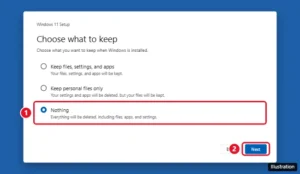
Windows Setup Choose what to keep screen with the Nothing option selected for a clean install

How to Install Windows Without a USB Drive

November 12, 2026August 13, 2024 by Kermit Matthews

Reinstall Windows 10 or 11 without a USB drive using Reset this PC, a mounted ISO, or the Installation Assistant, plus why a phone usually cannot help. Continue Reading How to Install Windows Without a USB Drive

Categories Windows 10, Windows 11
Windows Remote Desktop Connection window with the Computer box and the Connect button highlighted

How to Use Remote Desktop on Windows 10 Home

November 10, 2026August 13, 2024 by Kermit Matthews

Windows 10 Home can connect to other PCs with mstsc but cannot be a Remote Desktop host. How to connect out, plus free options like Quick Assist. Continue Reading How to Use Remote Desktop on Windows 10 Home

Categories Windows 10

How to Resize a Partition in Windows 10

November 10, 2026August 13, 2024 by Kermit Matthews

Learn how to easily resize partitions in Windows 10 with our step-by-step guide. Master adjusting disk space and optimize your storage efficiently. Continue Reading How to Resize a Partition in Windows 10

Categories Windows 10
Terminal window connecting to a single-board computer with the ssh command and accepting the host key

How to SSH Into a Raspberry Pi From Windows 10

November 14, 2026August 13, 2024 by Kermit Matthews

Enable SSH on a Raspberry Pi, find its address, and connect from Windows 10 PowerShell with the built-in OpenSSH client. Continue Reading How to SSH Into a Raspberry Pi From Windows 10

Categories Windows 10
Keyboard remapping utility with the Windows key mapped to Disable, and OK button highlighted

How to Disable the Windows Key in Windows 10

November 10, 2026August 13, 2024 by Kermit Matthews

Disable the Windows key in Windows 10 with a keyboard Win Lock, PowerToys Keyboard Manager, a Scancode Map registry value, or block only its shortcuts. Continue Reading How to Disable the Windows Key in Windows 10

Categories Windows 10
Older posts
Newer posts
← Previous Page1 … Page13 Page14 Page15 … Page56 Next →

Join Our Free Newsletter

Featured guides and deals

You may opt out at any time.
Read our Privacy Policy

Live2Tech

Plain-English, step-by-step guides for the devices and apps you use every day.

Apple

  • iPhone
  • iPad
  • Mac
  • Apple Watch

Windows

  • Windows 11
  • Windows 10

Microsoft Office

  • Word
  • Excel
  • Powerpoint
  • Outlook

Google

  • Google Docs
  • Google Sheets
  • Google Slides
  • Gmail
  • Chrome
  • Google Drive
  • About Us
  • Contact
  • Disclaimer
  • Privacy Policy
© Live2Tech.com 2026
  • iPhone
  • Windows
    • Windows 11
    • Windows 10
  • Office
    • Word
    • Excel
    • Powerpoint
    • Outlook
  • Google
    • Google Docs
    • Google Sheets
    • Google Slides
    • Gmail
    • Chrome
    • Google Drive
  • Mac & Apple
    • Mac
    • iPad
    • Apple Watch
  • All Tutorials