Skip to content
Live2Tech
  • iPhone
  • Windows
    • Windows 11
    • Windows 10
  • Office
    • Word
    • Excel
    • Powerpoint
    • Outlook
  • Google
    • Google Docs
    • Google Sheets
    • Google Slides
    • Gmail
    • Chrome
    • Google Drive
  • Mac & Apple
    • Mac
    • iPad
    • Apple Watch
  • All Tutorials

Apple

How-to guides and tutorials to help you perform specific tasks and use various Apple electronic devices.

Phone browser tab overview with the Private tab group highlighted

How to Use Private Browsing on iPhone

November 10, 2026March 19, 2015 by Kermit Matthews

Open private tabs in Safari on iPhone from the Tabs view, lock them with Face ID, and learn what Private Browsing does and does not hide. Continue Reading How to Use Private Browsing on iPhone

Categories iPhone Tags ios 8, iphone
Phone Control Center with the flashlight brightness control expanded into a tall four-level slider, with the level highlighted and the flashlight icon below

How to Use the Flashlight on iPhone (Every Quick Way)

November 10, 2026January 30, 2014 by Kermit Matthews

Turn on the iPhone flashlight from Control Center, the Lock Screen, Siri, the Action button or Back Tap, adjust brightness and fix a grayed-out button. Continue Reading How to Use the Flashlight on iPhone (Every Quick Way)

Categories iPhone Tags iphone 5
how to delete a recorded video on the iphone 5

How to Delete a Video on the iPhone

November 10, 2026December 19, 2013 by Kermit Matthews

This article contains affiliate links. If you buy through one of them, Live2Tech may earn a commission at no extra cost to you. As an… Continue Reading How to Delete a Video on the iPhone
Categories iPhone Tags ios 7, iphone 5
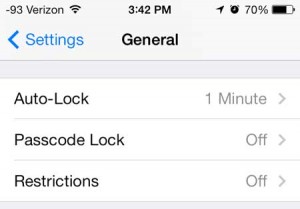
how to disable the screen from automatically shutting off on the iphone 5

How to Prevent Your iPhone 5 Screen From Automatically Turning Off

November 10, 2026December 6, 2013 by Kermit Matthews

This article contains affiliate links. If you buy through one of them, Live2Tech may earn a commission at no extra cost to you. As an… Continue Reading How to Prevent Your iPhone 5 Screen From Automatically Turning Off
Categories iPhone Tags ios 7, iphone 5
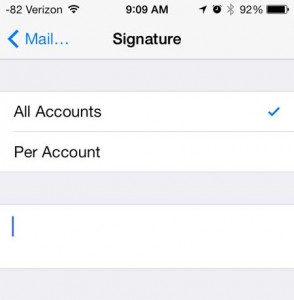
how to delete the sent from my iphone signature on emails

Removing Sent From My iPhone Signature from Emails

April 27, 2023November 27, 2013 by Kermit Matthews

This article contains affiliate links. If you buy through one of them, Live2Tech may earn a commission at no extra cost to you. As an… Continue Reading Removing Sent From My iPhone Signature from Emails
Categories iPhone Tags ios 7, iphone
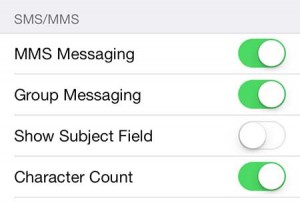
how to enable picture and video messages on the iphone 5

How to Turn On MMS Picture Messaging on iPhone

November 17, 2026November 23, 2013 by Kermit Matthews

This article contains affiliate links. If you buy through one of them, Live2Tech may earn a commission at no extra cost to you. As an… Continue Reading How to Turn On MMS Picture Messaging on iPhone
Categories iPhone Tags ios 7, iphone 5
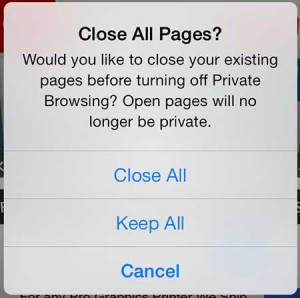
how to end a private browsing session in ios 7

How to Turn Off Private Browsing on iPhone

November 16, 2026November 11, 2013 by Kermit Matthews

This article contains affiliate links. If you buy through one of them, Live2Tech may earn a commission at no extra cost to you. As an… Continue Reading How to Turn Off Private Browsing on iPhone
Categories iPhone Tags iphone 5
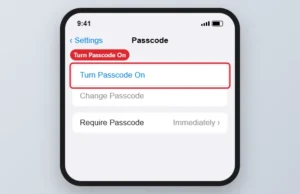
Passcode settings with Turn Passcode On highlighted

How to Require a Passcode to Unlock an iPhone

November 17, 2026November 9, 2013 by Kermit Matthews

Set a passcode on an iPhone 5 in Settings, Passcode, Turn Passcode On, and set Require Passcode to Immediately for the best protection. Continue Reading How to Require a Passcode to Unlock an iPhone
Categories iPhone Tags iphone 5
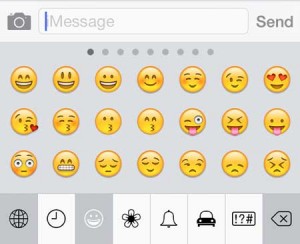
how to add emoji to the iphone 5

How to Add the Emoji Keyboard on iPhone

November 17, 2026November 7, 2013 by Kermit Matthews

This article contains affiliate links. If you buy through one of them, Live2Tech may earn a commission at no extra cost to you. As an… Continue Reading How to Add the Emoji Keyboard on iPhone
Categories iPhone Tags iphone 5
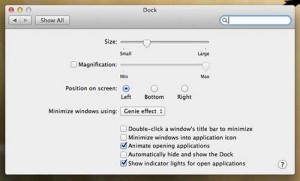
Select your dock location

How to Change the Dock Position in Mac OS X 10.8

October 20, 2026March 10, 2013 by Kermit Matthews

This article contains affiliate links. If you buy through one of them, Live2Tech may earn a commission at no extra cost to you. As an… Continue Reading How to Change the Dock Position in Mac OS X 10.8
Categories MacBook Air
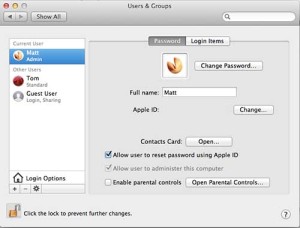
Click the Change Password button

How to Change the User Password on the MacBook Air

November 17, 2026March 7, 2013 by Kermit Matthews

This article contains affiliate links. If you buy through one of them, Live2Tech may earn a commission at no extra cost to you. As an… Continue Reading How to Change the User Password on the MacBook Air

Categories MacBook Air
Phone with a Home button showing the top Sleep/Wake button and the Home button highlighted, with a screenshot thumbnail in the corner

How to Take a Screenshot on Any iPhone

November 13, 2026March 4, 2013 by Kermit Matthews

Take a screenshot on an iPhone 5 by pressing the top and Home buttons together. See the buttons for every iPhone, where screenshots go, and fixes. Continue Reading How to Take a Screenshot on Any iPhone
Categories iPhone
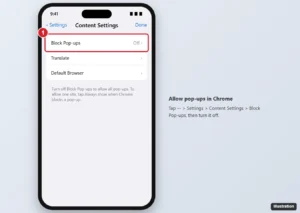
Chrome app on iPhone Content Settings screen with Block Pop-ups highlighted

How to Stop Blocking Pop-ups in the Chrome iPhone App

November 10, 2026December 29, 2012 by Kermit Matthews

In Chrome, tap More > Settings > Content Settings > Block Pop-ups and turn it off, or tap Always show for one site. Safari steps and safety tips too. Continue Reading How to Stop Blocking Pop-ups in the Chrome iPhone App
Categories Chrome, iPhone
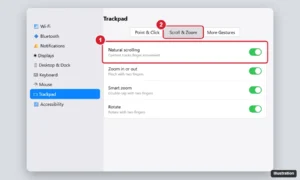
Laptop System Settings Trackpad pane on the Scroll and Zoom tab with the Natural scrolling switch highlighted

How to Change Scrolling Direction and Speed on a MacBook Air

November 10, 2026December 20, 2012 by Kermit Matthews

Change scrolling on a MacBook Air: turn natural scrolling off or on, adjust trackpad and mouse scroll speed, and always show scroll bars. Continue Reading How to Change Scrolling Direction and Speed on a MacBook Air
Categories Mac, MacBook Air
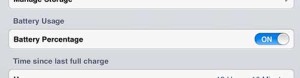
how to display battery percentage on the ipad 2

How to Display Battery Percentage on Your iPad 2

November 10, 2026December 16, 2012 by Kermit Matthews

One of the key elements of the iOS operating system that is on your iPad 2 is the minimalistic approach that is taken in deciding… Continue Reading How to Display Battery Percentage on Your iPad 2
Categories iPad
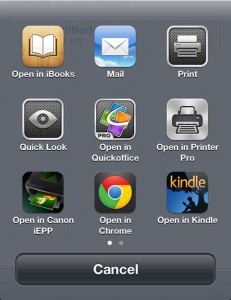
how to open a mail pdf in the ibooks app

How to Open a PDF in an iPhone Mail Message Using iBooks

November 17, 2026December 11, 2012 by Kermit Matthews

Smartphones are making it easier and easier to get an experience similar to the one that you find on your laptop or desktop computer. A… Continue Reading How to Open a PDF in an iPhone Mail Message Using iBooks

Categories iPhone
how to download purchased tv episodes to oyur ipad 2

How to Download a Purchased TV Show to Your iPad 2

November 14, 2026December 9, 2012 by Kermit Matthews

This article contains affiliate links. If you buy through one of them, Live2Tech may earn a commission at no extra cost to you. As an… Continue Reading How to Download a Purchased TV Show to Your iPad 2
Categories iPad
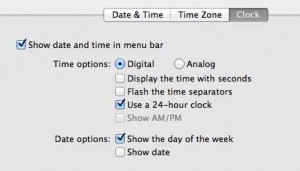
how to use a 24 hour clock on your macbook air

How to Use a 24-Hour Clock on Your MacBook Air

November 10, 2026December 4, 2012 by Kermit Matthews

Depending upon your current location, personal preferences or current state of mind, you might want to display your clock in a different way than Apple… Continue Reading How to Use a 24-Hour Clock on Your MacBook Air

Categories MacBook Air
Newer posts
← Previous Page1 … Page14 Page15

Join Our Free Newsletter

Featured guides and deals

You may opt out at any time.
Read our Privacy Policy

Live2Tech

Plain-English, step-by-step guides for the devices and apps you use every day.

Apple

  • iPhone
  • iPad
  • Mac
  • Apple Watch

Windows

  • Windows 11
  • Windows 10

Microsoft Office

  • Word
  • Excel
  • Powerpoint
  • Outlook

Google

  • Google Docs
  • Google Sheets
  • Google Slides
  • Gmail
  • Chrome
  • Google Drive
  • About Us
  • Contact
  • Disclaimer
  • Privacy Policy
© Live2Tech.com 2026
  • iPhone
  • Windows
    • Windows 11
    • Windows 10
  • Office
    • Word
    • Excel
    • Powerpoint
    • Outlook
  • Google
    • Google Docs
    • Google Sheets
    • Google Slides
    • Gmail
    • Chrome
    • Google Drive
  • Mac & Apple
    • Mac
    • iPad
    • Apple Watch
  • All Tutorials