Skip to content
Live2Tech
  • iPhone
  • Windows
    • Windows 11
    • Windows 10
  • Office
    • Word
    • Excel
    • Powerpoint
    • Outlook
  • Google
    • Google Docs
    • Google Sheets
    • Google Slides
    • Gmail
    • Chrome
    • Google Drive
  • Mac & Apple
    • Mac
    • iPad
    • Apple Watch
  • All Tutorials

Kermit Matthews

Kermit Matthews runs Live2Tech from just outside Philadelphia. He is an IT specialist with over 20 years of experience, from a university help desk to small-business IT, IT management and his own consulting practice, and has written tech guides full time since 2020. Steps are checked against the current software on a real device or the maker's official documentation. More about Kermit.

How to Reinstall Windows from BIOS: A Step-by-Step Guide

November 13, 2026June 5, 2026 by Kermit Matthews

Reinstalling Windows from the BIOS might sound like a tech challenge, but it’s easier than you think. First, you’ll need a bootable USB with Windows… Continue Reading How to Reinstall Windows from BIOS: A Step-by-Step Guide

Categories Windows 11

How to Boot Into Safe Mode on Windows 11 and Windows 10

November 14, 2026June 5, 2026 by Kermit Matthews

Safe Mode is what you reach for when a bad driver, a broken update or a misbehaving app keeps Windows from working normally. If the… Continue Reading How to Boot Into Safe Mode on Windows 11 and Windows 10

Categories Windows 11

How to Turn Off Administrator Permission in Windows 11: A Guide

November 10, 2026June 4, 2026 by Kermit Matthews

Turning off Administrator permission in Windows 11 can be a handy way to streamline your computing experience. By adjusting just a few settings, you can… Continue Reading How to Turn Off Administrator Permission in Windows 11: A Guide

Categories Windows 11

How to Screenshot on Windows Surface Pro: A Step-by-Step Guide

November 10, 2026June 4, 2026 by Kermit Matthews

Capturing a screenshot on your Windows Surface Pro is a breeze once you know the ropes. Whether you’re preserving a funny meme, saving important information,… Continue Reading How to Screenshot on Windows Surface Pro: A Step-by-Step Guide

Categories Windows 11

How to Factory Reset Windows Without a Password (Windows 11 and 10)

November 14, 2026June 4, 2026 by Kermit Matthews

Can’t sign in to a Windows 11 or Windows 10 PC, and you’re ready to wipe it because you’re selling it or the password is… Continue Reading How to Factory Reset Windows Without a Password (Windows 11 and 10)

Categories Windows 11

How to Change PC Name in Windows 11: A Simple Step-by-Step Guide

November 10, 2026June 3, 2026 by Kermit Matthews

Changing your PC name in Windows 11 is a simple task that can help personalize your computer or make it easier to identify on a… Continue Reading How to Change PC Name in Windows 11: A Simple Step-by-Step Guide

Categories Windows 11

How to Change Default Microphone Windows 11: Step-by-Step Guide

November 10, 2026June 3, 2026 by Kermit Matthews

Switching the default microphone in Windows 11 is a straightforward process that helps ensure your voice is heard crystal clear during calls or recordings. You’ll… Continue Reading How to Change Default Microphone Windows 11: Step-by-Step Guide

Categories Windows 11

How to Transfer Files to a Flash Drive in Windows 11

November 16, 2026June 3, 2026 by Kermit Matthews

Copying files to a flash drive in Windows 11 takes File Explorer and a free USB port, and ejecting the drive before you pull it… Continue Reading How to Transfer Files to a Flash Drive in Windows 11

Categories Windows 11

How to Create Windows 10 Bootable USB on Mac: A Step-by-Step Guide

November 10, 2026June 2, 2026 by Kermit Matthews

Creating a Windows 10 bootable USB on a Mac might sound tricky, but it’s actually pretty straightforward. All you need is a downloaded Windows 10… Continue Reading How to Create Windows 10 Bootable USB on Mac: A Step-by-Step Guide

Categories Mac
Windows 11 Windows Update settings with Pause updates and the Pick a date option highlighted

How to Stop a Windows 11 Update in Progress

November 10, 2026June 2, 2026 by Kermit Matthews

Stop a Windows 11 update that is downloading or installing with Pause updates, and when it is not safe to interrupt one. Continue Reading How to Stop a Windows 11 Update in Progress

Categories Windows 11

How to Turn on Hardware Acceleration in Windows 11: A Guide

November 10, 2026June 2, 2026 by Kermit Matthews

Turning on hardware acceleration in Windows 11 can enhance your computer’s performance by offloading tasks to your GPU. By enabling this feature, you’ll notice smoother… Continue Reading How to Turn on Hardware Acceleration in Windows 11: A Guide

Categories Windows 11

How to Login Without Password in Windows 10

November 10, 2026June 1, 2026 by Kermit Matthews

To sign in to Windows 10 automatically, press Windows + R, type netplwiz, and press Enter. Select your account, uncheck Users must enter a user… Continue Reading How to Login Without Password in Windows 10

Categories Windows 10
Event Viewer Filter Current Log dialog with Critical and Error levels checked and a Last 7 days time range, with the OK button highlighted

How to Check the Windows Event Log (Event Viewer Guide)

November 15, 2026May 29, 2026 by Kermit Matthews

Check the Windows event log with Event Viewer: open it, choose the right log, filter for errors, understand common event IDs, and query logs in PowerShell. Continue Reading How to Check the Windows Event Log (Event Viewer Guide)

Categories Windows 10, Windows 11
Task View showing thumbnails of all open windows

How to See All Open Windows in Windows 11 and 10

November 14, 2026May 27, 2026 by Kermit Matthews

See all open windows with Task View (Windows+Tab), Alt+Tab, or taskbar thumbnails. Includes fixes for windows hidden on other desktops. Continue Reading How to See All Open Windows in Windows 11 and 10

Categories Windows 11
Keyboard shortcut keys Windows + L to lock the PC

How to Lock Your Keyboard on Windows

November 10, 2026May 26, 2026 by Kermit Matthews

Lock your keyboard on Windows with Windows + L, lock automatically with Dynamic Lock, or disable a laptop keyboard in Device Manager. Continue Reading How to Lock Your Keyboard on Windows

Categories Windows 10, Windows 11
Browser window with tabs and a list of tab-switching keyboard shortcuts

How to Change Tabs on Windows (Keyboard Shortcuts)

November 10, 2026May 26, 2026 by Kermit Matthews

Switch tabs on Windows with Ctrl + Tab, Ctrl + Shift + Tab and Ctrl + number, plus Alt + Tab for windows and tab tips for File Explorer. Continue Reading How to Change Tabs on Windows (Keyboard Shortcuts)

Categories Windows 11

How to Close Apps on Windows: A Simple Guide to Efficient Management

November 10, 2026May 25, 2026 by Kermit Matthews

Closing apps on Windows is a straightforward process that can significantly improve your computer’s performance. By following a few simple steps, you can ensure that… Continue Reading How to Close Apps on Windows: A Simple Guide to Efficient Management

Categories Windows 11
Media player menu with Open Folder highlighted

How to Play VOB Files on Windows 10

November 10, 2026May 25, 2026 by Kermit Matthews

Play VOB files on Windows 10 with a DVD-capable player such as VLC: open the VIDEO_TS folder for the full disc, or a single VOB file. Continue Reading How to Play VOB Files on Windows 10

Categories Windows 10
System Restore window listing restore points with one selected and the Scan for affected programs and Next buttons highlighted

How to Restore Windows to a Previous Date (System Restore Guide)

November 10, 2026May 25, 2026 by Kermit Matthews

Restore Windows 11 or 10 to a previous date with System Restore without losing files, even when Windows will not start, and undo or create restore points. Continue Reading How to Restore Windows to a Previous Date (System Restore Guide)

Categories Windows 10, Windows 11

How to Unblock Popup Windows on Mac: A Step-by-Step Guide

November 10, 2026May 18, 2026 by Kermit Matthews

Unblocking pop-up windows on a Mac can enhance your browsing experience by allowing essential notifications or features that require pop-ups. To unblock pop-ups, you need… Continue Reading How to Unblock Popup Windows on Mac: A Step-by-Step Guide

Categories Mac

How to Tab Between Windows: Mastering Quick Navigation Skills

November 14, 2026May 15, 2026 by Kermit Matthews

Switching between windows on your computer can be a breeze with the right shortcuts. Whether you’re on a Windows PC or a Mac, you can… Continue Reading How to Tab Between Windows: Mastering Quick Navigation Skills

Categories Windows 11

How to Allow Pop-Ups on a Mac (Safari, Chrome, Firefox, Edge)

November 17, 2026May 13, 2026 by Kermit Matthews

To allow pop-ups for one site in Safari on a Mac, open Safari > Settings > Websites > Pop-up Windows, find the site in the… Continue Reading How to Allow Pop-Ups on a Mac (Safari, Chrome, Firefox, Edge)

Categories Mac

How to Get Procreate on Windows: Step-by-Step Guide & Tips

November 10, 2026May 12, 2026 by Kermit Matthews

If you’re eager to use Procreate on a Windows system, you’ll need to get creative. Procreate is exclusive to iOS, but don’t worry! You can… Continue Reading How to Get Procreate on Windows: Step-by-Step Guide & Tips

Categories Windows 11

How to Find the Python Path in Windows

November 10, 2026May 8, 2026 by Kermit Matthews

“Python path” can mean three different things on Windows: the location of python.exe, the folders Python searches for modules (sys.path), or the Windows PATH environment… Continue Reading How to Find the Python Path in Windows

Categories Windows 11
Classic Performance Options dialog with Adjust for best performance selected

How to Make Windows XP Run Faster (and Stay Safe)

November 10, 2026May 8, 2026 by Kermit Matthews

Speed up an old Windows XP PC with startup cleanup, best performance settings, disk cleanup and RAM, and why XP should stay offline. Continue Reading How to Make Windows XP Run Faster (and Stay Safe)

Categories Windows 7

How to Install Apps Outside the Microsoft Store on Windows 11 Safely

November 15, 2026May 7, 2026 by Kermit Matthews

To install apps on Windows 11 from outside the Microsoft Store, download the installer (.exe or .msi) from the developer’s official website and open it.… Continue Reading How to Install Apps Outside the Microsoft Store on Windows 11 Safely

Categories Windows 11

How to Add a User to Windows 11 (Microsoft or Local Account)

November 15, 2026May 5, 2026 by Kermit Matthews

When someone new needs their own sign-in on your PC, the first decision is which kind of account to give them. To add the person,… Continue Reading How to Add a User to Windows 11 (Microsoft or Local Account)

Categories Windows 11
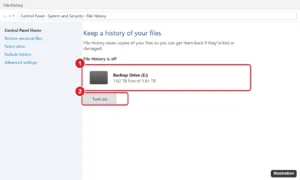
Control Panel File History page showing an external drive with free space and the Turn on button highlighted

How to Back Up a Laptop to an External Hard Drive on Windows 11

November 15, 2026April 30, 2026 by Kermit Matthews

Back up a Windows 11 laptop to an external hard drive with File History or a system image, copy files manually, and restore your data. Continue Reading How to Back Up a Laptop to an External Hard Drive on Windows 11

Categories Windows 11

How to Add a Custom Header or Footer in Microsoft Word

November 14, 2026April 29, 2026 by Kermit Matthews

To add a header or footer in Microsoft Word, go to the Insert tab and click Header or Footer. Pick a built-in design, or choose… Continue Reading How to Add a Custom Header or Footer in Microsoft Word

Categories Word

Windows 11 Screenshots: Every Shortcut and Where They Save

November 11, 2026April 29, 2026 by Kermit Matthews

In Windows 11, pick the shortcut by result. Alt + Print Screen copies the active window to the clipboard, Windows logo key + Print Screen… Continue Reading Windows 11 Screenshots: Every Shortcut and Where They Save

Categories Windows 11
File Explorer showing a DVD drive open with the VIDEO_TS folder selected and the Copy option highlighted in the right-click menu

How to Copy a DVD in Windows 10 (to Your PC or a New Disc)

November 10, 2026April 28, 2026 by Kermit Matthews

Copy a DVD in Windows 10 to your PC with File Explorer, convert home videos to MP4, burn a copy to a blank disc, and why Media Player cannot rip DVDs. Continue Reading How to Copy a DVD in Windows 10 (to Your PC or a New Disc)

Categories Windows 10
Windows Security Exclusions page with the Add an exclusion menu open showing File, Folder, File type and Process

How to Add an Exclusion to Windows Defender (Windows Security)

November 12, 2026April 28, 2026 by Kermit Matthews

Add a file, folder, file type or process exclusion in Windows Security, choose the safest type, and remove it later. Continue Reading How to Add an Exclusion to Windows Defender (Windows Security)

Categories Windows 10, Windows 11
Administrator Command Prompt window running the del command to delete files in the TEMP folder

How to Clear Temp Files in Windows 10

November 10, 2026April 28, 2026 by Kermit Matthews

Clear temp files in Windows 10 via Settings > System > Storage > Temporary files, the %temp% folder, or Disk Cleanup. Plus Storage Sense automation. Continue Reading How to Clear Temp Files in Windows 10

Categories Windows 10
Phone web browser with the page menu open and the Request Desktop Website option highlighted

How to Check Disk Space on Windows 10

November 15, 2026April 27, 2026 by Kermit Matthews

Check disk space on Windows 10: open File Explorer > This PC, or Settings > System > Storage for a breakdown. Plus Disk Management and cleanup tips. Continue Reading How to Check Disk Space on Windows 10

Categories Windows 10
Windows 7 network flyout showing available Wi-Fi networks with the Connect button highlighted

How to Connect to Wi-Fi on Windows 7

November 13, 2026April 24, 2026 by Kermit Matthews

Connect to Wi-Fi on Windows 7 from the taskbar network icon, join hidden networks, and fix missing Wi-Fi, driver problems, and no internet access. Continue Reading How to Connect to Wi-Fi on Windows 7

Categories Windows 7

How to Wipe a Hard Drive and Reinstall Windows

November 10, 2026April 20, 2026 by Kermit Matthews

To wipe your hard drive and reinstall Windows, back up your files, create a Windows 11 USB installer, and boot the PC from it. Choose… Continue Reading How to Wipe a Hard Drive and Reinstall Windows

Categories Windows 11

How to Type the Degree Symbol (°) on Windows

November 7, 2026April 14, 2026 by Kermit Matthews

You’re typing a forecast of 72° or a 45° angle, and there’s no degree key anywhere on the keyboard. The quickest fix on a full… Continue Reading How to Type the Degree Symbol (°) on Windows

Categories Windows 11

How to Download Photos from iCloud to a Windows PC

November 13, 2026April 14, 2026 by Kermit Matthews

iCloud for Windows can synchronize iCloud Photos to a Windows PC, while iCloud.com is useful when you only need to download a smaller selection manually.… Continue Reading How to Download Photos from iCloud to a Windows PC

Categories Windows 11

How to Force Quit Adobe on Windows: A Step-by-Step Guide

November 12, 2026April 13, 2026 by Kermit Matthews

Sometimes Adobe programs can get stuck on Windows, and you need to force them to close. To do this quickly, use the Task Manager. Open… Continue Reading How to Force Quit Adobe on Windows: A Step-by-Step Guide

Categories Windows 11

How to Speed Up Laptop Windows 7: Essential Tips and Tricks

November 10, 2026April 13, 2026 by Kermit Matthews

To speed up a laptop running Windows 7, uninstall programs you no longer use from Control Panel, disable non-essential startup programs in Task Manager (Ctrl… Continue Reading How to Speed Up Laptop Windows 7: Essential Tips and Tricks

Categories Windows 7

How to Switch Between Mac and Windows: A Seamless Guide

November 16, 2026April 8, 2026 by Kermit Matthews

Switching between Mac and Windows can be a breeze with the right tools and knowledge. You can either use a dual-boot system or virtualization software… Continue Reading How to Switch Between Mac and Windows: A Seamless Guide

Categories Mac

How to Shut Down Windows With the Keyboard

November 14, 2026April 8, 2026 by Kermit Matthews

On the desktop with no windows open, press Alt + F4, and Windows prompts you to shut down; press Enter with Shut down selected. If… Continue Reading How to Shut Down Windows With the Keyboard

Categories Windows 11
Video meeting app Background and effects settings with Blur highlighted

How to Blur Your Background in Zoom on Windows 10

November 10, 2026April 7, 2026 by Kermit Matthews

Blur your background in the Zoom desktop app on Windows 10 from Background and effects or during a meeting. Continue Reading How to Blur Your Background in Zoom on Windows 10

Categories Windows 10

How to Download Windows on Steam Deck: A Step-by-Step Guide

November 11, 2026April 7, 2026 by Kermit Matthews

If you’re looking to download Windows on your Steam Deck, you’ve come to the right place. This process involves installing Windows on Valve’s portable gaming… Continue Reading How to Download Windows on Steam Deck: A Step-by-Step Guide

Categories Gaming

How to Use a Windows Keyboard on a Mac

November 16, 2026April 6, 2026 by Kermit Matthews

Modifier keys on a Windows keyboard already work on a Mac: Apple says to press Alt wherever a Mac shortcut calls for Option, and Ctrl… Continue Reading How to Use a Windows Keyboard on a Mac

Categories Mac

How to Install and Use Pip on Windows

November 10, 2026April 6, 2026 by Kermit Matthews

Pip is Python’s package installer, and on Windows you rarely need to install it separately: current Python versions from python.org and the Microsoft Store include… Continue Reading How to Install and Use Pip on Windows

Categories Windows 11

How to Switch from Windows to Mac Using Keyboard: A Guide

November 16, 2026April 6, 2026 by Kermit Matthews

Switching from Windows to Mac using only your keyboard might seem like a daunting task, but with a little guidance and practice, it becomes quite… Continue Reading How to Switch from Windows to Mac Using Keyboard: A Guide

Categories Mac
Terminal window installing pygame with pip and showing a successful install

How to Install Pygame on Windows 10

November 10, 2026April 3, 2026 by Kermit Matthews

Install pygame on Windows 10 or 11 with py -m pip install pygame, test it with the aliens example, and fix common errors. Continue Reading How to Install Pygame on Windows 10

Categories Windows 10

How to Switch Between Chrome Windows on Mac: A Simple Guide

November 10, 2026April 2, 2026 by Kermit Matthews

Switching between Chrome windows on a Mac is pretty straightforward once you get the hang of it. You can use a few simple keyboard shortcuts… Continue Reading How to Switch Between Chrome Windows on Mac: A Simple Guide

Categories Chrome

Windows 11: How to Update Drivers for Optimal Performance

November 10, 2026March 30, 2026 by Kermit Matthews

Updating drivers in Windows 11 is essential for keeping your computer running smoothly. Here’s a quick guide: First, open the Settings app and navigate to… Continue Reading Windows 11: How to Update Drivers for Optimal Performance

Categories Windows 11
Older posts
Newer posts
← Previous Page1 … Page3 Page4 Page5 … Page59 Next →

Join Our Free Newsletter

Featured guides and deals

You may opt out at any time.
Read our Privacy Policy

Live2Tech

Plain-English, step-by-step guides for the devices and apps you use every day.

Apple

  • iPhone
  • iPad
  • Mac
  • Apple Watch

Windows

  • Windows 11
  • Windows 10

Microsoft Office

  • Word
  • Excel
  • Powerpoint
  • Outlook

Google

  • Google Docs
  • Google Sheets
  • Google Slides
  • Gmail
  • Chrome
  • Google Drive
  • About Us
  • Contact
  • Disclaimer
  • Privacy Policy
© Live2Tech.com 2026
  • iPhone
  • Windows
    • Windows 11
    • Windows 10
  • Office
    • Word
    • Excel
    • Powerpoint
    • Outlook
  • Google
    • Google Docs
    • Google Sheets
    • Google Slides
    • Gmail
    • Chrome
    • Google Drive
  • Mac & Apple
    • Mac
    • iPad
    • Apple Watch
  • All Tutorials