Skip to content
Live2Tech
  • iPhone
  • Windows
    • Windows 11
    • Windows 10
  • Office
    • Word
    • Excel
    • Powerpoint
    • Outlook
  • Google
    • Google Docs
    • Google Sheets
    • Google Slides
    • Gmail
    • Chrome
    • Google Drive
  • Mac & Apple
    • Mac
    • iPad
    • Apple Watch
  • All Tutorials

Kermit Matthews

Kermit Matthews runs Live2Tech from just outside Philadelphia. He is an IT specialist with over 20 years of experience, from a university help desk to small-business IT, IT management and his own consulting practice, and has written tech guides full time since 2020. Steps are checked against the current software on a real device or the maker's official documentation. More about Kermit.

How to Root Windows Phones: A Step-by-Step Guide for Enthusiasts

November 10, 2026February 25, 2026 by Kermit Matthews

Rooting a Windows Phone can unlock its full potential, allowing you to customize and optimize your device. While the process can be a bit technical,… Continue Reading How to Root Windows Phones: A Step-by-Step Guide for Enthusiasts

Categories Microsoft

How to Turn On Bluetooth in Windows 11 and 10

November 18, 2026February 24, 2026 by Kermit Matthews

Your headphones, mouse or speaker won’t connect, and the most likely reason is that Bluetooth on the PC is switched off or missing. In Windows… Continue Reading How to Turn On Bluetooth in Windows 11 and 10

Categories Windows 11
Video editor timeline with a clip selected and its trim handle highlighted

How to Trim a Video in Windows 10

November 14, 2026February 24, 2026 by Kermit Matthews

Trim a video on Windows 10 for free with Clipchamp by dragging the clip edges, or bring back the old Photos trim tool with Photos Legacy. Continue Reading How to Trim a Video in Windows 10

Categories Windows 10

How to Disable Windows Search

November 10, 2026February 20, 2026 by Kermit Matthews

To stop Windows Search from indexing, press Windows + R, type services.msc, double-click Windows Search, set Startup type to Disabled, click Stop, and click OK.… Continue Reading How to Disable Windows Search

Categories Windows 11
Taskbar behaviors settings with the Taskbar position drop-down set to Top highlighted

How to Move the Windows Taskbar to the Top, Side or Bottom

November 18, 2026February 19, 2026 by Kermit Matthews

Move the taskbar to the top, left, right or bottom. Windows 11 added a Taskbar position setting in the September 2026 update; Windows 10 always had one. Continue Reading How to Move the Windows Taskbar to the Top, Side or Bottom

Categories Windows 11

How to Check Your GPU (Graphics Card) on Windows 11

November 14, 2026February 16, 2026 by Kermit Matthews

To see which graphics card (GPU) your Windows 11 PC has, press Ctrl+Shift+Esc to open Task Manager, select Performance, and click GPU 0 (and GPU… Continue Reading How to Check Your GPU (Graphics Card) on Windows 11

Categories Windows 11
Windows 11 taskbar app menu with End task and Close window highlighted

How to Close Programs on Windows

November 10, 2026February 2, 2026 by Kermit Matthews

Close programs on Windows with the X button, Alt+F4 or the taskbar, and force-close frozen apps with Task Manager. Continue Reading How to Close Programs on Windows

Categories Windows 11
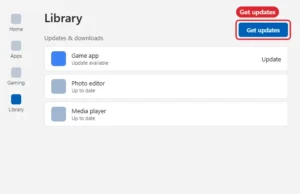
App store Library page with the Get updates button highlighted

How to Update Roblox on Windows

November 17, 2026January 30, 2026 by Kermit Matthews

Roblox updates when you launch it. Update the Microsoft Store version from Library, and fix update loops by reinstalling. Continue Reading How to Update Roblox on Windows

Categories Gaming, Windows 11
Windows 11 Settings Bluetooth and devices Mouse page with the scrolling options highlighted

How to Scroll With an Apple Mouse on Windows 11

November 18, 2026January 14, 2026 by Kermit Matthews

Why an Apple mouse may not scroll in Windows 11, how Boot Camp support software helps on Intel Macs, what works on a regular PC, and Windows scroll settings. Continue Reading How to Scroll With an Apple Mouse on Windows 11

Categories Windows 11
Windows Task View with desktop thumbnails and the New desktop button highlighted

How to Use Multiple Desktops on Windows 10

November 14, 2026January 8, 2026 by Kermit Matthews

Create, switch and close virtual desktops on Windows 10 with Task View and shortcuts like Windows key + Ctrl + D. Continue Reading How to Use Multiple Desktops on Windows 10

Categories Windows 10

How to Allow Minecraft Through Firewall on Windows 10

November 18, 2026December 11, 2025 by Kermit Matthews

If Minecraft multiplayer or a local server is being blocked on Windows 10, allow the legitimate Minecraft or Java application through Microsoft Defender Firewall instead… Continue Reading How to Allow Minecraft Through Firewall on Windows 10

Categories Windows 10

How to Force Close a Browser Tab on Windows

November 17, 2026December 5, 2025 by Kermit Matthews

To close a frozen browser tab on Windows, press Shift + Esc in Chrome or Edge to open the browser’s own task manager, select the… Continue Reading How to Force Close a Browser Tab on Windows

Categories Windows 11
Terminal window running a Python script with the py command

How to Run a Python Script in Windows

November 10, 2026December 5, 2025 by Kermit Matthews

Run a Python script on Windows with py script.py in Terminal, by double-clicking, or from IDLE, with fixes for common errors. Continue Reading How to Run a Python Script in Windows

Categories Windows 11

How to Open Multiple Roblox Windows

November 10, 2026December 4, 2025 by Kermit Matthews

The Roblox app on Windows is built to run one game client at a time. If you open a second game while one is running,… Continue Reading How to Open Multiple Roblox Windows

Categories Gaming

How to Install Windows 10 on VMware Workstation (Step-by-Step)

November 14, 2026December 3, 2025 by Kermit Matthews

To install Windows 10 on VMware, download a Windows 10 ISO from Microsoft, open VMware Workstation Pro, and create a new virtual machine with File… Continue Reading How to Install Windows 10 on VMware Workstation (Step-by-Step)

Categories Windows 10

How to Add an App to the Desktop in Windows 11

November 18, 2026November 21, 2025 by Kermit Matthews

An app you open every day shouldn’t be three clicks deep in Start. Dragging it out of Start > All onto the desktop makes a… Continue Reading How to Add an App to the Desktop in Windows 11

Categories Windows 11

How to Connect Windows 11 to Wi-Fi

November 13, 2026November 11, 2025 by Kermit Matthews

To connect a Windows 11 PC to Wi-Fi, click the Network, Sound or Battery icon at the right end of the taskbar to open Quick… Continue Reading How to Connect Windows 11 to Wi-Fi

Categories Windows 11
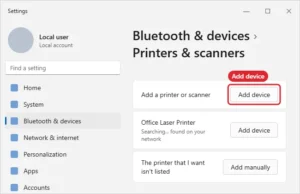
Windows 11 Printers and scanners settings with the Add device button highlighted

Add a USB, Wi-Fi or Bluetooth Printer to Windows 11

November 18, 2026November 11, 2025 by Kermit Matthews

Add a printer in Windows 11 from Printers and scanners, or add it manually by IP address when Windows cannot find it. Continue Reading Add a USB, Wi-Fi or Bluetooth Printer to Windows 11

Categories Windows 11
Windows taskbar input language flyout with two keyboard languages listed

How to Switch Between Keyboard Languages in Windows 10

November 13, 2026November 10, 2025 by Kermit Matthews

Switch keyboard languages in Windows 10 with Windows key + Space or the taskbar, and add or remove keyboard layouts. Continue Reading How to Switch Between Keyboard Languages in Windows 10

Categories Windows 10

How to Eject a Hard Drive on Windows

November 16, 2026November 5, 2025 by Kermit Matthews

Unplugging an external hard drive while Windows is still writing to it can corrupt files or, in rare cases, damage the drive’s file system. Ejecting… Continue Reading How to Eject a Hard Drive on Windows

Categories Windows 11

How to Start Windows Explorer (File Explorer) in Windows 11 and 10

November 17, 2026October 8, 2025 by Kermit Matthews

Press Windows key + E to open File Explorer. If your taskbar and desktop are gone, press Ctrl + Shift + Esc to open Task… Continue Reading How to Start Windows Explorer (File Explorer) in Windows 11 and 10

Categories Windows 11
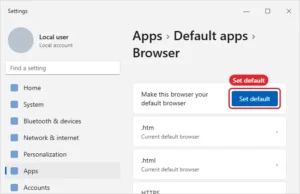
Windows 11 Default apps page for a web browser with the Set default button highlighted

Set Google Chrome as the Default Browser on Windows 11

November 18, 2026September 18, 2025 by Kermit Matthews

Make Chrome your default browser in Windows 11 with Set default, or keep Edge and make Google your search engine. Continue Reading Set Google Chrome as the Default Browser on Windows 11

Categories Chrome, Windows 11
Laptop Recovery Manager window with the System Recovery option to restore factory condition highlighted

How to Factory Reset an HP Laptop With Windows 7: A Step-by-Step Guide

November 10, 2026September 2, 2025 by Kermit Matthews

Factory reset an HP laptop running Windows 7 with HP Recovery Manager and F11, what to do if the recovery partition is gone, and why Windows 7 needs caution. Continue Reading How to Factory Reset an HP Laptop With Windows 7: A Step-by-Step Guide

Categories Windows 7
Windows 11 Mouse settings with the Mouse pointer speed slider highlighted

How to Check Mouse DPI on Windows 11

November 18, 2026September 2, 2025 by Kermit Matthews

Windows 11 does not show mouse DPI. Find it from the maker, its software or a quick test, and how it differs from pointer speed. Continue Reading How to Check Mouse DPI on Windows 11

Categories Windows 11
Windows 10 Reset this PC dialog with the Keep my files and Remove everything options, Remove everything highlighted

How to Format a Windows 10 Laptop (Reset or Clean Install)

November 10, 2026August 29, 2025 by Kermit Matthews

Format a Windows 10 laptop with Reset this PC > Remove everything or a clean USB install, back up first and securely erase before selling. Continue Reading How to Format a Windows 10 Laptop (Reset or Clean Install)

Categories Windows 10
Windows 10 Settings Update and Security Recovery page with the Recovery tab and the Reset this PC Get started button highlighted

How to Do a Factory Reset on Windows 10 (Keep Files or Wipe)

November 17, 2026August 26, 2025 by Kermit Matthews

Factory reset Windows 10 with Reset this PC: choose Keep my files or Remove everything, use Clean data before selling, and reset from recovery if needed. Continue Reading How to Do a Factory Reset on Windows 10 (Keep Files or Wipe)

Categories Windows 10
Disk Defragmenter window listing drives with last run and percent fragmented, and the Analyze disk and Defragment disk buttons highlighted

How to Defrag Windows 7 (and When Not To)

November 10, 2026August 25, 2025 by Kermit Matthews

Defrag Windows 7 with Disk Defragmenter or the defrag command, set the schedule, and learn why SSDs should not be defragmented. Continue Reading How to Defrag Windows 7 (and When Not To)

Categories Windows 7

How to Put Two Windows Side by Side on a Mac

November 17, 2026August 21, 2025 by Kermit Matthews

Working with two windows side by side, such as a browser next to a document or two Finder windows for dragging files, is one of… Continue Reading How to Put Two Windows Side by Side on a Mac

Categories Mac
Terminal running curl.exe commands to fetch headers and download a file

How to Run curl in Windows

November 10, 2026August 20, 2025 by Kermit Matthews

Run curl in Windows 10 and 11 without installing anything: open Terminal and use curl.exe with a URL, plus -o, -L and -I options. Continue Reading How to Run curl in Windows

Categories Windows 11
Video creator studio content list with the options menu open on one of your own uploaded videos and Download highlighted

How to Get Audio From YouTube on Windows (Legitimate Ways)

November 12, 2026August 20, 2025 by Kermit Matthews

Get audio from YouTube legally on Windows: download your own videos in YouTube Studio, use the free Audio Library, or listen offline with YouTube Premium. Continue Reading How to Get Audio From YouTube on Windows (Legitimate Ways)

Categories Windows 10, Windows 11
Disk cloning utility with a source hard drive and a larger target SSD selected, and options to resize partitions and verify the clone

How to Clone a Hard Drive in Windows 10

November 11, 2026August 20, 2025 by Kermit Matthews

Clone a hard drive in Windows 10 with SSD maker software or Clonezilla, swap drives, fix boot problems, and extend partitions after cloning. Continue Reading How to Clone a Hard Drive in Windows 10

Categories Windows 10
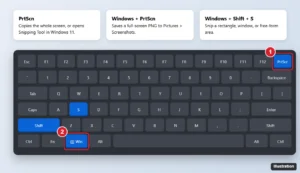
Laptop keyboard illustration highlighting the Print Screen key and the Windows plus Shift plus S shortcut

How to Take a Screenshot on a Dell Laptop or PC (Windows 10 and 11)

November 10, 2026August 19, 2025 by Kermit Matthews

Take a screenshot on a Dell laptop or desktop with PrtScn, Windows+PrtScn, or Windows+Shift+S, find the Print Screen key, and locate saved files. Continue Reading How to Take a Screenshot on a Dell Laptop or PC (Windows 10 and 11)

Categories Windows 10, Windows 11
Word title bar Quick Access Toolbar with the Undo and Redo buttons, Redo highlighted

How to Redo on Windows (Keyboard Shortcuts)

November 10, 2026August 15, 2025 by Kermit Matthews

Redo on Windows with Ctrl + Y, or Ctrl + Shift + Z in some apps. See redo shortcuts for Office, browsers, and File Explorer, plus Repeat. Continue Reading How to Redo on Windows (Keyboard Shortcuts)

Categories Windows 10, Windows 11
Windows 11 style Settings System Activation page with the Switch out of S mode section expanded and the Go to the Store link highlighted

How to Turn Off S Mode in Windows 11 (Free and Permanent)

November 17, 2026August 15, 2025 by Kermit Matthews

Turn off S mode in Windows 11 from Settings > System > Activation and the Microsoft Store, what changes after switching, and how to fix a stuck switch. Continue Reading How to Turn Off S Mode in Windows 11 (Free and Permanent)

Categories Windows 11
Start button right-click menu with Terminal and Terminal (Admin) options

How to Open Terminal on Windows

November 17, 2026August 13, 2025 by Kermit Matthews

Open Windows Terminal with Windows + X, Start search, wt in Run, or Open in Terminal from a folder, and pick PowerShell or Command Prompt. Continue Reading How to Open Terminal on Windows

Categories Windows 11
PowerShell window showing a Test-NetConnection port test and the TcpTestSucceeded True result highlighted

How to Check If a Port Is Open on Windows (4 Methods)

November 18, 2026August 5, 2025 by Kermit Matthews

Check if a port is open on Windows with Test-NetConnection, netstat, Resource Monitor, or telnet, read the results, and fix closed ports. Continue Reading How to Check If a Port Is Open on Windows (4 Methods)

Categories Windows 11
Windows 7 Advanced Boot Options screen with Safe Mode selected and the F8 key hint highlighted

How to Start Windows 7 in Safe Mode (F8 and msconfig)

November 10, 2026August 5, 2025 by Kermit Matthews

Start Windows 7 in Safe Mode by pressing F8 at startup or using msconfig, learn what each Safe Mode option does, and how to return to normal startup. Continue Reading How to Start Windows 7 in Safe Mode (F8 and msconfig)

Categories Windows 7
Windows File Explorer search box with content:invoice typed and matching files listed

How to Search for a Word on Windows (Pages, Files, and Apps)

November 15, 2026August 1, 2025 by Kermit Matthews

Search for a word on Windows with Ctrl + F in apps and browsers, find words inside files with File Explorer’s content: search, or use findstr. Continue Reading How to Search for a Word on Windows (Pages, Files, and Apps)

Categories Windows 10, Windows 11
Blue Windows recovery screen titled Choose an option with Continue, Use a device, Troubleshoot and Turn off your PC, Troubleshoot highlighted

How to Factory Reset an HP Desktop With Windows 10

November 10, 2026August 1, 2025 by Kermit Matthews

Factory reset an HP desktop on Windows 10 from Settings, with F11 at startup, or with the HP Cloud Recovery Tool, and back up and wipe it safely. Continue Reading How to Factory Reset an HP Desktop With Windows 10

Categories Windows 10
Windows 11 Device Manager graphics adapter properties with the Driver tab open and Roll Back Driver highlighted

How to Roll Back an NVIDIA Driver in Windows 11

November 18, 2026July 31, 2025 by Kermit Matthews

Roll back NVIDIA drivers on Windows 11 with Device Manager’s Roll Back Driver, or clean-install an older version from NVIDIA, and stop automatic updates. Continue Reading How to Roll Back an NVIDIA Driver in Windows 11

Categories Windows 11
Tablet note-taking app settings on the Cloud and Backup page with the cross-platform cloud sync option and its Get started button highlighted, and a laptop showing the same notebooks

Get Your iPad Goodnotes Library on a Windows PC

November 17, 2026July 31, 2025 by Kermit Matthews

Sync Goodnotes between iPad and Windows: turn on Goodnotes Cloud in Cloud & Backup, then sign in on Goodnotes for Windows. Plus free options. Continue Reading Get Your iPad Goodnotes Library on a Windows PC

Categories iPad
Illustration of a PC power supply side label with the model name and total rated wattage highlighted

How to Find Your Power Supply Wattage on a Windows 10 PC

November 13, 2026July 31, 2025 by Kermit Matthews

Windows 10 can’t show PSU wattage. Find it on the power supply label, your PC’s specs, or the model number, and learn how much wattage your PC needs. Continue Reading How to Find Your Power Supply Wattage on a Windows 10 PC

Categories Windows 10
Browser-based music studio with instrument tracks and a record button

Can You Get GarageBand on Windows? Best Legit Alternatives

November 10, 2026July 30, 2025 by Kermit Matthews

GarageBand has no Windows version. Use free alternatives like BandLab, LMMS or Waveform Free, or GarageBand on an Apple device you own. Continue Reading Can You Get GarageBand on Windows? Best Legit Alternatives

Categories Windows 10, Windows 11
Keyboard shortcut Control plus Up Arrow highlighted

How to See All Windows on a Mac

November 17, 2026July 30, 2025 by Kermit Matthews

See all open windows on a Mac with Mission Control (Control+Up Arrow) or only one app with App Exposé (Control+Down Arrow). Continue Reading How to See All Windows on a Mac

Categories Mac
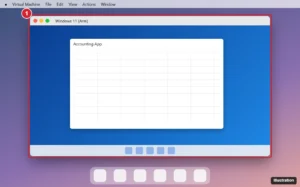
Laptop desktop running a Windows virtual machine in a window next to the dock, with a Windows program open inside it

How to Run Windows Programs on a Mac (Apple Silicon and Intel)

November 13, 2026July 29, 2025 by Kermit Matthews

Run Windows programs on a Mac with Parallels, free VMware Fusion or UTM, CrossOver, a cloud PC or Boot Camp. Compare costs and setup steps. Continue Reading How to Run Windows Programs on a Mac (Apple Silicon and Intel)

Categories Mac
Windows Features dialog with Virtual Machine Platform and Windows Hypervisor Platform checked for running Android emulators

Run Android Apps on Windows 10: Options That Still Work

November 14, 2026July 29, 2025 by Kermit Matthews

Run Android apps and games on Windows 10 with Google Play Games on PC, Phone Link, or an emulator like BlueStacks, plus requirements and setup steps. Continue Reading Run Android Apps on Windows 10: Options That Still Work

Categories Windows 10
Compatibility check window saying the PC does not meet system requirements, with the TPM 2.0 line highlighted

Can You Upgrade From Windows 7 to Windows 11?

November 16, 2026July 23, 2025 by Kermit Matthews

Windows 7 cannot upgrade in place to Windows 11. Check the requirements, back up, and clean install, or replace the PC. Windows 7 keys no longer activate. Continue Reading Can You Upgrade From Windows 7 to Windows 11?

Categories Windows 11
Windows 11 Setup media tool with USB flash drive selected and the Next button highlighted

How to Create a Windows 11 Installation USB Drive

November 18, 2026July 23, 2025 by Kermit Matthews

Create a bootable Windows 11 USB drive with Microsoft’s Media Creation Tool or an ISO and Rufus, then boot from it and fix common USB installer errors. Continue Reading How to Create a Windows 11 Installation USB Drive

Categories Windows 11
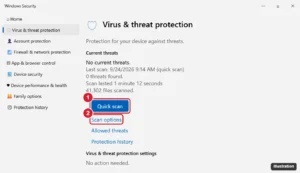
Windows Security Virus and threat protection page with the Quick scan button and Scan options link highlighted

How to Run a Virus Scan on Windows 10

November 16, 2026July 21, 2025 by Kermit Matthews

Run a virus scan on Windows 10 with Windows Security: quick, full, custom, and offline scans, scanning a file or USB drive, and what to do if threats are found. Continue Reading How to Run a Virus Scan on Windows 10

Categories Windows 10, Windows 11
Desktop right-click menu with New and Shortcut highlighted

How to Make Shortcuts on Windows 11 (Apps, Files, Websites)

November 14, 2026July 18, 2025 by Kermit Matthews

Make desktop shortcuts on Windows 11 with New, Shortcut, by dragging apps from Start, or with Send to, Desktop for files and folders. Continue Reading How to Make Shortcuts on Windows 11 (Apps, Files, Websites)

Categories Windows 11
Older posts
Newer posts
← Previous Page1 … Page4 Page5 Page6 … Page56 Next →

Join Our Free Newsletter

Featured guides and deals

You may opt out at any time.
Read our Privacy Policy

Live2Tech

Plain-English, step-by-step guides for the devices and apps you use every day.

Apple

  • iPhone
  • iPad
  • Mac
  • Apple Watch

Windows

  • Windows 11
  • Windows 10

Microsoft Office

  • Word
  • Excel
  • Powerpoint
  • Outlook

Google

  • Google Docs
  • Google Sheets
  • Google Slides
  • Gmail
  • Chrome
  • Google Drive
  • About Us
  • Contact
  • Disclaimer
  • Privacy Policy
© Live2Tech.com 2026
  • iPhone
  • Windows
    • Windows 11
    • Windows 10
  • Office
    • Word
    • Excel
    • Powerpoint
    • Outlook
  • Google
    • Google Docs
    • Google Sheets
    • Google Slides
    • Gmail
    • Chrome
    • Google Drive
  • Mac & Apple
    • Mac
    • iPad
    • Apple Watch
  • All Tutorials