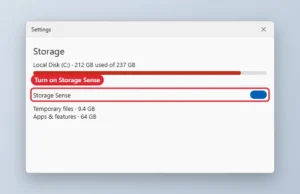
How to Increase C Drive Space in Windows 10
Free up C drive space in Windows 10 with Storage Sense, temporary file cleanup, uninstalling unused apps, and moving large files. Continue Reading How to Increase C Drive Space in Windows 10
 Kermit Matthews
Free up C drive space in Windows 10 with Storage Sense, temporary file cleanup, uninstalling unused apps, and moving large files. Continue Reading How to Increase C Drive Space in Windows 10
If you’re wondering how to personalize Windows without activating it, you’re not alone. Surprisingly, you can still make a few changes to your desktop. By… Continue Reading How to Personalize Windows Without Activating: A Simple Guide
“Download Netflix on Windows” can mean installing the Netflix app on your PC or downloading movies and shows to watch offline. To install the app,… Continue Reading How to Download Netflix on Windows (App and Offline Viewing)
To open a GZ file in Windows, the most reliable option is the free 7-Zip app: right-click the file and choose 7-Zip > Extract Here.… Continue Reading How to Open a GZ File in Windows (.gz and .tar.gz)
If your Windows key has decided to take a vacation and you’re missing its handy shortcuts, don’t worry. You can easily bring it back to… Continue Reading How to Turn Windows Key Back On: A Step-by-Step Guide
A photo straight off a phone camera is often too big to email, upload or post. In Windows 11 or Windows 10, the quickest fix… Continue Reading How to Resize Photos in Windows 11 and 10 (Photos, Paint and Batch)
Firmware setup has two ways out: save your changes or leave them behind, and the PC restarts either way. Save only if you changed something… Continue Reading How to Exit the BIOS in Windows 11
Repairing Windows 7 can help resolve system errors, improve performance, and extend the life of your computer. To fix Windows 7, you’ll need to run… Continue Reading How to Repair Windows 7: Essential Steps for a Smooth Recovery
If your screen suddenly turned upside down or sideways, open Settings > System > Display, set Display orientation to Landscape, and select Keep changes. To… Continue Reading How to Flip Your Screen Upside Down in Windows 11 and 10
Removing Bing from Chrome on Windows 10 is a straightforward process. You’ll start by adjusting your Chrome settings to change your default search engine. Then,… Continue Reading How to Remove Bing from Chrome Windows 10: A Step-by-Step Guide
If your Windows 10 taskbar still looks like a solid strip after you went looking for a “transparent” option, that is expected. The built-in switch,… Continue Reading How to Make the Windows 10 Taskbar Transparent (or Fully Clear)
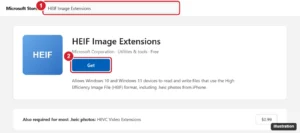
Convert HEIC to JPG on Windows with Photos or Paint, batch-convert whole folders, or set your iPhone to send JPGs automatically. Includes fixes if it fails. Continue Reading How to Change HEIC to JPG on Windows 11 and 10 (4 Easy Ways)
Disabling the screen saver on Windows 11 is straightforward. You can easily do this by accessing the settings menu, navigating to the personalization options, and… Continue Reading How to Turn Off Screen Saver in Windows 11: Easy Guide
To open a MOV file on Windows, double-click it. On Windows 11 it opens in Media Player, and on Windows 10 in Movies & TV.… Continue Reading How to Open and Play MOV Files on Windows 11 and 10
Splitting tabs on Windows is a game-changer for multitaskers. It lets you view multiple apps or browser tabs side by side, helping you to be… Continue Reading How to Split Tabs on Windows: A Comprehensive Guide for Users
If you’ve ever faced the dreaded “Boot Device Not Found” error on Windows 10, you know it can feel like your computer has just thrown… Continue Reading How to Fix “Boot Device Not Found” Error on Windows 10: A Guide
Change the icon on a Windows 10 shortcut, taskbar pin, Start menu entry or web shortcut, plus This PC and Recycle Bin, and fix icons that keep switching back. Continue Reading How to Change Shortcut and App Icons in Windows 10
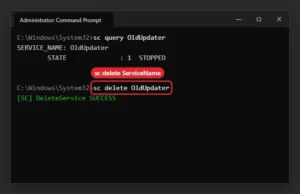
Delete a leftover Windows service safely with sc delete in an admin Command Prompt, find the right service name, and when to disable instead. Continue Reading How to Delete a Windows Service (Safely)
Unallocated space is what a new partition is made from, so Disk Management either finds some already on the disk or frees it by shrinking… Continue Reading How to Create a Partition in Windows 10
If the Xbox Game Bar overlay keeps popping up on your Windows 10 PC, because you hit Windows + G by accident or a controller’s… Continue Reading How to Disable or Remove Xbox Game Bar in Windows 10
Typing a square root symbol on Windows might seem like a head-scratcher at first, but it’s actually quite simple once you know the trick. You… Continue Reading How to Type Square Root on Windows: A Step-by-Step Guide
Is your Windows 11 computer slowing down? It might be time for a cleanup. You’ll need to remove unnecessary files, disable startup programs, and perform… Continue Reading How to Clean Up Computer to Run Faster: Windows 11 Optimization Guide
Formatting Windows 7 is like giving your computer a fresh start. By doing this, you’ll wipe out all the clutter, errors, and old programs. It’s… Continue Reading How to Format Windows 7: A Step-by-Step Guide for Beginners
Query the Windows Time service with w32tm /query /source: it prints the time server your PC syncs with, in one line. For a quick look… Continue Reading How to Check the NTP Server in Windows 11 and 10
You have a PDF on your Windows PC that needs something: a form filled in, a signature, a few highlights, or a sentence that is… Continue Reading How to Edit a PDF on Windows (Free and Paid Options)
Installing a network adapter driver on a Windows 7 computer without internet might sound tricky, but it’s totally doable. First, you’ll need to download the… Continue Reading How to Install Network Adapter Driver Windows 7 Without Internet
You’ve finished on a shared family or office PC and the next person is waiting. Signing out closes your session so they can sign in… Continue Reading How to Sign Out of Windows 11 and 10 (Keyboard, Start Menu and Command)
An SD card inserted into a Windows 10 computer normally appears in File Explorer as a removable drive. If it does not, check the card… Continue Reading How to Find Your SD Card on Windows 10: A Step-by-Step Guide

Back up your iPhone to a Windows PC with Apple Devices or iTunes, encrypt the backup, find where backups are saved, and restore your iPhone. Continue Reading How to Back Up an iPhone to a Windows Computer (Apple Devices or iTunes)
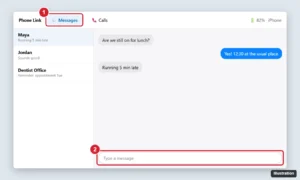
Use iMessage on Windows by linking your iPhone to Phone Link over Bluetooth. Setup steps, what works (and doesn’t), and safe alternatives. Continue Reading How to Use iMessage on Windows With Phone Link

Install Node.js and npm on Windows 10 or 11 with the official installer, winget, or nvm-windows, verify the install, and fix PATH and script errors. Continue Reading How to Install Node.js on Windows 10 and 11 (Installer, winget, nvm)

Reset a network adapter in Windows 10 by re-enabling it, resetting Winsock and TCP/IP, using Network reset in Settings, or reinstalling the driver. Continue Reading How to Reset a Network Adapter in Windows 10

PC picture cut off on the TV? Turn off overscan with Just Scan or Screen Fit, use the recommended resolution, and adjust graphics scaling. Continue Reading How to Fit Your PC Screen to a TV in Windows 10

Fix “Wireless capability is turned off” in Windows 10: check the Wi-Fi key, Airplane mode, adapter settings, power management, drivers, and the BIOS. Continue Reading How to Turn On Wireless Capability in Windows 10

Update Windows in Settings > Windows Update > Check for updates. Learn update types, driver updates, upgrading to Windows 11, and fixes for failed updates. Continue Reading How to Update Your Windows Computer

Transfer videos from an iPhone to a Windows 10 PC with the Photos app, File Explorer, or iCloud, and fix videos that will not copy or play. Continue Reading How to Transfer Videos From iPhone to PC on Windows 10

Cast Windows 10 to a TV: turn on the TV mirroring mode, press Windows + K and choose the TV. Use browser casting or HDMI if Miracast is not supported. Continue Reading How to Cast Windows 10 to a TV
Creating a Windows application can seem daunting, but it’s simpler than you might think. With the right tools and a bit of patience, you can… Continue Reading How to Make a Windows Application: A Step-by-Step Guide for Beginners
Accessing System Restore in Windows 10 is a breeze and can save you from many tech headaches. First, open the Start menu and search for… Continue Reading How to Get to System Restore in Windows 10: A Simple Guide
Connecting your mobile hotspot to a Windows 10 PC is a breeze. First, turn on the mobile hotspot on your smartphone. Next, on your PC,… Continue Reading How to Connect Mobile Hotspot to PC Windows 10: A Step-by-Step Guide

Find recently deleted files in the Recycle Bin, and recover files that are not there with Previous Versions, File History or winfr. Continue Reading How to See Recently Deleted Files on Windows
Inspecting elements on Windows can be a breeze once you know how. You just need to open the built-in Developer Tools in your browser. Right-click… Continue Reading How to Inspect on Windows: A Comprehensive Guide for Beginners
Need a PDF of a receipt, a form or a web page right now? Press Ctrl + P, pick Microsoft Print to PDF as the… Continue Reading How to Print to PDF on Windows 11 and 10
Copying in Windows is straightforward. Highlight the text or file you want, press Ctrl+C on your keyboard, and then paste it where you need by… Continue Reading How to Copy in Windows: A Step-by-Step Guide for Beginners
Reinstalling Windows from the BIOS might sound like a tech challenge, but it’s easier than you think. First, you’ll need a bootable USB with Windows… Continue Reading How to Reinstall Windows from BIOS: A Step-by-Step Guide
Safe Mode is what you reach for when a bad driver, a broken update or a misbehaving app keeps Windows from working normally. If the… Continue Reading How to Boot Into Safe Mode on Windows 11 and Windows 10
Turning off Administrator permission in Windows 11 can be a handy way to streamline your computing experience. By adjusting just a few settings, you can… Continue Reading How to Turn Off Administrator Permission in Windows 11: A Guide
Capturing a screenshot on your Windows Surface Pro is a breeze once you know the ropes. Whether you’re preserving a funny meme, saving important information,… Continue Reading How to Screenshot on Windows Surface Pro: A Step-by-Step Guide
Can’t sign in to a Windows 11 or Windows 10 PC, and you’re ready to wipe it because you’re selling it or the password is… Continue Reading How to Factory Reset Windows Without a Password (Windows 11 and 10)
Changing your PC name in Windows 11 is a simple task that can help personalize your computer or make it easier to identify on a… Continue Reading How to Change PC Name in Windows 11: A Simple Step-by-Step Guide