Skip to content
Live2Tech
  • iPhone
  • Windows
    • Windows 11
    • Windows 10
  • Office
    • Word
    • Excel
    • Powerpoint
    • Outlook
  • Google
    • Google Docs
    • Google Sheets
    • Google Slides
    • Gmail
    • Chrome
    • Google Drive
  • Mac & Apple
    • Mac
    • iPad
    • Apple Watch
  • All Tutorials

Google Sheets

How-to guides and tutorials to help you perform specific tasks and use the Google Sheets spreadsheet application.

how to save a Google Sheets file as a CSV

How to Save a Google Sheets File as a CSV

November 13, 2026January 19, 2023 by Kermit Matthews

The CSV file type might seem somewhat basic when you are dealing with a spreadsheet, but it’s a very versatile file type that works with… Continue Reading How to Save a Google Sheets File as a CSV
Categories Google Sheets Tags Files
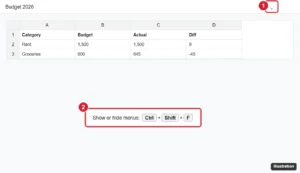
Online spreadsheet with the menus and toolbar hidden and the Show the menus arrow in the top-right corner highlighted

Why Is My Google Sheets Toolbar Missing? How to Get It Back

November 10, 2026July 29, 2022 by Kermit Matthews

Google Sheets toolbar missing? Press Ctrl+Shift+F or click the arrow to show menus, exit full screen, show the formula bar, and fix zoom or extension issues. Continue Reading Why Is My Google Sheets Toolbar Missing? How to Get It Back
Categories Google Sheets
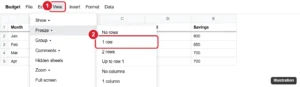
Google Sheets View menu with Freeze open and 1 row highlighted

How to Lock a Row in Google Sheets

November 10, 2026July 19, 2022 by Kermit Matthews

Lock a row in Google Sheets by freezing it with View > Freeze so it stays visible, or protect it with Data > Protect sheets and ranges. Continue Reading How to Lock a Row in Google Sheets
Categories Google Sheets Tags Featured Sheets Guides, Rows
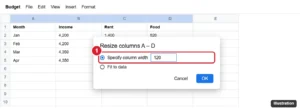
Google Sheets Resize columns dialog with Specify column width set to 120 highlighted for selected columns

How to Make Columns the Same Width (Distribute Evenly) in Google Sheets

November 10, 2026July 15, 2022 by Kermit Matthews

Make multiple columns the same width in Google Sheets with Resize columns, by dragging one selected border, or fit them to data. Rows too. Continue Reading How to Make Columns the Same Width (Distribute Evenly) in Google Sheets
Categories Google Sheets
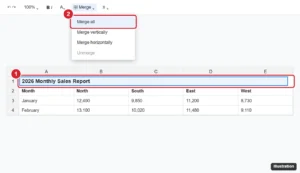
Online spreadsheet with a title typed in the first row, cells A1 to E1 selected, and the Merge cells menu with Merge all highlighted

How to Make a Title in Google Sheets

November 10, 2026June 24, 2022 by Kermit Matthews

Make a title in Google Sheets: add a title row, merge and center it, format it, freeze it, print it on every page, and name the file and sheet tabs. Continue Reading How to Make a Title in Google Sheets
Categories Google Sheets
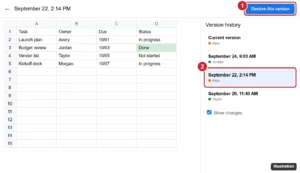
Spreadsheet version history view with an earlier version selected and the Restore this version button highlighted

How to Restore a Version From Version History in Google Sheets

November 10, 2026June 17, 2022 by Kermit Matthews

Restore an earlier version of a Google Sheets file from version history, recover only certain data with Make a copy, and name versions for later. Continue Reading How to Restore a Version From Version History in Google Sheets
Categories Google Sheets
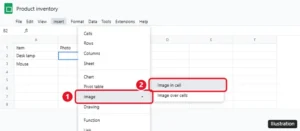
Google Sheets Insert menu with Image and Image in cell highlighted

How to Insert an Image Into a Cell in Google Sheets

November 12, 2026June 9, 2022 by Kermit Matthews

Insert an image into a cell in Google Sheets with Insert > Image > Image in cell or the IMAGE function, lock it in place, and fix images that won’t show. Continue Reading How to Insert an Image Into a Cell in Google Sheets
Categories Google Sheets
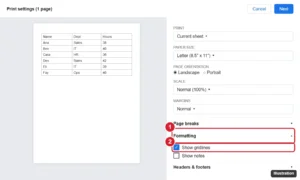
Spreadsheet print settings panel with the Formatting section open and Show gridlines checked, next to a preview page with gridlines

How to Print With Gridlines in Google Sheets

November 15, 2026May 12, 2022 by Kermit Matthews

Print gridlines in Google Sheets by checking Show gridlines in print settings, or add borders for darker lines, print a selection, and fit it on one page. Continue Reading How to Print With Gridlines in Google Sheets
Categories Google Sheets
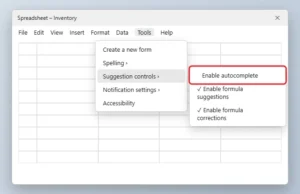
Spreadsheet Tools menu open to Suggestion controls with the Enable autocomplete option unchecked and highlighted

How to Turn Off Autocomplete in Google Sheets

November 10, 2026April 7, 2022 by Kermit Matthews

Turn off autocomplete in Google Sheets from Tools > Suggestion controls, and disable formula suggestions, corrections, and Smart Fill prompts. Continue Reading How to Turn Off Autocomplete in Google Sheets
Categories Google Sheets
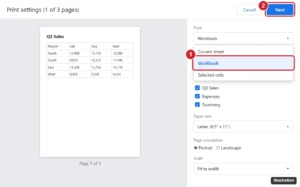
Online spreadsheet print settings panel with the Print dropdown open, showing Current sheet, Workbook and Selected cells, with Workbook highlighted and sheet checkboxes below

How to Print an Entire Workbook in Google Sheets

November 15, 2026April 5, 2022 by Kermit Matthews

Print every tab in Google Sheets: press Ctrl + P, change Print from Current sheet to Workbook, pick sheets, then click Next. Plus PDF tips. Continue Reading How to Print an Entire Workbook in Google Sheets
Categories Google Sheets
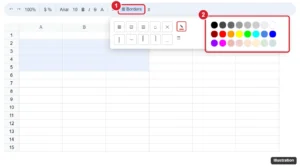
Spreadsheet toolbar Borders menu open with the Border color pencil and color palette highlighted

How to Change Cell Border Color in Google Sheets

November 10, 2026March 18, 2022 by Kermit Matthews

Change cell border color in Google Sheets by choosing a color with the Borders pencil before applying borders, recolor existing borders, and use mobile. Continue Reading How to Change Cell Border Color in Google Sheets

Categories Google Sheets
Spreadsheet with column B selected and its column menu open, with Sort sheet Z to A highlighted

How to Sort a Column From Highest to Lowest in Google Sheets

November 15, 2026March 8, 2022 by Kermit Matthews

Sort a column from highest to lowest in Google Sheets with Sort sheet Z to A, keep headers in place, sort by multiple columns, or use the SORT function. Continue Reading How to Sort a Column From Highest to Lowest in Google Sheets
Categories Google Sheets
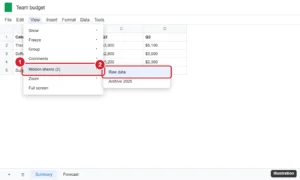
Spreadsheet View menu with Hidden sheets expanded, listing two hidden sheets to unhide

How to Unhide a Sheet in Google Sheets (Desktop and Mobile)

November 10, 2026March 8, 2022 by Kermit Matthews

Unhide a sheet in Google Sheets with View > Hidden sheets or the All Sheets list, unhide on mobile, and fix a grayed-out Hidden sheets option. Continue Reading How to Unhide a Sheet in Google Sheets (Desktop and Mobile)
Categories Google Sheets
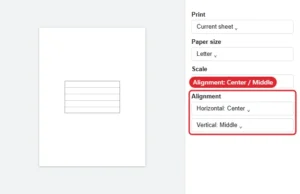
Spreadsheet print settings with Alignment set to Center horizontally and Middle vertically

How to Print in the Middle of the Page in Google Sheets

November 15, 2026February 22, 2022 by Kermit Matthews

Center a Google Sheets printout: open File > Print, expand Formatting and set Alignment to Center and Middle. Plus scale and margin tips. Continue Reading How to Print in the Middle of the Page in Google Sheets
Categories Google Sheets
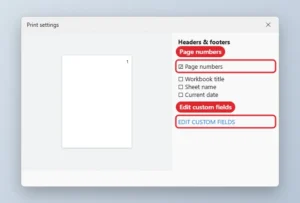
Print settings panel with Page numbers checked and Edit custom fields highlighted

How to Put Page Numbers at the Top in Google Sheets

November 15, 2026February 3, 2022 by Kermit Matthews

Move Google Sheets page numbers to the top: File, Print, Headers and footers, check Page numbers, then Edit custom fields to place them in the header. Continue Reading How to Put Page Numbers at the Top in Google Sheets

Categories Google Sheets
Google Sheets with the file name box at the top being edited and the File menu Rename option highlighted

How to Change a File Name in Google Sheets

November 10, 2026December 7, 2021 by Kermit Matthews

Change a file name in Google Sheets: click the name at the top left, type a new one, and press Enter, or use File > Rename. Plus Drive and mobile steps. Continue Reading How to Change a File Name in Google Sheets
Categories Google Sheets
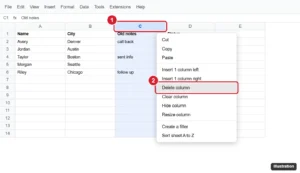
Spreadsheet with column C selected and Delete column highlighted in the right-click menu

How to Delete a Column in Google Sheets (Desktop and Mobile)

November 15, 2026October 28, 2021 by Kermit Matthews

Delete a column in Google Sheets with the right-click menu, Edit menu, or a shortcut, delete several at once, and see how formulas react. Continue Reading How to Delete a Column in Google Sheets (Desktop and Mobile)

Categories Google Sheets Tags Columns, Featured Sheets Guides
Spreadsheet with the View menu open to Show and the Formulas option highlighted, and the Total column displaying formulas instead of results

How to Show Formulas (Equations) in Google Sheets

November 10, 2026October 4, 2021 by Kermit Matthews

Show formulas in Google Sheets with View > Show > Formulas or Ctrl+backtick, display a formula next to its result with FORMULATEXT, and protect formulas. Continue Reading How to Show Formulas (Equations) in Google Sheets
Categories Google Sheets
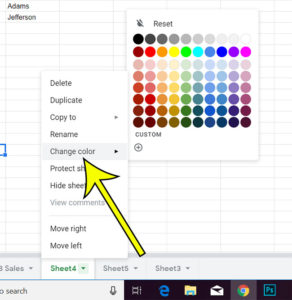
how to change the color of worksheet tabs in Google Sheets

How to Change the Color of the Sheet Tab in Google Sheets

November 15, 2026September 16, 2021 by Kermit Matthews

If your Google Sheets file has a lot of worksheets, finding the right one can be difficult. This is made even worse when the tabs… Continue Reading How to Change the Color of the Sheet Tab in Google Sheets
Categories Google Sheets
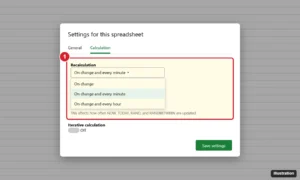
Online spreadsheet Settings dialog on the Calculation tab with Recalculation set to On change and every minute and Iterative calculation off

How to Change Recalculation Settings in Google Sheets

November 10, 2026May 25, 2021 by Kermit Matthews

Change Google Sheets recalculation to on change, every minute or every hour in File > Settings > Calculation, and learn how iterative calculation works. Continue Reading How to Change Recalculation Settings in Google Sheets
Categories Google Sheets
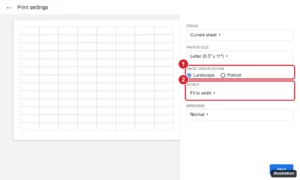
Spreadsheet print settings with a landscape page preview and the Page orientation option set to Landscape and Scale set to Fit to width

How to Print a Google Sheets Spreadsheet in Landscape

November 15, 2026April 13, 2021 by Kermit Matthews

Change the print orientation in Google Sheets to landscape, fit all columns on one page, repeat headers, and save a landscape PDF. Continue Reading How to Print a Google Sheets Spreadsheet in Landscape
Categories Google Sheets
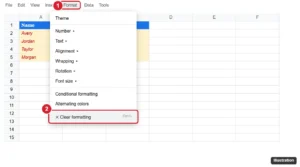
Spreadsheet Format menu open with Clear formatting highlighted and formatted cells selected

How to Clear Formatting in Google Sheets (Cell, Range, or Sheet)

November 10, 2026April 7, 2021 by Kermit Matthews

Clear formatting in Google Sheets with Ctrl + \ or Format > Clear formatting, and remove conditional formatting, alternating colors, and validation. Continue Reading How to Clear Formatting in Google Sheets (Cell, Range, or Sheet)
Categories Google Sheets
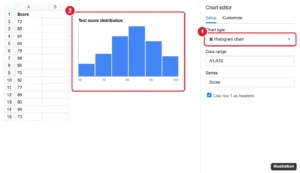
Spreadsheet with a histogram chart and the chart editor Chart type set to Histogram highlighted

How to Make a Histogram in Google Sheets (Step-by-Step)

November 10, 2026April 6, 2021 by Kermit Matthews

Make a histogram in Google Sheets with Insert > Chart and the Histogram chart type, adjust bucket size, and build a frequency table with FREQUENCY. Continue Reading How to Make a Histogram in Google Sheets (Step-by-Step)

Categories Google Sheets
Online spreadsheet with header cells selected and the Fill color palette open, with a light green swatch highlighted and the header row shaded green

How to Add Color to Cells in Google Sheets

November 10, 2026March 11, 2021 by Kermit Matthews

Add color to cells in Google Sheets: select cells and click Fill color, or color by value with conditional formatting. Plus alternating colors. Continue Reading How to Add Color to Cells in Google Sheets

Categories Google Sheets Tags Background
Google Sheets toolbar with the Borders menu open showing border types, border color, and border style

How to Add Borders to Cells in Google Sheets

November 10, 2026March 11, 2021 by Kermit Matthews

Add borders in Google Sheets: select cells, click the Borders icon, and pick a type, color, and style. Plus mobile steps, shortcuts, and fixes. Continue Reading How to Add Borders to Cells in Google Sheets
Categories Google Sheets Tags Borders
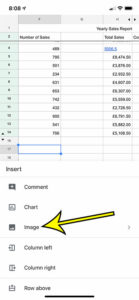
how to insert a picture in Google Sheets on an iPhone

How to Insert a Picture in the Google Sheets iPhone App

November 12, 2026February 7, 2020 by Kermit Matthews

These steps are going to show you how to insert a picture from your iPhone into a cell in one of your Google Sheets spreadsheets.… Continue Reading How to Insert a Picture in the Google Sheets iPhone App
Categories Google Sheets
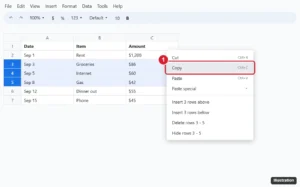
Online spreadsheet with rows 3 through 5 selected by their row numbers and the right-click menu open with Copy highlighted

How to Copy Multiple Rows in Google Sheets

November 15, 2026December 18, 2019 by Kermit Matthews

Copy multiple rows in Google Sheets: click the row numbers with Shift, press Ctrl + C, then paste. Plus non-adjacent rows and values-only paste. Continue Reading How to Copy Multiple Rows in Google Sheets
Categories Google Sheets Tags Featured Sheets Guides, Rows
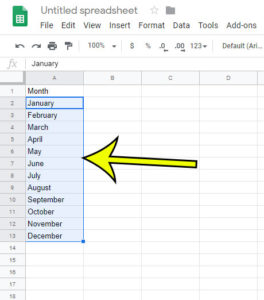
how to use autofill in google sheets 5 How to Use Autofill in Google Sheets

How to Use Autofill in Google Sheets

November 15, 2026December 13, 2019 by Kermit Matthews

To autofill in Google Sheets, select the cell (or cells) with the starting value, then drag the small blue square in the bottom-right corner of… Continue Reading How to Use Autofill in Google Sheets
Categories Google Sheets
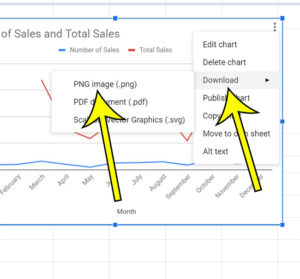
how to download a Google Sheets chart as a png image

How to Download a Google Sheets Chart as a PNG

November 10, 2026November 15, 2019 by Kermit Matthews

The steps below show you how to download a chart or graph in your Google Sheets spreadsheet as a .png file so that you can… Continue Reading How to Download a Google Sheets Chart as a PNG
Categories Google Sheets
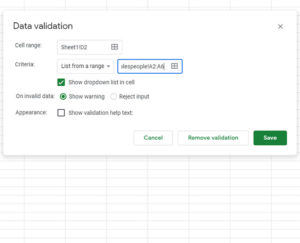
how to create a Google Sheets drop down

How to Create a Google Sheets Drop Down Menu

November 10, 2026September 20, 2019 by Kermit Matthews

The steps below show you how to create a drop down menu in Google Sheets. This menu will be either created from a list of… Continue Reading How to Create a Google Sheets Drop Down Menu
Categories Google Sheets
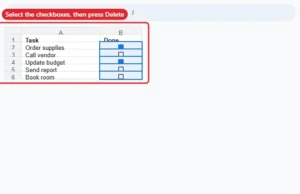
Spreadsheet with a column of checkboxes selected, ready to press Delete to remove them

How to Remove Multiple Checkboxes in Google Sheets

November 10, 2026July 31, 2019 by Kermit Matthews

Remove many checkboxes at once in Google Sheets by selecting them and pressing Delete, or remove the data validation rule. Continue Reading How to Remove Multiple Checkboxes in Google Sheets
Categories Google Sheets Tags Objects
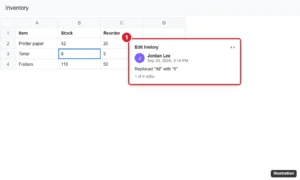
Online spreadsheet with a cell right-clicked and its edit history popup showing who changed the value, when, and the previous value

How to View Cell History in Google Sheets

November 10, 2026July 19, 2019 by Kermit Matthews

View a cell’s edit history in Google Sheets with right-click > Show edit history, use Version history for bigger changes, and get edit notifications. Continue Reading How to View Cell History in Google Sheets
Categories Google Sheets
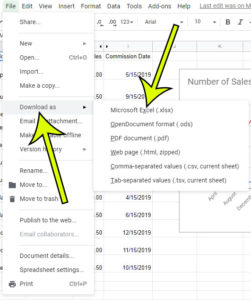
how to download the excel version of a google sheets file

How to Download an Excel Version of a Google Sheets File

November 15, 2026April 23, 2019 by Kermit Matthews

Google Sheets is very similar to Microsoft Excel in many ways and, for a large number of users, is a perfectly acceptable replacement. Sheets lets… Continue Reading How to Download an Excel Version of a Google Sheets File
Categories Google Sheets
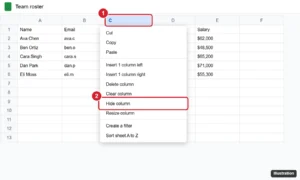
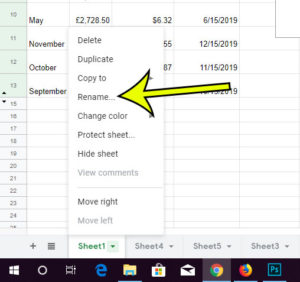
Google Sheets with column C selected and the right-click menu showing Hide column highlighted

How to Hide a Column in Google Sheets

November 10, 2026March 27, 2019 by Kermit Matthews

Hide a column in Google Sheets: right-click the column letter and choose Hide column, or press Ctrl+Alt+0. Plus how to unhide columns and hide several. Continue Reading How to Hide a Column in Google Sheets
Categories Google Sheets
how to rename a worksheet tab in google sheets

How to Rename a Google Sheets Worksheet Tab

November 10, 2026March 26, 2019 by Kermit Matthews

Google Sheets, much like Microsoft Excel, lets you add new worksheets to your file. This makes it easy for you to organize all of your… Continue Reading How to Rename a Google Sheets Worksheet Tab
Categories Google Sheets
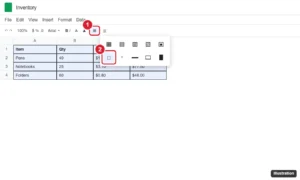
Spreadsheet with bordered cells selected and the toolbar Borders menu open with the Clear borders option highlighted

How to Remove Cell Borders in Google Sheets

November 10, 2026February 12, 2019 by Kermit Matthews

Remove cell borders in Google Sheets with Borders > Clear borders, clear the whole sheet, keep some lines, and hide gray gridlines on screen and in print. Continue Reading How to Remove Cell Borders in Google Sheets
Categories Google Sheets
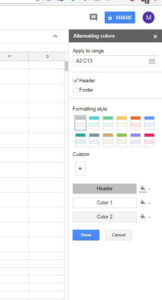
how to apply alternating colors in google sheets

How to Highlight Every Other Row in Google Sheets (Alternating Colors)

November 14, 2026June 26, 2018 by Kermit Matthews

To highlight every other row in Google Sheets, select your data, click Format > Alternating colors, pick a style in the side panel, and click… Continue Reading How to Highlight Every Other Row in Google Sheets (Alternating Colors)
Categories Google Sheets
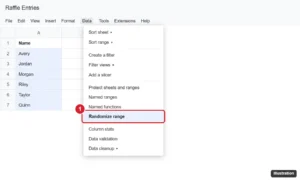
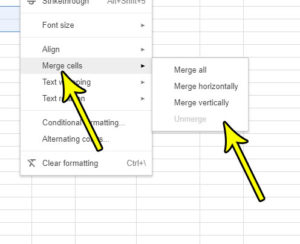
Online spreadsheet with a list of names selected and the Data menu open showing Randomize range highlighted

How to Randomize a List in Google Sheets

November 10, 2026June 25, 2018 by Kermit Matthews

Randomize data in Google Sheets with Data > Randomize range, shuffle with SORT and RANDARRAY, pick random entries, and freeze results. Continue Reading How to Randomize a List in Google Sheets
Categories Google Sheets
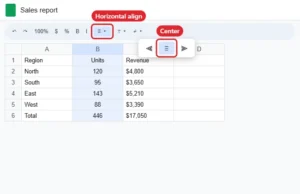
how to merge cells in google sheets

How to Merge Cells in Google Sheets

November 15, 2026June 22, 2018 by Kermit Matthews

When you first create a spreadsheet in Google Sheets it will contain a series of cells arranged into rows and columns. These cells will be… Continue Reading How to Merge Cells in Google Sheets
Categories Google Sheets
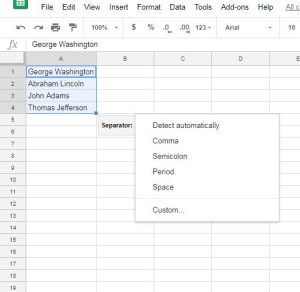
Online spreadsheet with a column selected and the horizontal align menu open with Center chosen

How to Center Data Horizontally in Google Sheets

November 10, 2026April 19, 2018 by Kermit Matthews

Center data horizontally in Google Sheets with the Horizontal align button, Format > Alignment, or Ctrl + Shift + E, and center vertically too. Continue Reading How to Center Data Horizontally in Google Sheets
Categories Google Sheets
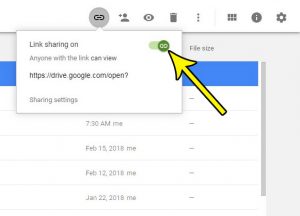
how to split data into columns in google sheets

How to Split Full Names in Google Sheets

November 15, 2026April 17, 2018 by Kermit Matthews

Splitting a column of full names takes one menu in Google Sheets, Data > Split text to columns, as long as the cells to the… Continue Reading How to Split Full Names in Google Sheets
Categories Google Sheets
how to stop sharing a link to a google sheets file

How to Stop Sharing a Link to a Google Sheets File

November 10, 2026February 20, 2018 by Kermit Matthews

Google Drive makes it very easy for you to share a link to one of the Google Sheets files that you’ve created. Turn on a… Continue Reading How to Stop Sharing a Link to a Google Sheets File
Categories Google Sheets
how to protect a worksheet in google sheets

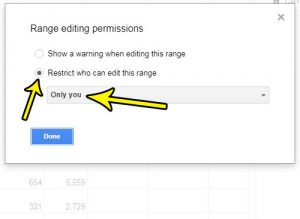
How to Protect a Worksheet in Google Sheets

November 10, 2026February 7, 2018 by Kermit Matthews

The collaboration feature in Google Sheets makes it easier for a group of people to work on the same file. But if you have shared… Continue Reading How to Protect a Worksheet in Google Sheets
Categories Google Sheets
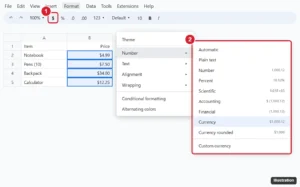
Online spreadsheet with a price column selected, the Format as currency dollar button on the toolbar highlighted, and the Format Number menu open showing Currency, Currency rounded and Custom currency

How to Apply Currency Formatting in Google Sheets

November 12, 2026January 19, 2018 by Kermit Matthews

Apply currency formatting in Google Sheets: select cells and click $ or Format > Number > Currency. Plus custom currencies, locale and accounting. Continue Reading How to Apply Currency Formatting in Google Sheets
Categories Google Sheets
Presentation Print settings and preview toolbar with the layout dropdown open and Handout 2 slides per page highlighted

How to Remove Cell Shading in Google Sheets

November 14, 2026January 16, 2018 by Kermit Matthews

Remove cell shading in Google Sheets: select cells and click Fill color > Reset, or press Ctrl + \ to clear formatting. Plus banding and rule fixes. Continue Reading How to Remove Cell Shading in Google Sheets
Categories Google Sheets
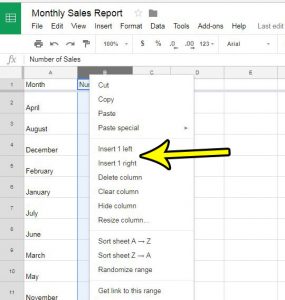
how to insert a column in google sheets

How to Insert a Column in Google Sheets

November 15, 2026January 15, 2018 by Kermit Matthews

When you first create a spreadsheet you probably have a general idea of the information you need, and what will be included in the sheet.… Continue Reading How to Insert a Column in Google Sheets

Categories Google Sheets
Newer posts
← Previous Page1 Page2

Join Our Free Newsletter

Featured guides and deals

You may opt out at any time.
Read our Privacy Policy

Live2Tech

Plain-English, step-by-step guides for the devices and apps you use every day.

Apple

  • iPhone
  • iPad
  • Mac
  • Apple Watch

Windows

  • Windows 11
  • Windows 10

Microsoft Office

  • Word
  • Excel
  • Powerpoint
  • Outlook

Google

  • Google Docs
  • Google Sheets
  • Google Slides
  • Gmail
  • Chrome
  • Google Drive
  • About Us
  • Contact
  • Disclaimer
  • Privacy Policy
© Live2Tech.com 2026
  • iPhone
  • Windows
    • Windows 11
    • Windows 10
  • Office
    • Word
    • Excel
    • Powerpoint
    • Outlook
  • Google
    • Google Docs
    • Google Sheets
    • Google Slides
    • Gmail
    • Chrome
    • Google Drive
  • Mac & Apple
    • Mac
    • iPad
    • Apple Watch
  • All Tutorials