Skip to content
Live2Tech
  • iPhone
  • Windows
    • Windows 11
    • Windows 10
  • Office
    • Word
    • Excel
    • Powerpoint
    • Outlook
  • Google
    • Google Docs
    • Google Sheets
    • Google Slides
    • Gmail
    • Chrome
    • Google Drive
  • Mac & Apple
    • Mac
    • iPad
    • Apple Watch
  • All Tutorials

Apple

How-to guides and tutorials to help you perform specific tasks and use various Apple electronic devices.

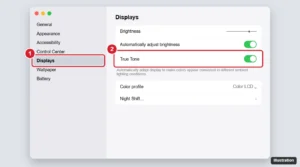
Mac System Settings Displays pane with the True Tone switch highlighted

How to Turn True Tone On or Off on a Mac

November 14, 2026April 8, 2024 by Kermit Matthews

Learn what True Tone does on a Mac, which Macs support it, how to turn it on or off in Displays or Control Center, and how it differs from Night Shift. Continue Reading How to Turn True Tone On or Off on a Mac

Categories Mac
Tracking app item screen showing No location found with Play Sound and Find options

AirTag Not Reachable? What It Means and How to Fix It

November 17, 2026April 7, 2024 by Kermit Matthews

AirTag not reachable or showing No location found? Move closer, check Bluetooth and Location Services, replace the battery or reset the tag. Continue Reading AirTag Not Reachable? What It Means and How to Fix It

Categories iPhone

AirPods Engraving Ideas: 40+ Ways to Personalize Your Case

November 10, 2026April 7, 2024 by Kermit Matthews

Customize your AirPods with unique engraving ideas. From initials to quotes, make them truly yours with personalized touches. Continue Reading AirPods Engraving Ideas: 40+ Ways to Personalize Your Case

Categories Apple

How to Deactivate Facebook on an iPhone (iPhone 14 and Later)

November 11, 2026April 7, 2024 by Kermit Matthews

Learn how to deactivate your Facebook account on iPhone 14 with our easy step-by-step guide. Gain control over your digital life today! Continue Reading How to Deactivate Facebook on an iPhone (iPhone 14 and Later)

Categories iPhone
Phone earbuds settings screen with the Name field being edited to a fun custom name

Funny Name Ideas for Your AirPods (and How to Rename Them)

November 12, 2026April 6, 2024 by Kermit Matthews

Original funny AirPods name ideas, from puns to practical labels, plus how to rename AirPods on iPhone and tips for choosing a safe name. Continue Reading Funny Name Ideas for Your AirPods (and How to Rename Them)

Categories Apple
Service status page with green available services and one service marked with an issue

How to Check Apple System Status for Service Outages

November 10, 2026April 6, 2024 by Kermit Matthews

Check Apple System Status to see if iCloud, iMessage, the App Store or other Apple services are down, and what to do if everything is green. Continue Reading How to Check Apple System Status for Service Outages

Categories Apple

AirTag Engraving Ideas: Personalize Your Tracker with Style

November 12, 2026April 6, 2024 by Kermit Matthews

Add a personal touch to your AirTag with custom engraving ideas. From initials to emojis, make your tracker stand out with style! Continue Reading AirTag Engraving Ideas: Personalize Your Tracker with Style

Categories Apple
iPhone Cellular settings for the Primary line with SIM Applications highlighted

“Primary: Your SIM Played a Tone” on iPhone Explained

November 18, 2026April 6, 2024 by Kermit Matthews

“Primary: Your SIM played a tone” means a carrier SIM app made a sound. Here is why it happens and how to turn it off in SIM Applications on iPhone. Continue Reading “Primary: Your SIM Played a Tone” on iPhone Explained

Categories iPhone
AirTag rename screen in Find My with a custom name and the emoji picker highlighted

Funny AirTag Names (and How to Rename Your AirTag)

November 17, 2026April 6, 2024 by Kermit Matthews

Funny AirTag names for keys, wallets, luggage, cars, bikes, and pets, plus how to rename an AirTag and change its emoji in Find My on iPhone or Mac. Continue Reading Funny AirTag Names (and How to Rename Your AirTag)

Categories iPhone

Voice Memos Not Playing on iPhone 14? 11 Fixes

November 16, 2026April 5, 2024 by Kermit Matthews

Struggling with voice memos not playing on iPhone 14? Our guide walks you through easy fixes to get them working again in no time. Continue Reading Voice Memos Not Playing on iPhone 14? 11 Fixes

Categories iPhone
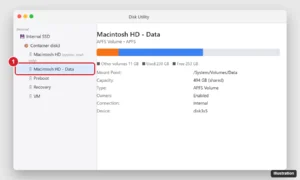
Mac disk utility sidebar showing the system volume and its Data volume in the same container, with the Data volume selected and its used space shown

Macintosh HD vs. Macintosh HD – Data: What Is the Difference?

November 15, 2026April 5, 2024 by Kermit Matthews

Macintosh HD is the read-only macOS system volume; Macintosh HD – Data holds your files. Learn how they share storage and when to erase them. Continue Reading Macintosh HD vs. Macintosh HD – Data: What Is the Difference?

Categories Mac
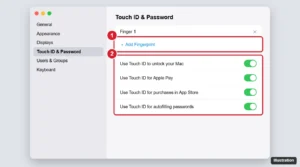
Mac System Settings Touch ID and Password pane with Add Fingerprint and the unlock options highlighted

How to Fix Magic Keyboard Touch ID Not Working

November 14, 2026April 5, 2024 by Kermit Matthews

Magic Keyboard Touch ID not working? Check pairing, fingerprints, macOS updates, and Touch ID settings, then reset the keyboard with these step-by-step fixes. Continue Reading How to Fix Magic Keyboard Touch ID Not Working

Categories Mac
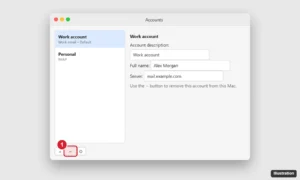
Mac email app Accounts settings listing an account with the minus button highlighted to remove it and sign out

How to Sign Out of Outlook on a Mac

November 13, 2026April 5, 2024 by Kermit Matthews

Sign out of Outlook on a Mac by removing the account in Outlook > Settings > Accounts, or sign out of Microsoft 365 for all Office apps. Continue Reading How to Sign Out of Outlook on a Mac

Categories Mac, Outlook
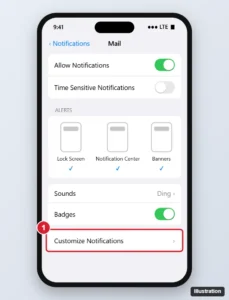
Phone mail app notification settings with Allow Notifications on, Lock Screen, Notification Center and Banners alerts selected, and Customize Notifications highlighted

iPhone Mail Notifications Not Working? Here’s How to Fix It

November 18, 2026April 5, 2024 by Kermit Matthews

Fix iPhone Mail notifications that are not working: turn on alerts per account, enable Push or Fetch, and check Focus, Scheduled Summary and Low Power Mode. Continue Reading iPhone Mail Notifications Not Working? Here’s How to Fix It

Categories iPhone

How to Crop a Screenshot on a Mac (4 Ways)

November 10, 2026April 5, 2024 by Kermit Matthews

Learn how to easily crop screenshots on your Mac with this step-by-step guide. Perfect for editing images or focusing on specific details! Continue Reading How to Crop a Screenshot on a Mac (4 Ways)

Categories Mac
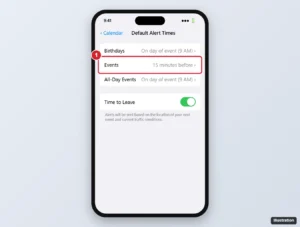
iPhone Calendar Default Alert Times settings with Events set to 15 minutes before highlighted

iPhone Calendar Alerts Not Working? How to Fix Them

November 14, 2026April 5, 2024 by Kermit Matthews

Fix iPhone Calendar alerts that aren’t working: turn on notifications, check event and default alert times, Focus, alert sounds, and calendar sync. Continue Reading iPhone Calendar Alerts Not Working? How to Fix Them

Categories iPhone
Phone Date and Time settings with Set Automatically turned on, a common fix for store connection errors

Cannot Connect to App Store? 9 Fixes for iPhone, iPad, and Mac

November 17, 2026April 4, 2024 by Kermit Matthews

Fix Cannot Connect to App Store on iPhone, iPad, or Mac: check Apple status, your connection, VPN, date and time, your account, and network settings. Continue Reading Cannot Connect to App Store? 9 Fixes for iPhone, iPad, and Mac

Categories iPhone

Logi Options+ Not Working on Mac? How to Fix It

November 10, 2026April 4, 2024 by Kermit Matthews

Struggling with Logi Options on Mac? Don’t worry, we’ve got the solutions to get your device up and running smoothly again. Continue Reading Logi Options+ Not Working on Mac? How to Fix It

Categories Mac

How to Uninstall TurboTax on a Mac (and Keep Your Tax Files)

November 16, 2026April 4, 2024 by Kermit Matthews

Uninstall TurboTax on a Mac: quit it, drag TurboTax 20XX from Applications to the Trash, and optionally clear its Library files. Your returns stay put. Continue Reading How to Uninstall TurboTax on a Mac (and Keep Your Tax Files)

Categories Mac

iPhone 13 Adjust Brightness Shortcut

November 10, 2026April 4, 2024 by Kermit Matthews

Learn how to quickly adjust your iPhone 13’s brightness with this simple shortcut guide – no more squinting or straining your eyes! Continue Reading iPhone 13 Adjust Brightness Shortcut

Categories iPhone

Grammarly Desktop Can’t Be Moved to Trash on Mac? How to Fix It

November 10, 2026April 4, 2024 by Kermit Matthews

Struggling to delete Grammarly Desktop? Find out why it’s stuck and how to fix it in our latest article. Continue Reading Grammarly Desktop Can’t Be Moved to Trash on Mac? How to Fix It

Categories Mac

How to Add AirDrop to Favorites in Finder on Mac

November 18, 2026April 4, 2024 by Kermit Matthews

Learn how to add Airdrop to your favorites for quick access on your Mac with our step-by-step guide. Simplify file sharing in seconds! Continue Reading How to Add AirDrop to Favorites in Finder on Mac

Categories Mac
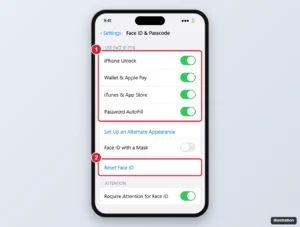
iPhone Face ID and Passcode settings with the Use Face ID For switches and Reset Face ID highlighted

Face ID Not Working on iPhone? How to Fix It

November 16, 2026April 4, 2024 by Kermit Matthews

Face ID not working after iOS 16.5 or a later update? Check settings, clean the TrueDepth camera, update iOS, reset Face ID, and spot hardware problems. Continue Reading Face ID Not Working on iPhone? How to Fix It

Categories iPhone

iPhone APN Settings Missing? Why and How to Fix It

November 10, 2026April 4, 2024 by Kermit Matthews

Is your iPhone missing APN settings? Don’t worry, we’ve got you covered with a step-by-step guide on how to fix the issue and restore connectivity. Continue Reading iPhone APN Settings Missing? Why and How to Fix It

Categories iPhone
iPhone subscription details for an AppleCare+ plan with the Cancel Subscription button highlighted

How to Cancel an AppleCare+ Subscription

November 14, 2026April 4, 2024 by Kermit Matthews

Cancel AppleCare+ in Settings > your name > Subscriptions. For upfront plans, contact Apple for a refund. What happens to coverage after you cancel. Continue Reading How to Cancel an AppleCare+ Subscription

Categories iPhone

How to Stop Zoom From Opening on Startup on a Mac

November 16, 2026April 3, 2024 by Kermit Matthews

Stop Zoom opening when your Mac starts: remove it from Login Items and Extensions, turn off Open at Login in the Dock, and stop windows reopening. Continue Reading How to Stop Zoom From Opening on Startup on a Mac

Categories Mac

Apps Like Widgetsmith: Best Alternatives to Customize Your Phone

November 10, 2026April 3, 2024 by Kermit Matthews

Discover the top alternatives to Widgetsmith for customizing your phone’s home screen. Get creative with these user-friendly app options! Continue Reading Apps Like Widgetsmith: Best Alternatives to Customize Your Phone

Categories iPhone

Verizon Mobile Protect vs AppleCare: How They Compare

November 17, 2026April 3, 2024 by Kermit Matthews

Choosing the right device protection matters. We compare Verizon Mobile Protect and AppleCare to help you decide the best option for your needs. Continue Reading Verizon Mobile Protect vs AppleCare: How They Compare

Categories Apple
iPhone Phone app Voicemail tab showing the Set Up Now button highlighted

How to Set Up Visual Voicemail with Consumer Cellular on iPhone

November 10, 2026April 1, 2024 by Kermit Matthews

Set up Visual Voicemail with Consumer Cellular on iPhone 14 or another iPhone, create a greeting and password, and fix Visual Voicemail that will not load. Continue Reading How to Set Up Visual Voicemail with Consumer Cellular on iPhone

Categories iPhone
Diagram comparing a two-layer phone case with an inner sleeve and outer shell to a one-piece slim case

OtterBox Commuter vs. Symmetry for iPhone 14: Which Case Should You Buy?

November 12, 2026April 1, 2024 by Kermit Matthews

Compare OtterBox Commuter and Symmetry cases for iPhone 14: two-layer protection and grip versus a slimmer one-piece design, plus MagSafe and buying tips. Continue Reading OtterBox Commuter vs. Symmetry for iPhone 14: Which Case Should You Buy?

Categories iPhone
Phone car display settings Customize screen with a navigation app moved to the hidden list so it no longer appears on the car screen

How to Stop Waze From Opening Automatically on iPhone

November 10, 2026April 1, 2024 by Kermit Matthews

Stop Waze from opening automatically on iPhone and CarPlay by ending drives, removing it from CarPlay, turning off suggestions and checking automations. Continue Reading How to Stop Waze From Opening Automatically on iPhone

Categories iPhone
Windows 10 Date and Time dialog on the Additional Clocks tab with Show this clock checked and a time zone and display name entered

Troubleshooting Clicking Noises on Your iPhone 14: Quick Fixes

November 10, 2026April 1, 2024 by Kermit Matthews

iPhone 14 making clicking noises? Find the source, turn off keyboard and lock sounds or haptics, learn why the camera rattles, and know when it needs repair. Continue Reading Troubleshooting Clicking Noises on Your iPhone 14: Quick Fixes

Categories iPhone

Troubleshooting Bluetooth Connectivity Issues with Apple Mouse: A Guide

November 16, 2026April 1, 2024 by Kermit Matthews

Struggling to connect your Apple Mouse via Bluetooth? Our guide has tips to fix common connectivity issues and get you back on track. Continue Reading Troubleshooting Bluetooth Connectivity Issues with Apple Mouse: A Guide

Categories Mac

How to Draw on a Photo on iPhone 13 (and Other iPhones)

November 12, 2026March 29, 2024 by Kermit Matthews

To draw on a photo on an iPhone 13 or any recent iPhone, open the photo in the Photos app, tap Edit, then tap the… Continue Reading How to Draw on a Photo on iPhone 13 (and Other iPhones)

Categories iPhone

How to Edit an Email on iPhone 13 (Drafts, Sent Mail and Accounts)

November 10, 2026March 29, 2024 by Kermit Matthews

“Editing an email” on an iPhone 13 can mean fixing a message you are still writing, going back to a saved draft, pulling back a… Continue Reading How to Edit an Email on iPhone 13 (Drafts, Sent Mail and Accounts)

Categories iPhone

How to Turn On Developer Mode on iPhone 13

November 17, 2026March 13, 2024 by Kermit Matthews

Unlock the full potential of your iPhone 13 with our step-by-step guide on how to enter Developer Mode and access advanced features. Continue Reading How to Turn On Developer Mode on iPhone 13

Categories iPhone
Phone web browser with the page menu open and the Request Desktop Website option highlighted

How to Use Desktop View on iPhone (Safari and Chrome)

November 10, 2026February 16, 2024 by Kermit Matthews

Request the desktop version of websites on iPhone in Safari for one visit, one site, or all sites, plus how to do it in Chrome, Firefox and Edge. Continue Reading How to Use Desktop View on iPhone (Safari and Chrome)

Categories iPhone

iOS 17: How to Cancel a Subscription on iPhone

November 14, 2026February 7, 2024 by Kermit Matthews

On iOS 17, subscriptions billed through Apple can be canceled from your Apple Account subscription list. Canceling stops future renewal but normally leaves access until… Continue Reading iOS 17: How to Cancel a Subscription on iPhone

Categories iPhone
Phone app store Purchased list with one app swiped left to reveal a red Hide button

How to Hide a Purchased App on Your iPhone (and Unhide It)

November 10, 2026February 7, 2024 by Kermit Matthews

Hide purchased apps on iPhone by swiping left in your App Store purchase list, unhide them in Hidden Purchases, and learn what hiding does and does not do. Continue Reading How to Hide a Purchased App on Your iPhone (and Unhide It)

Categories iPhone
Phone home screen folder with its name being edited

How to Rename Folders on Your iPhone

November 10, 2026February 2, 2024 by Kermit Matthews

Rename an iPhone Home Screen folder: touch and hold it, tap Rename, type the new name and tap Done. Works on iOS 17 and later. Continue Reading How to Rename Folders on Your iPhone

Categories iPhone
Computer device management window showing a connected phone with the Restore button highlighted and a note to hold Option or Shift while clicking to choose a firmware file

How to Go Back to a Previous Version of iOS on iPhone

November 10, 2026January 24, 2024 by Kermit Matthews

Downgrade to a previous iOS version on iPhone while Apple still signs it, using a Mac or PC and an IPSW file, leave the beta, and restore your data. Continue Reading How to Go Back to a Previous Version of iOS on iPhone

Categories iPhone
iPhone Change Country or Region screen for the App Store with Japan selected

How to Get Japanese Apps on iPhone or iPad

November 10, 2026January 24, 2024 by Kermit Matthews

Get Japanese apps on iPhone by switching to the Japan App Store: change your account region or use a second Apple Account. Plus payment options. Continue Reading How to Get Japanese Apps on iPhone or iPad

Categories iPad, iPhone

How to Format and Highlight Text in iPhone Notes

November 10, 2026January 24, 2024 by Kermit Matthews

To format text in the iPhone Notes app, select the text and tap the Aa button above the keyboard. From there you can make text… Continue Reading How to Format and Highlight Text in iPhone Notes

Categories iPhone

How to Turn Off Keyboard Sounds and Haptics on iPhone

November 18, 2026January 23, 2024 by Kermit Matthews

Turn off the iPhone keyboard click and the tap you feel in Settings > Sounds & Haptics > Keyboard Feedback, plus what Silent mode does and the iPad setting. Continue Reading How to Turn Off Keyboard Sounds and Haptics on iPhone

Categories iPhone

How to Check and Manage Camera Permissions on an iPhone

November 16, 2026January 23, 2024 by Kermit Matthews

To check which apps can use your iPhone’s camera, go to Settings > Privacy & Security > Camera. You’ll see every app that has asked… Continue Reading How to Check and Manage Camera Permissions on an iPhone

Categories iPhone

How to Leave a Slack Workspace on iPhone or iPad (or Just Sign Out)

November 16, 2026January 20, 2024 by Kermit Matthews

There are two ways to “leave” a Slack workspace on an iPhone or iPad, and they do different things. Signing out just removes the workspace… Continue Reading How to Leave a Slack Workspace on iPhone or iPad (or Just Sign Out)

Categories iPhone

How to Update Apps on an iPad (Manually and Automatically)

November 10, 2026January 19, 2024 by Kermit Matthews

To update apps on an iPad manually, open the App Store, tap your profile picture in the top-right corner, scroll down to see pending updates,… Continue Reading How to Update Apps on an iPad (Manually and Automatically)

Categories iPad
Phone video call screen in a messaging app with the effects and activities tray open and the Games option highlighted

How to Play Games on Messenger (Android, iPhone, and PC)

November 13, 2026January 18, 2024 by Kermit Matthews

Find and play games on Messenger during video calls, play Instant Games in the Facebook app, try hidden emoji games, and fix games that do not appear. Continue Reading How to Play Games on Messenger (Android, iPhone, and PC)

Categories iPhone
Phone in-call screen with the Mute button highlighted and a label saying touch and hold to put the call on hold

How to Put a Call on Hold on iPhone

November 10, 2026January 18, 2024 by Kermit Matthews

Touch and hold Mute to put an iPhone call on hold, juggle two calls with Hold & Accept and Swap, and let Hold Assist wait for you in iOS 26. Continue Reading How to Put a Call on Hold on iPhone

Categories iPhone

How to Pause a TikTok Video on iPhone or iPad (and Stop Auto Scroll)

November 10, 2026January 18, 2024 by Kermit Matthews

To pause a TikTok video on an iPhone or iPad, tap once anywhere in the middle of the video. A play icon appears to show… Continue Reading How to Pause a TikTok Video on iPhone or iPad (and Stop Auto Scroll)

Categories iPhone
Older posts
Newer posts
← Previous Page1 Page2 Page3 Page4 … Page14 Next →

Join Our Free Newsletter

Featured guides and deals

You may opt out at any time.
Read our Privacy Policy

Live2Tech

Plain-English, step-by-step guides for the devices and apps you use every day.

Apple

  • iPhone
  • iPad
  • Mac
  • Apple Watch

Windows

  • Windows 11
  • Windows 10

Microsoft Office

  • Word
  • Excel
  • Powerpoint
  • Outlook

Google

  • Google Docs
  • Google Sheets
  • Google Slides
  • Gmail
  • Chrome
  • Google Drive
  • About Us
  • Contact
  • Disclaimer
  • Privacy Policy
© Live2Tech.com 2026
  • iPhone
  • Windows
    • Windows 11
    • Windows 10
  • Office
    • Word
    • Excel
    • Powerpoint
    • Outlook
  • Google
    • Google Docs
    • Google Sheets
    • Google Slides
    • Gmail
    • Chrome
    • Google Drive
  • Mac & Apple
    • Mac
    • iPad
    • Apple Watch
  • All Tutorials