You can leave an iPhone group text when everyone in the conversation uses an Apple device and there are at least three other people in the thread. Open the conversation, tap the group icons at the top, scroll down, choose Leave this Conversation, then confirm. If that choice is missing, mute the conversation instead.
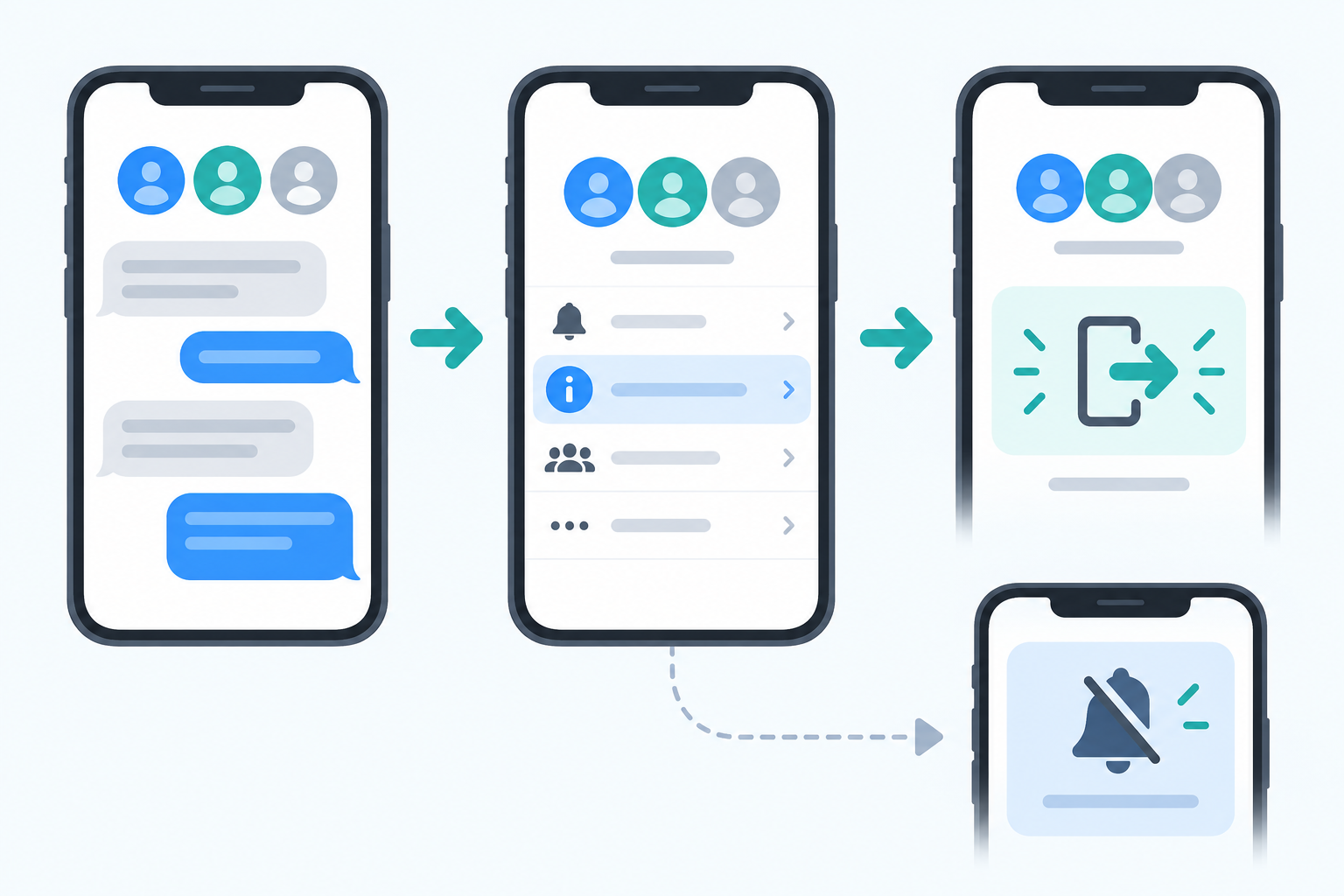
Leave an iMessage group conversation
- Open Messages and choose the group conversation.
- Tap the group icons or group name at the top of the thread.
- Scroll down through the conversation settings.
- Tap Leave this Conversation.
- Tap Leave Conversation to confirm.
A note that you left appears in the conversation for the other people in the group. You will stop receiving new messages from that thread.
When you can leave a group text
The Leave this Conversation option is available only for an iMessage group with enough remaining participants. Apple says everyone must be using an Apple device, and there must be at least three other people in the thread. A chat with an Android phone or a smaller group may not show the option.
Mute the conversation when you cannot leave
If leaving is unavailable, use Hide Alerts to stop notifications from that thread.
- Open the group conversation in Messages.
- Tap the group icons or group name at the top.
- Turn on Hide Alerts.
You can still open the conversation later and read new messages, but your iPhone will not notify you each time someone sends one.
Other ways to manage a busy group chat
Deleting a conversation only removes it from your own Messages list; it does not remove you from the group. For a different iMessage task, see our guide on playing iMessage games on iPhone and iPad.
To silence all texts instead, see turning off text notifications.
Related: leave or delete a GroupMe group.
Frequently asked questions
Why is Leave this Conversation missing?
The group may include a non-Apple device, or there may not be enough other participants in the thread. Use Hide Alerts when you cannot leave.
Can I leave a group with Android users?
Apple’s leave option applies to eligible all-Apple-device iMessage groups. In a mixed-device conversation, mute alerts or ask the group to start a new thread without you.
Does deleting the group text remove me?
No. Deleting it removes the conversation from your own device, but it does not remove you from the group.
Final thought
Use Leave this Conversation for eligible iMessage groups when you want a clean exit. Use Hide Alerts when the group cannot be left but you want your iPhone to stay quiet.

Kermit Matthews is a freelance writer based in Philadelphia, Pennsylvania with more than a decade of experience writing technology guides. He has a Bachelor’s and Master’s degree in Computer Science and has spent much of his professional career in IT management.
He specializes in writing content about iPhones, Android devices, Microsoft Office, and many other popular applications and devices.