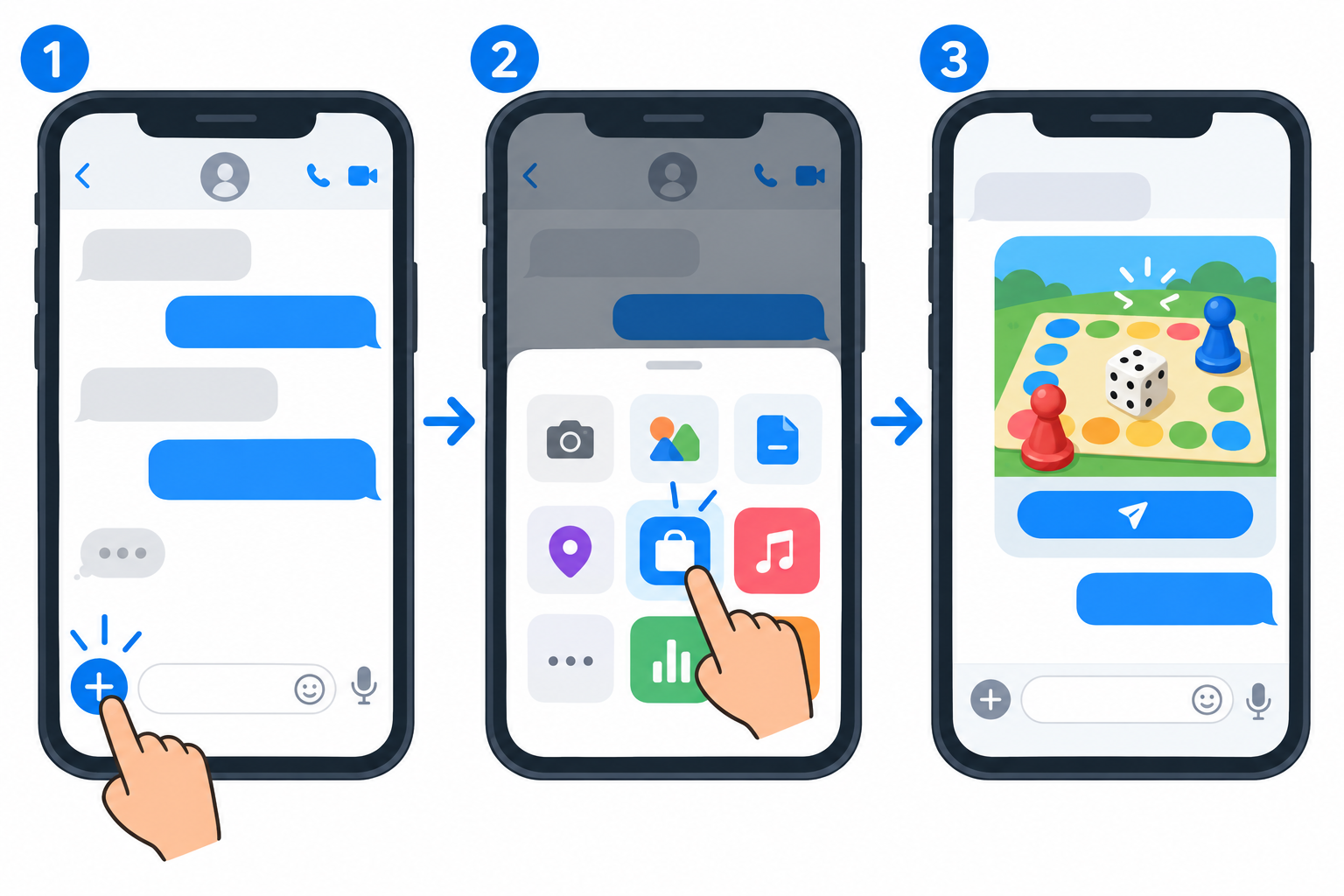
You can play games in Messages by opening a conversation, tapping the Plus button, choosing Store, and installing an iMessage game. Open the game in a conversation and send an invitation or first move.
Before you start
Use an iPhone or iPad signed in to your Apple Account with iMessage enabled. The other player needs a compatible Apple device and, when the game requires it, the same game installed.
Find and install an iMessage game
- Open Messages and open or start a conversation.
- Tap the Plus button beside the message field.
- Tap Store to open the App Store for iMessage.
- Choose a game and tap Get or its price button.
- Return to the conversation and open the game from the Plus menu.
Start a game with a friend
- Open a conversation with the person you want to play with.
- Open the installed game from the Plus menu.
- Choose a game mode or board.
- Send the invitation or first turn.
- Ask your friend to install the same game if prompted, then open the game message.
Choose a game for the group
Arcade games suit quick score challenges. Board and word games suit turn-based play. Drawing and trivia games work well in group chats. Apple’s App Store editorial collection identifies GamePigeon games such as basketball and 8-ball as games played through iMessage. You can also create an iPhone group message before inviting several people, or mention someone in an iMessage group chat when it is their turn.
Fix common problems
- Confirm you are in an iMessage conversation. Green SMS or RCS conversations cannot use iMessage app extensions in the same way.
- Update iOS or iPadOS and reopen Messages.
- Confirm you are signed in to the App Store with your Apple Account.
- Tap Plus and swipe up to view more available apps.
- If an invitation does not start, have the other player install the same game and open the invitation again.
Related: Use a SNES emulator on iPad.
Frequently asked questions
Do both players need the same game?
Usually, yes. A recipient can be prompted to install it before taking a turn.
Can I play on iPad?
Yes, when the game supports iPad and you use Messages with iMessage enabled.
Where are installed games?
Open a conversation, tap Plus, and browse the apps. You can rearrange them from the app list.

Kermit Matthews is a freelance writer based in Philadelphia, Pennsylvania with more than a decade of experience writing technology guides. He has a Bachelor’s and Master’s degree in Computer Science and has spent much of his professional career in IT management.
He specializes in writing content about iPhones, Android devices, Microsoft Office, and many other popular applications and devices.