Have you ever been watching videos and received an alert that you should take a break?
This is a setting in the YouTube iPhone app that is meant to aid your health, but it might be something you don’t need or want.
The steps below show how to stop the YouTube break reminders so that you can watch videos without being interrupted periodically.
How to Shut Off the YouTube Break Reminder on an iPhone
- Open YouTube.
- Tap your profile icon.
- Choose Settings.
- Select General.
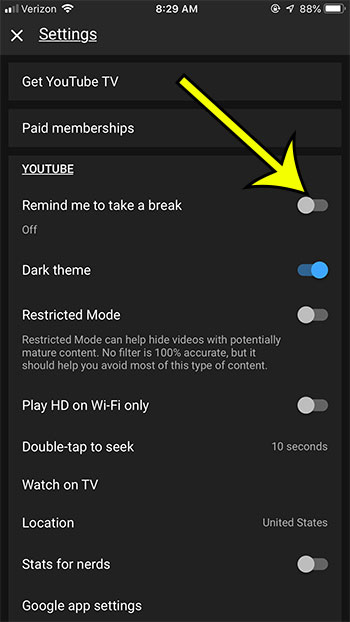
- Turn off Remind me to take a break.
The section below has additional information on how to turn off the break reminder in the iPhone YouTube app, including pictures of these steps.
YouTube has so much content that it’s pretty easy to spend a lot of time watching entertaining videos.
If you’ve found a good channel and are watching their whole library, or if you’ve started watching videos on a particular topic and keep going to other related ones, time can just fly by.
If you’ve been watching YouTube videos for a long time in one session, you may have gotten a notification from the app telling you that it’s time to take a break.
This is meant to be helpful and give your eyes a rest. But if you would prefer not to receive this break reminder notification, you can turn it off.
The steps below show you where to find that option on an iPhone.
Related Article: If the light on the back of your iPhone is turned on, then our iPhone 11 guide about turning off the flashlight can help you shut it off.
How to Stop YouTube from Telling You to Take a Break (Guide with Pictures)
These steps were performed on an iPhone 7 Plus in iOS 12.2. I am using the 14.12.7 version of the YouTube app.
Step 1: Open YouTube.
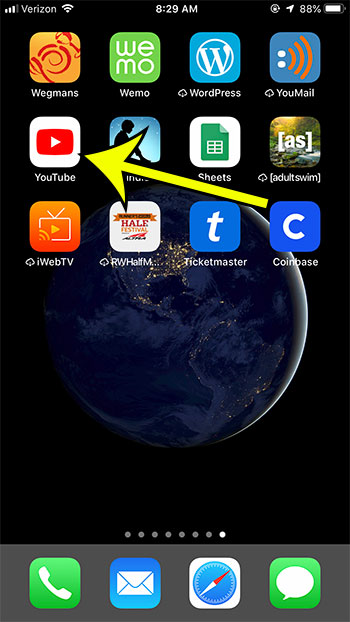
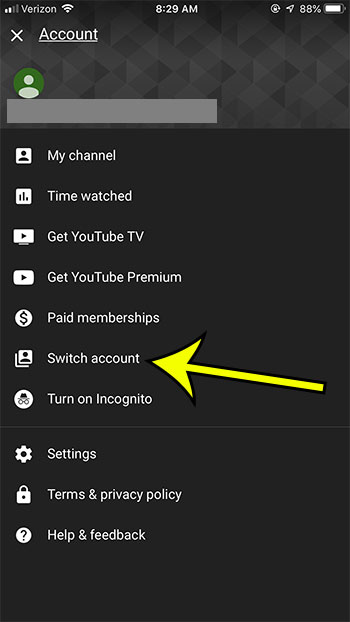
Step 2: Tap your profile icon at the top-right of the screen.

Step 3: Select the Settings option.
Step 4: Tap the button to the right of Remind me to take a break to turn it off.
Now that you know how to turn off the break reminder in the iPhone YouTube app, you will be able to watch videos for an extended period of time without being interrupted by YouTube telling you to take a break.
This is just one of many settings that you can configure in YouTube.
Find out how to turn off subscription notifications, for example, if you are subscribed to a lot of channels and are tired of getting notifications every time one of those channel posts a video.
If a red number on the YouTube icon is the other thing nagging you, what the red number on the YouTube app means explains the Badges switch that hides it.

Kermit Matthews runs Live2Tech from just outside Philadelphia. He is an IT specialist with over 20 years of experience, from a university help desk to small-business IT, IT management and his own consulting practice, and has written tech guides full time since 2020. Steps are checked against the current software on a real device or the maker’s official documentation. More about Kermit.