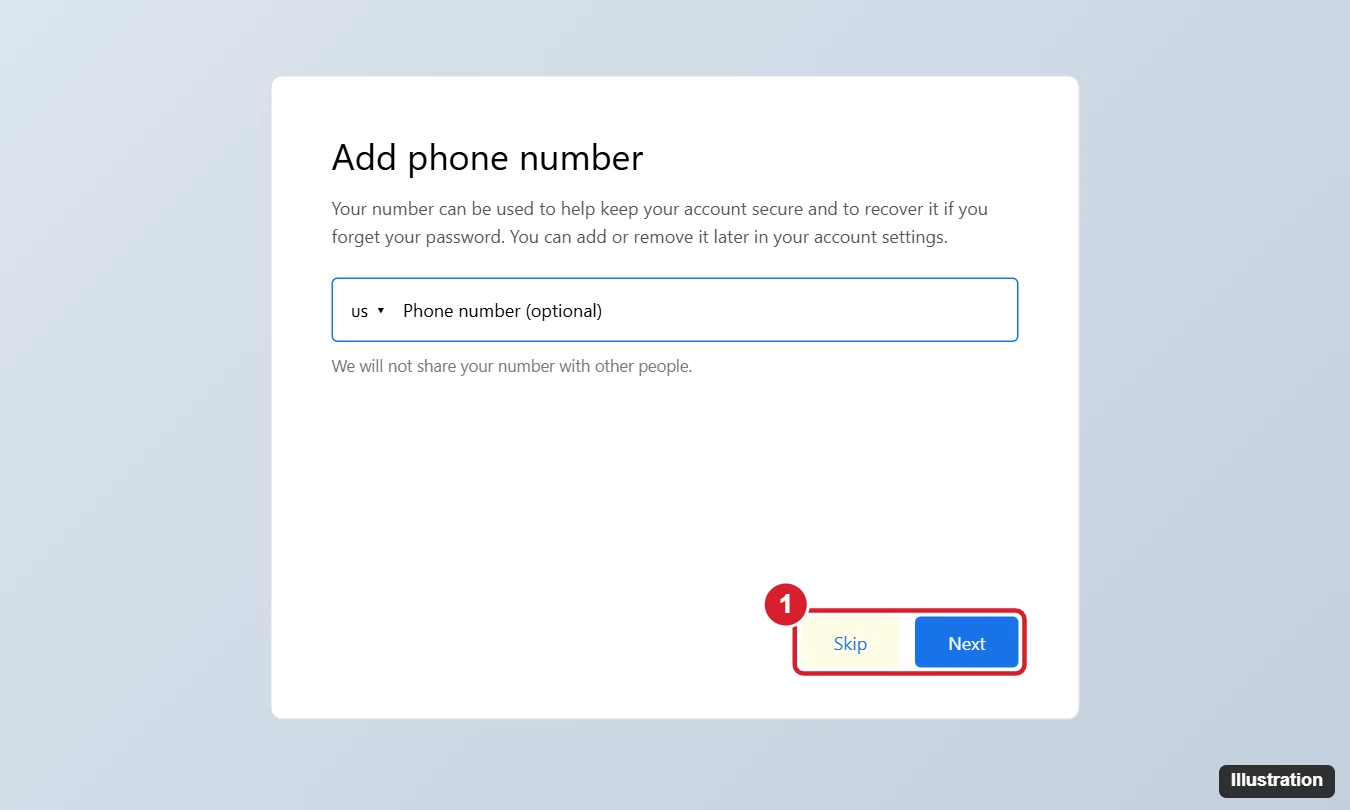
Google often asks for a phone number when you create an account or sign in from a new device. Sometimes the step is optional and you’ll see a Skip button; sometimes it’s required. There’s no setting or legitimate trick that turns the requirement off, because Google decides based on security and anti-abuse signals. This guide explains when you can skip it, what to do when you can’t, how to remove a number later, and how to secure your account without relying on text messages.
Quick Answer
If the phone number field says optional or shows Skip, click Skip and continue. If Google requires verification, use a number you own or are authorized to use. After the account is set up, you can remove the number in Google Account > Personal info > Phone and use a recovery email and an authenticator app or passkey instead.
Why Google Asks for a Phone Number
- Stopping abuse: phone verification limits automated and spam account creation.
- Account recovery: a number helps you get back in if you forget your password.
- Security checks: sign-ins from new devices or locations may trigger a verification code.
Whether the step is required depends on factors like your device, network, region and recent activity. That’s why one person sees Skip and another doesn’t.
When You Can Skip It
- Go to Google’s official sign-up page and fill in your name, username, password and birthday accurately.
- On the Add phone number screen, look for Skip or an “optional” label.
- Click Skip. Add a recovery email when asked so you can still recover the account.
If you’re signing in and Google offers other ways to verify, click Try another way to use a recovery email, a prompt on another signed-in device, or backup codes.
When Google Requires a Number
- Use your own number. You can remove it afterward (see below) if you don’t want it on the account.
- Use a family member’s number with their permission. Google limits how many accounts one number can verify, so you may see “This phone number has already been used too many times for verification.” In that case, use a different number you’re authorized to use.
- Create the account from a device and network you normally use, and try again later if you’ve just made several attempts. Repeated attempts can make verification stricter.
- Children’s accounts: a parent can create one through Family Link, verifying with the parent’s account.
- Work or school accounts: your administrator creates these, and phone verification is handled by the organization.
Avoid Temporary-Number and Verification Services
Websites offering free or “virtual” numbers for SMS codes are unreliable and risky. Numbers are shared, so anyone can receive codes sent to them, which can let a stranger reset your password. Google also blocks many of them, and using fake verification can violate Google’s terms and get the account disabled. Google Voice numbers can’t be used to verify a new account either, since setting up Voice requires an existing phone number.
Remove Your Number After Setup
- Go to your Google Account (myaccount.google.com) and click Personal info.
- Click Phone, select the number, and click the trash icon to remove it.
- Check Security > How you sign in to Google and remove it from Recovery phone and 2-Step Verification if listed.
To change it instead, see how to change your phone number on Google.
Secure Your Account Without SMS
- Recovery email: add one under Security.
- Passkeys: sign in with your device’s fingerprint, face or PIN.
- Authenticator app: use it for 2-Step Verification codes instead of texts. See how to recover Google Authenticator codes.
- Backup codes: print and store them somewhere safe.
- Security key: a physical key offers the strongest protection.
Frequently Asked Questions
Is there a way to always skip phone verification?
No. Google decides case by case. If Skip isn’t offered, verification is required for that sign-up.
Will Google share or market to my number?
Google says it uses the number for security and account features you choose. Review how it’s used under Personal info > Phone.
Can I use a landline?
Sometimes. Choose Call instead of text if the option appears.
Summary
- Click Skip when the phone step is optional.
- Otherwise use a number you own or are allowed to use.
- Don’t use temporary-number sites.
- Remove the number later and secure the account with a recovery email, passkey or authenticator app.

Kermit Matthews is a freelance writer based in Philadelphia, Pennsylvania with more than a decade of experience writing technology guides. He has a Bachelor’s and Master’s degree in Computer Science and has spent much of his professional career in IT management.
He specializes in writing content about iPhones, Android devices, Microsoft Office, and many other popular applications and devices.