Skip to content
Live2Tech
  • iPhone
  • Windows
    • Windows 11
    • Windows 10
  • Office
    • Word
    • Excel
    • Powerpoint
    • Outlook
  • Google
    • Google Docs
    • Google Sheets
    • Google Slides
    • Gmail
    • Chrome
    • Google Drive
  • Mac & Apple
    • Mac
    • iPad
    • Apple Watch
  • All Tutorials

Windows 11

Guides for Windows 11: settings, security, activation, troubleshooting, and more.

How to Clean Up Computer to Run Faster: Windows 11 Optimization Guide

October 23, 2026July 2, 2026 by Kermit Matthews

Is your Windows 11 computer slowing down? It might be time for a cleanup. You’ll need to remove unnecessary files, disable startup programs, and perform… Continue Reading How to Clean Up Computer to Run Faster: Windows 11 Optimization Guide

Categories Windows 11

How to Check NTP Server in Windows: A Step-by-Step Guide

November 5, 2026July 2, 2026 by Kermit Matthews

Checking the NTP server in Windows is a straightforward task. By using the Command Prompt, you can verify the current time server settings and ensure… Continue Reading How to Check NTP Server in Windows: A Step-by-Step Guide

Categories Windows 11

How to Edit a PDF File on Windows: A Step-by-Step Guide

October 23, 2026June 30, 2026 by Kermit Matthews

Editing a PDF on a Windows computer might seem tricky, but it’s actually quite simple once you know how. You’ll need the right tools, like… Continue Reading How to Edit a PDF File on Windows: A Step-by-Step Guide

Categories Windows 11

How to Type Spanish Ñ on Windows: A Simple Guide for Beginners

October 23, 2026June 30, 2026 by Kermit Matthews

Typing the Spanish “ñ” on a Windows computer is a breeze, even if it may seem tricky at first. Simply use a combination of keyboard… Continue Reading How to Type Spanish Ñ on Windows: A Simple Guide for Beginners

Categories Windows 11

How to Sign Out of Windows with Keyboard: A Quick Guide

October 23, 2026June 30, 2026 by Kermit Matthews

Signing out of Windows using just your keyboard is quick and easy. With a simple keyboard shortcut, you can safely log off from your session… Continue Reading How to Sign Out of Windows with Keyboard: A Quick Guide

Categories Windows 11
Devices app General page with the Backups section option to back up all data to this computer, Encrypt local backup, and the Back Up Now button highlighted

How to Back Up an iPhone to a Windows Computer (Apple Devices or iTunes)

October 20, 2026June 29, 2026 by Kermit Matthews

Back up your iPhone to a Windows PC with Apple Devices or iTunes, encrypt the backup, find where backups are saved, and restore your iPhone. Continue Reading How to Back Up an iPhone to a Windows Computer (Apple Devices or iTunes)

Categories Windows 11
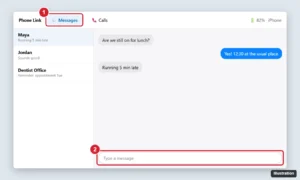
Windows Phone Link app connected to an iPhone with the Messages tab open and a conversation showing

How to Use iMessage on Windows With Phone Link

October 20, 2026June 19, 2026 by Kermit Matthews

Use iMessage on Windows by linking your iPhone to Phone Link over Bluetooth. Setup steps, what works (and doesn’t), and safe alternatives. Continue Reading How to Use iMessage on Windows With Phone Link

Categories iPhone, Windows 11
Windows Terminal showing winget installing the Node.js LTS package and node -v and npm -v confirming the installed versions

How to Install Node.js on Windows 10 and 11 (Installer, winget, nvm)

November 5, 2026June 18, 2026 by Kermit Matthews

Install Node.js and npm on Windows 10 or 11 with the official installer, winget, or nvm-windows, verify the install, and fix PATH and script errors. Continue Reading How to Install Node.js on Windows 10 and 11 (Installer, winget, nvm)

Categories Windows 10, Windows 11
Settings update page with the Pause updates menu open showing 1 to 5 weeks

How to Stop Windows From Automatically Updating

October 20, 2026June 16, 2026 by Kermit Matthews

Pause Windows updates for up to five weeks, set active hours, and use metered connections or Group Policy to control when updates install. Continue Reading How to Stop Windows From Automatically Updating

Categories Windows 10, Windows 11
Windows 11 Settings Windows Update page with the Check for updates button and Advanced options highlighted

How to Update Your Windows Computer

October 20, 2026June 16, 2026 by Kermit Matthews

Update Windows in Settings > Windows Update > Check for updates. Learn update types, driver updates, upgrading to Windows 11, and fixes for failed updates. Continue Reading How to Update Your Windows Computer

Categories Windows 10, Windows 11

How to Print a Screen on Windows: A Step-by-Step Guide

October 23, 2026June 16, 2026 by Kermit Matthews

Printing a screen on Windows, often called taking a screenshot, is a simple process that lets you capture exactly what’s on your monitor. All you… Continue Reading How to Print a Screen on Windows: A Step-by-Step Guide

Categories Windows 11

How to Give Yourself Administrator Privileges in Windows 11

October 23, 2026June 12, 2026 by Kermit Matthews

Windows 11 doesn’t let a standard account promote itself to administrator; that would defeat the point of having account types. To give yourself admin rights,… Continue Reading How to Give Yourself Administrator Privileges in Windows 11

Categories Windows 11

How to Make a Windows Application: A Step-by-Step Guide for Beginners

October 23, 2026June 11, 2026 by Kermit Matthews

Creating a Windows application can seem daunting, but it’s simpler than you might think. With the right tools and a bit of patience, you can… Continue Reading How to Make a Windows Application: A Step-by-Step Guide for Beginners

Categories Windows 11
Recycle Bin window with a deleted file selected and Restore the selected items highlighted

How to See Recently Deleted Files on Windows

November 5, 2026June 10, 2026 by Kermit Matthews

Find recently deleted files in the Recycle Bin, and recover files that are not there with Previous Versions, File History or winfr. Continue Reading How to See Recently Deleted Files on Windows

Categories Windows 10, Windows 11

How to Inspect on Windows: A Comprehensive Guide for Beginners

October 23, 2026June 10, 2026 by Kermit Matthews

Inspecting elements on Windows can be a breeze once you know how. You just need to open the built-in Developer Tools in your browser. Simply… Continue Reading How to Inspect on Windows: A Comprehensive Guide for Beginners

Categories Windows 11

How to Set Default Apps in Windows 11

November 4, 2026June 10, 2026 by Kermit Matthews

A PDF opens in Edge when you wanted Acrobat, or photos open in the wrong viewer. The quickest fix for one file type is from… Continue Reading How to Set Default Apps in Windows 11

Categories Windows 11

How to Print to PDF on Windows: A Simple Step-by-Step Guide

November 5, 2026June 8, 2026 by Kermit Matthews

Printing to PDF on Windows is a breeze! First, open the document you want to convert. Then, select ‘Print’ from the file menu, choose ‘Microsoft… Continue Reading How to Print to PDF on Windows: A Simple Step-by-Step Guide

Categories Windows 11

How to Copy in Windows: A Step-by-Step Guide for Beginners

October 23, 2026June 5, 2026 by Kermit Matthews

Copying in Windows is straightforward. Simply highlight the text or file you want, press Ctrl+C on your keyboard, and then paste it where you need… Continue Reading How to Copy in Windows: A Step-by-Step Guide for Beginners

Categories Windows 11

How to Reinstall Windows from BIOS: A Step-by-Step Guide

October 23, 2026June 5, 2026 by Kermit Matthews

Reinstalling Windows from the BIOS might sound like a tech challenge, but it’s easier than you think. First, you’ll need a bootable USB with Windows… Continue Reading How to Reinstall Windows from BIOS: A Step-by-Step Guide

Categories Windows 11

How to Boot into Windows Safe Mode: A Step-by-Step Guide

October 23, 2026June 5, 2026 by Kermit Matthews

Booting into Windows Safe Mode is a handy trick when something goes wrong with your computer. It starts your PC with a minimal set of… Continue Reading How to Boot into Windows Safe Mode: A Step-by-Step Guide

Categories Windows 11

How to Turn Off Administrator Permission in Windows 11: A Guide

October 23, 2026June 4, 2026 by Kermit Matthews

Turning off Administrator permission in Windows 11 can be a handy way to streamline your computing experience. By adjusting just a few settings, you can… Continue Reading How to Turn Off Administrator Permission in Windows 11: A Guide

Categories Windows 11

How to Screenshot on Windows Surface Pro: A Step-by-Step Guide

October 23, 2026June 4, 2026 by Kermit Matthews

Capturing a screenshot on your Windows Surface Pro is a breeze once you know the ropes. Whether you’re preserving a funny meme, saving important information,… Continue Reading How to Screenshot on Windows Surface Pro: A Step-by-Step Guide

Categories Windows 11

How to Reset a Windows Computer Without Password: A Simple Guide

October 23, 2026June 4, 2026 by Kermit Matthews

Resetting a Windows computer without a password sounds tricky, but it’s actually pretty straightforward. You’ll need to access the Advanced Startup Options menu, use the… Continue Reading How to Reset a Windows Computer Without Password: A Simple Guide

Categories Windows 11

How to Change PC Name in Windows 11: A Simple Step-by-Step Guide

October 23, 2026June 3, 2026 by Kermit Matthews

Changing your PC name in Windows 11 is a simple task that can help personalize your computer or make it easier to identify on a… Continue Reading How to Change PC Name in Windows 11: A Simple Step-by-Step Guide

Categories Windows 11

How to Reset Windows Without Password: A Step-by-Step Guide

October 23, 2026June 3, 2026 by Kermit Matthews

Resetting Windows without a password might sound tricky, but it’s actually a straightforward process. You’ll be using the “Reset this PC” feature, which allows you… Continue Reading How to Reset Windows Without Password: A Step-by-Step Guide

Categories Windows 11

How to Change Default Microphone Windows 11: Step-by-Step Guide

October 23, 2026June 3, 2026 by Kermit Matthews

Switching the default microphone in Windows 11 is a straightforward process that helps ensure your voice is heard crystal clear during calls or recordings. You’ll… Continue Reading How to Change Default Microphone Windows 11: Step-by-Step Guide

Categories Windows 11

How to Open Windows Event Viewer: A Step-by-Step Guide

November 5, 2026June 3, 2026 by Kermit Matthews

Opening the Windows Event Viewer is a straightforward task that allows you to monitor and troubleshoot various system and application messages. To access it, you’ll… Continue Reading How to Open Windows Event Viewer: A Step-by-Step Guide

Categories Windows 11

How to Transfer Files to a Flash Drive in Windows 11: A Quick Guide

October 23, 2026June 3, 2026 by Kermit Matthews

Transferring files to a flash drive in Windows 11 is a breeze. Simply plug your flash drive into a USB port, open File Explorer to… Continue Reading How to Transfer Files to a Flash Drive in Windows 11: A Quick Guide

Categories Windows 11
Windows 11 Windows Update settings with Pause updates and the Pick a date option highlighted

How to Stop a Windows 11 Update in Progress

October 20, 2026June 2, 2026 by Kermit Matthews

Stop a Windows 11 update that is downloading or installing with Pause updates, and when it is not safe to interrupt one. Continue Reading How to Stop a Windows 11 Update in Progress

Categories Windows 11

How to Turn on Hardware Acceleration in Windows 11: A Guide

October 23, 2026June 2, 2026 by Kermit Matthews

Turning on hardware acceleration in Windows 11 can enhance your computer’s performance by offloading tasks to your GPU. By enabling this feature, you’ll notice smoother… Continue Reading How to Turn on Hardware Acceleration in Windows 11: A Guide

Categories Windows 11
Event Viewer Filter Current Log dialog with Critical and Error levels checked and a Last 7 days time range, with the OK button highlighted

How to Check the Windows Event Log (Event Viewer Guide)

November 5, 2026May 29, 2026 by Kermit Matthews

Check the Windows event log with Event Viewer: open it, choose the right log, filter for errors, understand common event IDs, and query logs in PowerShell. Continue Reading How to Check the Windows Event Log (Event Viewer Guide)

Categories Windows 10, Windows 11
Task View showing thumbnails of all open windows

How to See All Open Windows in Windows 11 and 10

October 12, 2026May 27, 2026 by Kermit Matthews

See all open windows with Task View (Windows+Tab), Alt+Tab, or taskbar thumbnails. Includes fixes for windows hidden on other desktops. Continue Reading How to See All Open Windows in Windows 11 and 10

Categories Windows 11
Keyboard shortcut keys Windows + L to lock the PC

How to Lock Your Keyboard on Windows

September 29, 2026May 26, 2026 by Kermit Matthews

Lock your keyboard on Windows with Windows + L, lock automatically with Dynamic Lock, or disable a laptop keyboard in Device Manager. Continue Reading How to Lock Your Keyboard on Windows

Categories Windows 10, Windows 11
Browser window with tabs and a list of tab-switching keyboard shortcuts

How to Change Tabs on Windows (Keyboard Shortcuts)

October 20, 2026May 26, 2026 by Kermit Matthews

Switch tabs on Windows with Ctrl + Tab, Ctrl + Shift + Tab and Ctrl + number, plus Alt + Tab for windows and tab tips for File Explorer. Continue Reading How to Change Tabs on Windows (Keyboard Shortcuts)

Categories Windows 11

How to Close Apps on Windows: A Simple Guide to Efficient Management

October 23, 2026May 25, 2026 by Kermit Matthews

Closing apps on Windows is a straightforward process that can significantly improve your computer’s performance. By following a few simple steps, you can ensure that… Continue Reading How to Close Apps on Windows: A Simple Guide to Efficient Management

Categories Windows 11
System Restore window listing restore points with one selected and the Scan for affected programs and Next buttons highlighted

How to Restore Windows to a Previous Date (System Restore Guide)

November 5, 2026May 25, 2026 by Kermit Matthews

Restore Windows 11 or 10 to a previous date with System Restore without losing files, even when Windows will not start, and undo or create restore points. Continue Reading How to Restore Windows to a Previous Date (System Restore Guide)

Categories Windows 10, Windows 11

How to Tab Between Windows: Mastering Quick Navigation Skills

October 23, 2026May 15, 2026 by Kermit Matthews

Switching between windows on your computer can be a breeze with the right shortcuts. Whether you’re on a Windows PC or a Mac, you can… Continue Reading How to Tab Between Windows: Mastering Quick Navigation Skills

Categories Windows 11

How to Get Procreate on Windows: Step-by-Step Guide & Tips

October 23, 2026May 12, 2026 by Kermit Matthews

If you’re eager to use Procreate on a Windows system, you’ll need to get creative. Procreate is exclusive to iOS, but don’t worry! You can… Continue Reading How to Get Procreate on Windows: Step-by-Step Guide & Tips

Categories Windows 11

How to Find the Python Path in Windows

October 23, 2026May 8, 2026 by Kermit Matthews

“Python path” can mean three different things on Windows: the location of python.exe, the folders Python searches for modules (sys.path), or the Windows PATH environment… Continue Reading How to Find the Python Path in Windows

Categories Windows 11

How to Install Apps Outside the Microsoft Store on Windows 11 Safely

October 23, 2026May 7, 2026 by Kermit Matthews

Windows 11 can install apps from almost anywhere, not just the Microsoft Store. Most desktop programs come as an installer from the developer’s website, and… Continue Reading How to Install Apps Outside the Microsoft Store on Windows 11 Safely

Categories Windows 11

How to Remove (Uninstall) OneDrive from Windows 11

October 23, 2026May 6, 2026 by Kermit Matthews

OneDrive comes built into Windows 11, but it’s an ordinary app you can uninstall. Removing it stops syncing and takes its icon out of the… Continue Reading How to Remove (Uninstall) OneDrive from Windows 11

Categories Windows 11

How to Add a User to Windows 11 (Microsoft or Local Account)

November 6, 2026May 5, 2026 by Kermit Matthews

When someone new needs their own sign-in on your PC, the first decision is which kind of account to give them. To add the person,… Continue Reading How to Add a User to Windows 11 (Microsoft or Local Account)

Categories Windows 11
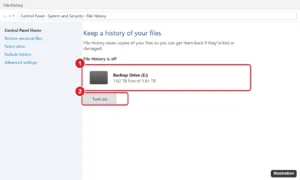
Control Panel File History page showing an external drive with free space and the Turn on button highlighted

How to Back Up a Laptop to an External Hard Drive on Windows 11

October 20, 2026April 30, 2026 by Kermit Matthews

Back up a Windows 11 laptop to an external hard drive with File History or a system image, copy files manually, and restore your data. Continue Reading How to Back Up a Laptop to an External Hard Drive on Windows 11

Categories Windows 11

How to Take Screenshots on Windows 11: A Complete Guide

October 23, 2026April 29, 2026 by Kermit Matthews

Taking screenshots on Windows 11 is a breeze! With a few simple steps, you can capture your entire screen or just part of it. Use… Continue Reading How to Take Screenshots on Windows 11: A Complete Guide

Categories Windows 11
Right-click menu on a zip file with Extract All highlighted

How to Unzip Files in Windows

November 5, 2026April 28, 2026 by Kermit Matthews

Unzip files in Windows by right-clicking the ZIP and choosing Extract All. Recent Windows 11 versions also open 7z, RAR and TAR archives. Continue Reading How to Unzip Files in Windows

Categories Windows 11
Windows Security Exclusions page with the Add an exclusion menu open showing File, Folder, File type and Process

How to Add an Exclusion to Windows Defender (Windows Security)

October 20, 2026April 28, 2026 by Kermit Matthews

Add a file, folder, file type or process exclusion in Windows Security, choose the safest type, and remove it later. Continue Reading How to Add an Exclusion to Windows Defender (Windows Security)

Categories Windows 10, Windows 11
Print dialog with the printer set to Print to PDF and the Print button

How to Convert to PDF on Windows: Print to PDF and Save As

November 5, 2026April 28, 2026 by Kermit Matthews

Convert files to PDF on Windows for free: press Ctrl + P and choose Microsoft Print to PDF, or use Save As PDF in Office apps to keep links. Continue Reading How to Convert to PDF on Windows: Print to PDF and Save As

Categories Windows 11
Windows 11 snipping app toolbar switched to video Record mode with the New button highlighted

How to Record Your Screen or Audio in Windows

October 20, 2026April 27, 2026 by Kermit Matthews

Record your screen in Windows 11 with Win + Shift + R, record an app with Game Bar (Win + Alt + R), or record audio with Sound Recorder. Continue Reading How to Record Your Screen or Audio in Windows

Categories Windows 11

How to Wipe a Hard Drive and Reinstall Windows

October 23, 2026April 20, 2026 by Kermit Matthews

Wiping your hard drive and reinstalling Windows gives you a completely fresh start: every file, app, and setting is erased, and a clean copy of… Continue Reading How to Wipe a Hard Drive and Reinstall Windows

Categories Windows 11

How to Get Degree Symbol on Windows: Easy Tips and Shortcuts

October 23, 2026April 14, 2026 by Kermit Matthews

Adding the degree symbol (°) in Windows might seem tricky at first, but it’s surprisingly simple once you know where to look. With a few… Continue Reading How to Get Degree Symbol on Windows: Easy Tips and Shortcuts

Categories Windows 11
Older posts
Newer posts
← Previous Page1 Page2 Page3 … Page12 Next →

Join Our Free Newsletter

Featured guides and deals

You may opt out at any time.
Read our Privacy Policy

Live2Tech

Plain-English, step-by-step guides for the devices and apps you use every day.

Apple

  • iPhone
  • iPad
  • Mac
  • Apple Watch

Windows

  • Windows 11
  • Windows 10

Microsoft Office

  • Word
  • Excel
  • Powerpoint
  • Outlook

Google

  • Google Docs
  • Google Sheets
  • Google Slides
  • Gmail
  • Chrome
  • Google Drive
  • About Us
  • Contact
  • Disclaimer
  • Privacy Policy
© Live2Tech.com 2026
  • iPhone
  • Windows
    • Windows 11
    • Windows 10
  • Office
    • Word
    • Excel
    • Powerpoint
    • Outlook
  • Google
    • Google Docs
    • Google Sheets
    • Google Slides
    • Gmail
    • Chrome
    • Google Drive
  • Mac & Apple
    • Mac
    • iPad
    • Apple Watch
  • All Tutorials