Skip to content
Live2Tech
  • iPhone
  • Windows
    • Windows 11
    • Windows 10
  • Office
    • Word
    • Excel
    • Powerpoint
    • Outlook
  • Google
    • Google Docs
    • Google Sheets
    • Google Slides
    • Gmail
    • Chrome
    • Google Drive
  • Mac & Apple
    • Mac
    • iPad
    • Apple Watch
  • All Tutorials

Windows 11

Guides for Windows 11: settings, security, activation, troubleshooting, and more.

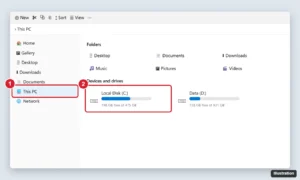
Windows 11 File Explorer with This PC selected and the Local Disk (C:) drive highlighted

How to Access the C Drive on Windows 11

October 12, 2026April 1, 2024 by Kermit Matthews

Open the C drive on Windows 11 from File Explorer > This PC > Local Disk (C:), or type C:\ in the Run box. Plus what’s inside and fixes if it’s missing. Continue Reading How to Access the C Drive on Windows 11

Categories Windows 11
Laptop BIOS setup Main tab with the boot sound and boot animation options set to Disabled

How to Turn Off the Boot Sound and Animation on an Acer Predator

September 26, 2026August 24, 2020 by Kermit Matthews

Turn off the Acer Predator boot sound and logo animation in the BIOS by pressing F2 and disabling Boot Sound on the Main tab, or check PredatorSense. Continue Reading How to Turn Off the Boot Sound and Animation on an Acer Predator
Categories Windows 10, Windows 11
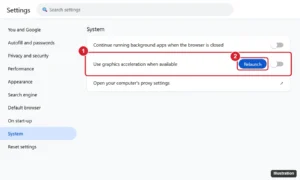
Browser Settings System page with the Use graphics acceleration when available switch and the Relaunch button highlighted

How to Turn Off Hardware Acceleration in Chrome, Edge, Firefox, Discord, and More

October 20, 2026December 2, 2016 by Kermit Matthews

Turn off hardware acceleration in Chrome, Edge, Firefox, Discord, Spotify, Slack, Steam, and Office to fix flickering, black screens, and crashes. Continue Reading How to Turn Off Hardware Acceleration in Chrome, Edge, Firefox, Discord, and More

Categories Chrome, Windows 11
Newer posts
← Previous Page1 … Page11 Page12

Join Our Free Newsletter

Featured guides and deals

You may opt out at any time.
Read our Privacy Policy

Live2Tech

Plain-English, step-by-step guides for the devices and apps you use every day.

Apple

  • iPhone
  • iPad
  • Mac
  • Apple Watch

Windows

  • Windows 11
  • Windows 10

Microsoft Office

  • Word
  • Excel
  • Powerpoint
  • Outlook

Google

  • Google Docs
  • Google Sheets
  • Google Slides
  • Gmail
  • Chrome
  • Google Drive
  • About Us
  • Contact
  • Disclaimer
  • Privacy Policy
© Live2Tech.com 2026
  • iPhone
  • Windows
    • Windows 11
    • Windows 10
  • Office
    • Word
    • Excel
    • Powerpoint
    • Outlook
  • Google
    • Google Docs
    • Google Sheets
    • Google Slides
    • Gmail
    • Chrome
    • Google Drive
  • Mac & Apple
    • Mac
    • iPad
    • Apple Watch
  • All Tutorials